Edcafe AI is an AI toolkit for K-12 teachers from Inknoe. It builds chatbots, quizzes, flashcards, reading activities, slide decks and lesson plans from a topic or an uploaded document, tracks student work, and integrates with Canvas, Moodle and Blackboard.
Most AI tools aimed at teachers stop one step too early. They produce a lesson plan, a set of questions, or a page of text, and then the teacher spends the evening turning that output into something a class of thirty can actually do.
Edcafe AI, published by Inknoe, is built around closing that last step. Give it a topic, upload your materials, or point it at a webpage or a YouTube video, and it produces the finished artefact — a quiz students take, a chatbot they converse with, a deck you present, a reading activity with questions attached.
This review looks at what it generates, why the student-facing side changes the value, how seriously to take the safety and compliance claims, and where a teacher should still expect to do the work themselves.
Edcafe AI, Summarised For A Busy Teacher
Output is an activity, not a document. The generated quiz, chatbot or flashcard set is something a class can use immediately.
Inputs are what you already have — a topic, your own materials, a webpage, or a YouTube video that becomes a quiz.
Student-facing by design, with work tracking, real-time submission monitoring and performance insight rather than teacher-only generation.
Compliance is the unglamorous selling point: SOC 2, GDPR, FERPA and COPPA — the four acronyms that decide whether a district will approve anything.
Plugs into Canvas, Moodle and Blackboard, which is what keeps it from becoming another tab nobody opens.
The distinction Edcafe leans on: it outputs an activity students can do, not a document a teacher then has to convert.
The Two Halves Of The Toolkit
Edcafe's tool list separates cleanly into things students interact with and things that save a teacher preparation time. Both matter, but for different reasons.
Things A Class Actually Does
The interactive side covers a Custom Chatbot, a Quiz Builder including a YouTube Quiz mode, a Flashcards Maker, a Reading Activity, and an Assignment Grader.
The YouTube Quiz is the one teachers tend to notice first, because it inverts a familiar problem. Video is easy to assign and impossible to verify — a class that has 'watched' a video may have had it playing in another tab. A quiz generated from the video's own content turns passive viewing into something with a check attached.
The Custom Chatbot is the more interesting build. A teacher configures it around specific material, and students then question that material conversationally rather than receiving one static explanation. For anything where students get stuck at different points, this is a genuinely different teaching instrument.
Things That Save The Evening
The preparation side covers a Slide Deck Generator, Teaching Resources Search, a Summary Note Creator, a Lesson Plan Generator, AI Speech for turning text into audio, and an AI Image Generator.
None of these is unique on its own — plenty of tools generate a lesson plan. The advantage is that they share the same library, so a topic you built a quiz around is already available when you go to make the deck, rather than being re-entered into a different product.
Why Student Tracking Changes The Calculation
A generation tool saves a teacher time once. A tool that also sees what students did with the output changes what the teacher knows.
Edcafe includes student work tracking, real-time monitoring of submissions, and performance insight across activities. That converts every generated quiz into a small piece of assessment data rather than a disposable worksheet.
The practical effect is on pacing. Knowing that eleven students missed the same question is not a report you read at the end of term; it is a reason to reteach something tomorrow morning. Generation tools that stop at the PDF cannot give you that, no matter how good the PDF is.
A worksheet tells you what you taught. A tracked activity tells you what they learned. Only one of those changes what you do on Tuesday.
Safety And Compliance, Taken Seriously
Edcafe states SOC 2, GDPR, FERPA and COPPA compliance, publishes a Trust Center and a service status page, and describes safety features including age-appropriate responses and distress monitoring in student conversations.
In consumer software this list reads as procurement filler. In K-12 it is close to the whole conversation. FERPA governs student education records in the United States and COPPA governs data collection from children under 13 — a tool without both is not a tool a district's legal review will clear, regardless of how good the output is.
The distress monitoring deserves its own note. Any system where children type freely into a chat interface will eventually receive a message that matters, and a product that has thought about that in advance is meaningfully different from one that has not. Teachers should still know exactly what the system does when it flags something, and where that notification goes, before students use it unsupervised.
Fitting It Into A Term Without Creating Work
The mistake with a toolkit this broad is trying all eleven tools in the first week and abandoning the lot by the third.
Start with one tool on one unit you already teach well — you need a baseline to judge whether the generated version is better or just faster.
Upload your own materials rather than working from a topic prompt. Output built from your curriculum beats output built from the model's idea of your curriculum.
Check every generated question before it reaches students. Plausible-but-wrong is the failure mode, and it is invisible until a student argues about an answer.
Connect Canvas, Moodle or Blackboard early, so activities land where students already go rather than adding another login.
Use the library folders from day one; a term's worth of untitled generated activities is worse than no library at all.
Read the tracking data after the second activity, not the tenth — that is when it can still change how you teach the unit.
What A Teacher Still Has To Do
Generated assessment items are the obvious risk. A model producing twenty questions on photosynthesis will produce nineteen sound ones and one that is subtly wrong or ambiguously worded, and the tool has no way to know which is which. Reviewing before publishing is not optional.
Curriculum alignment is the second gap. Edcafe generates from your material, but matching a specific standard, exam board or scheme of work remains a judgement the teacher makes.
Differentiation is the third. Generated activities pitch at an implied middle. The students who most need something different — well ahead, well behind, or working in a second language — are the ones a default output serves worst.
And the chatbot is only as good as what a teacher configures it around. Pointed at vague material it produces vague answers with total confidence, which is worse than no chatbot at all.
Engagement mechanics and a large shared question bank
More Tools For The Classroom
Different corners of teaching — tutoring, assessment building, lesson delivery and admin.
Khanmigo — tutoring built on an established curriculum rather than generated activities
Curipod — interactive lessons designed for delivery in the room
QuestionWell — focused specifically on generating good assessment questions
Quizizz — gamified quizzing with a large shared bank of existing questions
Rubric AI — marking and rubric work, the part Edcafe's grader only partly covers
What We Checked On Edcafe's Site
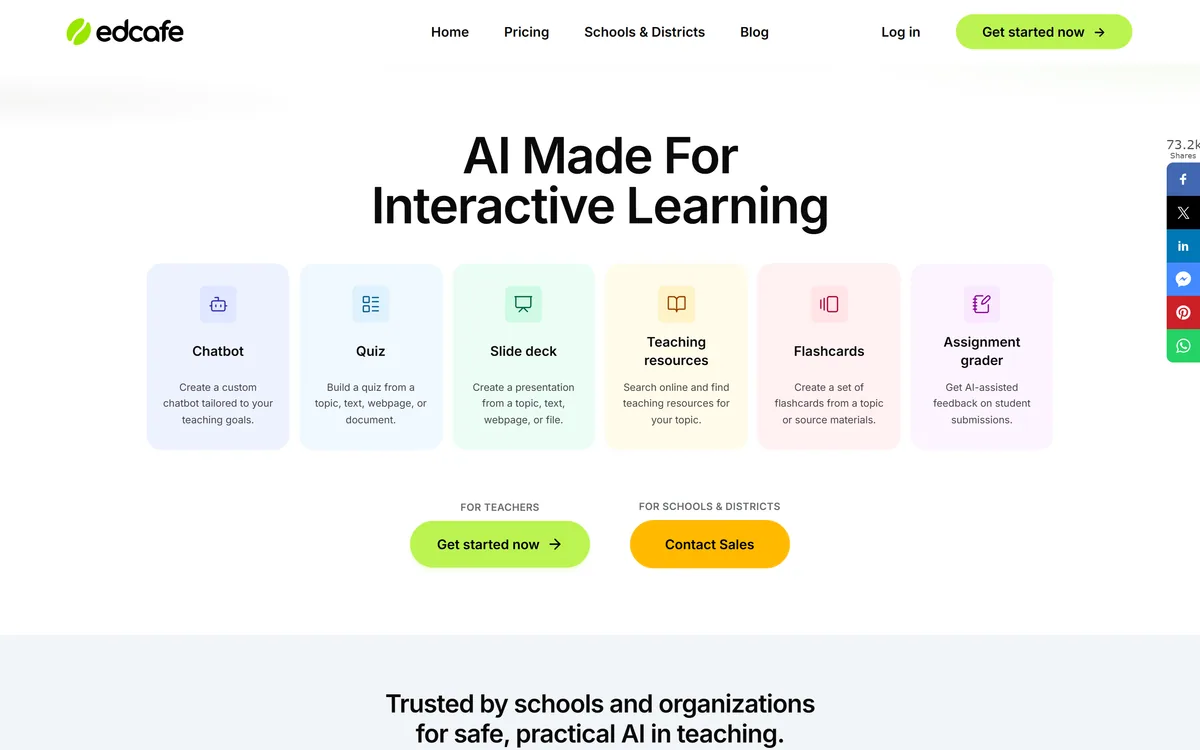
Last checked . Read from edcafe.ai during this check, with the screenshot above captured at the same time.
Tool names — Custom Chatbot, Quiz Builder, YouTube Quiz, Flashcards Maker, Reading Activity, Assignment Grader, Slide Deck Generator, Teaching Resources Search, Summary Note Creator, Lesson Plan Generator, AI Speech, AI Image Generator — listed on the site
Accepted inputs described on the site as a topic, uploaded materials, or starting from scratch
Student work tracking, performance insights and real-time submission monitoring stated as platform features
Safety features including age-appropriate responses and distress monitoring described by Edcafe
SOC 2, GDPR, FERPA and COPPA compliance stated on the site
LMS integration with Canvas, Moodle and Blackboard listed
Published by Inknoe, with Trust Center, service status, privacy policy, cookie policy and terms of service present in the footer
No plan prices published here, in line with this site's pricing policy
Cautions about reviewing generated questions, curriculum alignment and differentiation are general points about AI-generated teaching material and apply across the category rather than to Edcafe alone. Compliance certifications are as stated by the vendor; schools should confirm current status through the Trust Center before procurement.
Editor's Verdict
4.3/5
Edcafe AI has an AInexfinder Editor Score of 4.3/5.
Edcafe AI pricing
AInexfinder does not list plan prices or billing details. For current pricing, plans, and trials, visit the official Edcafe AI website.
Vendor pricing, credits, and billing policies change over time. Always confirm on the official site before you buy.
Frequently asked questions
What can Edcafe AI build from?
A topic you type, your own uploaded materials, a webpage, or a YouTube video. Uploading your own material generally produces better results than a topic prompt, because the output then follows your curriculum rather than the model's idea of it.
How does the YouTube Quiz work?
It generates quiz questions from the content of a video, so an assigned video comes with a comprehension check attached. It addresses a genuine problem — video is easy to assign and almost impossible to verify was actually watched.
Can students use it directly?
Yes. Chatbots, quizzes, flashcards and reading activities are student-facing, with work tracking, real-time submission monitoring and performance insights on the teacher's side. That student-facing half is what separates it from tools that only generate documents.
Is it safe for children to use?
Edcafe states SOC 2, GDPR, FERPA and COPPA compliance, and describes age-appropriate responses and distress monitoring in student conversations. Before letting students use it unsupervised, find out exactly what happens when the system flags something and who receives that notification.
Does it connect to our LMS?
Canvas, Moodle and Blackboard are listed. This matters more than it sounds — activities that land in the system students already use get done, and activities behind a separate login often do not.
Do I still need to check the generated questions?
Yes, every time. A generated set will usually be sound with one item subtly wrong or ambiguously worded, and nothing in the tool can identify which. Reviewing before publishing is the non-negotiable part of the workflow.
Will it handle differentiation for mixed-ability classes?
Not well on its own. Generated activities aim at an implied middle, so the students furthest from that middle — well ahead, well behind, or working in an additional language — are the ones you will still be adapting material for yourself.
Daniel reviews AI tools the slow way — by actually using them on real projects. His reviews cover what works, what breaks, and who each tool is genuinely a good fit for.
Daniel and the AInexfinder editorial team research Edcafe AI using public product information, listing evidence, and (when available) hands-on checks. Scores reflect listing completeness and transparency — not paid placement.
Listings may include affiliate or sponsored placements, which are labeled when present. Editorial scores and cons are not sold. See our affiliate disclosure and review methodology.
Conker is an AI quiz and assessment maker for teachers that generates standards-aligned quizzes with varied question types, offers read-aloud accessibility, and exports to Google Forms and Canvas, with thousands of ready-made K12 assessments to adapt.
QuizRise turns text, PDFs, YouTube videos, webpages, slides, documents and handwritten notes into quizzes, flashcards and summaries. It exports to Moodle XML, GIFT, Aiken, Respondus, Kahoot, PDF and Word, and adds spaced repetition and analytics.
LUCA is a K-12 reading intervention platform that analyses student reading at the phoneme level rather than the word level, identifying skill gaps in real time. It reports a 17.4 words-per-minute average fluency gain and 763,000+ grapheme-phoneme mappings, delivered through SoundScout, StoryGen and Assessment Intelligence.
Question AI is a homework-helper app that scans a question and returns step-by-step answers across school subjects, plus AI writing, search, translation and summarizing. Its study uses are legitimate; using it to hand in answers or graded work crosses academic-integrity lines, which we weigh honestly.
Gizmo is a mobile-first study app that turns your notes, PDFs, slides and YouTube videos into AI-generated quizzes and flashcards, built around active recall so revision becomes a habit rather than a chore.
RemNote combines outlining, handwriting, PDF annotation and spaced-repetition flashcards in one document, generating cards, quizzes and summaries from PDFs, slides, lecture transcripts and video, with an exam scheduler that works backwards from a date you set.