QuizRise turns text, PDFs, YouTube videos, webpages, slides, documents and handwritten notes into quizzes, flashcards and summaries. It exports to Moodle XML, GIFT, Aiken, Respondus, Kahoot, PDF and Word, and adds spaced repetition and analytics.
There are a great many AI quiz generators, and almost all of them stop at the same place: a nicely formatted quiz living on the vendor's website. For a teacher that is the least useful possible ending, because the quiz needs to be in Moodle, or Canvas, or on paper, or in Kahoot — wherever the students already are.
QuizRise's answer is an export list most of its competitors do not attempt: Moodle XML, GIFT, Aiken, Respondus, Kahoot, PDF, Word and JSON. That is not a feature bullet, it is the reason to choose it.
This review covers why those formats matter, what nine input types genuinely buys you, where three question types becomes a real limit, and the review step no generated assessment should skip.
Most quiz generators end at a web page. This one ends inside your LMS.
The Export List Is The Product
Moodle XML, GIFT, Aiken, Respondus and Kahoot exports — this is the differentiator, not the generation. Most rivals hand you a web page and stop.
Nine input types, including YouTube URLs, PowerPoint, Word, images and handwritten notes.
Three question types: multiple choice, true/false and fill-in-the-blank, plus flashcards and summaries.
Spaced repetition built in, so it covers revision as well as assessment.
London-based, and claims 500,000+ students and teachers — that figure is the company's own.
PDF with answer key, DOCX, JSON, Kahoot, printable
Revision
Spaced repetition
Sharing
Share as a link, embed on a website
Browser
Chrome extension
Analytics
Performance tracking across attempts
Languages
English primary, plus Turkish, Spanish, French and others
Vendor claim
500,000+ students and teachers (company's own figure)
Why Moodle XML And GIFT Decide This Purchase
These acronyms look like technical trivia and are the single most practical thing on the page.
A teacher who generates thirty questions and then retypes them into Moodle has saved nothing — the typing was always the work. An export that imports cleanly turns a two-hour job into a five-minute one, and that is the entire economic case for the product.
The formats cover different destinations. Moodle XML is the richest, carrying question types and feedback into Moodle directly. GIFT is Moodle's plain-text format, easier to hand-edit before import. Aiken is the simplest, multiple-choice only, and imports almost anywhere. Respondus reaches Blackboard and the platforms Respondus publishes to. Kahoot is the live-classroom case.
The practical advice is to test the import before generating a term's worth of material. Format support is a spectrum rather than a yes, and a quiz that imports with mangled feedback fields is still a manual clean-up.
Generating questions was never the bottleneck. Getting them into the system the students actually use was.
Nine Input Types, Ranked By How Much They Help
Breadth here is genuinely useful, but the types are not equally valuable and knowing which is which saves time.
PDF and PPTX — the workhorses. Lecture slides and course readings are how teaching material actually exists.
YouTube URL — the one that changes behaviour. Assigning a video is easy and verifying it was watched is not; a quiz generated from it closes that loop.
Website URL — useful for current-affairs and reading-comprehension work built on a live article.
Images and handwritten notes — the underrated pair. An enormous amount of teaching material is a photograph of a whiteboard or a page of handwriting, and most tools cannot touch it.
DOCX, TXT and pasted text — the baseline every competitor also has.
Three Question Types Is A Real Ceiling
Multiple choice, true/false and fill-in-the-blank. That covers recall well and covers reasoning badly, and it is worth being honest about what that excludes.
There is no short answer, no essay prompt, no matching, no ordering. For a maths department wanting worked problems, or a humanities course assessing argument, this generates the wrong kind of assessment entirely — and the fact that it generates it quickly makes that worse rather than better.
True/false deserves particular caution. It is the easiest question type to generate and the weakest to assess with, because a 50% baseline means a student who knows nothing scores half. Generated true/false questions also tend towards the trivially true or the ambiguously worded.
Fill-in-the-blank is the strongest of the three for actual recall, since it removes the recognition shortcut that multiple choice gives away. Where the tool offers it, prefer it.
The Review Step Nobody Wants To Do
Every AI-generated assessment carries the same risk, and it is not that questions will be obviously wrong — it is that one will be subtly wrong, plausible, and marked as correct.
Generate from your own material rather than a topic prompt, so the questions follow what you actually taught.
Read every question before it reaches a student. A set of twenty will typically contain one that is ambiguous or has two defensible answers.
Delete the true/false questions unless you have a specific reason to keep them.
Check the answer key separately from the questions — a correct question with a wrong key is the worst failure mode and the easiest to miss.
Export to your LMS and run the import on a test course first, before you need it in a live one.
Take one question from each set and ask whether a student could answer it correctly without understanding anything. If yes, rewrite it.
Keep the summaries and flashcards for revision, and use the exported quiz for assessment — they are different jobs.
Revision Versus Assessment
QuizRise straddles two use cases that are usually sold separately, and it is worth knowing which one you are buying it for.
As an assessment tool, its value is the export list — get questions into the LMS, set the quiz, collect the marks. Analytics and performance tracking support that.
As a revision tool, the flashcards and spaced repetition put it against dedicated products like Mindomax and RemNote. It is a lighter offering there: spaced repetition exists, but the depth of a purpose-built system is not the point of this product.
The share-as-a-link and embed options bridge the two, which is genuinely useful for a teacher who wants students revising with the same material the test will draw on. The Chrome extension makes generating from whatever is on screen a two-click job rather than a copy-paste.
One caveat on the numbers: the 500,000 users figure is QuizRise's own, and this page does not treat it as verified. The London base and the API documentation are the more checkable signals of a real operation.
Key features of QuizRise
Quiz generation from nine input types including YouTube and handwritten notes
Export to Moodle XML, GIFT, Aiken and Respondus
Kahoot, PDF with answer key, DOCX and JSON export
Multiple choice, true/false and fill-in-the-blank questions
Flashcard creation with spaced repetition
Smart summaries from source material
Share as a link or embed on a website
Chrome extension for generating from the current page
Analytics and performance tracking
API documentation for programmatic use
Pros & cons
Pros
5
The LMS export list is genuinely rare and is where the time saving actually comes from
Handwritten notes and image input reach material most competitors cannot read
YouTube input closes the loop on assigned video, which is otherwise unverifiable
Covers both assessment and revision, so one tool serves two workflows
Chrome extension makes generation a two-click job from whatever is on screen
Cons
5
Only three question types — no short answer, essay, matching or ordering
True/false is weak assessment and easy to over-generate
Generated questions need reading before use; ambiguous items and wrong answer keys occur
Spaced repetition is lighter than a purpose-built study system
The user-count figure is the vendor's own and unverified
Best For
Teachers who need questions inside Moodle, Blackboard or Kahoot
Lecturers working from slide decks and PDF readings
Anyone assigning YouTube video as coursework
Recall-heavy subjects suited to multiple choice and cloze
Tutors producing both revision flashcards and end-of-topic tests
QuizRise Against Other Classroom Generators
These overlap on making questions and differ sharply on where the questions end up.
Teachers who need questions inside Moodle, Blackboard or Kahoot rather than on a web page
Anyone assigning video who wants comprehension checked
Courses where material lives in slides, PDFs and photographed notes
Recall-heavy subjects where multiple choice and cloze are the right instruments
Departments wanting one tool for both revision material and assessment
Look Past It If
You need short answer, essay, matching or ordering question types
Your assessment is about reasoning and argument rather than recall
You want a dedicated spaced-repetition system with real depth
You will publish generated questions without reading them first
Your LMS is not among the formats and you would be retyping anyway
Other Tools For Teaching And Revision
Question generation, classroom activities and personal study are three markets that keep overlapping.
Edcafe AI — a broader K-12 toolkit with direct Canvas, Moodle and Blackboard integration
QuestionWell — narrower, focused specifically on generating good assessment questions
Quizizz — gamified live quizzing with a large existing question bank
Mindomax — spaced repetition done properly, for revision rather than assessment
Twee — language-teaching materials specifically, if that is your subject
What The Site Lists
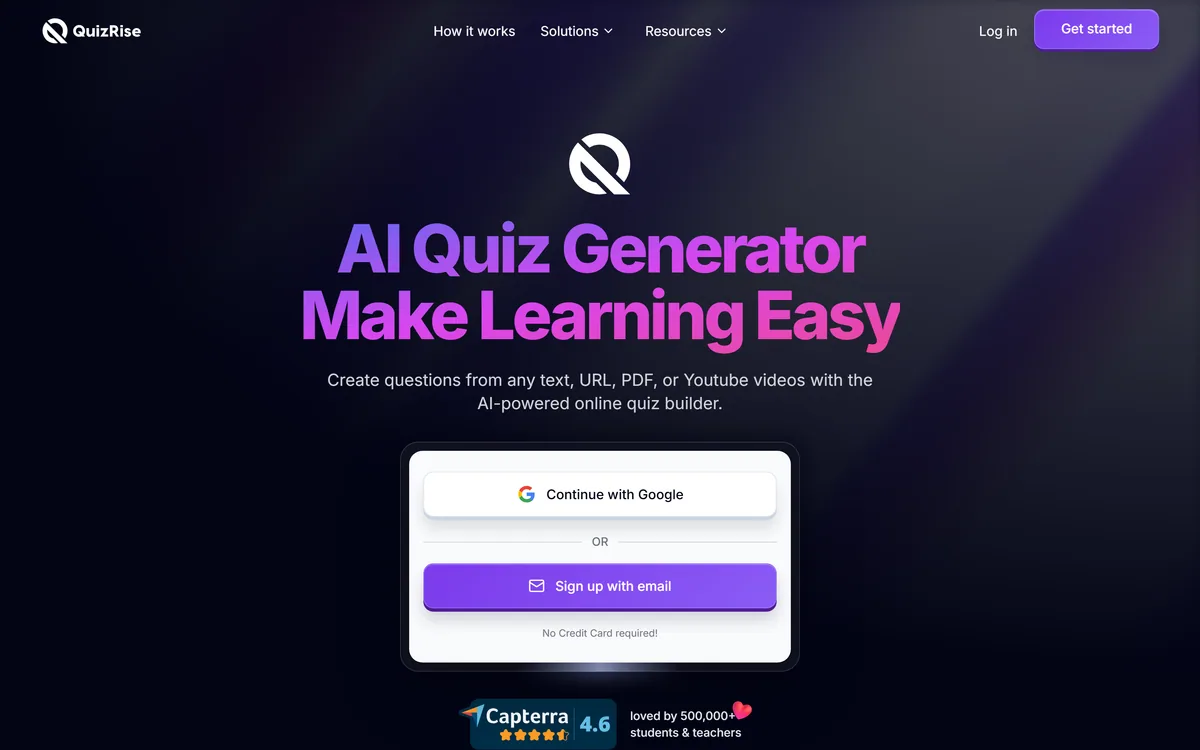
Last checked . Read from quizrise.com during this check, with the screenshot above captured at the same time.
Input types listed on the site as text, PDF, YouTube URL, website URL, PPTX, DOCX, images, handwritten notes and TXT
Question types given as multiple choice, true/false and fill-in-the-blank
Export formats listed as PDF with answer keys, DOCX, GIFT, Aiken, Respondus, Moodle XML, JSON, Kahoot and printable
Flashcards, smart summaries, spaced repetition and analytics named as features
Share-as-a-link, website embed and a Chrome extension listed
Company located in London, United Kingdom, per the site
Language support given as English plus Turkish, Spanish, French and others
The 500,000+ students and teachers figure is QuizRise's own claim and is described as such here
Features, resources, company, help centre, blog, API documentation and legal pages present in the site footer
No plan prices published here, in line with this site's pricing policy
We have not tested import fidelity into any specific LMS, and format support varies in practice — run a test import before committing a term's material. Comments on question quality describe generated assessment in general rather than measured output from this tool.
Editor's Verdict
4.3/5
QuizRise has an AInexfinder Editor Score of 4.3/5.
QuizRise pricing
AInexfinder does not list plan prices or billing details. For current pricing, plans, and trials, visit the official QuizRise website.
Vendor pricing, credits, and billing policies change over time. Always confirm on the official site before you buy.
Frequently asked questions
What makes QuizRise different from other quiz generators?
The export list. Moodle XML, GIFT, Aiken, Respondus and Kahoot mean the questions end up in the system your students already use rather than on a web page you then retype from. Generating questions was never the bottleneck; getting them into the LMS was.
Can it make a quiz from a YouTube video?
Yes — paste the URL. This is the input most likely to change how you teach, because assigning a video is easy and confirming it was watched is not. A generated comprehension check closes that gap.
Will it read my handwritten notes?
Images and handwritten notes are both listed as input types, which is unusual. A great deal of teaching material is a photograph of a whiteboard or a page of handwriting, and most competitors cannot use it at all.
What question types can it generate?
Multiple choice, true/false and fill-in-the-blank. There is no short answer, essay, matching or ordering. That covers recall well and reasoning poorly, so for argument-based subjects it is generating the wrong instrument quickly.
Do I need to check the questions before using them?
Yes, every time. The risk is not an obviously wrong question — it is a plausible one that is subtly ambiguous or has a wrong answer key. Check the key separately from the questions; that is the failure that slips through most often.
Which export format should I use?
Moodle XML carries the most detail into Moodle. GIFT is plain text and easier to hand-edit first. Aiken is the simplest and imports nearly anywhere but is multiple-choice only. Whichever you pick, run a test import into a spare course before committing a term's material.
Is it a good revision tool as well?
Reasonably. Flashcards and spaced repetition are there, and sharing a link lets students revise from the same material the test draws on. If deep spaced repetition is the main thing you want, a purpose-built study app will go further.
Daniel reviews AI tools the slow way — by actually using them on real projects. His reviews cover what works, what breaks, and who each tool is genuinely a good fit for.
Daniel and the AInexfinder editorial team research QuizRise using public product information, listing evidence, and (when available) hands-on checks. Scores reflect listing completeness and transparency — not paid placement.
Listings may include affiliate or sponsored placements, which are labeled when present. Editorial scores and cons are not sold. See our affiliate disclosure and review methodology.
Conker is an AI quiz and assessment maker for teachers that generates standards-aligned quizzes with varied question types, offers read-aloud accessibility, and exports to Google Forms and Canvas, with thousands of ready-made K12 assessments to adapt.
Edcafe AI is an AI toolkit for K-12 teachers from Inknoe. It builds chatbots, quizzes, flashcards, reading activities, slide decks and lesson plans from a topic or an uploaded document, tracks student work, and integrates with Canvas, Moodle and Blackboard.
LUCA is a K-12 reading intervention platform that analyses student reading at the phoneme level rather than the word level, identifying skill gaps in real time. It reports a 17.4 words-per-minute average fluency gain and 763,000+ grapheme-phoneme mappings, delivered through SoundScout, StoryGen and Assessment Intelligence.
Gizmo is a mobile-first study app that turns your notes, PDFs, slides and YouTube videos into AI-generated quizzes and flashcards, built around active recall so revision becomes a habit rather than a chore.
Question AI is a homework-helper app that scans a question and returns step-by-step answers across school subjects, plus AI writing, search, translation and summarizing. Its study uses are legitimate; using it to hand in answers or graded work crosses academic-integrity lines, which we weigh honestly.
RemNote combines outlining, handwriting, PDF annotation and spaced-repetition flashcards in one document, generating cards, quizzes and summaries from PDFs, slides, lecture transcripts and video, with an exam scheduler that works backwards from a date you set.