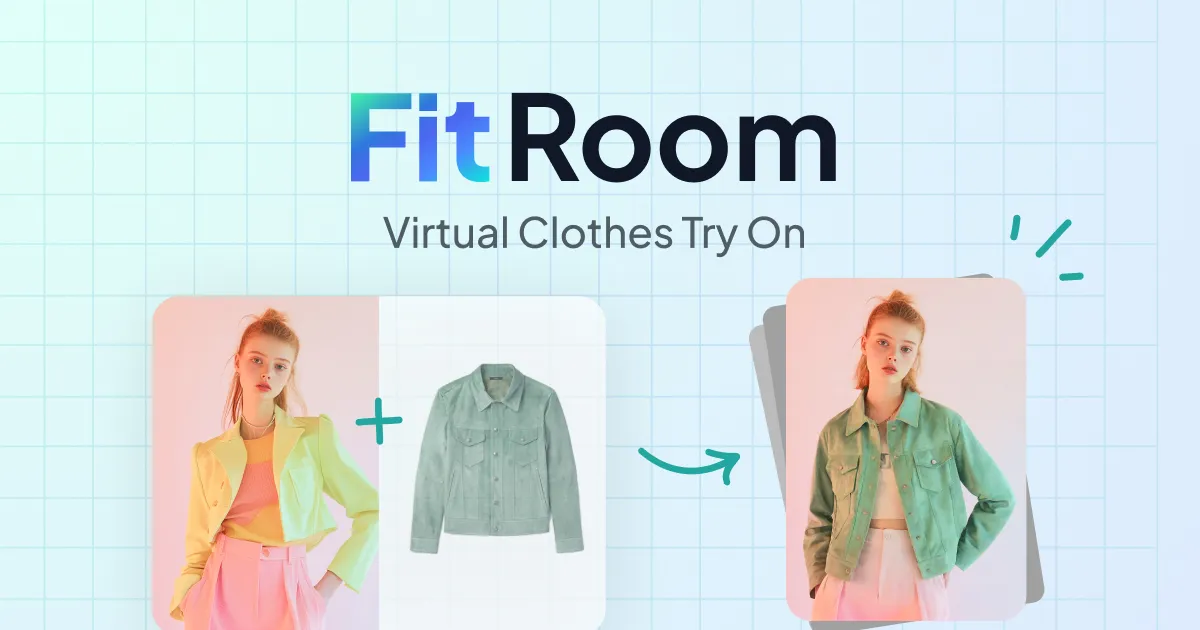
What is FitRoom?
FitRoom is an AI-powered virtual clothing try-on application that lets users see how an outfit looks on a person without a physical fitting.
You upload a portrait photo and a garment image, and the AI outfit changer composites the clothing onto the model while attempting to preserve realistic fabric texture, draping, and shadows.
Results typically generate in roughly ten to fifteen seconds, and the tool is available as a web app, on iOS and Android, and through an API for businesses that want to embed try-on into their own storefronts.
FitRoom is aimed at online shoppers experimenting with looks, content creators, boutique owners, and ecommerce sellers on platforms like Shopify and Amazon who want on-model visuals without booking models or photoshoots.
Core capabilities include outfit swapping, a library of pre-made garments and model portraits, batch try-on workflows, and business API access. Strengths are its speed, simple two-image workflow, and family-safe positioning for retail use.
Limitations include occasional artifacts on complex garments or unusual poses, dependence on good-quality input photos, and the fact that fine tailoring nuances may not always render perfectly.
The tool follows a freemium model with free trials and paid or business plans for higher volume and API usage, so casual users can experiment for free while merchants scale up through API access and team tiers as their catalog grows.
Pricing changes often, so check the official site for current plans.
FitRoom's core capabilities include AI virtual try-on from a portrait and garment photo, Realistic fabric texture, fit, and shadow rendering, Library of pre-made clothing items and model portraits, Web app plus iOS and Android apps and Business API for ecommerce integration.
AI virtual try-on from a portrait and garment photo is built in, Realistic fabric texture, fit, and shadow rendering is built in, Library of pre-made clothing items and model portraits is built in, Web app plus iOS and Android apps is built in, so you get a rounded toolkit rather than a single trick.
Each feature is designed to take the manual effort out of the task and help you reach a usable result faster, which is what makes FitRoom worth a place on your shortlist.
On the plus side, users consistently highlight Fast results in roughly 10 to 15 seconds, Simple two-image workflow needs no design skills and Family-safe and built for retail and ecommerce use as the reasons they keep using FitRoom.
It isn't perfect, though — Quality depends heavily on input photo clarity and Complex garments or unusual poses can produce artifacts are the trade-offs people most often mention, so weigh those against your own priorities before you commit.
As with any AI tool, the output still benefits from a quick human review, but FitRoom gets you most of the way there with far less effort.
FitRoom runs on a freemium pricing model, so you can start for free and only pay once you outgrow the free tier — handy for testing it on a real task before spending anything.
AI-tool pricing changes often, so always check the current plans, seats and add-ons on the official site for the latest details before you buy. Who is FitRoom for? It's best suited for ai virtual try-on to swap clothes in photos.
Whether you're a beginner trying this kind of AI tool for the first time or a professional who'll use it every day, it's a credible option to consider.
If you're still deciding, compare FitRoom against the alternatives and the head-to-head comparisons linked below — looking at features, pricing and real user ratings side by side is the fastest way to find the right fit for your workflow and budget.
Who is FitRoom for?
FitRoom is best suited for ai virtual try-on to swap clothes in photos. Whether you are trying this kind of image & design tool for the first time or use one every day, it is a credible option to shortlist — compare it with the alternatives and head-to-head comparisons linked on this page to find the best fit for your workflow and budget.