What is Fotor?
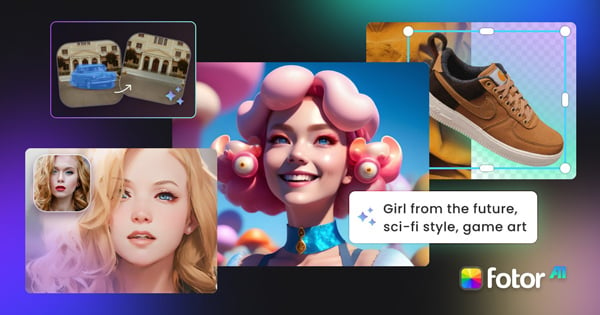
Fotor is a long-established online photo editor and graphic design platform that has added a full AI image generator alongside its editing and collage tools.
The generator gives users one-click access to several leading models and supports batch generation of multiple images per run, plus an AI prompt enhancer that expands short inputs into detailed, descriptive prompts to help beginners get better results.
Users can target a range of styles including realistic, cartoon, and digital art, and then refine outputs with Fotor's broader toolkit, which includes background removal, image upscaling, object removal, and photo effects.
A notable feature is the ability to edit any part of an AI-generated image with a prompt without regenerating the whole picture.
Fotor serves casual creators, social media users, students, and small businesses who want both generation and traditional photo editing in one accessible browser app, with mobile apps also available.
The product uses a freemium model: a free tier covers casual use and evaluation, while Pro and Pro+ subscriptions add AI generation credits, priority processing, and remove limits. Pros include the all-in-one editor-plus-generator design, beginner-friendly prompt help, and access to multiple models.
Cons are that AI generation credits are capped on lower tiers and that heavier outputs and resolutions need a paid plan. Pricing changes often, so check the official site for current plans.
Fotor's core capabilities include Multi-model text-to-image generation, AI prompt enhancer for beginners, Batch image generation, Prompt-based partial image editing, Background removal and upscaling and Full photo editor and design tools.
Multi-model text-to-image generation is built in, AI prompt enhancer for beginners is built in, Batch image generation is built in, Prompt-based partial image editing is built in, so you get a rounded toolkit rather than a single trick.
Each feature is designed to take the manual effort out of the task and help you reach a usable result faster, which is what makes Fotor worth a place on your shortlist.
On the plus side, users consistently highlight Generation and traditional editing in one app, Beginner-friendly prompt enhancement and Access to several leading models as the reasons they keep using Fotor.
It isn't perfect, though — AI credits are limited on lower tiers and Higher resolutions need a paid plan are the trade-offs people most often mention, so weigh those against your own priorities before you commit.
As with any AI tool, the output still benefits from a quick human review, but Fotor gets you most of the way there with far less effort.
Fotor runs on a freemium pricing model, so you can start for free and only pay once you outgrow the free tier — handy for testing it on a real task before spending anything.
AI-tool pricing changes often, so always check the current plans, seats and add-ons on the official site for the latest details before you buy. Who is Fotor for? It's best suited for ai image generator and photo editor with multiple models.
Whether you're a beginner trying this kind of AI tool for the first time or a professional who'll use it every day, it's a credible option to consider.
If you're still deciding, compare Fotor against the alternatives and the head-to-head comparisons linked below — looking at features, pricing and real user ratings side by side is the fastest way to find the right fit for your workflow and budget.
Who is Fotor for?
Fotor is best suited for ai image generator and photo editor with multiple models. Whether you are trying this kind of image & design tool for the first time or use one every day, it is a credible option to shortlist — compare it with the alternatives and head-to-head comparisons linked on this page to find the best fit for your workflow and budget.