Treblo generates complete songs from a text prompt in any style, with a browsable style library, an Explore feed of what others have made, iOS and Android apps, and a developer section for building on it.
FreemiumVideo & Audio
OpenMusic AI review on AInexfinder — freemium AI tool for Video & Audio. Features, pricing notes, and alternatives.
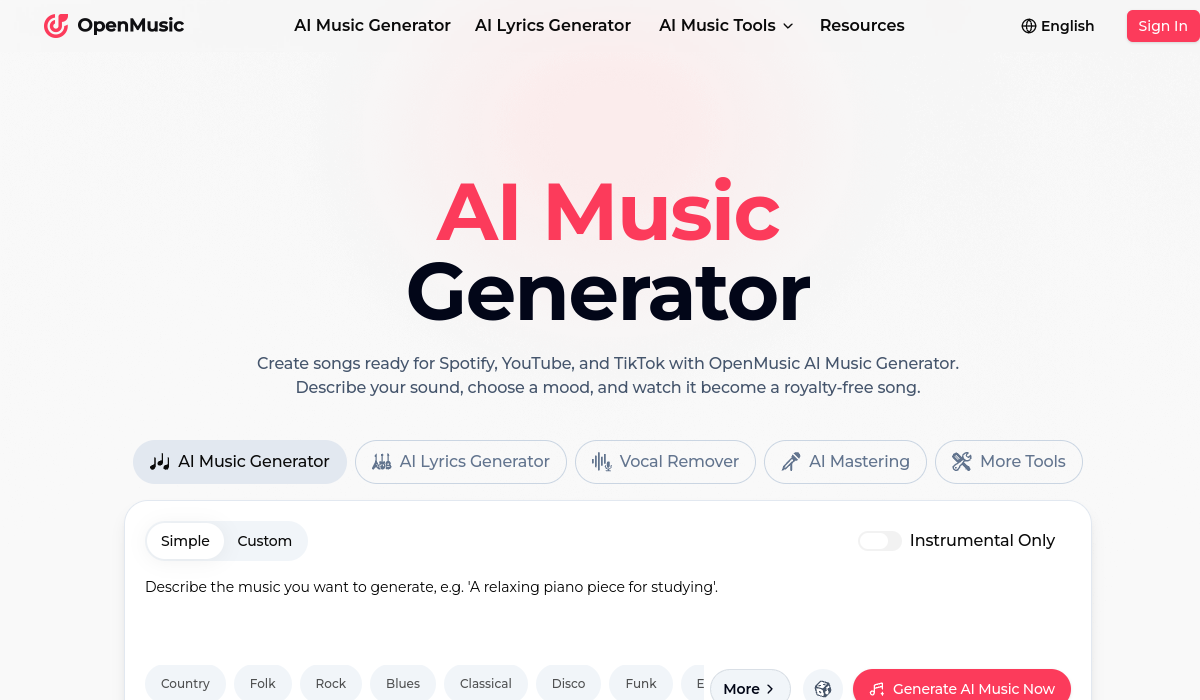
OpenMusic AI is a comprehensive AI music creation platform that turns text prompts into full, royalty-free songs ready for streaming platforms.
Users describe the sound they want and select moods to generate complete compositions up to several minutes long, then refine the result using a broad toolkit that goes well beyond generation.
Built-in tools include an AI lyrics generator for genres like rap, pop, and ballads, a vocal remover and stem splitter for isolating audio components, AI mastering for professional polish, a song cover generator, a photo-to-music feature, MIDI editing and conversion, and a lo-fi converter for style transformation.
This makes it useful not just for generating tracks but for editing and adapting existing audio. OpenMusic AI serves YouTube creators, indie artists, game developers, podcasters, DJs, and filmmakers who need original background music or full songs without licensing headaches, and all plans include commercial licensing rights.
Pros include an unusually deep all-in-one feature set, commercial rights across tiers, and a free entry point with credits to experiment.
Cons are that, like most generative music tools, output quality and originality vary by prompt and may need iteration, and that heavier use quickly consumes credits on lower plans. OpenMusic AI uses a freemium subscription model with free credits and several paid tiers offering larger annual credit allotments.
Pricing changes often, so check the official site for current plans. OpenMusic AI's core capabilities include Text-to-song generation up to several minutes, AI lyrics generator across multiple genres, Vocal remover, stem splitter, and mastering and MIDI editing, song covers, and lo-fi conversion.
Text-to-song generation up to several minutes is built in, AI lyrics generator across multiple genres is built in, Vocal remover, stem splitter, and mastering is built in, MIDI editing, song covers, and lo-fi conversion is built in, so you get a rounded toolkit rather than a single trick.
Each feature is designed to take the manual effort out of the task and help you reach a usable result faster, which is what makes OpenMusic AI worth a place on your shortlist.
On the plus side, users consistently highlight Deep all-in-one music toolkit, Commercial licensing on all tiers and Free credits to experiment as the reasons they keep using OpenMusic AI.
It isn't perfect, though — Output quality varies by prompt and Credits deplete quickly on lower plans are the trade-offs people most often mention, so weigh those against your own priorities before you commit.
As with any AI tool, the output still benefits from a quick human review, but OpenMusic AI gets you most of the way there with far less effort.
OpenMusic AI runs on a freemium pricing model, so you can start for free and only pay once you outgrow the free tier — handy for testing it on a real task before spending anything.
AI-tool pricing changes often, so always check the current plans, seats and add-ons on the official site for the latest details before you buy. Who is OpenMusic AI for? It's best suited for ai music, lyrics, and mastering for creators.
Whether you're a beginner trying this kind of AI tool for the first time or a professional who'll use it every day, it's a credible option to consider.
If you're still deciding, compare OpenMusic AI against the alternatives and the head-to-head comparisons linked below — looking at features, pricing and real user ratings side by side is the fastest way to find the right fit for your workflow and budget.
OpenMusic AI is best suited for ai music, lyrics, and mastering for creators. Whether you are trying this kind of video & audio tool for the first time or use one every day, it is a credible option to shortlist — compare it with the alternatives and head-to-head comparisons linked on this page to find the best fit for your workflow and budget.
Text-to-song generation up to several minutes
AI lyrics generator across multiple genres
Vocal remover, stem splitter, and mastering
MIDI editing, song covers, and lo-fi conversion
OpenMusic AI has an AInexfinder Editor Score of 4.4/5.
AInexfinder does not list plan prices or billing details. For current pricing, plans, and trials, visit the official OpenMusic AI website.
Visit official website for pricingVendor pricing, credits, and billing policies change over time. Always confirm on the official site before you buy.
Log in to write a review.
No reviews yet. Be the first to share your experience with OpenMusic AI.
Assigned reviewer
Daniel ReedSenior AI Tools Reviewer
Daniel reviews AI tools the slow way — by actually using them on real projects. His reviews cover what works, what breaks, and who each tool is genuinely a good fit for.
Daniel and the AInexfinder editorial team research OpenMusic AI using public product information, listing evidence, and (when available) hands-on checks. Scores reflect listing completeness and transparency — not paid placement.
Treblo generates complete songs from a text prompt in any style, with a browsable style library, an Explore feed of what others have made, iOS and Android apps, and a developer section for building on it.
ACE Studio is an AI music production platform built around singing voice synthesis. You give it MIDI and lyrics and it returns an expressive vocal performance, with 140+ voices across 8 languages, voice cloning, AI instruments, stem splitting and a DAW plugin that brings the whole thing into your session.
Loudly is a Berlin-built AI music platform spanning generation across four proprietary models and one partner model, a remix engine for songs you own, genre-aware mastering, stem splitting, and distribution to more than 50 platforms — with output stated as rights-cleared at generation.
MusicCreator AI generates tracks up to eight minutes from text, photos or genre prompts, and surrounds that with eighteen further tools including stem splitting, vocal removal, audio-to-MIDI conversion, a MIDI editor, mastering, key and BPM detection and a singing voice generator, across eleven interface languages.
Boomy is a generative music platform from Boomy Corporation in Berkeley, California. It creates original songs in seconds, states that artists receive full commercial rights, and publishes a running total of songs made — 22,123,440 at the time we checked.
MakeSong turns a text description or your own lyrics into a complete track with vocals across a wide genre range, exports to MP3 and WAV, and includes a fuller-than-usual set of editing tools — stem splitting, vocal removal, section replacement, song extension and video generation.