Treblo generates complete songs from a text prompt in any style, with a browsable style library, an Explore feed of what others have made, iOS and Android apps, and a developer section for building on it.
FreemiumVideo & Audio
MusicCreator AI generates tracks up to eight minutes from text, photos or genre prompts, and surrounds that with eighteen further tools including stem splitting, vocal removal, audio-to-MIDI conversion, a MIDI editor, mastering, key and BPM detection and a singing voice generator, across eleven interface languages.
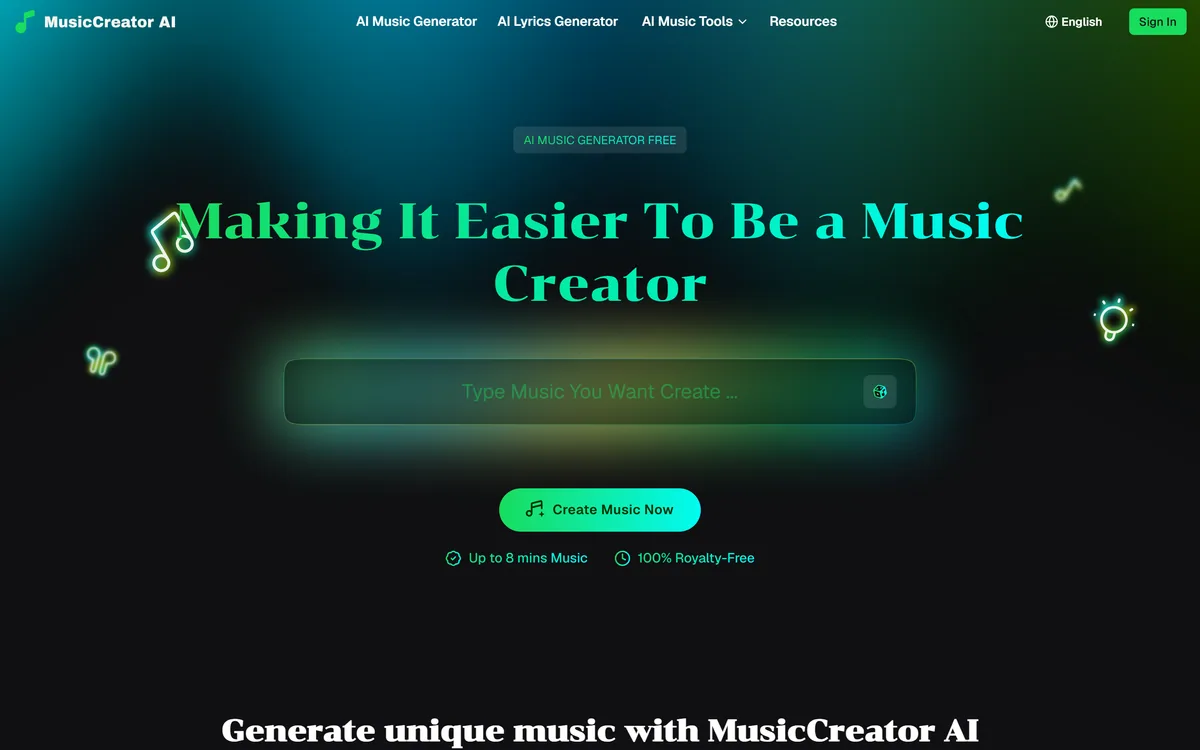
The platform offers several entry points into generation — text to music, photo to music, an instrumental generator, a rap generator and a lyrics generator — with tracks up to eight minutes.
Eight minutes is the number worth noticing, because length is where most generated music quietly fails.
A thirty-second clip only has to be plausible. A track of several minutes has to develop: it needs sections that differ, a structure that goes somewhere, and variation that feels intended rather than random. Generated music tends to produce a convincing texture and then repeat it.
So the honest question about a long generation is not whether it sounds good in the first fifteen seconds but whether minute five is doing something minute two was not.
The multiple entry points address a different limitation, which is that most people cannot describe music in words. Photo to music is the interesting one — you supply an image and the mood comes from it, which is a better route in than a genre dropdown for anyone who knows how they want something to feel but not what it is called.
A thirty-second clip only has to be plausible. Eight minutes has to develop — and that is where generated music usually stops.
Among the tools sit audio to MIDI conversion, a MIDI editor and a MIDI generator, alongside key and BPM detection.
Audio to MIDI is the most technically demanding thing on the list and the most useful to anyone who actually makes music.
Audio is a recording of sound. MIDI is a description of notes — which pitch, when, how hard, for how long. Converting the first into the second means separating overlapping notes out of a mixed signal and identifying each one, which is a genuinely hard problem and was unreliable for decades.
What it unlocks is editing that is otherwise impossible. A recorded phrase you cannot quite play is fixed by moving a note; a melody you hummed becomes a piano part; a chord progression you liked becomes something you can transpose and rearrange.
That is a musician's tool rather than a listener's, and its presence alongside key detection and a BPM tapper says who this platform is quietly for — people working on music, not people needing a backing track.
The generation tools split across instrumentals, full tracks, a rap generator and a singing voice generator, with stem splitting and vocal removal available on existing audio.
Separating instrumental from vocal generation is the right division, because the two have very different failure modes.
Instrumental generation is the more solved half. A model producing a competent lo-fi bed or a house track is working within conventions that are consistent, well represented and forgiving — nobody listens to a background instrumental closely enough for small errors to register.
Generated vocals are harder in a specific way. A voice is the thing a listener attends to most, so a phrase that lands slightly wrong, a consonant that sounds synthetic or a breath in the wrong place is immediately noticeable in a way an odd bassline is not.
Stem splitting is the practical bridge between the two. Being able to pull vocals out of a track, or isolate drums from it, means you can generate an instrumental and add a real voice — which is usually a better result than generating both, and closer to how a producer actually works.
The homepage states that output is one hundred percent royalty-free, and the tool list includes a song cover generator alongside the generation tools.
Those two things need reading together, because they answer different questions and only one of them is about your output.
Royalty-free describes what you may do with a track the platform generated: use it without ongoing payments. It is a licence from the company to you, and it is a normal and useful thing to offer.
It says nothing about the training corpus, which is the separate question of whether the company had the right to learn from what it learned from. A licence protects you only as far as the licensor can be pursued — which is why platforms making an architectural claim about their training data, as Loudly does, are answering something different.
A cover generator is a third question again. Producing a version of an existing song involves the composition, which someone owns, and potentially a voice resembling a performer, which raises separate rights in several jurisdictions. Whatever the platform's licence says about generated output does not extend to a work you did not write.
The full list runs well beyond generation: stem splitter, vocal remover, singing voice generator, song cover generator, mastering, MIDI editor, audio to MIDI, instrumental generator, text to music, rap generator, photo to music, MIDI generator, key and BPM finder, BPM tapper, lofi converter and a birthday song generator.
That range describes two different products sharing a homepage.
One is a serious utility belt — stem splitting, MIDI conversion, key detection, mastering — which are the tools a producer reaches for constantly and which are usually scattered across four separate services or buried in a digital audio workstation.
The other is consumer novelty: a birthday song generator and a lofi converter are fun and neither belongs in a workflow.
The utilities are the reason to bookmark this, and they are free, which is unusual. Stem splitting alone is a paid feature almost everywhere else, and having it beside key detection and audio-to-MIDI in one browser tab is a genuine convenience for anyone working on music who does not want to open a full production suite to answer one question. Lyrics are the gap in this toolbox, which LyricLab fills, and spoken narration another, which Voicemaker does.
The step from generating a track to publishing one is where the licence questions become real rather than theoretical.
This sequence gets a usable track and settles the rights before anything goes out.
Text, photo, genre and rap prompts to music
Tracks up to eight minutes
Instrumental and full-track generation
Singing voice generation
Stem splitting and vocal removal
Audio to MIDI conversion and a MIDI editor
Mastering, key detection and BPM tools
Interface in eleven languages
Music platforms differ by whether they generate, process or release.
| Tool | Strength | Rights position | Best for |
|---|---|---|---|
| MusicCreator AI | A free toolbox around a generator | Stated as royalty-free output | Musicians needing utilities |
| Loudly | Named models plus distribution | Cleared at generation, architecturally | Commercial and sync music |
| LyricLab | Lyrics and structure | Stated as unique and yours | Words rather than arrangement |
| Boomy | Fast songs plus release | Release oriented | Getting a track distributed |
| Voicemaker | Speech and voice effects | Commercial terms per plan | Narration alongside music |
| Positioning | A free AI music generator with royalty-free output |
|---|---|
| Track length | Up to eight minutes |
| Generation inputs | Text, photographs, genre prompts, rap prompts and instrumental briefs |
| Vocal tools | Singing voice generator, vocal remover and song cover generator |
| Production utilities | Stem splitter, mastering, MIDI editor, audio to MIDI and MIDI generator |
| Analysis tools | Key and BPM finder, plus a BPM tapper |
| Novelty tools | Lofi converter and a birthday song generator |
| Lyrics | A separate AI lyrics generator alongside the music tools |
| Interface languages | Eleven, including Japanese, Korean, German, Spanish, French, Portuguese, Chinese and Vietnamese |
| Samples | Displayed tracks tagged by genre with durations, across EDM, lofi, R&B, folk, ambient and UK garage |
| Rights claim | Output described as one hundred percent royalty-free |
| Access | Free entry point stated on the homepage |
Other music tools across generation, lyrics and voice.
Last checked . Read from musiccreator.ai in a browser session on the date above, with the screenshot captured at the same time.
What we could not confirm: our capture did not reach the site footer, so we make no claim about what is published there, including the operating company or licence terms. We also could not confirm what the royalty-free claim covers contractually or whether it addresses training data; what the song cover generator produces, which raises rights in a composition and potentially in a performer's voice; which models generate the audio; how the free tier is limited; and pricing. We did not generate a track.
Most music generators give you a track and stop. MusicCreator AI ships a toolbox around one — stem splitting, vocal removal, mastering, key detection and, most interestingly, audio-to-MIDI conversion, which turns a recording into editable notes and is genuinely hard to do well. That combination suits a musician rather than someone who wants background audio, and it is a better reason to be here than the generator itself. Two things need checking before you publish anything: what the royalty-free claim actually covers, and what the song cover generator does. AInexfinder Editor Score: 3.6/5.
AInexfinder does not list plan prices or billing details. For current pricing, plans, and trials, visit the official MusicCreator AI website.
Visit official website for pricingVendor pricing, credits, and billing policies change over time. Always confirm on the official site before you buy.
Log in to write a review.
No reviews yet. Be the first to share your experience with MusicCreator AI.
Assigned reviewer
Daniel ReedSenior AI Tools Reviewer
Daniel reviews AI tools the slow way — by actually using them on real projects. His reviews cover what works, what breaks, and who each tool is genuinely a good fit for.
Daniel and the AInexfinder editorial team research MusicCreator AI using public product information, listing evidence, and (when available) hands-on checks. Scores reflect listing completeness and transparency — not paid placement.
Treblo generates complete songs from a text prompt in any style, with a browsable style library, an Explore feed of what others have made, iOS and Android apps, and a developer section for building on it.
ACE Studio is an AI music production platform built around singing voice synthesis. You give it MIDI and lyrics and it returns an expressive vocal performance, with 140+ voices across 8 languages, voice cloning, AI instruments, stem splitting and a DAW plugin that brings the whole thing into your session.
Loudly is a Berlin-built AI music platform spanning generation across four proprietary models and one partner model, a remix engine for songs you own, genre-aware mastering, stem splitting, and distribution to more than 50 platforms — with output stated as rights-cleared at generation.
Boomy is a generative music platform from Boomy Corporation in Berkeley, California. It creates original songs in seconds, states that artists receive full commercial rights, and publishes a running total of songs made — 22,123,440 at the time we checked.
MakeSong turns a text description or your own lyrics into a complete track with vocals across a wide genre range, exports to MP3 and WAV, and includes a fuller-than-usual set of editing tools — stem splitting, vocal removal, section replacement, song extension and video generation.

The workspace at www-flux3.com generates 5–20 second AI videos with native audio from text or a starting image, routing across FLUX 3, MiniMax H3, Seedance, Wan 3.0 and Kling 3.0 Pro, at 720p or 1080p with video extension.