What is Presenti?
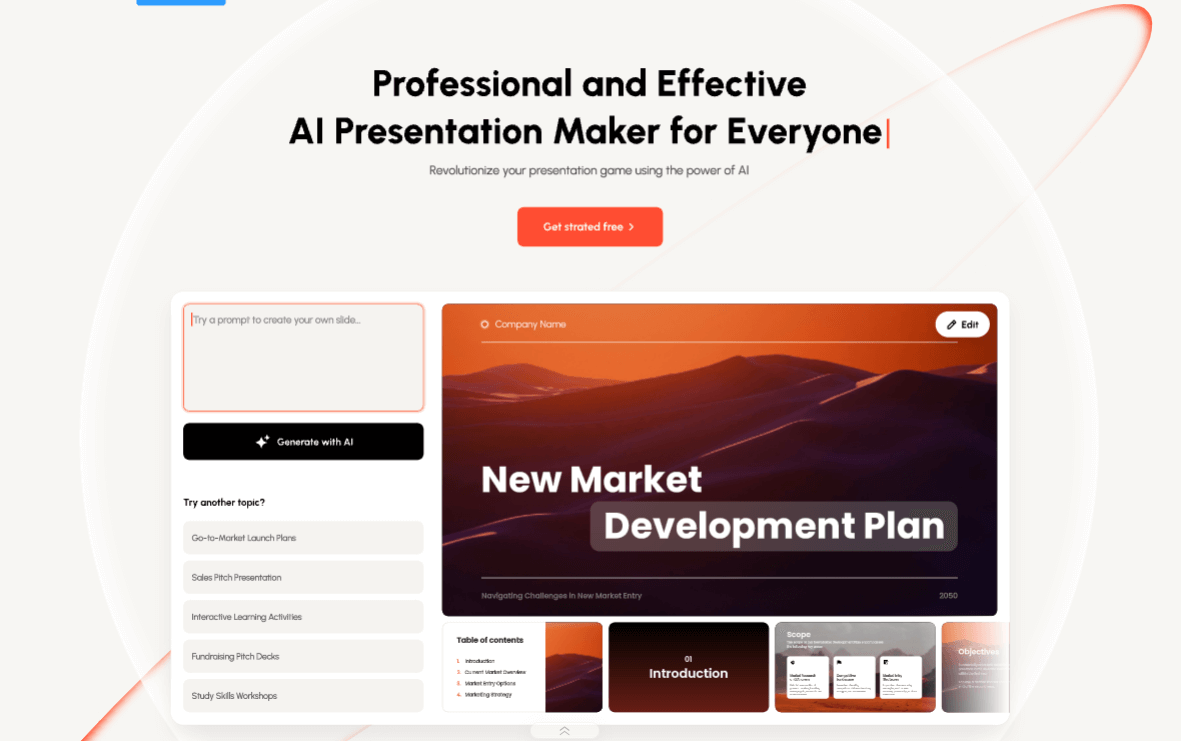
Presenti is an AI-powered presentation maker that converts ideas and existing documents into professional slide decks quickly, with strong appeal for educational use by students and teachers.
Users can supply plain text, Word documents, PDFs, Markdown files or mind maps, and Presenti generates a logical narrative flow and a complete set of slides, automatically refining layouts, color schemes and typography so the result looks professional without manual design work.
It offers a library of designer-curated templates across categories including education, business, marketing and pitch decks, and an AI beautify feature can polish existing slides. For developers and platforms, Presenti also exposes an SDK for integration.
In an academic context, the document-to-slides workflow lets students turn essays, notes or research into class presentations and lets teachers convert lesson material into visual decks. Presenti is best suited to students, educators and anyone who needs attractive presentations fast but lacks design skills.
Pros include flexible document import, automatic professional styling, and an affordable paid tier. Cons are that AI-generated slides often need manual refinement to match a specific message or grading rubric, and the tool is general-purpose rather than purely education-specific.
Presenti uses a freemium model with a free tier and a low-cost Pro plan plus enterprise options, making it accessible for students on a budget while offering more for power users. Pricing changes often, so check the official site for current plans.
Presenti's core capabilities include Convert text, Word, PDF, Markdown and mind maps into slides, Automatic layout, color and typography design, Logical narrative structuring from a topic or document, Designer-curated templates including education, AI beautify to polish existing slides and Developer SDK for integration.
Convert text, Word, PDF, Markdown and mind maps into slides is built in, Automatic layout, color and typography design is built in, Logical narrative structuring from a topic or document is built in, Designer-curated templates including education is built in, so you get a rounded toolkit rather than a single trick.
Each feature is designed to take the manual effort out of the task and help you reach a usable result faster, which is what makes Presenti worth a place on your shortlist.
On the plus side, users consistently highlight Flexible document import for fast deck creation, Automatic professional styling without design skills and Affordable paid tier with a free option as the reasons they keep using Presenti.
It isn't perfect, though — AI-generated slides often need manual refinement and General-purpose rather than purely education-specific are the trade-offs people most often mention, so weigh those against your own priorities before you commit.
As with any AI tool, the output still benefits from a quick human review, but Presenti gets you most of the way there with far less effort.
Presenti runs on a freemium pricing model, so you can start for free and only pay once you outgrow the free tier — handy for testing it on a real task before spending anything.
AI-tool pricing changes often, so always check the current plans, seats and add-ons on the official site for the latest details before you buy. Who is Presenti for? It's best suited for ai presentation maker for students and teachers.
Whether you're a beginner trying this kind of AI tool for the first time or a professional who'll use it every day, it's a credible option to consider.
If you're still deciding, compare Presenti against the alternatives and the head-to-head comparisons linked below — looking at features, pricing and real user ratings side by side is the fastest way to find the right fit for your workflow and budget.
Who is Presenti for?
Presenti is best suited for ai presentation maker for students and teachers. Whether you are trying this kind of education & research tool for the first time or use one every day, it is a credible option to shortlist — compare it with the alternatives and head-to-head comparisons linked on this page to find the best fit for your workflow and budget.