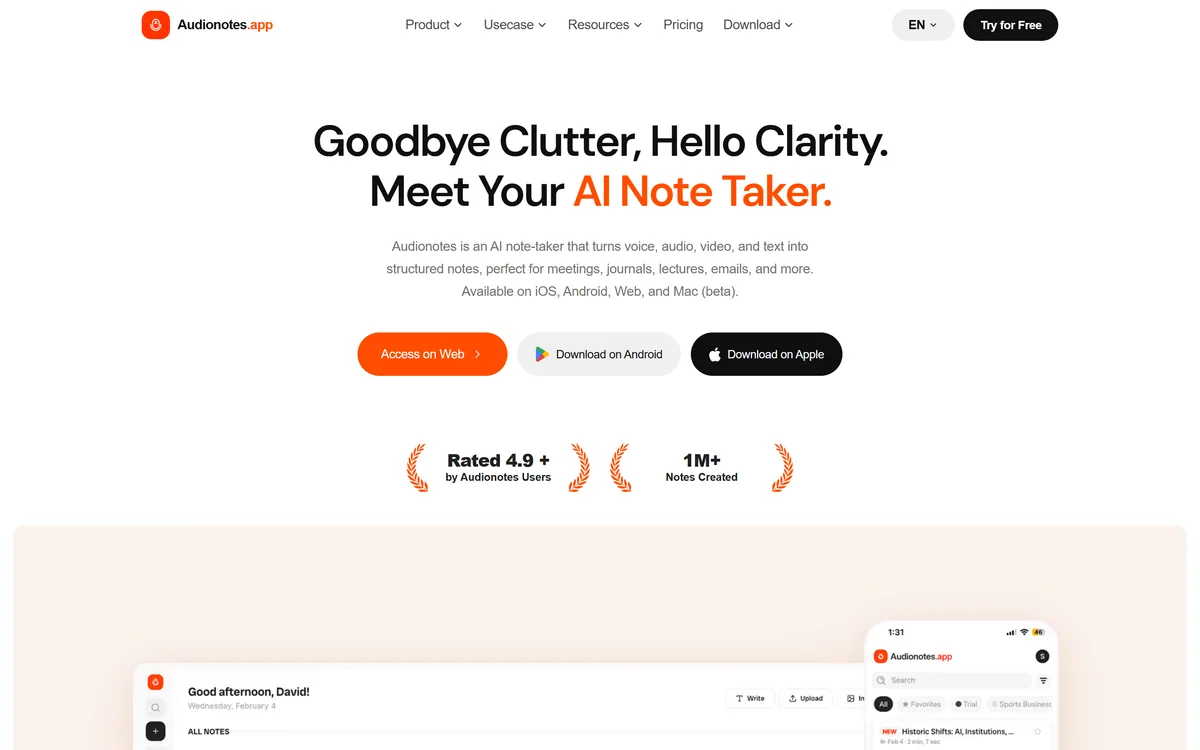
The gap between having a thought and having it written down usefully is where most ideas die. Meetings, lectures, voice memos and half-formed brain-dumps all contain value that never gets captured because turning them into clean notes is tedious. AudioNotes exists to close that gap.
It takes voice, audio, video, images or text and turns them into structured notes, transcripts and summaries in more than ninety languages, then lets you reshape the output with templates and prompts or chat with the note to ask questions. It runs across iOS, Android, web and Mac, and connects to the tools you already use.
This review covers what AudioNotes does after it transcribes, how it connects to a real workflow, where it stands on privacy and training, how it is priced, and who it suits against other note takers.
AudioNotes In Four Quick Points
- AudioNotes is an AI note-taker that turns voice, audio, video, images and text into clean, structured notes.
- It goes past transcription: summaries, custom templates, 100+ output prompts, and chat with your notes, in 99+ languages.
- It connects to your workflow through a WhatsApp bot, Notion, Zapier and webhooks, across iOS, Android, web and Mac.
- Privacy is explicit: notes are encrypted, periodically deleted, not sold, and not used to train AI models.
Voice, Audio And Video Turned Into Structured Notes
The core job is capture-to-structure. You record directly, upload an audio or video file, paste a YouTube link, or drop in text, and AudioNotes transcribes it, with speaker recognition and a cited accuracy around 95% on clear audio, then organises it into a usable note rather than a raw wall of text.
That organisation is the point. A transcript is a chore to read; a structured note with a summary, key points and action items is something you actually use. For meetings, lectures and interviews, that shift from transcript to note is the difference between archiving audio and acting on it.
It occupies similar ground to a voice-to-writing tool like AudioPen, but leans toward capturing and structuring longer source material, where AudioPen leans toward shaping a single spoken thought and a meeting transcriber like Otter.ai leans toward live calls.
A transcript is a chore to read. A structured note with a summary and action items is something you actually use. That shift is the whole product.
What Can AudioNotes Do After It Transcribes?
Transcription is table stakes now; the value is in what happens next, and AudioNotes puts a lot there.
Summaries, Templates And 100+ Prompts
It generates summaries that highlight key ideas and action points, and lets you shape the output with custom templates and more than a hundred prompts, so the same recording can become meeting minutes, lecture notes, a journal entry, a blog draft or an email.
Those template outputs include specialised ones like SOAP-style medical notes and legal client-meeting notes. Those can save real time, but for clinical or legal records specifically, treat the output as a draft to verify against your professional and compliance obligations rather than a finished record.
Chatting With Your Notes And Integrations
You can chat with a note to ask questions and get context-specific answers, turning a recording into something you can interrogate. And it connects outward through a WhatsApp bot, Notion sync, Zapier and webhooks.
The Notion integration in particular is useful for people who keep their knowledge there; a tool like Notion AI works inside that workspace, while AudioNotes feeds clean notes into it from audio it captured elsewhere.
Where AudioNotes Stands On Privacy And Training
For a tool you speak your private thoughts and meetings into, the privacy position carries real weight, and AudioNotes states a clear one. Notes are private by default, encrypted in transit and at rest, and are not sold, shared or licensed to third parties.
Crucially, it says your content is not used to train AI models: while it uses OpenAI's models to power its features, it has explicitly opted out of data-training programmes. Old recordings and files are also deleted on a regular schedule, so material does not linger longer than needed.
That is a strong, specific stance. As always, read the current privacy policy for your own situation, especially if you will record other people, where consent and local recording laws are your responsibility, not the tool's.
What AudioNotes Costs Beyond The Free Tier
AudioNotes has a genuinely usable free tier, offering unlimited short voice and text notes with transcripts and summaries, and a Pro plan that lifts the limits, adding longer recordings, file and image uploads, chat with notes, custom prompts and the integrations. There is an enterprise option for teams.
AInexfinder does not publish plan prices, which change and are best read on the site. The free tier is enough to judge whether the structuring fits how you work; upgrade when the one-minute recording limit or the lack of uploads starts to bite.
Note the vendor states it does not offer refunds on paid subscriptions and encourages trying the free plan first, so lean on the free tier before committing.
A Quick Test Of AudioNotes On A Real Recording
Because its value is structuring real source material, test it on something genuine rather than a scripted clip.
- Record or upload a real meeting, lecture or voice memo in the language you actually use.
- Check the transcript accuracy and whether speaker recognition correctly separates voices.
- Apply a template or prompt and judge whether the structured note is genuinely usable, not just tidy.
- Chat with the note and ask a specific question to see whether the answer is grounded in what was said.
- If you use Notion or Zapier, run one note through the integration and confirm it lands cleanly.
- Pass/fail: AudioNotes earns Pro only if it reliably turns your real recordings into notes you act on with little cleanup.
- For medical or legal templates, verify one output against your compliance obligations before trusting it.
AudioNotes Facts Worth Keeping
| What it is | AI note-taker for voice, audio, video and text |
|---|
| Inputs | Recordings, uploads, images, text, YouTube links |
|---|
| Languages | 99+, with auto-detection and speaker recognition |
|---|
| Outputs | Transcripts, summaries, custom templates, 100+ prompts |
|---|
| Chat | Ask questions of your own notes |
|---|
| Integrations | WhatsApp bot, Notion, Zapier, webhooks |
|---|
| Platforms | iOS, Android, web and Mac (beta) |
|---|
| Privacy | Encrypted, periodically deleted, no AI training, no data sold |
|---|
| Underlying models | OpenAI Whisper and other audio models |
|---|
Is AudioNotes The Note Taker For You?
People AudioNotes Fits Well
- Anyone who captures meetings, lectures or interviews to act on
- People who think out loud and want structured notes, not transcripts
- Multilingual users recording in many languages
- Workflows built around Notion, Zapier or WhatsApp
- Those who want a clear no-AI-training privacy stance
When AudioNotes Is Not What You Need
- Teams needing live, in-meeting transcription above all
- Anyone who only wants to shape one short spoken thought
- Clinicians or lawyers wanting a finished record without verification
- People unwilling to send recordings to a cloud service
- Users who record others without handling consent themselves