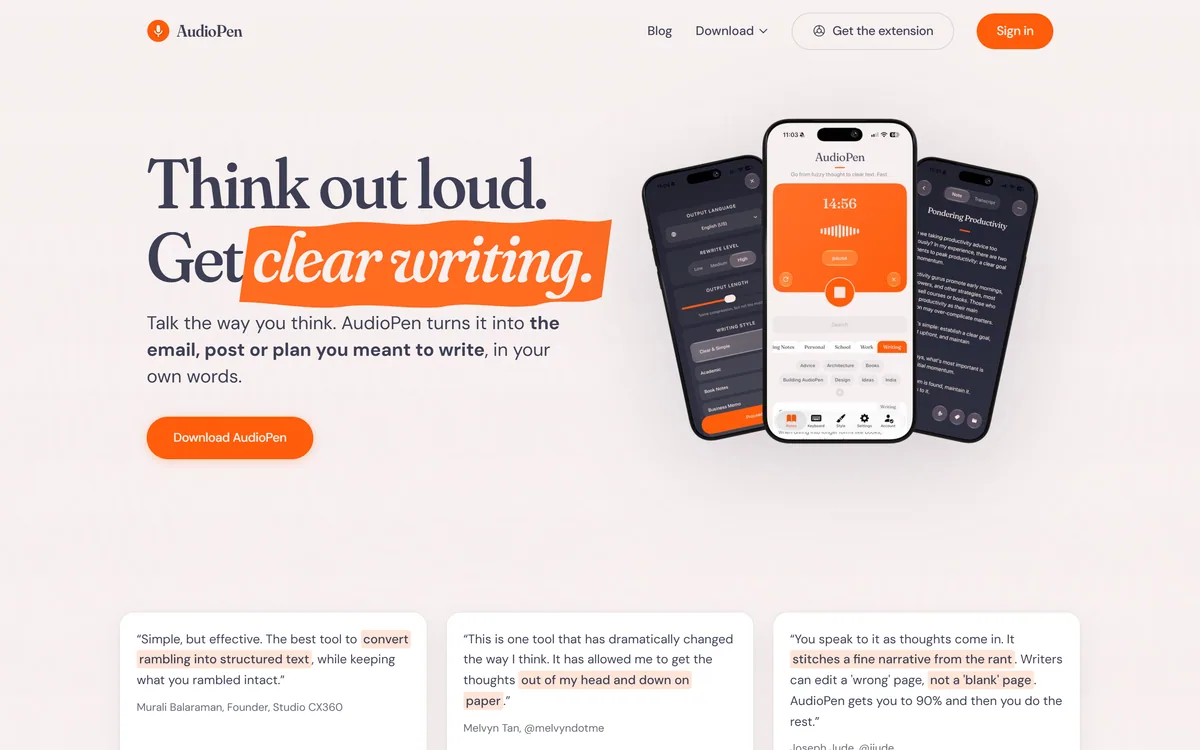
AudioPen turns rambling voice notes into clean, polished text in a style and language you choose, with control over rewrite depth and length, apps on every device, and a keyboard and hot key that drop finished writing into any app.
AudioPen earns 4.4 for doing one thing exceptionally well — turning a spoken ramble into a clean, editable draft in your own voice, with real control over style and length and a genuinely useful free tier; the small reservations are only that it is a cloud tool and a thought-shaper, not a live dictation or meeting-capture app. AInexfinder Editor Score: 4.4/5.
Best for: Writers who draft by talking it through; People who think faster out loud than they type
The visit link goes to audiopen.ai, the official site. Paid placements on AInexfinder are always labelled. How we make money
There is a particular kind of thinking that only happens out loud — the half-formed idea, the argument you talk your way into, the point you find by rambling toward it. Typing kills it; by the time you have phrased the first sentence, the thought has moved on. AudioPen is built for exactly that gap.
You hit record and talk, filler and backtracking and all, and it hands back not a transcript but a clean draft — rewritten in a style you pick, at a length you set, even in a different language from the one you spoke. Created by indie maker Louis Pereira, it has quietly become a daily tool for a couple of hundred thousand people.
This review covers what the rewrite actually does, how much control you have over it, how AudioPen reaches into every app you write in, how it is priced, and who it fits — against dictation tools and transcribers that do related but different jobs.
The Evidence Behind This AudioPen Review
Last checked . Read from audiopen.ai during this check, with the screenshot above captured at the same time.
Turns voice notes into polished text rewritten in a chosen style and language
Rewrite-level control (low, medium, high) and adjustable output length
A style library plus custom styles that can match your own writing
Speak-in-one-language, write-in-another across most languages
Keyboard on iPhone, floating bubble on Android, and a Mac/Windows hot key
Prime adds longer recordings, unlimited use, SuperSummaries and the AudioPen MCP
A free tier described as the real product with limits, not a demo
200,000+ users and a Product Hunt #1 Product of the Day cited by the vendor
No plan prices reproduced here, in line with this site's pricing policy
User and award figures are the vendor's own. As a cloud voice tool, recordings are processed off-device; review the privacy terms before dictating anything confidential.
AudioPen In Four Spoken Points
AudioPen turns rambling voice notes into clean, polished text, rewritten in a style and language you choose rather than a raw transcript.
You control the rewrite: how heavy the edit is, how long the output runs, and a custom style that can match your own voice.
It works everywhere you write, via a keyboard, a floating bubble and a desktop hot key that drop finished text wherever your cursor is.
It is a loved indie product, used by 200,000+ people, with a real free tier and a Prime upgrade for heavier use.
AudioPen Voice-Note Facts
What it is
Voice note to polished-writing tool
Core flow
Record, pick a style, get a rewritten draft
Rewrite control
Low, medium or high edit; adjustable output length
Styles
A style library plus custom styles that can match your voice
Languages
Speak one language, write in another; works in most languages
Everywhere
iPhone keyboard, Android bubble, and a Mac/Windows hot key
Prime adds
Longer recordings, unlimited use, SuperSummaries, chat via the AudioPen MCP
Reach cited
200,000+ users; Product Hunt #1 Product of the Day
Creator
Louis Pereira
Rambling Voice Notes, Rewritten Into Clean Drafts
The heart of AudioPen is a single, well-executed trick: it listens to a messy spoken monologue and returns writing that reads the way you meant it, keeping your ideas, examples and voice while dropping the filler and the false starts.
That is a different job from dictation. A tool like Wispr Flow types what you say, cleaned up, wherever your cursor is; AudioPen is built to take a whole rambling thought and reshape it into a structured draft. The classic framing in its reviews is that it gets you from a blank page to a 'wrong' page you can edit, which is a far easier starting point.
Every line of the output comes from you — your ideas, in your voice — which is what separates it from a generator writing something new. It is you, made legible.
Writers can edit a wrong page, not a blank one. AudioPen gets you to the wrong page in the time it takes to talk.
How Much Control Do You Have Over AudioPen's Rewrite?
What keeps AudioPen from feeling like a black box is how much you steer the rewrite, so the output is genuinely yours rather than a one-size reformatting.
Rewrite Level, Length And Custom Styles
You choose how heavy the edit is — low keeps close to your exact words and just removes filler, high fully rewrites in your chosen style — and you set the output length, from a tight summary to a lightly trimmed version that keeps most detail. A style library covers common needs, and custom styles let you describe a tone or feed a writing sample so it matches your voice.
That range is the difference between a toy and a tool. If you want your exact words tidied, it does that; if you want a polished business memo or a specific author's cadence, it does that too, which is more flexible than a fixed-format transcriber.
Speak One Language, Write In Another
AudioPen will take speech in one language and return writing in another, across most languages you can name, which is genuinely useful for anyone who thinks most fluently in their first language but needs to publish in a second.
For people whose work is capturing meetings rather than shaping a single thought, a dedicated transcriber like Otter.ai is a better fit; AudioPen's multilingual rewriting is aimed at turning your own spoken thinking into clean prose, not at logging who said what in a call.
Everywhere AudioPen Types, From Keyboard To Hot Key
AudioPen has spread from an app you open to a layer that sits over everything you write, which is what turns it from occasional to daily.
On iPhone it is a full keyboard you can set as default and talk into any app; on Android it is a floating bubble that appears with your keyboard; on Mac and Windows a hot key types your exact words when held, or rewrites them in a chosen style when double-tapped. In every case the finished text lands where your cursor is — Gmail, Slack, WhatsApp, your notes.
There is also a deeper layer for heavier users: Prime adds the ability to chat with your notes through the AudioPen MCP and to combine notes into SuperSummaries, which starts to make it a thinking tool rather than only a capture one. For turning spoken drafts into finished pieces, it pairs naturally with an editor like Descript on the audio-and-video side.
What AudioPen Costs Beyond The Free Tier
AudioPen's free tier is unusually honest: it is the real product with limits, not a locked demo. Recordings can run up to a few minutes, each transcribed and rewritten in your chosen style, with some voice typing included.
Prime lifts the limits — longer recordings, unlimited voice typing and rewrites, unlimited note storage, audio uploads, SuperSummaries and the AudioPen MCP. AInexfinder does not publish plan prices, which change and are best read on the site; Prime is sold in multi-month and multi-year terms, with the longer terms working out cheaper per month.
The honest way to decide is to live on the free tier for a week: if you hit its limits because you are using it constantly, that is the signal Prime is worth it, and if you do not, free is genuinely enough.
A Quick Test Of AudioPen With Your Own Voice
Because AudioPen is about turning your thinking into prose, test it on a real thought you need to write up, not a scripted demo.
Record yourself talking through a genuine idea for a minute or two, rambling freely without editing as you go.
Read the default clean draft and check it kept your point and your examples intact.
Switch the rewrite level from low to high on the same note and see which output you actually prefer.
Create a custom style — or feed a sample of your writing — and check it starts to sound like you.
Install the keyboard, bubble or hot key and drop a rewritten note straight into a real email or message.
Pass/fail: AudioPen earns a place in your day only if talking-then-editing is genuinely faster and easier than typing the same thing.
Finally, push the free tier's limits for a week to judge honestly whether you need Prime.
Is AudioPen Worth Adding To Your Day?
People AudioPen Fits Beautifully
Writers and creators who start every piece by talking it through
People who think faster out loud than they type
Anyone with a busy or distractible mind who needs thoughts captured fast
Multilingual users who think in one language and publish in another
People with RSI or dyslexia who find typing slow or painful
When AudioPen Is Not What You Need
Anyone whose main need is live dictation typed into every app
Teams who need meeting transcription with speaker labels
People who want original content generated, not their own words shaped
Users unwilling to send voice recordings to a cloud service
Those who rarely write and would not open it enough to matter
Key Features of AudioPen
Voice notes rewritten into polished drafts
Rewrite-level control from light cleanup to full rewrite
Adjustable output length
A style library plus custom, voice-matching styles
Speak one language, write in another
iPhone keyboard, Android bubble and desktop hot key
SuperSummaries that combine multiple notes
Chat with your notes via the AudioPen MCP on Prime
Pros & Cons
Pros
5
Solves the blank-page problem by turning talk into an editable draft
Genuine control over edit depth, length and style
Keeps your ideas and voice rather than generating new text
Works everywhere you write, across every device
A real, usable free tier and a fairly priced Prime upgrade
Cons
5
Not a live dictation tool for typing into every app
Not a meeting transcriber with speaker labels
Requires sending voice recordings to a cloud service
Little value if you rarely write or capture ideas
Output still needs a light edit for anything important
Who AudioPen Is For
A Good Fit For
Writers who draft by talking it through
People who think faster out loud than they type
Busy or distractible minds capturing ideas fast
Multilingual users publishing in a second language
Anyone who finds typing slow or painful
AudioPen Against Other Voice-To-Text Tools
Voice tools differ by whether they shape a thought, type everywhere, or capture a meeting.
Vendor pricing, credits, and billing policies change over time. Always confirm on the official site before you buy.
Frequently Asked Questions
What is AudioPen?
AudioPen turns rambling voice notes into clean, polished text. You hit record and talk, and it returns not a transcript but a draft rewritten in a style and language you choose, keeping your ideas and voice while removing the filler and false starts.
How is AudioPen different from dictation?
Dictation types what you say, cleaned up, wherever your cursor is. AudioPen takes a whole rambling thought and reshapes it into a structured draft at a chosen style and length. It is a thought-shaper, where dictation is a faster keyboard.
How much control do I have over the output?
A lot. You set how heavy the rewrite is — from lightly cleaned to fully rewritten — and the output length, and you can pick from a style library or create a custom style, even feeding a sample so it matches your own voice.
Can AudioPen write in a different language from the one I speak?
Yes. You can speak in the language you are most comfortable in and have AudioPen write in another, across most languages. That is genuinely useful if you think most fluently in your first language but need to publish in a second.
Is AudioPen free?
There is a real free tier — the actual product with limits, not a demo — allowing recordings up to a few minutes, each transcribed and rewritten, with some voice typing. Prime lifts the limits with longer recordings, unlimited use, SuperSummaries and the AudioPen MCP.
How does AudioPen compare with Wispr Flow?
Wispr Flow is dictation that types clean text in every app, all day. AudioPen is built to turn one spoken ramble into a polished draft with style and length control. If you want to dictate everywhere, Flow fits; if you want to shape thinking into writing, AudioPen fits.
How does AudioPen compare with Otter.ai?
Otter.ai is a dedicated meeting transcriber with speaker labels and a searchable archive. AudioPen is for turning your own spoken thinking into clean prose, not logging who said what in a call. They solve related but different problems.
Where can I use AudioPen?
On iPhone it is a keyboard you can set as default, on Android a floating bubble, and on Mac and Windows a hot key. In each case the finished text lands wherever your cursor is, so it works in Gmail, Slack, WhatsApp, your notes and more.
Is my voice data private with AudioPen?
As a cloud tool, AudioPen processes recordings off-device. For most note-taking that is fine, but review the current privacy terms and set your preferences before dictating anything confidential, as you would with any cloud voice service.
Who made AudioPen?
AudioPen was created by indie maker Louis Pereira. It has grown into a daily tool for more than 200,000 people and was a Product Hunt Product of the Day, which is notable for an independently built product in a crowded space.
4.4/5
Bottom Line
AudioPen earns an AInexfinder Editor Score of 4.4/5 (very good). Best for: Writers who draft by talking it through; People who think faster out loud than they type; Busy or distractible minds capturing ideas fast.
Daniel leads AInexfinder's tool reviews. He researches each tool from its own pricing, documentation and policies, checks its claims against independent sources, and writes up what it does well, where it falls short and who it genuinely suits.
Daniel and the AInexfinder editorial team research AudioPen from its own website, pricing, documentation and policies, checked against independent sources. This review is research-based: unless its method note says otherwise, we have not bought a plan or run hands-on tests. The Editor Score is our editorial judgement, and payment never changes it.
Listings may include affiliate or sponsored placements, which are labeled when present. Editorial scores and cons are not sold. See our affiliate disclosure and review methodology.
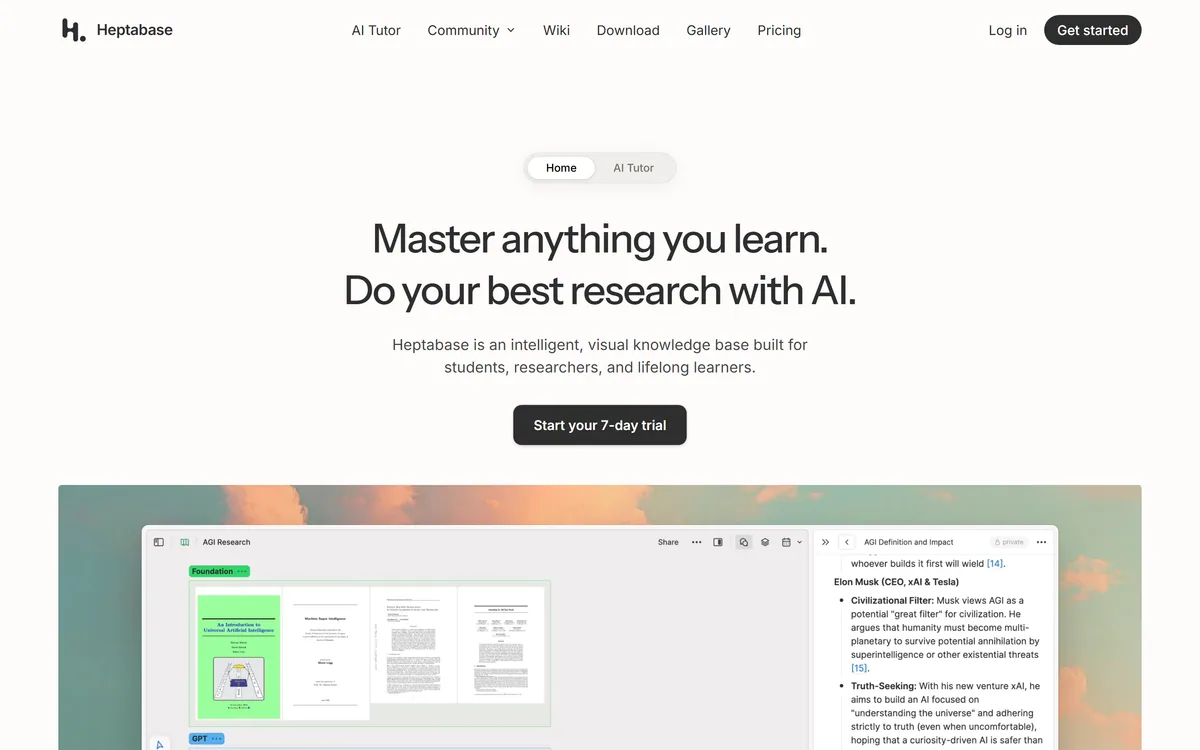
Heptabase is a visual knowledge base for students, researchers and lifelong learners, combining whiteboards and cards, bi-directional links, a block-based editor, PDF annotation and Readwise and Zotero integrations, with an AI Tutor that guides structured learning sessions.
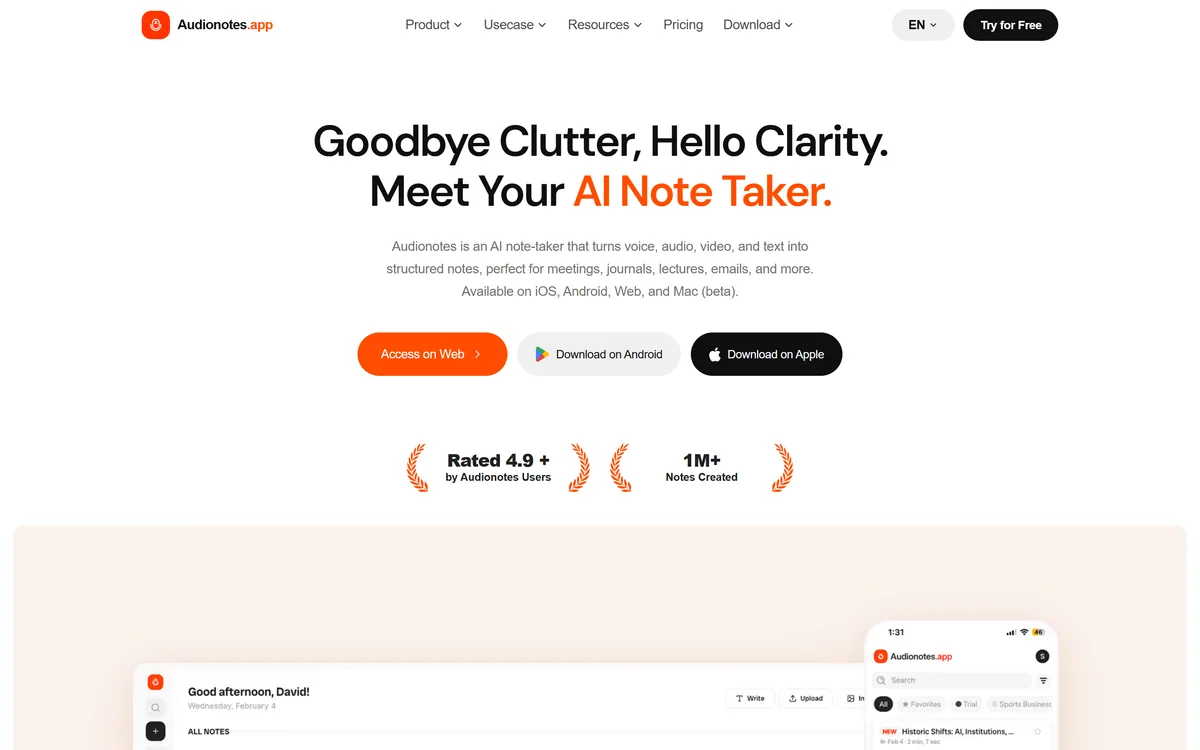
AudioNotes is an AI note-taker that turns voice, audio, video and text into structured notes, transcripts and summaries in 99+ languages, with custom templates, chat-with-your-notes, integrations, and a clear no-AI-training privacy stance.
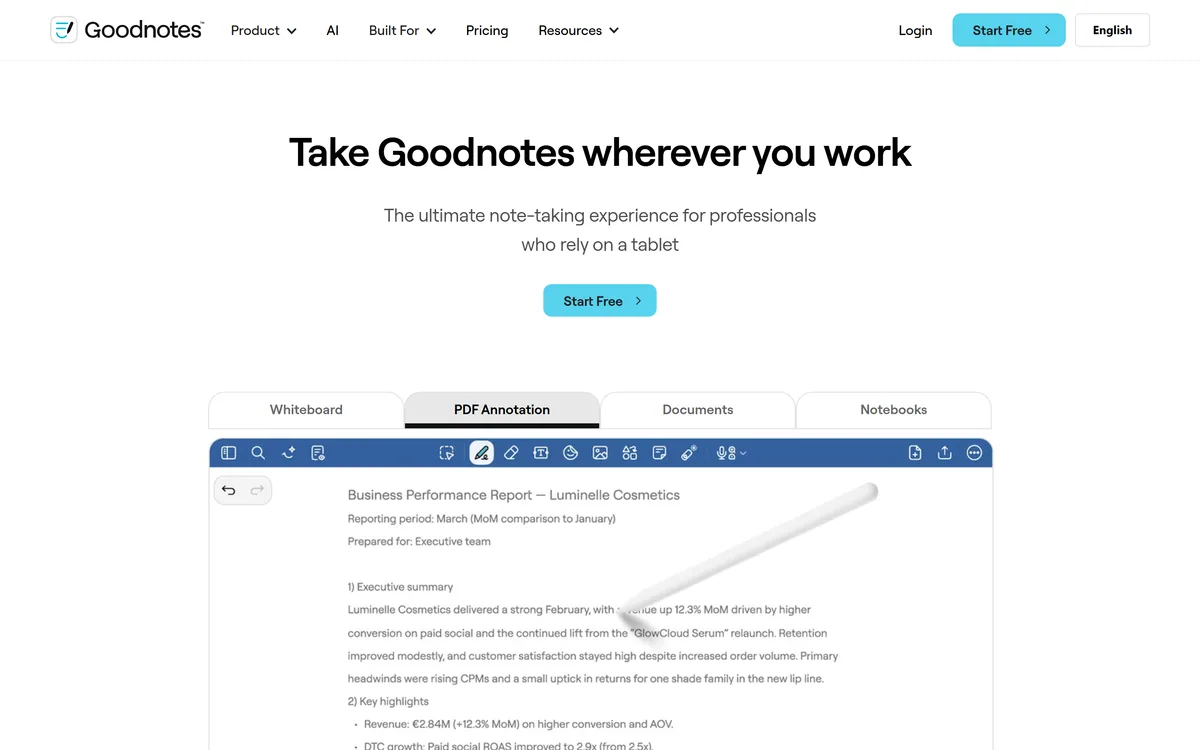
Goodnotes is a handwriting-first note-taking app spanning iPad, iPhone, Mac, Windows, Android and web. It converts handwriting to text, searches across typed text, handwriting and sketches, annotates PDFs, records and transcribes audio, and turns notes into mind maps and project plans.
Zapier's AI layer adds agents and MCP tool access on top of its automation platform, connecting more than 9,000 apps with governed access so teams can mix AI decisions with deterministic rules under central oversight.