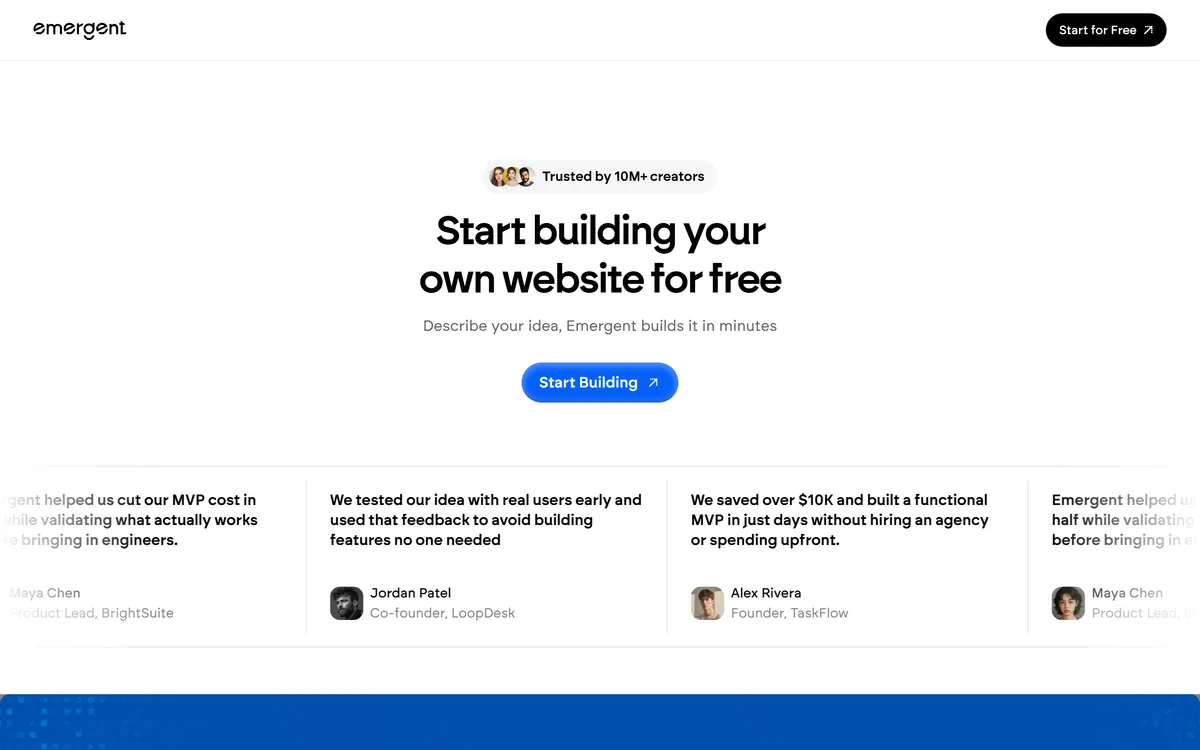
Turning an idea into something clickable used to mean hiring developers or learning to code. Vibe-coding tools collapse that into a conversation, and Emergent is one of them: you describe the app you want, and it builds a working version in minutes.
Its flow is deliberately simple, describe, refine and launch, and it targets web and mobile output for people validating an idea rather than engineering a platform. It sits in the same fast-moving space as AI developer tools like Kiro, but aimed further toward non-engineers than a developer IDE is.
This review covers how Emergent builds from a prompt, who it is really for, how it prices, and where generated-app limits mean it will not be enough.
Describe An App, Watch Emergent Assemble It
Emergent's core promise is that a plain-language description becomes a working app without you writing code. You say what you want, it generates the build, and you iterate from there. For someone whose blocker is that they cannot code, that is a real unlock.
The honest value is speed to something clickable. Instead of a slide or a mockup, you get a working prototype you can actually use and show people, which is a much better basis for deciding whether an idea has legs.
It is equally honest to say that 'an app in minutes' is a starting point, not a finished product. Generated applications handle the obvious cases well and the awkward ones less well, and they need a human to review logic, security and edge cases before anything real depends on them.
So the fair way to see Emergent is as a validation and prototyping accelerator. It gets you from idea to working draft fast; turning that draft into a dependable product is still engineering work, whether you do it or someone does it for you.
Emergent gets you from idea to working draft fast; turning that draft into a dependable product is still engineering work.
How Does Emergent Build From A Prompt?
The experience is a guided build loop, with output for both web and mobile and the caveats that come with generated code.
Describe, Refine And Launch In Steps
Emergent structures the work as three steps: you describe the idea, refine it in conversation as the build takes shape, and then launch. That loop keeps a non-technical user in control of direction without needing to understand the code underneath, which is the point of a vibe-coding tool.
The refine step is where the real work happens, since first generations rarely match the intent exactly. A code-running platform like Replicate serves developers wiring models into their own apps; Emergent is aimed at the person who wants the whole app assembled for them from a description.
Web And Mobile Output, With The Usual Limits
Emergent targets both web and mobile apps, so the same describe-and-refine flow can produce more than a single-page site. The vendor cites large adoption numbers, which indicate reach rather than proof that any given build is production-ready.
The usual generated-code limits apply: you should review what it produces for correctness, security and maintainability before relying on it, and complex or regulated applications will outgrow a prompt-built foundation. For automation-heavy needs, a tool like Browser Use solves a different, narrower problem; Emergent is about standing up an app shell quickly.
Who Emergent Is Really For
Emergent is really for founders, product people and non-engineers who want to validate an idea or stand up an MVP fast, without hiring an agency or learning to code first. For that job, getting to a working, clickable prototype in minutes is genuinely valuable.
It also suits anyone running quick experiments, where the goal is to test whether an idea resonates before investing in proper engineering, and small teams who want to show stakeholders something real rather than a mockup.
It fits less well engineering teams who want fine-grained control over the codebase, and anyone building a complex, security-sensitive or regulated application where generated code is a liability rather than a shortcut. Its 10M+ creators and 15M+ apps figures are vendor-stated and reflect adoption, not build quality.
How Emergent Prices Its Builds
Emergent is free to start, with paid plans for more building, in the usual pattern for these tools. We do not publish prices, which change; check the site.
The value question is whether the time it saves getting to a working prototype outweighs its cost and the later work of hardening whatever you keep. For pure validation, even a rough build can be worth it; for anything you intend to run for real, factor in the engineering still required.
Because you can start for free, the sensible approach is to build one real idea end to end, judge how close the output is to what you meant, and only commit once you know it gets you meaningfully closer to a usable product.
A Quick Way To Put Emergent To Work
Because output quality depends on the idea and the refining, trial Emergent on a real app you actually want, not a toy.
- Describe a real app idea in as much concrete detail as you can.
- Use the refine step to correct where the first build misses your intent.
- Launch it and actually use the result as a real user would.
- Inspect the output for obvious gaps in logic, security and edge cases.
- Decide whether it is a usable base or only a throwaway validation prototype.
- Pass/fail: Emergent is worth it if it gets you meaningfully closer to a usable product fast.
- Treat the 10M+/15M+ figures as vendor-stated; judge it on your own build.
Emergent, The Vibe-Code Brief
- Emergent is an AI vibe-coding tool: describe a web or mobile app in plain language and it assembles a working build.
- The flow is three steps: describe the idea, refine it in conversation, and launch, with no agency or upfront hiring.
- It is aimed at validation: founders and non-engineers testing an idea or MVP fast, not shipping a hardened production system unreviewed.
- Generated-code limits apply: treat the output as a fast first draft to inspect and extend, not a finished, secure codebase.
Emergent App-Builder Facts
| What it is | An AI vibe-coding tool for web and mobile apps |
|---|
| Input | A plain-language description of the app |
|---|
| Flow | Describe, refine, launch |
|---|
| Output | A working web or mobile build |
|---|
| Audience | Founders and non-engineers validating ideas |
|---|
| Start | Free to start building |
|---|
| Caveat | Generated code needs review for production |
|---|
| Scale claim | 10M+ creators, 15M+ apps (vendor) |
|---|