Pixlr is a browser-based photo editor from Pixlr Pte Ltd with two editors and a generative AI layer — Generative Fill, Expand and Transform, background and object removal, Super Scale upscaling, face swap, plus image, video, and audio generation.
Image & Design Review
All-in-one AI photo editor for product and marketing images Category: Image & Design.

Provisional score · full review pending
insMind has an AInexfinder Editor Score of 4.5/5.
Best for: Users who need AI background removal and replacement; Teams that need image upscaling and resolution enhancement
The visit link goes to insmind.com, the official site. Paid placements on AInexfinder are always labelled. How we make money
insMind is an all-in-one AI image editing and creation platform aimed at marketers, e-commerce sellers, and small businesses who need professional-looking visuals without hiring a designer.
It offers more than thirty AI-powered tools, including background removal and AI background generation, image upscaling and resolution enhancement, object and element erasing, image expansion to new aspect ratios, and detailed retouching.
A standout use case is product photography, where users can drop a product onto AI-generated backdrops that blend naturally, helping create polished e-commerce and ad imagery in seconds.
The platform runs entirely in the browser, so users open insMind, pick a tool, upload an image or enter a prompt, and get results in moments without installing software.
Typical users include online store owners building listing photos, social media managers producing post graphics, and creators who want quick edits without learning complex software. Pros include a broad toolset covering most everyday editing needs, a fast and beginner-friendly workflow, and templates that speed up common tasks.
Cons are that advanced features and high-volume use generally require a paid subscription, and AI-generated results may need touch-ups for demanding professional work. Pricing typically combines free access to some tools with premium plans for full features and higher output limits.
Pricing changes often, so check the official site for current plans. insMind's core capabilities include AI background removal and replacement, Image upscaling and resolution enhancement, Object removal and image expansion and Product photo and marketing visual creation.
AI background removal and replacement is built in, Image upscaling and resolution enhancement is built in, Object removal and image expansion is built in, Product photo and marketing visual creation is built in, so you get a rounded toolkit rather than a single trick.
Each feature is designed to take the manual effort out of the task and help you reach a usable result faster, which is what makes insMind worth a place on your shortlist.
As with any AI tool, the output still benefits from a quick human review, but insMind gets you most of the way there with far less effort.
insMind runs on a freemium pricing model, so you can start for free and only pay once you outgrow the free tier — handy for testing it on a real task before spending anything.
AI-tool pricing changes often, so always check the current plans, seats and add-ons on the official site for the latest details before you buy. Who is insMind for? It's best suited for all-in-one ai photo editor for product and marketing images.
Whether you're a beginner trying this kind of AI tool for the first time or a professional who'll use it every day, it's a credible option to consider.
insMind is best suited for all-in-one ai photo editor for product and marketing images. Whether you are trying this kind of image & design tool for the first time or use one every day, it is a credible option to shortlist — compare it with the alternatives and head-to-head comparisons linked on this page to find the best fit for your workflow and budget.
AI background removal and replacement
Image upscaling and resolution enhancement
Object removal and image expansion
Product photo and marketing visual creation
AInexfinder does not list plan prices or billing details. For current pricing, plans, and trials, visit the official insMind website.
Visit official website for pricingVendor pricing, credits, and billing policies change over time. Always confirm on the official site before you buy.
insMind has a provisional score of 4.5/5: a formula estimate from this listing’s details, not yet an Editor Score. It is replaced once insMind gets its full research-based review. Best for: Users who need AI background removal and replacement; Teams that need image upscaling and resolution enhancement; Teams that need object removal and image expansion.
Visit insMindLog in to write a review.
No reviews yet. Be the first to share your experience with insMind.
Assigned to
Daniel ReedSenior AI Tools Reviewer
Daniel leads AInexfinder's tool reviews. He researches each tool from its own pricing, documentation and policies, checks its claims against independent sources, and writes up what it does well, where it falls short and who it genuinely suits.
This page is a summary of insMind built from its own website and listing details. It has not had its full research-based review yet, so its score is a provisional formula estimate, not an Editor Score. Daniel will research and re-score it; payment never changes a score.
Similar Tools
Pixlr is a browser-based photo editor from Pixlr Pte Ltd with two editors and a generative AI layer — Generative Fill, Expand and Transform, background and object removal, Super Scale upscaling, face swap, plus image, video, and audio generation.
Photoroom is a product visual platform for ecommerce covering background removal, AI product photography, batch editing, an image API, brand kits, marketplace sync and video templates. It states 1M+ businesses, SOC 2 Type 2 and enterprise options including custom models and SLA-backed uptime.
Pixelcut is an AI photo and video editor built around ecommerce workflows: product showcases, UGC-style ads and consistent AI personas, plus background removal, 16x upscaling, generative fill, magic eraser and batch editing across web, iOS and Android.
VanceAI is a suite of AI photo- and video-enhancement tools, upscaling, sharpening, denoising, restoring, colorizing, cartoonizing and background removal, built on proprietary deep convolutional networks, usable online or as desktop apps for local batch processing, with an API.

Pebblely generates product photography from a single uploaded image, placing the item into more than a hundred pre-built scene templates, generating in bulk, and resizing for marketplaces and social platforms. It is operated by a Singapore-registered company and states over 25 million images generated.
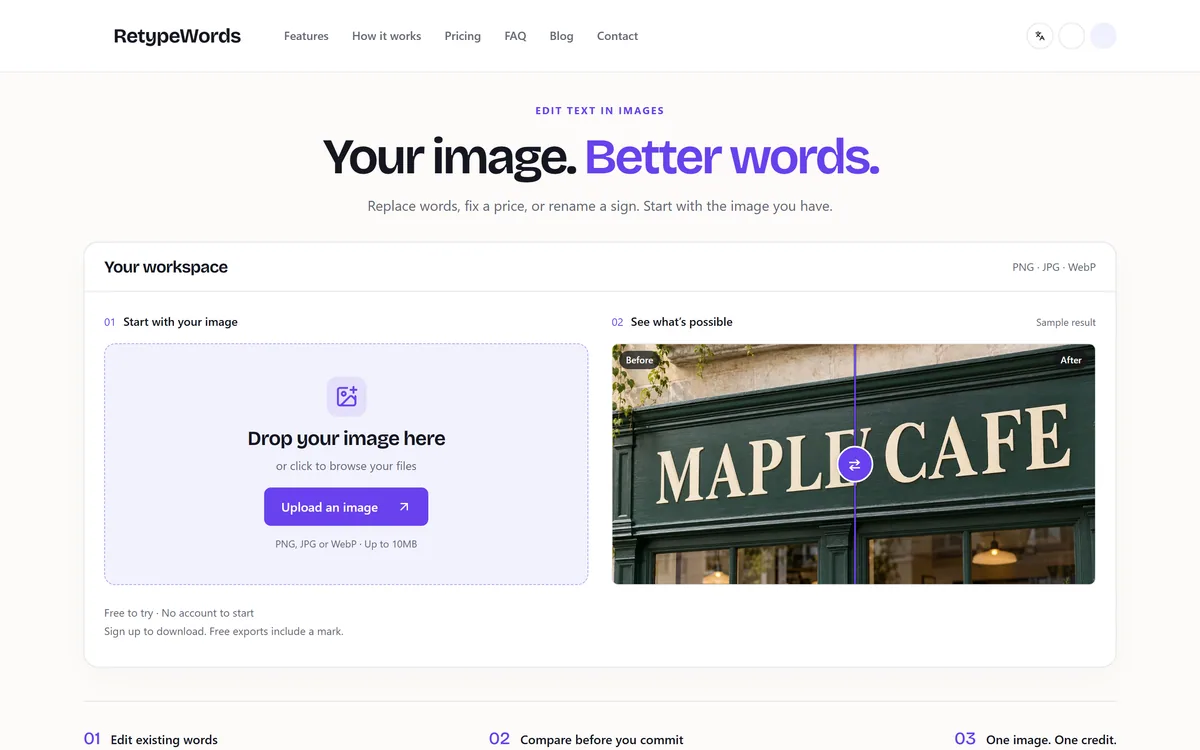

RetypeWords is a browser tool that replaces text that has been flattened into a PNG, JPG or WebP image. It reads the words with OCR, lets you correct what it read, then regenerates the selected area so the new wording sits in the picture rather than on top of it.
Related Pages