
Pixlr is a browser-based photo editor from Pixlr Pte Ltd with two editors and a generative AI layer — Generative Fill, Expand and Transform, background and object removal, Super Scale upscaling, face swap, plus image, video, and audio generation.
Image & Design Review
Photoroom is a product visual platform for ecommerce covering background removal, AI product photography, batch editing, an image API, brand kits, marketplace sync and video templates. It states 1M+ businesses, SOC 2 Type 2 and enterprise options including custom models and SLA-backed uptime.

Very good
Product photography is the single highest-leverage thing in an ecommerce listing and the one most sellers handle worst, because doing it properly means a studio, lighting and consistency across a catalogue that keeps changing. Photoroom covers the whole range — a phone photo cleaned up for one listing, or an API processing millions of SKUs — with brand kits enforcing consistency across both. Batch editing without queue infrastructure and marketplace sync are the features that separate this from a background remover. The enterprise tier with SOC 2 and SLA-backed uptime shows it expects to sit in production pipelines. AInexfinder Editor Score: 4.3/5.
Best for: Ecommerce sellers whose category pages look inconsistent; Marketplace sellers publishing to several channels with different rules
The visit link goes to photoroom.com, the official site. Paid placements on AInexfinder are always labelled. How we make money
Almost every study anyone publishes about ecommerce conversion reaches the same conclusion: the photograph does more work than the copy, the price display or the layout. It is the first thing a shopper processes and often the only thing.
And almost every seller handles it badly, not through indifference but through logistics. Consistent product photography means a studio, controlled lighting and a process, and catalogues change faster than any of that can keep up.
Photoroom's position is that visuals should be a pipeline rather than a project — the same tooling whether you have one product or a million.
Photoroom positions itself with the line sell at first sight, as the future-ready product visual solution for ecommerce.
The phrase captures something real about how online shopping works. A shopper scanning a category page makes a decision in well under a second, and that decision is made almost entirely on the image.
Copy matters after the click. Price matters at comparison. The photograph decides whether either of those happens, which makes it the highest-leverage element on the listing by a wide margin.
Consistency compounds that effect. A category page where every product sits at a different scale on a slightly different white reads as untrustworthy even when each individual photo is fine, because inconsistency signals a seller who is not careful.
That is why brand kits matter more than any individual editing feature. Locking colours, logos and layouts means consistency is enforced rather than achieved by discipline, and discipline across thousands of images does not survive contact with a busy week — the same argument content platforms like Describely make about copy rules.
A category page where every product sits at a different scale on a slightly different white reads as untrustworthy, even when each photo is fine.
Photoroom describes running AI edits across thousands of images in one pass, via API or the web app, with no queue infrastructure on your side.
That last clause is the technically meaningful part and it is easy to skim past.
Processing thousands of images asynchronously is a real engineering problem: you need a queue, retry handling, failure isolation, progress tracking and somewhere to put the results. Building it is a sprint most teams do not want to spend.
A batch API that absorbs that is doing more than image editing — it is removing an infrastructure project, which is why the distinction between an image API and a batch API matters when comparing vendors.
The question worth asking is what happens to failures. In a batch of ten thousand, some will fail, and whether you get a clear report of which ones and why determines whether the pipeline is operable or a source of mystery gaps in your catalogue.
Two features address the same underlying problem from different ends: brand kits lock colours, logos and layouts, and marketplace sync publishes on-brand to Shopify and marketplace feeds.
The problem is that every sales channel has different image requirements, and satisfying all of them manually means producing the same product image five times.
Amazon, Shopify, Instagram, a comparison feed and your own site each want different dimensions, different background rules and sometimes different content restrictions. Getting one wrong means a rejected listing or a cropped product.
Instant resize handles the geometry, and marketplace sync handles the delivery — which together turn a repetitive manual chore into a configuration.
The brand kit is what stops that automation producing consistent mediocrity. Automated resizing without brand rules gives you the same product looking slightly different everywhere; with them, one image becomes every format while remaining recognisably yours.
Photoroom offers AI product photography, product staging into lifestyle scenes, recolouring and AI shadows, and those features sit on a spectrum of risk worth understanding.
Background replacement and shadow generation are low risk. The product is unchanged and only its surroundings are synthetic, which nobody is misled by.
Staging into lifestyle scenes is moderate. A sofa placed in a generated living room is a normal advertising convention, provided the sofa itself is accurate.
Recolouring is where it becomes serious. A product shown in a colour that does not match what ships is a returns problem at best and a misrepresentation at worst, and colour is one of the most common reasons for ecommerce returns.
The line worth holding is that the product must be truthful and the context may be constructed. Consumers accept that a lifestyle image is staged; they do not accept a product that arrives looking different from the photograph, and no efficiency gain survives that.
The same boundary applies once the image starts moving. Turning a product photograph into video, as Picwand does, introduces motion that can subtly distort form — and a distorted product in an advertisement is the same misrepresentation problem with more frames.
Copy carries the equivalent risk on the other side of the listing. A generated description asserting a material or a dimension is a factual claim, which is why catalogue content tools such as Describely build auditing in rather than treating generation as finished output.
Photoroom describes serving everyone from solo entrepreneurs listing a first product to enterprises managing millions of SKUs, with custom models, dedicated capacity and SLA-backed uptime at the top end.
Spanning that range is unusual and it works here because the underlying job is genuinely identical at both ends — the difference is volume and reliability rather than capability.
For a solo seller the value is immediate: a phone photograph becomes a clean listing image without a studio, and that is the whole gap between an amateur-looking listing and a professional one.
For an enterprise the value is different. Custom models mean the system can be tuned to a specific catalogue's quirks, and SLA-backed uptime matters because a visual pipeline that stops means listings that cannot go live.
SOC 2 Type 2 at the enterprise tier is the expected credential and it signals what the product is used for. A tool processing a company's entire catalogue sits in the production path, which is a different procurement question from a design app.
Where automation reaches its limit is the awkward image. A product with fine detail, a reflective surface or hair-like texture will defeat any automatic cutout, and manual tools of the kind Clipping Magic provides are what rescue those rather than a better model.
Where automation reaches its limit is the awkward image. A product with fine detail, a reflective surface or hair-like texture will defeat any automatic cutout, and manual tools of the kind Clipping Magic provides are what rescue those rather than a better model.
Most sellers optimise the wrong end — spending on copy and pricing while the photograph does the actual work.
This sequence fixes the highest-leverage element first and keeps the catalogue consistent as it grows.
| Operating company | Photoroom, Inc. |
|---|---|
| Product type | Product visual platform for ecommerce |
| Positioning | Sell at first sight — the future-ready product visual solution |
| Scale | 1M+ businesses stated, from first listing to millions of SKUs |
| Batch | AI edits across thousands of images in one pass, with no queue infrastructure needed |
| API | An image API for automating production at scale |
| Brand kit | Locks colours, logos and layouts across every image |
| Marketplace sync | Publishes on-brand to Shopify and marketplace feeds |
| Editing features | Background remover, AI shadow, recolour, product staging, instant resize |
| Video | Video templates turning a product shot into Reels, TikTok and Stories content |
| Enterprise | Custom models, dedicated capacity, custom endpoints and SLA-backed uptime |
| Certification | SOC 2 Type 2 |
| Apps | iPhone, iPad, Android, web and a Shopify app |
| Copyright | Copyright © 2026 Photoroom, Inc. |
Background removal
AI product photography and staging
AI shadows and recolouring
Batch editing across thousands of images
An image API for pipeline automation
Brand kits locking colours, logos and layouts
Instant resize for every marketplace format
Marketplace sync and video templates
Image tools differ by scale, by what they assume the subject is, and by whether they run in a pipeline.
| Tool | Scale | Manual control | Best for |
|---|---|---|---|
| Photoroom | One image to millions, with an API | Automated, with brand rules | Ecommerce catalogues at any size |
| Clipping Magic | Single images and bulk | Full manual editor | Difficult images automation misses |
| Picwand | Individual creations | Prompt-level | Turning product images into video |
| Photoleap | Personal editing | Creative controls | Social and personal images |
| Describely | Catalogue scale | Rules rather than images | The copy beside the photograph |
Last checked . Read from photoroom.com in a browser session on the date above, with the screenshot captured alongside.
What we could not confirm: pricing, including API pricing, which sits on a separate page we did not read; how batch failures are reported, which decides whether a pipeline is operable; which marketplaces the sync actually supports beyond Shopify; how custom models are trained and on whose data; where images are processed and how long they are retained; and how accurately recolouring matches real product colours. We did not process any images.
Adjacent products for the rest of a product listing.
AInexfinder does not list plan prices or billing details. For current pricing, plans, and trials, visit the official Photoroom website.
Visit official website for pricingVendor pricing, credits, and billing policies change over time. Always confirm on the official site before you buy.
Photoroom earns an AInexfinder Editor Score of 4.3/5 (very good). Best for: Ecommerce sellers whose category pages look inconsistent; Marketplace sellers publishing to several channels with different rules; Businesses adding products faster than photography can keep up.
Visit PhotoroomLog in to write a review.
No reviews yet. Be the first to share your experience with Photoroom.
Assigned reviewer
Daniel ReedSenior AI Tools Reviewer
Daniel leads AInexfinder's tool reviews. He researches each tool from its own pricing, documentation and policies, checks its claims against independent sources, and writes up what it does well, where it falls short and who it genuinely suits.
Daniel and the AInexfinder editorial team research Photoroom from its own website, pricing, documentation and policies, checked against independent sources. This review is research-based: unless its method note says otherwise, we have not bought a plan or run hands-on tests. The Editor Score is our editorial judgement, and payment never changes it.
Similar Tools
Pixlr is a browser-based photo editor from Pixlr Pte Ltd with two editors and a generative AI layer — Generative Fill, Expand and Transform, background and object removal, Super Scale upscaling, face swap, plus image, video, and audio generation.

Pixelcut is an AI photo and video editor built around ecommerce workflows: product showcases, UGC-style ads and consistent AI personas, plus background removal, 16x upscaling, generative fill, magic eraser and batch editing across web, iOS and Android.

VanceAI is a suite of AI photo- and video-enhancement tools, upscaling, sharpening, denoising, restoring, colorizing, cartoonizing and background removal, built on proprietary deep convolutional networks, usable online or as desktop apps for local batch processing, with an API.

Pebblely generates product photography from a single uploaded image, placing the item into more than a hundred pre-built scene templates, generating in bulk, and resizing for marketplaces and social platforms. It is operated by a Singapore-registered company and states over 25 million images generated.

Deep-Image.ai is an AI image-enhancement and generation platform offering generative upscaling, denoising, sharpening, colour correction, background removal, avatars and text-to-image, with batch processing, vertical tools like Packshot Pro, and an API for automated workflows.
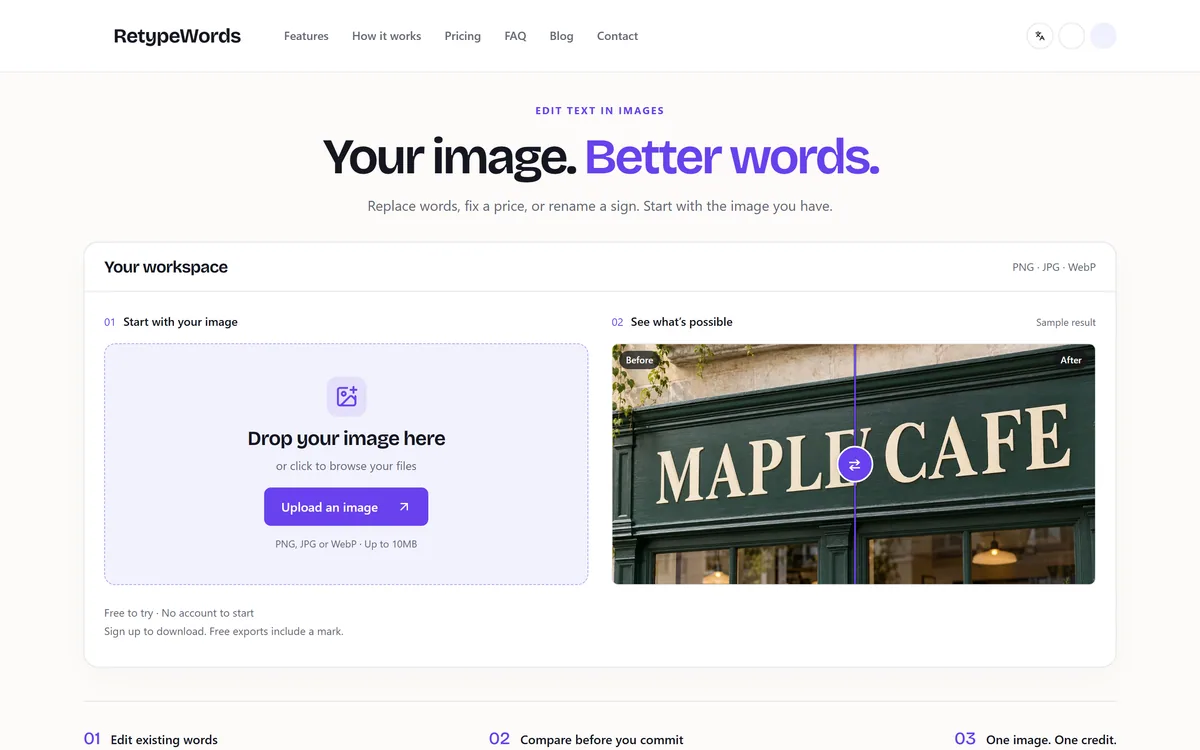

RetypeWords is a browser tool that replaces text that has been flattened into a PNG, JPG or WebP image. It reads the words with OCR, lets you correct what it read, then regenerates the selected area so the new wording sits in the picture rather than on top of it.
Related Pages