Vibe-coding tools have made web prototypes easy, but getting a real native app into the App Store and Google Play is still a slog of builds, listings and compliance. RapidNative focuses squarely on that mobile gap.
It turns a prompt, sketch, product doc or screenshot into a full-stack React Native app with auth, storage, realtime and a database, then helps you ship it to both stores. It sits next to web-first builders like Emergent, and even offers paths to bring apps from those tools onto mobile.
This review covers how RapidNative ships an app, who it is really for, how it prices, and where generated mobile apps still need human work.
Prompt To A Real Mobile App, Ready To Publish
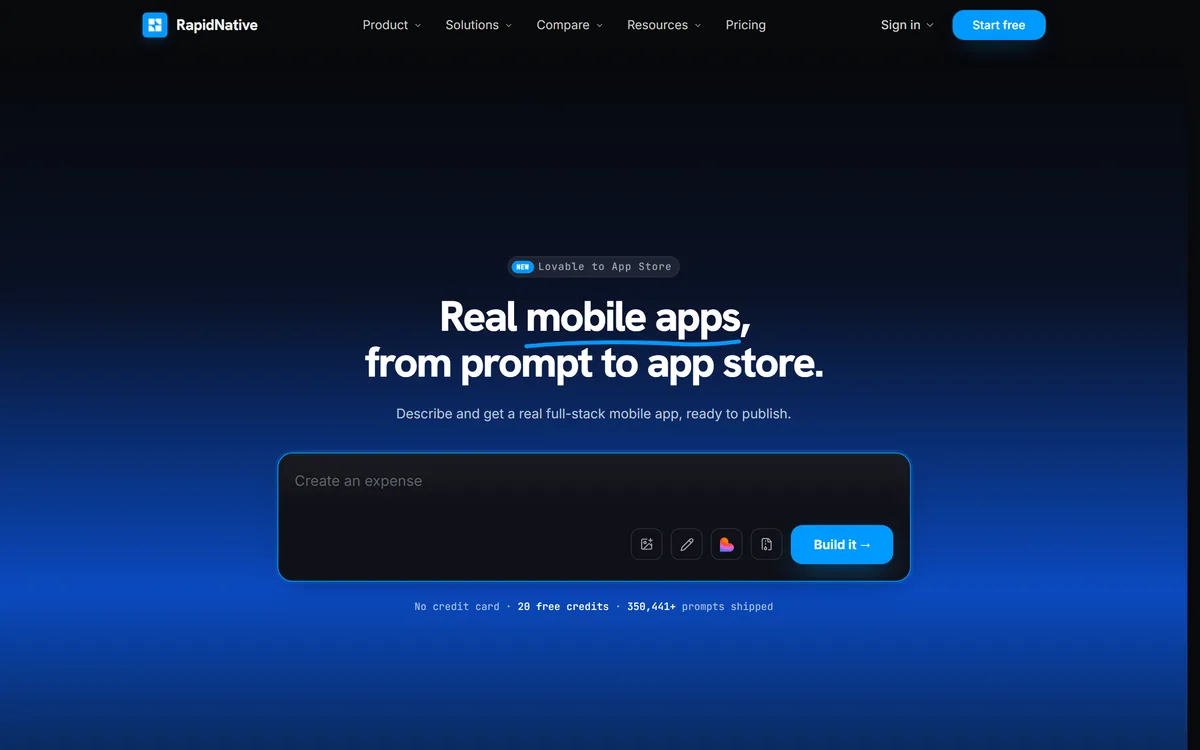
RapidNative's promise is specific: describe an app and get a real, full-stack mobile app ready to publish, rather than a web prototype dressed up for phones. It generates React Native, the framework many production mobile apps are built on, so the output is genuine native mobile code.
The clever part is meeting people where their idea already is. You can start from a text prompt, a hand-drawn sketch, a product requirements doc or a screenshot of an app you like, and the builder turns any of those into a working project you can keep refining.
Where it goes further than most AI builders is the last mile. RapidNative helps convert the project into a production React Native app, create store listings, handle compliance steps and submit to both the App Store and Google Play, which is exactly where non-developers usually get stuck.
The honest framing is that it compresses the path to a store-ready app dramatically, but it does not remove the realities of mobile: app review is decided by Apple and Google, and generated code still needs testing and review before real users depend on it.
RapidNative compresses the path to a store-ready app, but app review is still decided by Apple and Google, and generated code still needs testing.
How Does RapidNative Ship An App?
The workflow runs from flexible inputs through a real backend to store submission.
Prompt, Sketch Or Doc To React Native
You describe the app, sketch it, upload a PRD or paste a screenshot, and RapidNative generates a React Native app you can theme end to end, adjusting colours, typography and components to match a brand. It also offers templates and migration paths that bring apps built in other AI builders onto native mobile.
For developers who prefer a structured, spec-first coding workflow in an IDE, a tool like Kiro is a better fit; RapidNative is aimed at getting a working mobile app quickly with less hands-on coding.
A Real Backend, And App Store Submission
Every project comes with authentication, file storage and realtime updates wired up, plus a Postgres database you can query, migrate and secure, and you can point it at your own Supabase project. When you are ready, RapidNative helps convert the project into a production app, prepare store listings and submit to both stores.
Store developer accounts and fees with Apple and Google remain your responsibility, and apps can be rejected in review. If your app needs AI models behind it, a model-hosting platform like Replicate is the kind of service you would connect separately.
Who RapidNative's Mobile Builder Is For
RapidNative is really for founders, product managers, agencies and small teams who want a native mobile app, not just a web prototype, and who want help getting it through the app-store process without a dedicated mobile engineer.
It suits people who already prototyped in a web-first AI builder and now need a real mobile version, and teams testing an app idea with real users on real phones before investing in a full mobile build.
It fits less well complex apps with heavy native integrations, strict performance needs or regulated data, where experienced mobile engineers should own the code, and anyone expecting AI output to pass store review without testing. Its 'prompts shipped' figure is vendor-stated and reflects usage, not app quality.
How RapidNative Charges For Mobile Builds
RapidNative lets you start without a credit card on a block of free credits, with paid plans for more building and shipping. We do not publish prices, which change; check the site, and remember Apple and Google charge their own developer fees.
The value question is whether getting a native, store-ready app this way costs less than hiring mobile help or learning React Native, which for a validation-stage product is often true, provided you budget for testing and review.
Because there are free credits, the sensible approach is to build one real app idea, run it on your own phone, and walk through the submission preparation before paying for a plan.
A Measured First Build With RapidNative
Because mobile apps live or die on real-device behaviour, trial RapidNative on your own idea and your own phone.
- Describe a real app idea, or upload a sketch or PRD you already have.
- Check the generated screens, navigation and theme against what you meant.
- Test auth, storage and data with real sign-ups on a real device.
- Point it at your own Supabase project if you want to own the data layer.
- Walk through the store-listing and submission preparation.
- Pass/fail: RapidNative is worth it if it gets you to a testable, store-ready app far faster.
- Budget for testing and app review; generated code still needs a human check.
RapidNative Mobile-Builder Facts
| What it is | An AI builder for native mobile apps |
|---|
| Output | React Native apps for iOS and Android |
|---|
| Inputs | Prompt, sketch, PRD, image or screenshot |
|---|
| Backend | Auth, file storage, realtime and Postgres |
|---|
| Data | Can point at your own Supabase project |
|---|
| Shipping | Help converting, listing and submitting to both stores |
|---|
| Migration | Bring apps from other AI builders to React Native |
|---|
| Access | Free start with credits, then paid plans |
|---|
RapidNative, The Mobile Brief
- RapidNative builds native mobile apps from a prompt: real React Native code, not a web wrapper.
- It starts from anything: a text prompt, a sketch, a PRD, a screenshot, or an app from another AI builder.
- It is full-stack by default: auth, file storage, realtime and a Postgres database, which you can point at your own Supabase.
- Store submission is the differentiator: it helps convert, list and submit to the App Store and Google Play, though review is still up to Apple and Google.