
HubSpot AI is branded Breeze — an assistant plus a set of agents for prospecting, content, customer service, campaigns, nurture, and revenue, all running on live CRM data, with an Agent Builder for custom ones.
FreemiumBusiness & Marketing
Clay is go-to-market data infrastructure built around waterfall enrichment: instead of one provider, it queries a marketplace of more than 200 in sequence until a field is filled. Claygent AI agents research companies and people, and the results push into a CRM, ad platforms or a native sequencer.
Every company selling B2B data claims good coverage, and every one of them is telling the truth about a subset. One is strong on US enterprise and thin on European mid-market. Another has excellent mobile numbers in some sectors and none in others.
The consequence is familiar to anyone who has run enrichment at scale, whether through Bardeen or a data vendor: you buy a provider, run your list through it, and get back a file that is half-filled. The missing half is not random — it is whichever segment that vendor happens to be weak on, which is often the segment you care about.
Clay's answer is to stop choosing. Query one provider, and if it returns nothing, query the next, and the next, until a field is filled or the list is exhausted. That single idea — waterfall enrichment — is what the product is, and everything else is built around it.
Five terms that decide whether an enrichment stack works or quietly wastes money.
Clay describes waterfall enrichment as combining multiple data providers for the best coverage, drawing on a marketplace of more than two hundred.
The arithmetic is what makes this compelling. If one provider fills 60 per cent of a field and a second independently fills 55 per cent, running both in sequence fills considerably more than either alone, because their gaps do not perfectly overlap. Add a third and a fourth and coverage keeps climbing, with diminishing returns.
It also changes coverage from a procurement decision into a runtime one, which no CRM's built-in enrichment — HubSpot AI included — can offer. Under the old model, choosing a vendor meant inheriting its blind spots for the length of the contract. Here, a provider that is weak on your segment simply gets passed over and the next one answers.
There is a cost consequence that follows directly, and it is the thing to design around. Every provider you query costs something, whether or not it returns an answer. A waterfall that always runs all ten providers is far more expensive than one that stops at the first hit — and ordering the sequence so the cheapest, highest-coverage provider goes first is the single biggest lever on your bill.
This is why Clay rewards someone who owns it. A well-ordered waterfall and a badly ordered one produce the same data at very different prices.
One provider's coverage gap is not random. It is whichever segment they are weak on — which is frequently the one you care about.
Claygents are described as AI agents that research target companies and people. They matter because a great deal of what you actually want to know is not in any database.
Whether a company has just opened an office in a new market — the sort of signal an outbound platform such as Artisan acts on but cannot find. Whether their careers page suggests they are building the team you sell to. Whether their pricing page implies they have moved upmarket. None of these are fields a data vendor sells; all of them are readable by something that can visit a website and answer a question.
That is the gap Claygent fills, and it is the more defensible half of the product long term, because structured data is a commodity and judgement about unstructured text is not.
Two cautions. Agent research costs materially more per record than a database lookup, so it belongs at the end of a funnel rather than the start — qualify on cheap data first, then send only the survivors to an agent. And an agent asked an ambiguous question returns a confident, ambiguous answer, so the quality of your prompt is the quality of your data.
Clay publishes specific results against named customers: Intercom at 140 per cent more outbound pipeline, Anthropic at a threefold enrichment rate improvement, Vanta above 80 per cent enrichment coverage, ElevenLabs at 50 per cent more qualified leads, Verkada at three times the reply rate.
These are worth separating into two kinds, because they are not equally meaningful.
The enrichment figures — Anthropic's threefold improvement, Vanta's coverage percentage — are directly attributable and highly credible. Enrichment rate is a measurable property of a tool: you run the same list through the old process and the new one and compare fill rates. If waterfall enrichment does what it claims, exactly this result should appear.
The pipeline and reply-rate figures are weaker evidence, not because they are untrue but because they are overdetermined. A 140 per cent pipeline increase involves the messaging, the offer, the team, the market and the season alongside the data. Better data plausibly contributed; it did not act alone.
What makes the whole set unusually credible is the naming. Anthropic, Intercom, Rippling and Vanta are companies with communications functions that approve this kind of citation. Named, approved customer results are meaningfully stronger evidence than any anonymous percentage, and this is a stronger reference list than most tools in the category can show.
Clay runs on credits and offers a 14-day Pro trial with no card required. The credit model is where teams most often get an unpleasant surprise, and it is entirely avoidable.
The mechanism to understand is that a waterfall spends on attempts, not on answers. Ten providers queried for one record is ten costs whether the first one answered or the tenth did. Multiply that across a list of ten thousand and the difference between a good waterfall and a careless one is not marginal.
The three levers, in order of impact. Order your waterfall so the provider with the best coverage-to-cost ratio for your segment runs first. Set the waterfall to stop on first success rather than continuing. And filter the list before enriching at all — there is no reason to spend on records you would discard afterwards.
Claygent sits on top of this as the most expensive step per record, which makes it the last thing you should run rather than the first.
We do not publish amounts, since credit rates change. Use the trial to run one real list end to end and record the credits consumed; that figure, extrapolated to your monthly volume, is the only cost estimate worth having.
The 14-day Pro trial is genuinely enough to answer the only question that matters, provided you test on the right list.
The bar is step three. If Clay does not beat your current fill rate on your hardest segment, the waterfall is not reaching providers that cover it.
Clay is powerful and it is not simple, and that combination has a predictable failure mode worth naming before purchase.
The tool assumes someone will design waterfalls, write agent prompts, manage credit consumption and maintain the workflows as sources change. In practice that becomes a role — the person who owns Clay — and teams that buy it without assigning one tend to use a fraction of it while paying for all of it.
That is not a criticism of the product so much as a description of what it is. Infrastructure needs an operator; a lead list does not. The company's own community and education programmes exist largely because this is true.
The question to settle before buying is therefore organisational rather than technical: who on your team will own this, and do they have the hours? If the answer is nobody, a simpler enrichment tool will deliver more of its value than Clay will of its own.
Where that person does exist, the ceiling is high — which is why the named customers are the companies they are.
| Product type | Go-to-market data infrastructure and workflow platform |
|---|---|
| Core mechanism | Waterfall enrichment across a marketplace of 200+ data providers |
| AI agents | Claygents for researching companies and people; Account Agents for automated research |
| Signals | Job changes, promotions and other timing triggers |
| Data sources | First-party and third-party, centralised through Audiences |
| Outbound | CRM enrichment, reverse ETL, native email sequencer |
| Ad integrations | Audience sync to LinkedIn, Meta and Google |
| Agent access | MCP integration for representatives using AI tools |
| Named customers | Intercom, Anthropic, Vanta, ElevenLabs, Verkada, Rippling |
| Stated adoption | 500,000+ go-to-market teams |
| Trial | 14-day Pro trial, no credit card required |
| Pricing model | Credit-based subscription |
Waterfall enrichment querying more than 200 data providers in sequence
Claygent AI agents that research companies and people from the open web
Account Agents for automated ongoing research
Signals tracking job changes, promotions and other timing triggers
Audiences centralising first-party and third-party data sources
CRM enrichment and reverse ETL back into operational tools
Audience sync to LinkedIn, Meta and Google ad platforms
Native email sequencer and MCP access for AI-assisted reps
These tools sit at different points between finding a prospect and contacting them. Buying two that overlap is the common expensive mistake.
| Tool | Owns | Data approach | Who operates it |
|---|---|---|---|
| Clay | Data infrastructure and workflow | Waterfall across 200+ providers, plus agentic research | A dedicated owner — it needs one |
| Bardeen | Browser-based scraping and enrichment | Scrapes pages directly, then enriches | A salesperson, with no engineering help |
| Artisan | The full outbound motion including sending | Bundled data | Largely managed for you |
| HubSpot AI | The CRM the data lands in | Its own enrichment, narrower | Whoever administers the CRM |
| Aviso | Forecasting on the resulting pipeline | Reads your CRM rather than external data | Sales operations |
Compare on which step they own. Overlapping purchases here are the usual source of wasted spend.
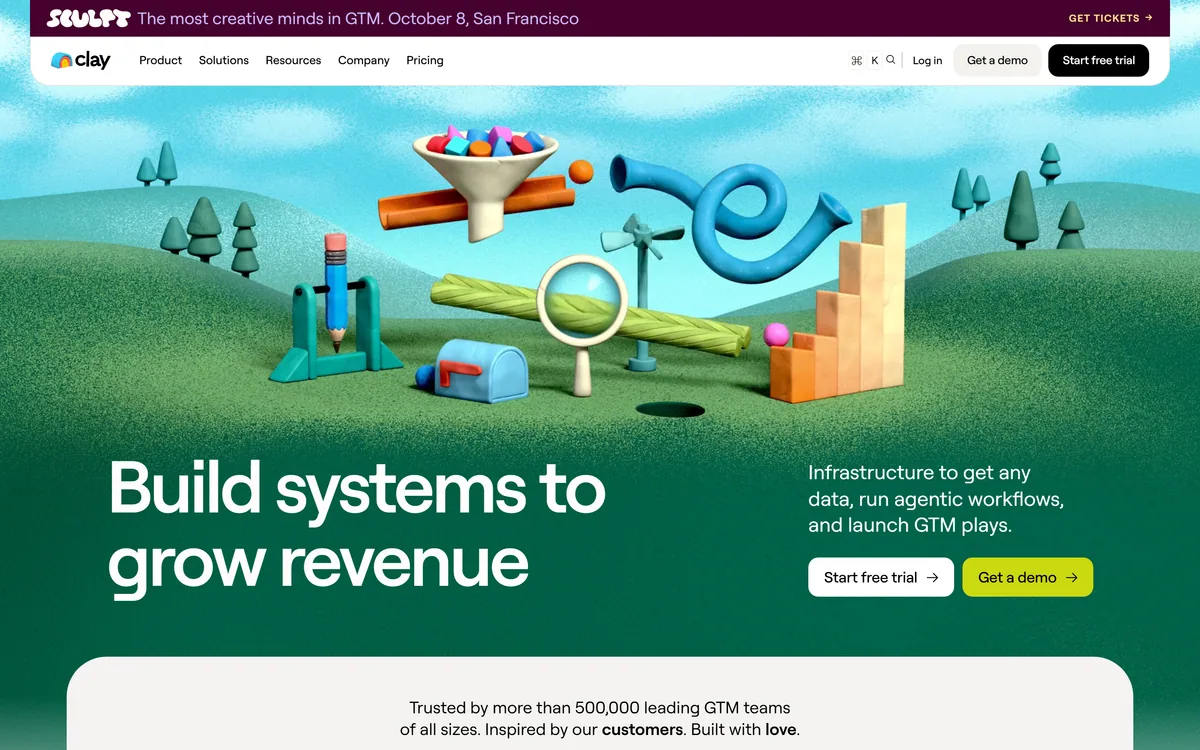
Last checked . Read from clay.com, including the footer, with the screenshot above captured in the same session.
What we could not confirm: no credit-per-enrichment table is published, so cost cannot be modelled before use; the 200+ provider figure is a vendor count and the individual providers are not enumerated on the page we read; the customer result percentages carry no stated methodology or baseline period; the valuation figure is attributed to press coverage rather than to the company; and we did not run the product, so nothing here reflects measured fill rates.
Clay scores highly because waterfall enrichment is a genuinely better answer to a real problem: no single data provider has good coverage of every market, and buying one vendor means inheriting its blind spots permanently. Querying more than two hundred providers in sequence until a field fills turns coverage from a procurement decision into a runtime one, and Claygent extends that to facts no database holds. It loses ground because the credit model makes cost genuinely unpredictable — an inefficient waterfall can burn a month's allowance in a day — and because the learning curve is real enough that teams routinely buy it and then need someone to own it. AInexfinder Editor Score: 4.5/5.
AInexfinder does not list plan prices or billing details. For current pricing, plans, and trials, visit the official Clay website.
Visit official website for pricingVendor pricing, credits, and billing policies change over time. Always confirm on the official site before you buy.
Log in to write a review.
No reviews yet. Be the first to share your experience with Clay.
Assigned reviewer
Daniel ReedSenior AI Tools Reviewer
Daniel reviews AI tools the slow way — by actually using them on real projects. His reviews cover what works, what breaks, and who each tool is genuinely a good fit for.
Daniel and the AInexfinder editorial team research Clay using public product information, listing evidence, and (when available) hands-on checks. Scores reflect listing completeness and transparency — not paid placement.
HubSpot AI is branded Breeze — an assistant plus a set of agents for prospecting, content, customer service, campaigns, nurture, and revenue, all running on live CRM data, with an Agent Builder for custom ones.
Trellus is an AI dialer that works inside Salesloft, Outreach and HubSpot, offering parallel dialling of up to five lines, real-time call guidance, conversational analytics, voice agents for practice and inbound, and a LinkedIn tool, aimed at multiplying sales conversations.
AutogenAI is an enterprise platform for writing proposals, bids and grant applications. It covers the workflow from qualifying an opportunity through drafting, research, review and compliance, using custom language engines built on each customer's own tone of voice and content library.
Aviso is an agentic revenue intelligence platform for go-to-market teams. It covers forecasting, pipeline inspection, conversation and relationship intelligence, coaching, sales engagement and customer success, with more than 30 prebuilt agentic workflows and a no-code studio for building new agents.
REsimpli is an all-in-one, AI-powered CRM for real estate investors, bundling lead data, marketing, a multi-line dialer, AI agents that qualify and nurture sellers, accounting and more into one app, positioned to replace a stack of separate tools.
Gainsight is a customer success and retention platform that turns product, engagement and support signals into scored risk and the right action, spanning customer success, product experience, community and education, with agentic AI across all of it.