
Resolve.ai puts AI agents into software operations: triaging alerts, investigating incidents alongside engineers to find root cause, and running operational workflows on a schedule or trigger. It is sold to large engineering organisations, with Coinbase, DoorDash, Snowflake and Robinhood among its named customers.
Cleric
Verified
Cleric is an AI site-reliability (SRE) agent that verifies every production change, detects regressions, opens and ships fix PRs with human approval, and takes the pager to triage incidents, aiming to cut time-to-root-cause and prevent incidents before customers are affected.
4.0Editor Score
cleric.ai6 viewsAdded September 15, 20256K visitors
Most production incidents trace back to a change that slipped through, and most on-call time is spent confirming whether an alert is real. Cleric is an AI SRE agent built to handle both.
It verifies every production change, detects regressions, opens and ships fix PRs with human approval, and takes the pager to triage incidents, aiming to prevent problems before customers feel them. It sits in the fast-moving AI-SRE space alongside tools like NeuBird, with change verification as its particular emphasis.
This review covers how Cleric catches a regression, where it earns its keep, how it is priced, and who should wait, treating its reliability figures as vendor claims to verify.
Cleric AI-SRE Facts
| What it is | An AI site-reliability (SRE) agent |
|---|---|
| Verifies | Every production change after merge |
| Catches | Regressions, with a fix PR |
| On-call | Takes the pager, dismisses false positives |
| Approval | Fix PRs ship with human approval |
| Claims | ~5 min to root cause, 92% actionable (vendor) |
| Recognition | Gartner Cool Vendor (vendor-stated) |
| Model | Free trial, then demo-led |
Cleric, The On-Call Brief
- Cleric is an AI SRE agent: it checks every production change and fixes regressions before customers notice.
- It verifies releases: after a merge, it watches the change in production and flags anomalies with a fix.
- It takes the pager: triaging incidents, dismissing false positives and fixing confirmed issues.
- It claims fast, actionable results: around five minutes to root cause and 92% actionable findings, vendor-stated.
An Agent That Checks Every Production Change
Cleric's organising idea is verification: after you ship, it checks the change in production and tells you how it went, catching regressions the moment they appear rather than when a customer complains. That shifts reliability from reactive to proactive.
The example it shows is telling, a deploy tightens timeouts, checkout latency quietly triples, and Cleric flags the anomaly, opens a revert PR, gets human approval, and confirms the fix, all in the span an engineer might not even have noticed yet.
It is pitched at preventing incidents and cutting the toil of confirming alerts, with vendor-stated figures (around five minutes to root cause, 92% actionable findings, 200k+ investigations) and a Gartner Cool Vendor nod, which we report as claims worth testing.
Cleric shifts reliability from reactive to proactive: after you ship, it checks the change in production and catches a regression the moment it appears, not when a customer complains.
How Does Cleric Catch A Regression?
Two behaviours define it: verifying releases and fixing regressions, and taking the on-call load.
Verifying Releases And Fixing Regressions
After a merge and deploy, Cleric checks the release against expectations, detects anomalies like a latency spike, and opens a fix PR (such as a revert) that an engineer approves before it ships, then verifies the metric returns to baseline. The human-approval gate is the right design for an agent touching production.
That change-verification focus is a distinct angle in AI-SRE. A memory-centric peer like NeuBird emphasises remembered investigations; Cleric emphasises catching and fixing regressions at the change boundary.
Taking The Pager And Dismissing Noise
Cleric also takes the pager: when an alert fires, it triages, dismisses false positives and works confirmed issues, which attacks the single biggest on-call drain, time spent deciding whether an alert is even real. An error-monitoring tool like Sentry Seer catches errors; Cleric adds the triage-and-fix loop on top.
The combination, verify changes, then handle the incidents that still occur, is what makes it a reliability agent rather than a single-purpose monitor, with a reliability peer like Resolve.ai working the same broad problem.
Where Cleric Earns Its Keep
Cleric earns its keep for engineering teams shipping frequently to production where a bad change is costly and on-call toil is real: SaaS and platform teams moving fast enough that manual change-verification does not scale.
The verify-every-change model pays off most where deploy frequency is high, since that is exactly where regressions slip through, and the pager-taking suits teams drowning in alerts and false positives. For them, both halves target genuine pain.
It fits less well a team that ships rarely and has few incidents, where the overhead is not justified, and anyone whose policy forbids an agent opening PRs or touching production even with approval. And its accuracy figures should be proven on your own systems before trust.
How Cleric Is Priced For Teams
Cleric offers a free trial, then a demo-led, per-team model rather than public self-serve pricing, with an ROI calculator on its site. We do not publish prices; there are none listed.
The value question is concrete: does catching regressions early and cutting on-call toil reduce incidents, downtime and engineer hours enough to justify the cost, which for a high-deploy team can be substantial.
Because it touches production, a scoped trial, starting in a verify-and-suggest mode before letting it ship fixes, is the right way to build trust and size the value on your own systems.
A Grounded Way To Trial Cleric
Because it acts on production, trial Cleric cautiously, with human approval and a limited blast radius first.
- Start the free trial connected to a non-critical service.
- Let it verify real changes and judge whether its regression detection is accurate and timely.
- Keep the human-approval gate on so you review every fix PR before it ships.
- Have it take the pager on a limited scope and check how well it dismisses false positives.
- Measure time-to-root-cause and incidents prevented against your baseline.
- Pass/fail: Cleric is worth it if it catches real regressions and cuts on-call toil without false fixes.
- Treat the 5-minute and 92% figures as vendor claims to verify on your own systems.
Cleric AI-SRE Terms
- AI SRE
- AI for site-reliability engineering: software that helps verify changes, investigate incidents and fix reliability issues.
- Regression
- A change that unintentionally breaks or degrades something that was working, such as a latency spike after a deploy.
- Change verification
- Checking a shipped change in production against expectations to confirm it did not cause a problem.
- False positive
- An alert that is not a real problem; dismissing these is much of what drains on-call engineers.
Key features of Cleric
Change verification after merge
Regression detection
Automatic fix PRs with approval
Pager-taking and triage
False-positive dismissal
Root-cause investigation
Release verification
Integrations with your stack
Pros & cons
Pros
5- Catches regressions at the change boundary
- Human-approval gate before fixes ship
- Takes on-call triage toil
- Proactive rather than purely reactive
- Free trial to test on a service
Cons
5- Acts on production; needs careful rollout
- Accuracy figures are vendor-stated
- Demo-led, no public pricing
- Overkill for low-deploy, low-incident teams
- Policy may forbid agent-opened PRs
Best For
- High-deploy SaaS teams
- Platform and SRE teams
- Alert-fatigued on-call rotations
- Change-verification needs
- Teams wanting proactive reliability
Cleric Versus Other AI-SRE Tools
The useful comparison is with other reliability and ops approaches.
| Tool | Tool | Emphasis | Best for |
|---|---|---|---|
| Cleric | Change verification + pager | Catch and fix regressions | High-deploy teams |
| NeuBird | Governed investigation memory | Remembered root-cause | Incident-heavy teams |
| Sentry Seer | AI error monitoring | Catching errors | Production errors |
| Resolve.ai | AI reliability agent | Investigation and response | Ops automation |
Is Cleric Right For Your On-Call?
Engineering Teams Cleric Fits
- Teams shipping frequently to production
- SaaS and platform teams where a bad change is costly
- Groups drowning in alerts and false positives
- Teams that want change verified automatically after merge
- Those who will keep human approval on fix PRs
When Cleric Is Not Required
- Teams that ship rarely with few incidents
- Orgs whose policy forbids agents touching production
- Anyone who takes the accuracy figures on faith
- Small teams without real on-call toil
- Those unwilling to start with a limited blast radius
How We Put Cleric On Call
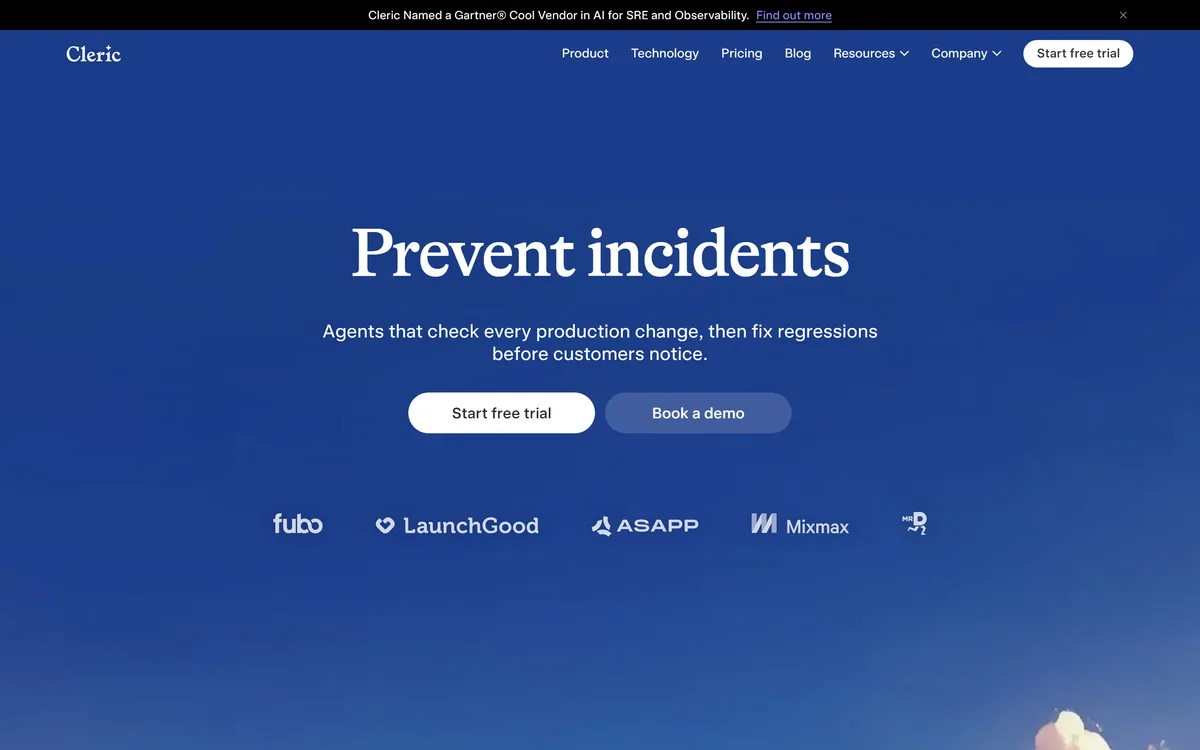
Last checked . Read from cleric.ai during this check, with the screenshot above captured at the same time.
- An AI site-reliability (SRE) agent for production
- Verification of every change after merge
- Regression detection with a fix PR
- Human approval before fixes ship
- Pager-taking: triage and false-positive dismissal
- Vendor-stated ~5 minutes to root cause and 92% actionable findings
- A stated Gartner Cool Vendor recognition and 200k+ investigations
- A free trial with a demo-led model and ROI calculator
- No plan prices reproduced here, in line with this site's pricing policy
Cleric acts on production and can open fix PRs; keep human approval on and start with a limited blast radius. Its root-cause, actionable-findings and recognition figures are vendor-stated and should be verified on your own systems.
Other Reliability And Coding Tools
An AI-SRE memory peer, an error monitor and a reliability agent to weigh alongside Cleric.
- NeuBird — governed memory for investigations
- Sentry Seer — AI error monitoring
- Resolve.ai — an AI reliability and response agent
Editor's Verdict
4.0/5Cleric earns 4.0 as a focused AI-SRE agent that attacks two real pains: verifying every production change to catch regressions early, and taking the pager to cut the toil of triaging alerts, with a sensible human-approval gate before any fix ships. Its root-cause and accuracy figures are vendor claims to verify, and because it acts on production it needs a careful, limited rollout, but for high-deploy teams it targets genuine reliability pain. AInexfinder Editor Score: 4.0/5.
Cleric pricing
AInexfinder does not list plan prices or billing details. For current pricing, plans, and trials, visit the official Cleric website.
Visit official website for pricingVendor pricing, credits, and billing policies change over time. Always confirm on the official site before you buy.
Frequently asked questions
What is Cleric?
Cleric is an AI site-reliability (SRE) agent. It verifies every production change after merge, detects regressions, opens fix PRs that an engineer approves before shipping, and takes the pager to triage incidents and dismiss false positives, aiming to prevent problems before customers are affected.
How does Cleric catch regressions?
After a change is merged and deployed, it checks the release against expectations and flags anomalies, such as a latency spike, then opens a fix PR (like a revert) for human approval and verifies the metric returns to baseline once shipped. It catches the problem at the change boundary.
Does Cleric change my production code on its own?
It opens fix PRs, but you keep a human-approval gate so an engineer reviews and approves every fix before it ships. Because it acts on production, that approval step is the right design, and a careful rollout, starting with a limited blast radius, is the sensible way to adopt it.
How is Cleric different from NeuBird?
Both are AI-SRE tools, but the emphasis differs. NeuBird centres on a governed memory of investigations so knowledge is reused; Cleric centres on verifying every change and catching and fixing regressions at the change boundary, plus taking the pager. Many teams would weigh them on that focus.
Are Cleric's accuracy claims reliable?
Figures like around five minutes to root cause, 92% actionable findings, 200,000+ investigations and a Gartner Cool Vendor nod are vendor-stated, so treat them as claims. Verify them on your own systems during a trial rather than assuming the same results for your stack.
How is Cleric priced?
It offers a free trial, then a demo-led, per-team model rather than public self-serve pricing, with an ROI calculator on its site. We do not publish prices; evaluate it by the incidents prevented and on-call hours saved against the cost, ideally through a scoped trial.
Who is Cleric for?
Engineering teams shipping frequently to production where a bad change is costly and on-call toil is real, SaaS and platform teams moving fast enough that manual change-verification does not scale, and teams drowning in alerts and false positives. It is overkill for low-deploy, low-incident teams.
What does 'taking the pager' mean?
It means Cleric handles incident alerts: when one fires, it triages, dismisses false positives, and works confirmed issues. That targets the biggest on-call drain, the time spent deciding whether an alert is even real, so engineers focus on genuine problems.
Is it safe to let Cleric act on production?
With the right guardrails. Keep the human-approval gate on so fixes are reviewed before shipping, and start with a limited blast radius on a non-critical service to build trust. Acting on production is powerful, so a cautious, staged rollout is the responsible approach.
What are Cleric's limitations?
It acts on production so needs careful rollout, its accuracy figures are vendor-stated, it is demo-led with no public pricing, and it is overkill for teams that ship rarely with few incidents. Some organisations' policies may also forbid an agent opening PRs even with approval.
Reviews
Log in to write a review.
User Reviews
No reviews yet. Be the first to share your experience with Cleric.
Reviewed by Daniel Reed
Assigned reviewer
Daniel ReedSenior AI Tools Reviewer
Daniel reviews AI tools the slow way — by actually using them on real projects. His reviews cover what works, what breaks, and who each tool is genuinely a good fit for.
Hands-on reviewsProduct testingAI software
Daniel and the AInexfinder editorial team research Cleric using public product information, listing evidence, and (when available) hands-on checks. Scores reflect listing completeness and transparency — not paid placement.
- Last verified
- Methodology
- How we review AI tools
- Sources used
- cleric.ai
- AInexfinder listing fields (features, pros/cons, description)
- Public vendor pages when available
- Editorial policy
- Listings may include affiliate or sponsored placements, which are labeled when present. Editorial scores and cons are not sold. See our affiliate disclosure and review methodology.
Related tools
Traversal is an AI site reliability engineering platform. It builds a dependency graph of production — what the vendor calls a Production World Model — and uses a causal search engine to triage alerts, perform evidence-backed root cause analysis across distributed systems, and drive automated remediation.
NeuBird is an agentic reliability platform (AI SRE) that connects your telemetry and LLMs once, remembers every investigation in a central governed memory, and serves engineers, leaders and your own agents the same cited truth, aiming for sub-five-minute root cause without storing your telemetry.
Parity review on AInexfinder — subscription AI tool for Coding & Development. Features, pricing notes, and alternatives.

GitHub Copilot is an AI coding assistant that spans completion, chat, agent mode, automated code review, and a cloud agent that opens pull requests, working across VS Code, Visual Studio, JetBrains, Xcode, Neovim, Eclipse, the CLI, and github.com.
FreemiumCoding & Development

Replit AI turns a written description into a working application — the Agent writes the code, and Replit supplies the database, authentication, hosting, and monitoring, so a prototype goes live without a local setup or a deployment pipeline.
FreemiumCoding & Development
Explore More
Embed this listing on your site
Featured on AInexfinder