
Bismuth review on AInexfinder — paid AI tool for Coding & Development. Features, pricing notes, and alternatives.
Sentry Seer
Verified
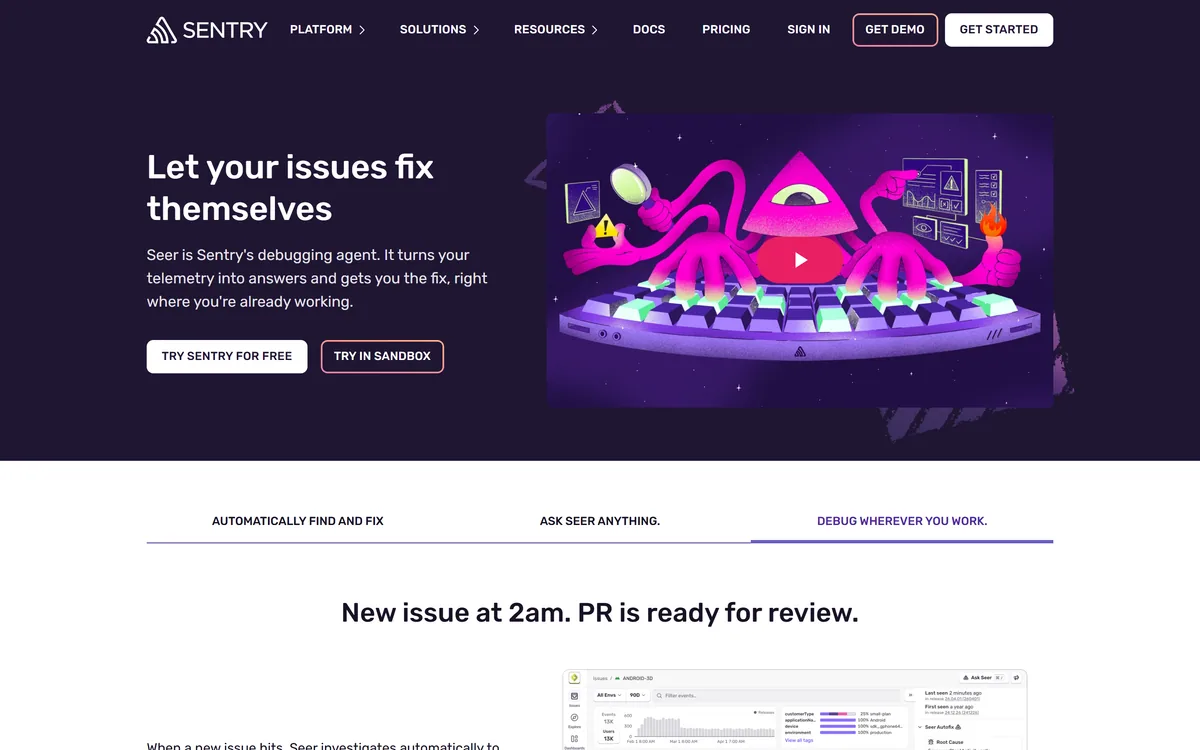
Seer is Sentry's AI debugging agent. It investigates new issues to find root cause, generates pull requests with proposed fixes, answers plain-language questions against production data, and reviews pull requests against real failure patterns — working from the telemetry Sentry already collects.
4.4Editor Score
sentry.io9 viewsAdded September 10, 2025243K visitors
Debugging a production error has two halves, and only one of them is hard. Knowing that something threw is easy — a monitoring tool has told you within seconds for a decade.
The hard half is the reconstruction: what state was the application in, which recent change is implicated, why does this only affect some users, and what does the stack trace mean in the context of code you may not have written.
Seer's whole proposition is that the evidence for that reconstruction is already sitting in Sentry. This review covers why that data proximity matters more than model quality, what to make of automatically generated fix PRs, how the contributor-based charging behaves, and where a general coding agent like OpenCode does a different job.
Seer, In Five Lines
- Seer is an AI debugging agent built into Sentry that investigates errors, identifies root cause and opens pull requests with proposed fixes, rather than only reporting that something broke.
- Its advantage is data it already holds. Seer reasons over the errors, traces and logs Sentry collects, so it starts from evidence rather than from your description of the bug.
- It reviews pull requests too, checking a proposed change against the failure patterns your application has actually produced in production.
- It reaches you where you already are — Sentry's own UI, Slack alerts, and editors including Claude, Copilot and Cursor.
- Charging is a per-active-contributor add-on on paid Sentry plans, where an active contributor is anyone committing two or more pull requests to a connected repository.
Starting From Evidence Rather Than From A Description
This is the entire argument for Seer over a general-purpose coding assistant, and it is a strong one.
When you ask a general model to debug something, you describe the problem. You paste a stack trace, you explain what you expected, you supply whatever context you remember to include. The model reasons from your account of the situation, which is filtered through your existing assumptions about what went wrong — and those assumptions are frequently the reason you are stuck.
Seer skips that step. It reads the actual error, the actual stack trace, the actual trace spanning services, the logs around the moment of failure, and the breadcrumbs describing what the user did beforehand.
That is a meaningfully different starting position. The most valuable thing in a hard bug is usually a detail nobody thought to mention, and a system reading the raw telemetry has no reason to omit it.
It also explains why this product could only really be built by an error monitoring company. The model is a commodity; the ten years of instrumentation feeding it is not.
The natural-language querying against production data follows from the same foundation. Asking a question in plain English and getting an answer grounded in your own telemetry is more useful than the same question asked of a model with no access to it.
Ask a general model to debug and it reasons from your account of the problem — which is filtered by exactly the assumptions keeping you stuck.
Automated Fix Pull Requests, Assessed Fairly
Seer reads a stack trace and opens a pull request proposing a fix. That is the headline capability and it deserves a calibrated reading rather than either enthusiasm or dismissal.
Where it genuinely works is the large category of unglamorous bugs: a null check that was never added, an unhandled error case, a type mismatch, an off-by-one, a missing await. These are most production errors by volume, they are tedious rather than difficult, and they are exactly what a system with the stack trace in hand can propose correctly.
Where it will not work is anything where the fix depends on intent. If the error reveals that a business rule was implemented wrong, the correct change is a product decision, and no amount of telemetry contains it.
The risk to name is the specific one for automated fixes: a change that makes the error stop without addressing why it occurred. Wrapping a failing call in a try/catch removes the alert and preserves the bug, and a PR that does this looks superficially like a fix.
So the discipline is unchanged from any other patch. Read the diff, understand why the change works, and reject anything that only silences a symptom. A generated PR is a starting point that saves the reconstruction time, not a change you merge because a machine wrote it.
The pull request review feature is arguably the better half. Checking a proposed change against failure patterns your application has actually produced is something no reviewer can do from memory.
- Turn it on for one project rather than the whole organisation.
- Read the root cause analyses on issues you have already solved, and see whether it agrees.
- Review the first ten generated PRs closely — you are calibrating trust, not saving time yet.
- Reject anything that suppresses the error rather than fixing the cause, and note how often that happens.
- Only then decide which projects should have it running by default.
Reaching You Where You Already Work
Seer runs inside Sentry's UI, in Slack alerts, and inside editors including Claude, Copilot and Cursor. That distribution decision matters more than it looks.
Debugging tools fail on adoption rather than capability. A tool that requires opening a separate dashboard, at the moment an engineer is already context-switching under pressure, gets used twice and then forgotten.
Appearing in the Slack alert means the analysis arrives with the notification — at exactly the moment attention is on the problem. Appearing in the editor means it is available where the fix will actually be written.
The editor integrations are also a quiet strategic statement. Rather than competing with Cursor and Copilot, Seer supplies them with production context they cannot otherwise reach. That is the right posture: an error monitoring company's advantage is the data, not the coding interface.
For teams already running an AI SRE platform, the distinction is worth drawing. Tools like Traversal reason about infrastructure dependencies and incidents across services; Seer is focused on the error and the code that threw it. They overlap at the edges and answer different questions.
Billed Per Active Contributor
This site does not publish plan prices. Seer's charging structure is unusual enough to be worth understanding, because it is not the seat model you would expect.
Seer is an add-on for paid Sentry plans — Team, Business or Enterprise — charged per active contributor per month. An active contributor is defined as anyone who commits two or more pull requests to a connected repository.
That definition is doing real work. It is not counting everyone with a Sentry login, which in most organisations is far more people than the ones writing code. Product managers, support staff and designers who look at error dashboards do not become billable.
The practical consequence is that cost tracks your engineering headcount rather than your monitoring footprint, and it flexes automatically as contributors come and go. For an organisation where many people watch errors and few people fix them, that is a favourable shape.
Two things to establish before enabling it: that you are on a qualifying paid plan, and how the two-PR threshold behaves across a month with contractors or occasional contributors. Ask specifically whether someone who commits twice in one month and never again is billed once or continuously.
The wider point for budgeting is that this is an add-on to a platform you are already paying for. The honest comparison is Seer's incremental cost against the engineering hours currently spent reconstructing what a stack trace means.
The Prerequisite Nobody States
Everything above assumes something that is worth making explicit: Seer is only useful if Sentry is already your error monitoring platform.
That is not a criticism, it is a scoping fact. If you run a different error platform, adopting Seer means migrating your instrumentation — which is a real project across every service you operate, and one that should be justified on its own merits rather than on a debugging feature.
There is a related dependency worth checking honestly: Seer is only as good as your instrumentation. An application with sparse error capture, missing traces or no breadcrumbs gives the agent little to reason over, and it will produce correspondingly thin analyses. Teams whose Sentry setup is a default install from three years ago should expect less than teams who have invested in it.
On data handling, Sentry states that AI-generated output is shown only to the requesting user, that customer data is not used for model training without explicit consent — disabled by default — and that processing runs through vetted subprocessors prohibited from using data for their own training.
That last set of statements matters more than usual here, because the data in question is production telemetry, which routinely contains more than teams realise. Confirm the terms with your own security review rather than the marketing page.
- Requires Sentry as your error platform — otherwise it is a migration decision, not a tool decision
- Analysis quality tracks instrumentation quality, so a thin setup gives thin answers
- Output is shown only to the requesting user, per Sentry
- Model training on customer data is off by default and requires explicit consent
- Production telemetry often contains more sensitive data than teams expect — review it
Capability, Coverage And Charging
| Publisher | Sentry |
|---|---|
| Category | AI debugging and error root cause analysis |
| Core capabilities | Automatic root cause analysis on new issues, automated fix generation as pull requests, natural-language querying of production data, pull request review against real failure patterns |
| Data it reasons over | Sentry telemetry — errors, traces and logs |
| Surfaces | Sentry UI, Slack alerts, and editors including Claude, Copilot and Cursor |
| Language coverage | All languages and frameworks Sentry supports, spanning web frontend and backend, mobile and desktop |
| Output visibility | AI-generated output shown only to the requesting user |
| Training on customer data | Not used without explicit consent; disabled by default |
| Subprocessors | Vetted and prohibited from using customer data for their own training |
| Requires | A paid Sentry plan — Team, Business or Enterprise |
| Charging model | Add-on, billed per active contributor per month; an active contributor is anyone committing two or more pull requests to a connected repository. No prices published here |
Key features of Sentry Seer
Automatic root cause analysis on new issues
Fix generation delivered as pull requests
Natural-language querying against production data
Pull request review against real production failure patterns
Integration into Sentry's own UI
Analysis delivered inside Slack alerts
Editor integrations including Claude, Copilot and Cursor
Coverage across all Sentry-supported languages and frameworks
Pros & cons
Pros
6- Reasons from real stack traces, traces and logs rather than from your description of the bug
- Reviewing pull requests against actual production failures is something no human reviewer can do from memory
- Appears in Slack and the editor, which is how debugging tools actually get adopted
- Feeding production context to Cursor and Copilot is a smarter posture than competing with them
- Per-active-contributor billing does not charge for people who only watch dashboards
- Training on customer data is off by default rather than opt-out
Cons
5- Only useful if Sentry is already your error platform — otherwise it is a migration decision
- Analysis quality is capped by how well your application is instrumented
- Generated fixes can silence a symptom rather than address the cause, and look like fixes
- Cannot resolve bugs where the correct behaviour is a product decision
- Production telemetry carries data that needs a security review before AI processing
Best For
- Engineering teams already standardised on Sentry
- On-call engineers reconstructing unfamiliar stack traces under pressure
- Teams with high volumes of routine, repetitive production errors
- Organisations wanting production context inside their existing coding assistants
- Small teams without dedicated debugging capacity
Seer Against The Other Debugging Approaches
The dividing line is what each one can actually see when you ask it a question.
| Tool | What it reasons over | Where it acts | Best at |
|---|---|---|---|
| Sentry Seer | Your Sentry errors, traces and logs | Sentry, Slack, your editor | Explaining a specific production error |
| Traversal | An infrastructure dependency graph | Incident response and remediation | Which service caused an outage |
| Resolve.ai | Production signals across the estate | On-call rotations and incidents | Delegating on-call triage |
| GitHub Copilot | Your code, and what you tell it | The editor | Writing the fix once you know it |
| OpenCode | Your repository | The terminal | Autonomous multi-file changes |
Should You Enable Seer?
Turn Seer On If
- Sentry is already your error monitoring platform
- Your instrumentation is good enough that issues arrive with real context
- A meaningful share of your errors are routine defects rather than design problems
- Engineers reconstruct the same kind of stack trace repeatedly
- You will review generated pull requests as carefully as any other patch
Leave It Off If
- You use a different error platform and would have to migrate to benefit
- Your Sentry setup is a default install with sparse traces and breadcrumbs
- Nobody has capacity to review the pull requests it opens
- Your production telemetry carries data you have not cleared for AI processing
- You need infrastructure-level incident analysis rather than error-level debugging
Other Tools Around Production Failures
These split between diagnosing infrastructure, debugging code and writing the fix.
- Traversal — infrastructure-level root cause across services rather than a single error
- Resolve.ai — AI agents that take part in the on-call rotation itself
- GitHub Copilot — writing the fix in the editor once the cause is known
- OpenCode — an autonomous terminal agent for larger multi-file changes
- Functionize — catching the defect in testing before it reaches production at all
Seer's Documentation, Checked
Last checked . Read from sentry.io during this check, with the screenshot above captured at the same time.
- Seer described as an AI debugging agent built by Sentry
- Capabilities stated: automatic root cause analysis on new issues, automated fix generation as pull requests, natural-language querying of production data, and pull request review against production failure patterns
- Stated as leveraging Sentry telemetry — errors, traces and logs
- Surfaces stated as Sentry's UI, Slack alerts, and editors including Claude, Copilot and Cursor
- Language coverage stated as all languages and frameworks Sentry supports, across web, mobile and desktop
- Data handling stated: AI output shown only to the requesting user; customer data not used for model training without explicit consent, disabled by default; subprocessors prohibited from training on the data
- Availability stated as an add-on for paid Team, Business or Enterprise plans
- Charging stated as per active contributor per month, with an active contributor defined as committing two or more pull requests to a connected repository
- No plan prices published here, in line with this site's pricing policy
Capability claims are the vendor's own and were not independently benchmarked. Seer requires Sentry as your error platform, and analysis quality depends directly on how well your application is instrumented. Production telemetry frequently contains more sensitive data than teams assume — put the data handling terms through your own security review rather than relying on a product page.
Editor's Verdict
4.4/5Seer earns a high score for one structural reason: it starts from your actual stack traces, traces and logs rather than from a description of the problem, which is a real advantage over general coding agents. It loses ground for being useful only if Sentry is already your error platform, and for opening pull requests that still need the same review as any other patch. AInexfinder Editor Score: 4.4/5.
Sentry Seer pricing
AInexfinder does not list plan prices or billing details. For current pricing, plans, and trials, visit the official Sentry Seer website.
Visit official website for pricingVendor pricing, credits, and billing policies change over time. Always confirm on the official site before you buy.
Frequently asked questions
What does Sentry Seer do?
It investigates new errors in Sentry to work out root cause, generates pull requests proposing fixes, answers plain-language questions against your production data, and reviews pull requests against failure patterns your application has actually produced.
How is Seer priced?
It is an add-on for paid Sentry plans, billed per active contributor per month. An active contributor is anyone who commits two or more pull requests to a connected repository — so people who only view error dashboards are not billable.
Do I need Sentry to use Seer?
Yes, and it is the main constraint. Seer reasons over Sentry's own telemetry, so adopting it on a different error platform would mean migrating your instrumentation across every service — a project that should be justified on its own merits.
Can I trust an AI-generated fix pull request?
Review it exactly as you would any other patch. Generated fixes handle routine defects — missing null checks, unhandled cases, off-by-one errors — well. The risk to watch for is a change that suppresses the error without addressing why it happened.
Does Sentry train AI models on my error data?
Sentry states that customer data is not used for model training without explicit consent, and that this is disabled by default, with subprocessors prohibited from training on it. Given that production telemetry often contains sensitive data, confirm the terms through your own security review.
Seer vs a coding assistant like Copilot — what is the difference?
Copilot reasons over your code and whatever you tell it. Seer reasons over what actually happened in production — the real stack trace, the trace across services, the logs around the failure. Seer also feeds that context into Copilot and Cursor rather than competing with them.
Will Seer work if our Sentry setup is basic?
It will work less well, and this is worth being honest about. The agent reasons over the telemetry it has, so an application with sparse error capture, no traces and few breadcrumbs gives it little to work from. Improving instrumentation improves the analyses directly.
Reviews
Log in to write a review.
User Reviews
No reviews yet. Be the first to share your experience with Sentry Seer.
Reviewed by Daniel Reed
Assigned reviewer
Daniel ReedSenior AI Tools Reviewer
Daniel reviews AI tools the slow way — by actually using them on real projects. His reviews cover what works, what breaks, and who each tool is genuinely a good fit for.
Hands-on reviewsProduct testingAI software
Daniel and the AInexfinder editorial team research Sentry Seer using public product information, listing evidence, and (when available) hands-on checks. Scores reflect listing completeness and transparency — not paid placement.
- Last verified
- Methodology
- How we review AI tools
- Sources used
- sentry.io/product/seer
- AInexfinder listing fields (features, pros/cons, description)
- Public vendor pages when available
- Editorial policy
- Listings may include affiliate or sponsored placements, which are labeled when present. Editorial scores and cons are not sold. See our affiliate disclosure and review methodology.
Related tools

GitHub Copilot is an AI coding assistant that spans completion, chat, agent mode, automated code review, and a cloud agent that opens pull requests, working across VS Code, Visual Studio, JetBrains, Xcode, Neovim, Eclipse, the CLI, and github.com.
FreemiumCoding & Development

Replit AI turns a written description into a working application — the Agent writes the code, and Replit supplies the database, authentication, hosting, and monitoring, so a prototype goes live without a local setup or a deployment pipeline.
FreemiumCoding & Development
Momentic is an agentic end-to-end testing platform where AI writes tests as plain-English YAML, runs them across web, iOS and Android, and self-heals them when the UI changes, with an autonomous bug-bashing agent, an MCP server and CI integration.
FreemiumCoding & Development
CodeScene measures code with CodeHealth, a validated metric predicting defects and delivery performance. It states the average enterprise codebase scores 5.15 out of 10 while AI needs 9.5 to work reliably, and offers an MCP server, automated reviews and IDE feedback. Operated by CodeScene AB.
FreemiumCoding & Development
Tabnine is an enterprise AI coding assistant offering context-aware code completion, chat and agents with private deployment and a codebase-wide context engine. In July 2026 it was acquired by Tricentis, and tabnine.com now routes to the Tricentis agentic quality engineering platform.
FreemiumCoding & Development
Compare:Sentry Seer vs BismuthSentry Seer vs GitHub CopilotSentry Seer vs Replit AISentry Seer vs Momentic
Sentry Seer alternatives Explore More
Embed this listing on your site
Featured on AInexfinder