Replit AI turns a written description into a working application — the Agent writes the code, and Replit supplies the database, authentication, hosting, and monitoring, so a prototype goes live without a local setup or a deployment pipeline.
Replit Increplit.com54,036 viewsAdded October 10, 202520M+ visitors
Replit AI takes a description of an application and builds it. Not a snippet or a starting file — a running app, with a database behind it and a URL in front of it.
That end-to-end scope is what separates it from AI coding assistants. Most of them help you write code faster in an editor you already configured; Replit removes the editor, the configuration, and the deployment step as well.
This review covers what the Agent genuinely handles, the infrastructure that comes with it, where the approach breaks down, and how it compares to the coding tools it is usually shortlisted against.
Replit AI In Sixty Seconds
What it is: an AI agent that writes an application from a plain-English description, inside a browser environment that also hosts and runs it.
The real differentiator: database, authentication, deployment, and monitoring are included, so there is nothing to configure between "it works" and "it is online".
Best at: internal tools, prototypes, dashboards, and small web apps that need to exist by Friday.
Weakest at: large existing codebases, precise design work, and anything where the cost of a subtle bug is high.
Watch out for: effort-based billing on Agent work, which is far harder to predict than a flat subscription.
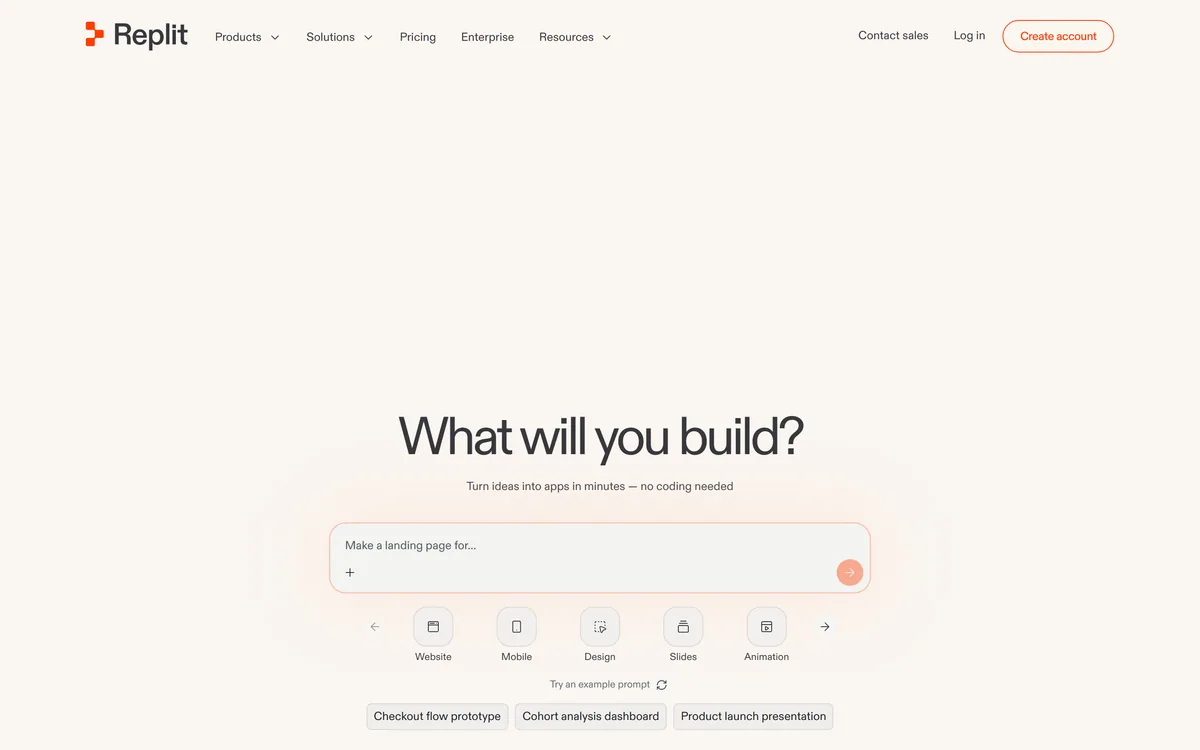
Replit's front door is a prompt box, not an editor — the code comes after the description.
Websites, mobile apps, slides, animations, 3D games, data visualisations, dashboards
Model handling
Intelligent model routing across providers
Runs in
The browser — no local install required
Named customers
Databricks, Zillow, Gusto, Talkdesk
Enterprise controls
SSO and SAML, admin controls, single-tenant environments, static outbound IPs
Compliance
SOC 2
Free plan
Yes
The Whole Loop, Not Just The Code
The useful way to think about Replit is that it collapses five jobs into one. A conventional path from idea to live app touches a local environment, a code editor, a database, an auth provider, and a hosting platform — five things to set up before anything is visible.
Replit supplies all of them. The Agent writes the application, and the database, authentication, object storage, deployments, and monitoring are already there waiting for it.
Agent — builds the application from your description
Assistant — makes smaller, targeted edits once it exists
Databases — provisioned without a separate account or connection string
Authentication — sign-in handled rather than hand-rolled
Deployments — a live URL from inside the same workspace
Monitoring — visibility into what the running app is doing
The thing Replit removes is not typing. It is the two days of setup between having an idea and having a URL you can send to someone.
How A Build Actually Goes
The sequence matters, because the most common way people get poor results is asking for too much in one instruction.
Describe the app in one or two sentences — what it does and who uses it, not how to build it.
Let the Agent scaffold it and run it. Do not intervene until something is on screen.
Use the running app, not the code, to find what is wrong. Click through it as a user would.
Fix one thing per instruction. "The login button does nothing" works; "improve the UX" does not.
Add data and auth once the shape is right, rather than specifying them up front.
Deploy early and keep deploying. A live URL surfaces problems the preview hides.
What It Builds Well
Replit is strongest where the requirements are ordinary and the value is in existing at all. Internal tools are the clearest case — the form that replaces a spreadsheet, the dashboard nobody had time to build, the small utility a team keeps asking for.
It also covers a wider range of outputs than most AI builders: websites and mobile apps, but also slides, animations, 3D games, data visualisations, and documents.
The named customers — Databricks, Zillow, Gusto, Talkdesk — suggest this is being used inside real engineering organisations, not only by people learning to code.
Who It Puts To Work
The interesting adoption pattern is not developers replacing their editor. It is people who were never going to open one.
Non-Engineers Shipping Real Software
Product managers, operations staff, and founders can build the thing they would otherwise have specified and waited for. That changes the economics of small internal requests, which are usually too minor to justify engineering time and too annoying to keep doing by hand.
The output is real software with a real database, which is both the appeal and the risk.
Engineers Skipping The Boring Part
For developers, the value is different: a working prototype in minutes rather than an afternoon of scaffolding. Many treat it as a sketching tool and rebuild properly once the idea proves out.
Intelligent model routing means you are not choosing a model per task — Replit picks, which suits this audience less well but removes a decision for everyone else.
Where The Agent Runs Out Of Road
Complexity is the hard boundary. The Agent is reliable on applications it can hold in view and unreliable on large, interconnected systems, where changes in one place break something it has forgotten about.
Design control is coarse. You can describe a look, but you cannot direct it the way a designer would, and output tends toward a recognisable default.
Debugging is the real skill gap. When the Agent produces something subtly wrong, fixing it means reading the code — and the people who benefit most from Replit are precisely those least able to do that.
Cost is the other complaint. Agent work is billed on effort rather than a flat rate, so an app that takes many iterations costs much more than one that lands quickly, and you find out afterwards.
Security Questions Worth Asking First
Replit lists SOC 2 compliance, SSO and SAML, admin controls, single-tenant environments, and static outbound IPs, which covers most of what a security review asks.
The sharper risk is not the platform but what gets built on it. An AI-generated app handling customer data, written by someone who cannot audit it, deployed without review, is a genuine exposure — and it is easy to create by accident.
The workable policy is to treat Replit apps like any other software: fine for internal tools and prototypes by default, subject to review before anything touches customer or regulated data.
Two Replit Listings, One Product
A note on naming, because it causes confusion in search: Replit the development environment and Replit AI the agent are the same platform, and this directory carries both as separate listings.
If you are comparing options, treat them as one product. The AI capabilities are not a separate purchase or a bolt-on — the Agent is how most people now use Replit at all.
Key features of Replit AI
Agent that builds a complete application from a plain-English description
Assistant for smaller, targeted edits after the first build
Databases, authentication, and object storage provisioned automatically
One-step deployment to a live URL from the same workspace
Monitoring of the running application
Intelligent model routing across providers
Builds websites, mobile apps, slides, animations, 3D games, and data visualisations
SSO and SAML, admin controls, single-tenant environments, and static outbound IPs
Pros & cons
Pros
5
Removes the entire setup chain — no local environment, database, or host to configure
Genuinely lets non-developers ship working internal tools
Live URL from the first build, so feedback starts immediately
Unusually wide output range for an AI builder
Enterprise controls and SOC 2 compliance for organisations that need them
Cons
5
Agent reliability drops sharply as an application grows interconnected
Effort-based billing makes cost hard to forecast before you start
Design control is coarse and output looks recognisably generated
Debugging requires reading code, which its core audience often cannot
Easy to accidentally deploy an unreviewed app that touches real data
Best For
Product and operations teams building internal tools without engineering time
Founders testing an idea before committing to build it properly
Developers who want a working prototype in minutes rather than an afternoon
Teams that have no deployment pipeline and do not want to build one
Anyone who needs a dashboard or form live today
Replit AI Versus The Tools It Competes With
The shortlist usually comes down to how much you want handled for you, and whether you already have a codebase.
Vendor pricing, credits, and billing policies change over time. Always confirm on the official site before you buy.
Frequently asked questions
Does Replit AI host the app it builds, or just write the code?
It hosts it. Databases, authentication, object storage, deployment, and monitoring are part of the platform, so an app goes from description to live URL without a separate host or a connection string.
Can someone with no coding experience use Replit AI?
Yes for building, with a caveat for fixing. The Agent will produce a working app from a description, but when something is subtly wrong the fix usually means reading the code — which is exactly where non-developers get stuck.
How does Replit AI compare to Cursor?
They solve different problems. Cursor works inside your existing repository on your machine and suits developers maintaining real code. Replit builds new applications in a hosted environment and suits people who want the whole stack handled.
Why did my Replit bill come out higher than expected?
Agent work is billed on effort rather than a flat rate, so an app that needed many iterations costs considerably more than one that landed quickly. Scope tightly and fix one thing per instruction to keep iterations down.
Is Replit safe for company data?
Replit lists SOC 2 compliance, SSO and SAML, admin controls, and single-tenant environments. The larger risk is usually what gets built — an AI-generated app touching customer data with nobody able to audit it should go through review first.
What can Replit AI actually build?
Websites, mobile apps, dashboards, data visualisations, slides, animations, 3D games, documents, and spreadsheets. It is strongest on ordinary internal tools and prototypes rather than large, interconnected systems.
Is there a free Replit plan?
Yes. Because Agent usage is metered on effort, treat the free tier as a way to judge whether the build experience suits you rather than as a guide to what regular use will cost.
Daniel reviews AI tools the slow way — by actually using them on real projects. His reviews cover what works, what breaks, and who each tool is genuinely a good fit for.
Daniel and the AInexfinder editorial team research Replit AI using public product information, listing evidence, and (when available) hands-on checks. Scores reflect listing completeness and transparency — not paid placement.
Listings may include affiliate or sponsored placements, which are labeled when present. Editorial scores and cons are not sold. See our affiliate disclosure and review methodology.
GitHub Copilot is an AI coding assistant that spans completion, chat, agent mode, automated code review, and a cloud agent that opens pull requests, working across VS Code, Visual Studio, JetBrains, Xcode, Neovim, Eclipse, the CLI, and github.com.
Tabnine is an enterprise AI coding assistant offering context-aware code completion, chat and agents with private deployment and a codebase-wide context engine. In July 2026 it was acquired by Tricentis, and tabnine.com now routes to the Tricentis agentic quality engineering platform.
Zencoder is an AI orchestration platform for engineering work: agents plan with one model, build with another and review with a third, across multi-repo indexing and full dependency mapping, inside VS Code and JetBrains. It adds scheduled automation and a work layer spanning Jira, Slack and Notion.
Cline is an open-source AI coding agent that works in your editor as a VS Code extension, in the terminal as a CLI, as a desktop app and through an SDK, using any model including open-weight ones, with a plan-and-act workflow where you approve its actions.
Pieces runs in the background on your computer forming a searchable memory of your work, capturing what you see and what you copy by default and what you hear only if you opt in. It builds a chronological timeline across Gmail, Outlook, browsers and Slack, and generates standups, briefs and recaps from real context.
Kiro is an agentic software-engineering toolset, an IDE, a CLI and cloud sessions, that turns prompts into executable specs, validates code correctness, and works across large codebases with parallel agents, positioned as a step beyond basic AI code completion.