
Traversal is an AI site reliability engineering platform. It builds a dependency graph of production — what the vendor calls a Production World Model — and uses a causal search engine to triage alerts, perform evidence-backed root cause analysis across distributed systems, and drive automated remediation.
Resolve.ai
Verified
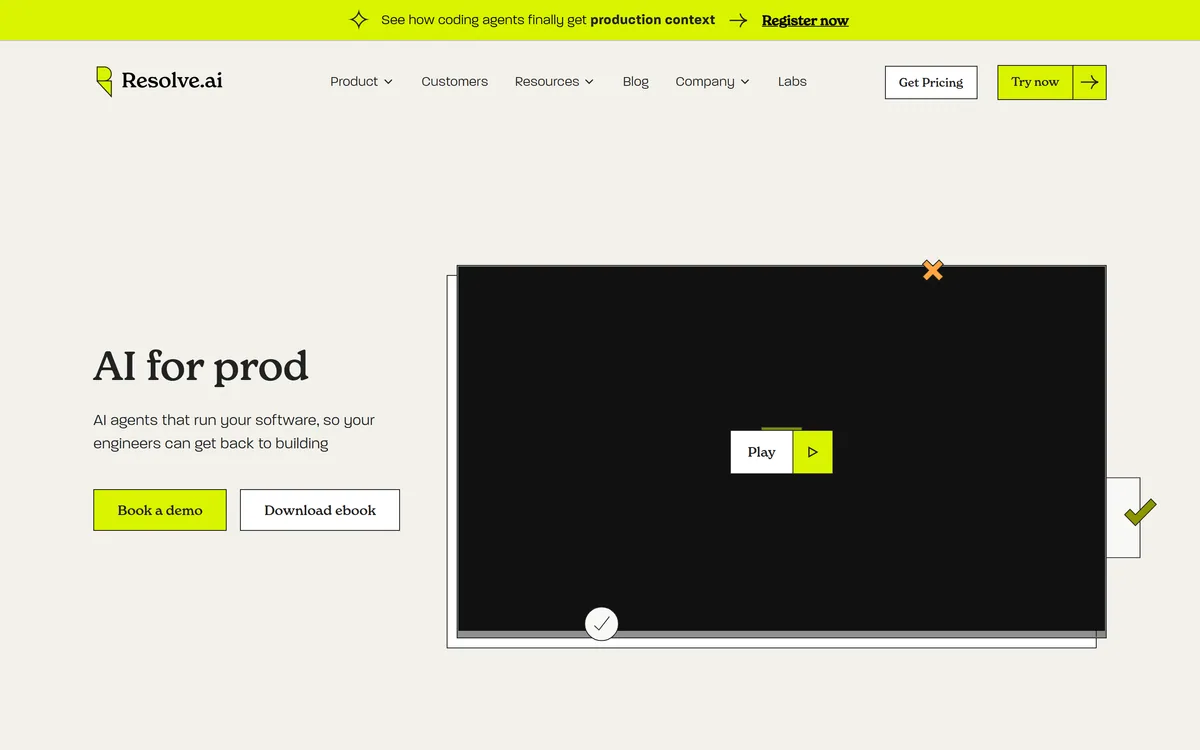
Resolve.ai puts AI agents into software operations: triaging alerts, investigating incidents alongside engineers to find root cause, and running operational workflows on a schedule or trigger. It is sold to large engineering organisations, with Coinbase, DoorDash, Snowflake and Robinhood among its named customers.
4.2Editor Score
resolve.ai10 viewsAdded August 1, 20253K visitors
On-Call, Delegated
- Resolve.ai is a platform of AI agents that perform software operations work — triaging alerts, investigating incidents and running operational tasks, positioned as participants in the rotation rather than as a dashboard.
- Three modes: agents on every on-call rotation for triage, collaborative incident resolution alongside engineers, and scheduled or triggered background automation.
- The customer list is the substance — Coinbase, DoorDash, Expedia Group, Snowflake, Salesforce, MongoDB, Robinhood, Cisco and Autodesk among more than twenty logos.
- Stated results are up to 5x faster MTTR and 75% higher productivity, both vendor figures published without a baseline.
- It is contact-sales only, with integration via MCP, API and Skills rather than a published connector list.
Scope, Customers And Claims
| Category | AI agents for software operations, on-call and incident response |
|---|---|
| Operating modes | On-call delegation with agents on every rotation, collaborative incident resolution with engineers, and scheduled or triggered background automation |
| Core function | Alert triage, incident investigation to root cause, and operational task automation |
| Integration approach | MCP, API and Skills for ecosystem integration and custom agent development |
| Named customers | Coinbase, DoorDash, Expedia Group, Snowflake, Salesforce, Zscaler, MongoDB, Robinhood, Cisco, MSCI, Autodesk, Toast, Gametime, Eventbrite, Abridge, Pinecone, Guidewire, Blueground, Motive, Upwind |
| Stated results | Up to 5x faster MTTR and 75% higher productivity, per the vendor |
| Customer testimonial | DoorDash cited as seeing fewer engineers pulled into war rooms and materially improved on-call experience |
| Not published | Founders, funding, headquarters, and a specific observability integration list |
| Charging model | Contact sales; no self-serve signup and no prices published here |
Why On-Call Is The Right Thing To Attack
Framing this as a debugging tool undersells what it is aimed at. The target is a staffing and wellbeing problem that most engineering organisations have and few solve.
On-call is a genuine cost centre that rarely appears in any budget. Engineers carry a pager outside working hours, sleep badly during rotations, lose the following day, and in many organisations cite it as a leading reason for leaving. The cost is real and shows up as attrition rather than as a line item.
The work itself splits unevenly. A large share of pages are noise — a threshold crossed briefly, a known flaky dependency, an alert nobody has tuned since it was written. Somebody still has to wake up, look, and decide it was nothing.
Dependency-graph approaches like Traversal attack the same night from the diagnosis end. That triage layer is what Resolve.ai is offering to absorb, and it is the correct target. It is high-volume, largely mechanical, and it is what makes on-call miserable rather than the genuinely hard incidents, which engineers mostly find interesting.
The framing of agents participating in every rotation rather than assisting one is a deliberate distinction. It positions the product as reducing how often a human is woken rather than helping a woken human work faster — and those are different value propositions.
The DoorDash testimonial about fewer engineers pulled into war rooms points at the same thing. The saving is not only speed; it is how many people an incident consumes.
Most pages are noise, and somebody still has to wake up to establish that. The triage layer is what makes on-call miserable, not the interesting incidents.
The Customer List Is The Real Evidence
In a category full of unverifiable claims, the logo wall here is doing more work than the metrics, and it is worth explaining why.
Coinbase, DoorDash, Snowflake, Robinhood, MongoDB, Salesforce and Cisco are organisations with mature platform engineering functions, strict change control and, in several cases, regulatory oversight of their production systems. Coinbase and Robinhood in particular operate under financial regulation where uptime and incident handling are examined.
Companies at that level do not put an unproven agent into an on-call rotation as a trial. Getting through their security review, their change management and their reliability engineering leadership is a substantial filter, and passing it repeatedly says something a benchmark cannot.
The published figures deserve much more scepticism. Up to 5x faster MTTR and 75% higher productivity both carry the qualifier doing the heavy lifting — up to — and neither states a baseline. Faster than what? A team with mature runbooks or one without?
MTTR is also an average dominated by outliers, so a large improvement can come from resolving a handful of very long incidents rather than from everything getting faster. That is genuinely valuable and it is a different claim.
The honest reading: treat the logos as evidence and the percentages as marketing. Then run your own measurement during a pilot, because your baseline is the only one that matters.
What To Govern Before An Agent Joins The Rotation
Putting an agent into on-call is an operational decision with consequences, and the questions are the same ones you would ask about a new engineer with unusual access.
What can it actually do? There is an enormous difference between an agent that investigates and reports, and one that takes action on production systems. Establish where that line sits and who can move it.
What happens when it is wrong? Any automated triage will occasionally classify a real incident as noise. That is the failure that matters, because it delays human attention on something genuine. Ask how confidence is expressed and what threshold escalates to a person regardless.
Who is accountable? If an agent triages an alert as benign and it was not, the post-mortem needs an owner. Agreeing that in advance is much easier than agreeing it afterwards.
A narrower agent such as Sentry Seer only ever reads your error telemetry. What does it see? Production access is broad by nature. An agent investigating incidents reads logs, and logs contain customer data more often than teams assume.
How does it fit change management? In regulated environments, automated changes to production sit inside controls that were written assuming a human. Reconciling that is a compliance conversation, not a configuration one.
None of these are reasons not to adopt it. They are the work that adoption requires, and the organisations on that logo wall will all have done them.
- Start in report-only mode, with the agent investigating but taking no action.
- Measure your current MTTR and page volume before anything changes — you cannot claim an improvement without a baseline.
- Track how often it classifies something as noise that was not, because that is the risk, not slowness.
- Define which actions may run unattended and which escalate, in writing.
- Confirm what production data the agent reads, and clear it with whoever owns customer data.
You Will Be Talking To Sales
This site does not publish plan prices, and Resolve.ai does not publish anything at all — there is no self-serve entry point, only a contact route.
That is consistent with the product and the customer list. An agent with production access is not something a company sells by credit card, and the deployment involves security review, integration work and access decisions that need a conversation.
In this category the quote is normally driven by estate size — hosts, services or monitored resources — sometimes combined with incident volume or engineering headcount. Those are the variables to ask about early, because per-resource metering behaves badly for organisations running many small services.
The comparison worth running is not against another licence. It is against the fully loaded cost of on-call: the engineering hours consumed by incidents, plus the attrition cost of a rotation people dislike, plus whatever an hour of downtime costs your business.
One practical point specific to this product: because integration is described as MCP, API and Skills rather than as a list of named connectors, the implementation effort is genuinely unknown from outside. Ask what a deployment requires against your specific observability stack, and how long before the agent is useful rather than merely installed.
What The Site Does Not Tell You
Being straightforward about the gaps is more useful than filling them with assumptions, and there are several here.
No founders, funding or headquarters appear on the pages reviewed. For an enterprise purchase involving production access, company stability is a legitimate diligence question, and the absence means you will have to ask.
No named observability integrations. MCP, API and Skills describes an approach rather than a compatibility list. Whether it works cleanly with your specific monitoring stack is the first thing to establish.
No detail on the agent's action boundary. The material describes agents resolving incidents without setting out what resolving involves — investigation, recommendation, or execution.
Testing platforms like Functionize publish considerably more at a similar deal size. No published security posture on the pages reviewed, which is unusual for a product marketed to Coinbase and Robinhood. Those organisations will have received it under NDA; you should ask for the same.
The reasonable interpretation is that this is a sales-led enterprise product where the website exists to start a conversation rather than to inform a decision. That is a legitimate model and it means an evaluation here is a process, not an afternoon.
- Founders, funding and headquarters are not published
- Integrations are described as an approach, not a named compatibility list
- The boundary between investigating and acting is not specified publicly
- Outcome percentages are published without any stated baseline
Key features of Resolve.ai
AI agents participating in on-call rotations
Automated alert triage
Incident investigation to root cause alongside engineers
Collaborative agent and engineer incident resolution
Scheduled operational workflow automation
Trigger-based background task execution
MCP, API and Skills integration surface
Custom agent development
Pros & cons
Pros
5- Targets triage noise, which is what actually makes on-call miserable
- A customer list including Coinbase, Robinhood and Snowflake is a substantial diligence filter
- Framing agents as rotation participants rather than assistants is the more ambitious and more useful position
- Reducing how many engineers an incident consumes matters as much as reducing its duration
- MCP support suggests a modern, composable integration approach
Cons
6- Outcome percentages are published with no baseline and an up-to qualifier
- No founders, funding or headquarters published, which matters for an enterprise purchase
- No named observability integrations, so implementation effort is unknown from outside
- The boundary between investigating and acting on production is not specified publicly
- No security or compliance posture on the pages reviewed
- Contact-sales only, so there is no way to evaluate it independently first
Best For
- Large engineering organisations with heavy on-call burden
- Platform teams where alert triage consumes significant time
- Companies where on-call is driving engineer attrition
- Organisations running more services than any one engineer can hold in mind
- Teams that already have mature observability to reason over
Resolve.ai Beside The Other Production Agents
These overlap heavily in marketing and differ in what they actually reason over.
| Tool | Primary claim | Reasons over | Entry |
|---|---|---|---|
| Resolve.ai | Agents that take part in on-call | Production signals across the estate | Contact sales |
| Traversal | Causal root cause analysis | An explicit dependency graph | Contact sales |
| Sentry Seer | Debugging a specific error | Sentry errors, traces and logs | Add-on to a paid plan |
| incident.io AI SRE | Incident management with AI | Your incident process and data | Published plans |
Should Agents Join Your Rotation?
Delegate On-Call If
- Page volume is high enough that triage noise is the real burden
- On-call is contributing to attrition rather than only to tiredness
- You run enough services that no one person holds the whole picture
- You can staff the governance an agent with production access requires
- You have the procurement patience for an enterprise sales process
Not Yet If
- Your alerting is untuned — fix the noise before automating the response to it
- You cannot yet measure your own MTTR, so you could not prove an improvement
- Nobody would own the post-mortem when an agent misclassifies a real incident
- Your change management cannot accommodate automated production actions
- You need to evaluate independently, since there is no self-serve route in
Other Tools For Incidents And Reliability
The category divides by what each system can actually see, which is the question to settle first.
- Traversal — dependency-graph causal analysis rather than rotation participation
- Sentry Seer — error-level debugging from telemetry you already collect
- incident.io AI SRE — incident process and coordination with AI investigation attached
- Functionize — catching failures in testing before they page anyone
Customer Logos And Claims Checked
Last checked . Read from resolve.ai during this check, with the screenshot above captured at the same time.
- Product described as AI agents automating software operations, on-call management and incident response
- Three operating areas stated: on-call delegation with agents on every rotation, collaborative incident resolution with engineers, and scheduled or triggered background automation
- Positioned by the vendor as trusted by engineering teams to reach root cause in demanding production environments
- More than twenty customer logos displayed, including Coinbase, DoorDash, Expedia Group, Snowflake, Salesforce, Zscaler, MongoDB, Robinhood, Cisco, MSCI, Autodesk, Toast, Eventbrite, Abridge, Pinecone, Guidewire and Motive
- Stated results of up to 5x faster MTTR and 75% higher productivity
- DoorDash testimonial citing fewer engineers pulled into war rooms
- Integration approach stated as MCP, API and Skills
- Access is contact-sales with no self-serve signup; no prices published here, in line with this site's pricing policy
- Founders, funding, headquarters and a named observability integration list were not stated on the pages reviewed
Outcome figures are the vendor's own, published without a stated baseline and qualified with up to — treat them as marketing and measure your own baseline during a pilot. Customer logos are displayed by the vendor without describing the scale or nature of each deployment. An agent with production access needs a defined action boundary, an accountable owner for misclassified incidents, and a review of what customer data it reads in logs.
Editor's Verdict
4.2/5The customer list is the strongest evidence here — Coinbase, DoorDash, Snowflake and Robinhood do not adopt on-call tooling casually, and that carries more weight than any published metric. It loses ground for publishing outcome figures with no baseline, for disclosing nothing about founders, funding or integrations, and for being contact-sales only with no way to evaluate it independently. AInexfinder Editor Score: 4.2/5.
Resolve.ai pricing
AInexfinder does not list plan prices or billing details. For current pricing, plans, and trials, visit the official Resolve.ai website.
Visit official website for pricingVendor pricing, credits, and billing policies change over time. Always confirm on the official site before you buy.
Frequently asked questions
What does Resolve.ai actually do?
It puts AI agents into software operations work — triaging alerts on the on-call rotation, investigating incidents alongside engineers to reach root cause, and running operational workflows on a schedule or trigger.
Who uses Resolve.ai?
The site displays more than twenty logos including Coinbase, DoorDash, Expedia Group, Snowflake, Salesforce, MongoDB, Robinhood, Cisco and Autodesk. For a product with production access, passing those companies' security reviews is stronger evidence than any published metric.
How much does Resolve.ai cost?
Not published — it is contact-sales with no self-serve option. Expect the quote to scale with estate size or incident volume, and ask early about metering if you run many small services.
Is it safe to let an AI agent triage production alerts?
With governance, yes. The risk to plan for is not slowness but misclassification — an agent marking a real incident as noise delays human attention. Ask how confidence is expressed, what threshold always escalates to a person, and who owns the post-mortem when it gets one wrong.
Does it replace our on-call rotation?
It aims to reduce how often a human is woken rather than remove the rotation. Most pages are noise that somebody still has to check, and absorbing that layer is the realistic value — the genuinely hard incidents still need engineers.
What observability tools does it integrate with?
The site describes MCP, API and Skills as the integration approach rather than naming specific tools. That means compatibility with your particular monitoring stack is the first thing to establish in a conversation, and implementation effort cannot be judged from outside.
Resolve.ai vs Traversal — how do they differ?
Traversal is built around an explicit infrastructure dependency graph and causal search across it. Resolve.ai positions itself around participating in the on-call process itself. They overlap on root cause analysis and differ on whether the product is the reasoning or the rotation.
Reviews
Log in to write a review.
User Reviews
No reviews yet. Be the first to share your experience with Resolve.ai.
Reviewed by Daniel Reed
Assigned reviewer
Daniel ReedSenior AI Tools Reviewer
Daniel reviews AI tools the slow way — by actually using them on real projects. His reviews cover what works, what breaks, and who each tool is genuinely a good fit for.
Hands-on reviewsProduct testingAI software
Daniel and the AInexfinder editorial team research Resolve.ai using public product information, listing evidence, and (when available) hands-on checks. Scores reflect listing completeness and transparency — not paid placement.
- Last verified
- Methodology
- How we review AI tools
- Sources used
- resolve.ai
- AInexfinder listing fields (features, pros/cons, description)
- Public vendor pages when available
- Editorial policy
- Listings may include affiliate or sponsored placements, which are labeled when present. Editorial scores and cons are not sold. See our affiliate disclosure and review methodology.
Related tools
NeuBird is an agentic reliability platform (AI SRE) that connects your telemetry and LLMs once, remembers every investigation in a central governed memory, and serves engineers, leaders and your own agents the same cited truth, aiming for sub-five-minute root cause without storing your telemetry.
Parity review on AInexfinder — subscription AI tool for Coding & Development. Features, pricing notes, and alternatives.

GitHub Copilot is an AI coding assistant that spans completion, chat, agent mode, automated code review, and a cloud agent that opens pull requests, working across VS Code, Visual Studio, JetBrains, Xcode, Neovim, Eclipse, the CLI, and github.com.
FreemiumCoding & Development

Replit AI turns a written description into a working application — the Agent writes the code, and Replit supplies the database, authentication, hosting, and monitoring, so a prototype goes live without a local setup or a deployment pipeline.
FreemiumCoding & Development
Momentic is an agentic end-to-end testing platform where AI writes tests as plain-English YAML, runs them across web, iOS and Android, and self-heals them when the UI changes, with an autonomous bug-bashing agent, an MCP server and CI integration.
FreemiumCoding & Development
Compare:Resolve.ai vs TraversalResolve.ai vs NeuBirdResolve.ai vs ParityResolve.ai vs GitHub Copilot
Resolve.ai alternatives Explore More
Embed this listing on your site
Featured on AInexfinder