Cosine is a sovereign AI lab whose Lumen models and coding agents are built to write exceptional software for organisations that need frontier capability inside secure, even fully air-gapped, environments, including niche languages like COBOL and Verilog.
Most coding assistants are built on general-purpose models that happen to be good at code, and run in someone else's cloud. For a startup that is fine; for a bank, a defence contractor or a critical-infrastructure operator, neither assumption holds. Cosine is built for exactly those organisations.
It describes itself as a sovereign AI lab, training specialist models, its Lumen family, purpose-built to write software rather than to also compose poetry, and designed to run wherever your compliance requires, up to a fully air-gapped deployment inside your own perimeter. It also reaches enterprise and niche languages mainstream tools neglect.
This review covers what makes the Lumen models different, how deployment scales from cloud to air-gapped, how Cosine approaches pricing, and who it suits against mainstream coding tools.
Cosine positions itself as a sovereign AI lab: frontier coding capability inside secure environments.
Cosine In Four Points For Secure Teams
Cosine is a sovereign AI lab that trains code-specialist models and agents for organisations needing capability inside secure environments.
Its thesis is specialists over generalists: its Lumen models do one thing, write exceptional software, rather than everything.
Deployment goes to air-gapped: public cloud, a managed single tenant, or fully inside your own security perimeter.
It reaches niche languages like COBOL, Fortran, Verilog and complex SQL that mainstream tools handle poorly.
A Sovereign AI Lab With Code-Specialist Models
Cosine's identity is unusual for a coding tool: it is a lab that trains its own models rather than a wrapper over someone else's. That matters because its whole pitch rests on control over the model and where it runs.
The sovereign framing, including a published open letter on sovereign AI for the UK backed by critical-infrastructure executives, signals the audience: organisations for whom sending code to a third-party API is a non-starter, and who need frontier capability they can run themselves.
That is a different proposition from a mainstream editor like Cursor or an assistant like Codeium, which are excellent for most teams but assume a standard cloud relationship Cosine's customers cannot accept.
For a startup, a cloud coding assistant on a general model is fine. For a bank or a defence contractor, neither assumption holds.
What Makes Cosine's Lumen Models Different?
The technical argument is a focused one, and Cosine states it plainly: a model trained exclusively on real production code will beat a generalist at the task developers actually need.
Specialists Over Generalists For Code
Lumen is a family rather than one model, Scout for cheap, on-device work around the coding loop, Outpost for everyday production tasks, and a frontier Sovereign tier for the hardest problems. Every training and evaluation decision is grounded in one objective: better, more maintainable code, not bloated generation.
This specialist stance is the opposite bet from a general code reviewer like Sourcery sitting on top of broad models; Cosine argues the model itself should be a code specialist, which is a coherent thesis worth testing against your own codebase.
Niche Languages Like COBOL And Verilog
Cosine post-trains for enterprise and niche languages, COBOL, Fortran, Verilog, Rust and complex SQL, that mainstream assistants handle poorly. For organisations maintaining decades-old systems, that coverage is not a nice-to-have; it is often the whole reason to look.
It is also designed to reason across complex architectures, legacy infrastructure and long-lived codebases, which is exactly where general tools, tuned on modern open-source code, tend to struggle most.
From Public Cloud To Fully Air-Gapped Deployment
The deployment ladder is central to Cosine's value. You can start quickly in Cosine Cloud with standard controls, move to a managed single-tenant environment for enterprise needs, or run fully air-gapped entirely inside your own security perimeter.
Air-gapped operation is the feature that opens doors mainstream tools cannot. For defence, government, finance and critical infrastructure, the ability to get frontier coding help without code ever leaving the building is the difference between adopting AI and banning it.
You work through a terminal-native CLI with a local-to-remote execution model, external tool access over MCP and multi-agent orchestration, or in the cloud for parallel tasks and collaboration. The trade-off is that this is enterprise infrastructure, not a one-click consumer app.
How Cosine Approaches Pricing And Deployment Tiers
Cosine's pricing follows its deployment model: a managed cloud tier to start, and quoted arrangements for single-tenant and air-gapped deployments where infrastructure and compliance drive the cost.
AInexfinder does not publish plan prices, and sovereign or air-gapped deployments are bespoke by nature. The real cost question is total: not just licences but the deployment, integration and security work that running models inside your own perimeter entails.
For the organisations Cosine targets, that cost is weighed against the alternative of not using AI at all, or using it in a way their compliance forbids, which is why the sovereign option can be worth a premium a general tool never needs to charge.
Evaluating Cosine In A Secure Environment
Because Cosine's value is specialist models plus secure deployment, evaluate it on your own code and your own constraints, not a generic benchmark.
Define your real constraint first: is it air-gapping, a niche language, legacy architecture, or all three?
Try the Lumen models on a representative task in your actual codebase, including any niche language you depend on.
Judge the output on maintainability and correctness, not just whether it compiles.
Map the deployment tier, cloud, single-tenant or air-gapped, to what your compliance actually permits.
Pilot the CLI workflow with a small team and test the MCP and orchestration against your tools.
Pass/fail: Cosine earns adoption only if it delivers frontier coding help within constraints a mainstream tool cannot meet.
Confirm the security and deployment commitments in writing before committing a regulated workload.
Cosine And Sovereign-AI Terms
Sovereign AI
AI an organisation can run and control within its own jurisdiction and infrastructure, rather than depending on a third-party cloud.
Air-gapped
A deployment that runs entirely inside your own security perimeter, with no connection to outside networks.
Lumen
Cosine's family of code-specialist models, spanning the Scout, Outpost and Sovereign tiers.
Post-trained
Further training a base model on specific data, here real production code and niche languages, to specialise it for software.
Cosine Sovereign-AI Facts
What it is
A sovereign AI lab with code-specialist models and agents
Models
The Lumen family, post-trained for software
Thesis
Specialists over generalists for code
Niche languages
COBOL, Fortran, Verilog, Rust, complex SQL
Interfaces
Cosine CLI and Cosine Cloud
Deployment
Public cloud, single-tenant, or fully air-gapped
Enterprise focus
Secure environments and critical infrastructure
Positioning
Sovereign AI, with a UK-focused open letter
Company
Cosine
Key features of Cosine
Code-specialist Lumen models
A model family across Scout, Outpost and Sovereign tiers
Regulated sectors that cannot send code to a third-party cloud
Teams needing a fully air-gapped deployment
Organisations maintaining COBOL, Fortran, Verilog or complex SQL
Enterprises reasoning across legacy, long-lived codebases
Groups that want code-specialist models, not a generalist
When Cosine Is Not The Right Choice
Individual developers or small teams wanting a quick consumer tool
Projects on mainstream languages with no security constraints
Teams unwilling to invest in deployment and integration
Anyone who just wants autocomplete in their editor
Startups for whom a standard cloud assistant is already enough
How We Inspected Cosine
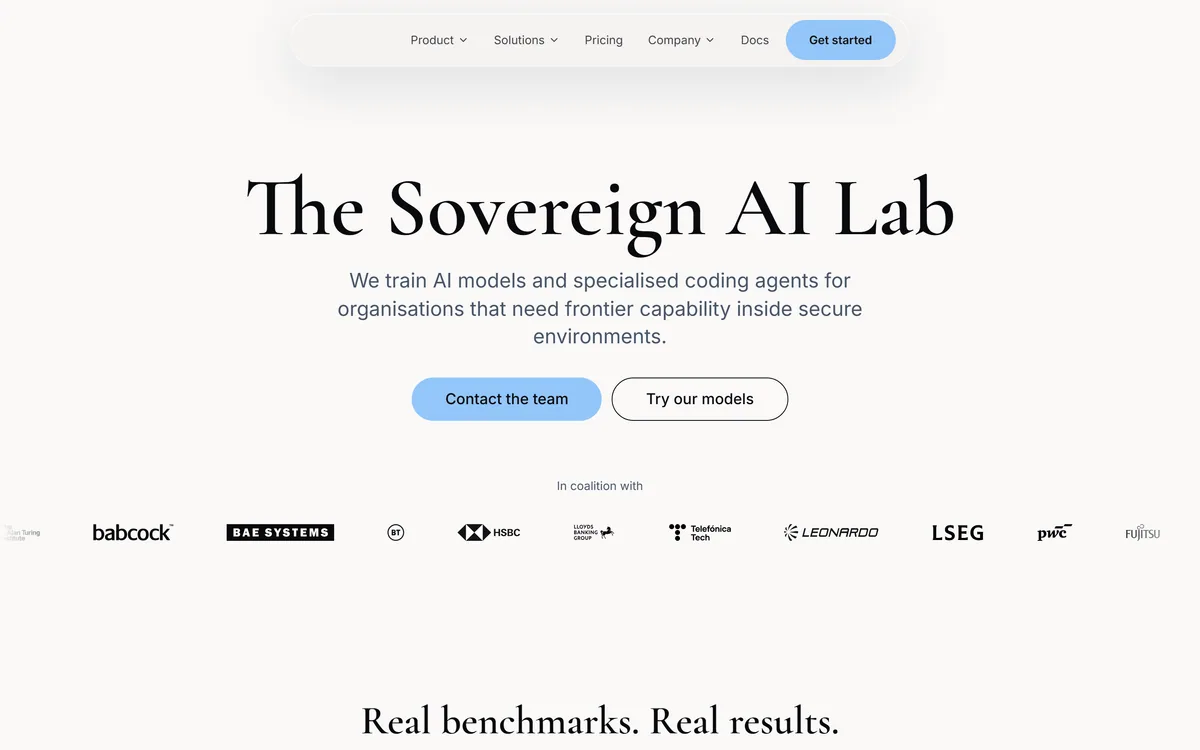
Last checked . Read from cosine.sh during this check, with the screenshot above captured at the same time.
A sovereign AI lab training code-specialist Lumen models and agents
A specialists-over-generalists thesis grounded in real production code
A Lumen family spanning Scout, Outpost and a frontier Sovereign tier
Post-training for niche languages including COBOL, Fortran and Verilog
Deployment from public cloud to managed single-tenant to fully air-gapped
A terminal-native CLI with local-to-remote execution, MCP and orchestration
A published open letter on sovereign AI for the UK
Terms, privacy and docs present on the site
No plan prices reproduced here, in line with this site's pricing policy
Benchmark figures are the vendor's own; evaluate the models on your own codebase and confirm security and deployment commitments in writing for regulated workloads.
Other Routes To AI Coding Help
Mainstream cloud editors and assistants, and a review-focused tool.
Cursor — a fast, AI-first editor for most development teams
Codeium — a broad assistant with cloud and self-hosted options
Sourcery — AI code review and security rather than generation
Editor's Verdict
4.2/5
Cosine earns 4.2 for a coherent sovereign-AI thesis, code-specialist Lumen models, rare niche-language coverage, and deployment up to fully air-gapped, which genuinely unlocks AI for regulated teams mainstream tools cannot serve; it is capped because it is enterprise infrastructure that is overkill for ordinary teams with no security constraints. AInexfinder Editor Score: 4.2/5.
Cosine pricing
AInexfinder does not list plan prices or billing details. For current pricing, plans, and trials, visit the official Cosine website.
Vendor pricing, credits, and billing policies change over time. Always confirm on the official site before you buy.
Frequently asked questions
What is Cosine?
Cosine is a sovereign AI lab that trains code-specialist models, its Lumen family, and coding agents for organisations needing frontier capability inside secure environments, up to fully air-gapped deployment, including support for niche languages mainstream tools neglect.
What are the Lumen models?
Lumen is Cosine's family of models trained specifically to write software: Scout for cheap, on-device work, Outpost for everyday production tasks, and a frontier Sovereign tier for the hardest problems. The thesis is that a code specialist beats a generalist at coding.
Can Cosine run air-gapped?
Yes. Deployment ranges from public cloud to a managed single-tenant environment to fully air-gapped, running entirely inside your own security perimeter with no outside connection. That air-gapped option is a core reason regulated organisations choose it.
Does Cosine support legacy and niche languages?
Yes. It is post-trained for enterprise and niche languages including COBOL, Fortran, Verilog, Rust and complex SQL, and is designed to reason across legacy and long-lived codebases, which mainstream tools tuned on modern open-source code handle poorly.
How does Cosine compare with Cursor?
Cursor is an excellent, fast AI-first editor for most teams, running in the cloud on multiple models. Cosine is for organisations that cannot use a standard cloud relationship, offering its own specialist models and secure, air-gapped deployment. Different audiences entirely.
Who is Cosine for?
Regulated and security-conscious organisations, defence, government, finance, critical infrastructure, that need frontier coding help without code leaving their environment, and teams maintaining legacy or niche-language systems. It is overkill for ordinary teams with no such constraints.
How is Cosine priced?
There is a managed cloud tier to start, with quoted arrangements for single-tenant and air-gapped deployments where infrastructure and compliance drive the cost. We do not publish prices; expect a sales conversation and to weigh total deployment cost, not just licences.
How do I use Cosine day to day?
Through a terminal-native CLI with a local-to-remote execution model, external tool access over MCP and multi-agent orchestration, or in Cosine Cloud for running tasks in parallel and collaborating across a team.
Is Cosine better than a general model for coding?
Cosine argues a model trained exclusively on real production code will beat a generalist at coding, which is a coherent thesis. Whether it holds for you is worth testing on your own codebase and languages rather than taking on a benchmark alone.
Is Cosine suitable for a small team?
Usually not. It is enterprise infrastructure aimed at secure, regulated or legacy-heavy environments. A small team on mainstream languages with no security constraints will get faster value from a standard cloud assistant than from a sovereign deployment.
Daniel reviews AI tools the slow way — by actually using them on real projects. His reviews cover what works, what breaks, and who each tool is genuinely a good fit for.
Daniel and the AInexfinder editorial team research Cosine using public product information, listing evidence, and (when available) hands-on checks. Scores reflect listing completeness and transparency — not paid placement.
Listings may include affiliate or sponsored placements, which are labeled when present. Editorial scores and cons are not sold. See our affiliate disclosure and review methodology.
GitHub Copilot is an AI coding assistant that spans completion, chat, agent mode, automated code review, and a cloud agent that opens pull requests, working across VS Code, Visual Studio, JetBrains, Xcode, Neovim, Eclipse, the CLI, and github.com.
Replit AI turns a written description into a working application — the Agent writes the code, and Replit supplies the database, authentication, hosting, and monitoring, so a prototype goes live without a local setup or a deployment pipeline.
Tabnine is an enterprise AI coding assistant offering context-aware code completion, chat and agents with private deployment and a codebase-wide context engine. In July 2026 it was acquired by Tricentis, and tabnine.com now routes to the Tricentis agentic quality engineering platform.
Zencoder is an AI orchestration platform for engineering work: agents plan with one model, build with another and review with a third, across multi-repo indexing and full dependency mapping, inside VS Code and JetBrains. It adds scheduled automation and a work layer spanning Jira, Slack and Notion.
Kiro is an agentic software-engineering toolset, an IDE, a CLI and cloud sessions, that turns prompts into executable specs, validates code correctness, and works across large codebases with parallel agents, positioned as a step beyond basic AI code completion.
Cline is an open-source AI coding agent that works in your editor as a VS Code extension, in the terminal as a CLI, as a desktop app and through an SDK, using any model including open-weight ones, with a plan-and-act workflow where you approve its actions.