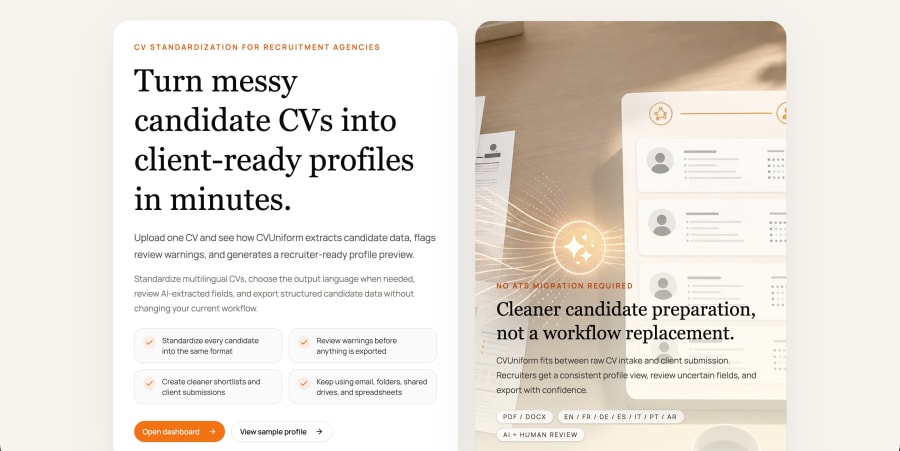
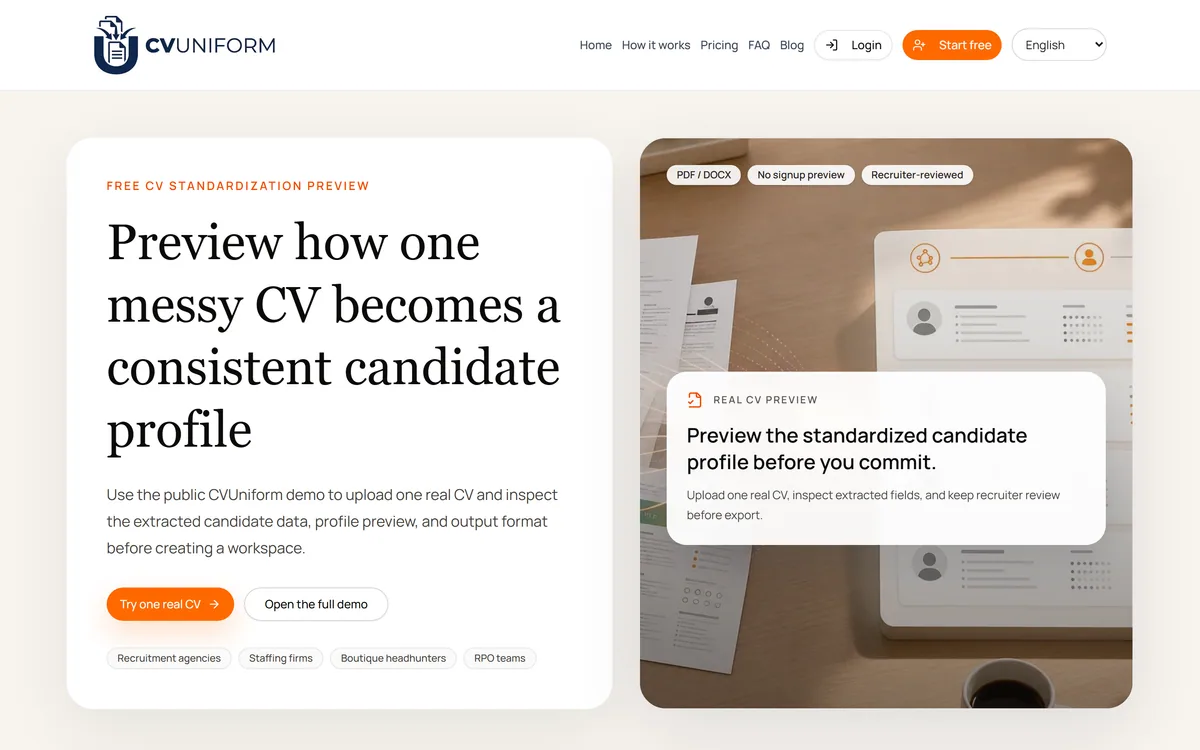
CVUniform standardises CVs for recruitment agencies — upload a PDF or DOCX, inspect the extracted candidate fields, and export a consistent profile, with a no-signup preview and recruiter review kept in the loop before export.
cvuniform.com14 viewsAdded July 13, 20259K visitors
CVUniform solves a problem that will be instantly familiar to anyone who has worked in recruitment: every CV arrives looking different, and none of them look like the format your client expects.
Agencies handle this by reformatting manually — retyping a candidate's history into a house template, one CV at a time, often under deadline. It is pure administrative cost with no judgement in it.
This review covers how the standardisation works, why the recruiter review step matters more than the automation, what the free preview lets you test, and the questions to ask before putting candidate data through it.
CVUniform lets you run a real CV through before creating an account — unusual for a B2B recruiting tool.
CVUniform: The Core Idea
The problem it solves: every candidate CV arrives in a different format, and agencies reformat them by hand before sending to clients.
What it does: extracts candidate data from a CV and outputs a consistent, branded profile — PDF and DOCX in, standard format out.
Recruiter review stays in the loop. The tool extracts and formats; a person checks before anything is exported.
Free preview with no signup — upload one real CV and inspect the extracted fields before creating a workspace.
Who it is for: recruitment agencies, staffing firms, boutique headhunters, and RPO teams. Not a jobseeker tool.
Is CVUniform Right For Your Agency?
Adopt It If
Consultants spend meaningful time reformatting CVs into a house template
Clients expect candidate profiles in a consistent, branded format
You send shortlists frequently enough that per-CV minutes add up
You want structured candidate data rather than restyled documents
You are comfortable putting a data processing agreement in place
Pass On It If
You are a jobseeker looking to improve your own CV
Your CV volume is low enough that manual formatting is not a real cost
Candidate data cannot leave your systems under any circumstances
Your ATS already produces client-ready profiles
Nobody will do the review step, in which case errors reach clients
The Reformatting Tax
Client-facing CV formatting is one of the least discussed costs in agency recruitment. A consultant sends a shortlist, and every profile has to match the agency's template — same sections, same order, same branding, often with the candidate's contact details removed.
Done by hand, that is fifteen to thirty minutes per candidate, repeated across every shortlist. It produces no insight and no differentiation; the client cares about the candidate, not about who retyped the dates.
Automating it is therefore unusually low-risk. There is no judgement being replaced, only transcription.
The work worth automating first is the work where being faster costs nothing in quality. Reformatting a CV is exactly that.
How The Standardisation Runs
The flow is straightforward, and the product is explicit about where a person stays involved.
Upload a CV as PDF or DOCX — the two formats candidates actually send.
The tool extracts the candidate data into structured fields rather than reflowing the document.
Inspect the extracted fields and check what the parser understood.
A recruiter reviews and corrects before anything is exported.
Export the standardised profile in your consistent output format.
For ongoing use, create a workspace rather than working from the public preview.
Why Extraction Beats Reformatting
The important technical distinction is that CVUniform extracts candidate data into fields rather than restyling the original document.
That difference determines what you can do afterwards. Restyled documents are still documents; extracted fields are structured data, which can be searched, filtered, mapped into a client template, or pushed into other systems.
It is also why extraction accuracy is the thing to test. A tool that reflows a document cannot really get it wrong; a tool that decides which text was a job title, which was an employer, and which was a date very much can.
The Review Step Is The Feature
CVUniform keeps recruiter review before export, and that is a deliberate design choice worth crediting rather than treating as a limitation.
CV parsing has been around for years and has never been reliable enough to run unattended. Non-linear layouts, career breaks, contract work, multiple concurrent roles, and international date and qualification formats all trip up extraction.
An agency sending a client a profile with the wrong job title or a missing role has a credibility problem, not a formatting one. A tool that insists on a human check before export is protecting you from its own failure mode.
Testing It Properly Before Committing
The free, no-signup preview is genuinely useful, and it should be used on your hardest CV rather than your cleanest one.
Pick a CV with something awkward in it — a career break, concurrent contract roles, an unusual layout, or international qualifications. Those are the cases that determine whether the tool saves time or creates correction work.
Then check whether the extracted fields match what a consultant would have entered manually. If the answer is close, the time saving is real; if the answer is approximate, you are trading typing for proofreading.
Questions To Settle First
Candidate CVs are personal data, and putting them through a third-party tool is a data protection decision as much as a workflow one.
Establish where uploads are processed and stored, how long they are retained, whether they are used to improve the vendor's models, and what your basis is for sharing candidate data with a processor. Most agencies will need a data processing agreement in place.
The site publishes How it works, Pricing, and FAQ sections, so start there — and ask directly about anything those pages do not answer rather than assuming.
Not A Tool For Jobseekers
It is worth stating plainly, because the category is confusing: CVUniform is built for the agency side, not the candidate side.
A jobseeker wants a CV that stands out and passes applicant tracking screening. An agency wants every candidate CV to look identical to every other, in its own house format.
Those are opposite goals. If you are looking for help with your own CV, this is not the tool — the resume builders serve that need instead.
CVUniform Workflow Facts
Category
CV standardisation for recruitment agencies
Input formats
PDF and DOCX
Output
A consistent, standardised candidate profile
Free preview
Yes — upload one real CV with no signup required
Human step
Recruiter review before export, per the product's own description
Organised around
Workspaces created after the preview stage
Stated audiences
Recruitment agencies, staffing firms, boutique headhunters, RPO teams
Interface languages
A language selector is present, with English shown
Site sections
How it works, Pricing, FAQ, Blog
Key features of CVUniform
CV data extraction from PDF and DOCX files
Standardised candidate profile output in a consistent format
Field-level inspection of what was extracted
Recruiter review step before export
Free preview of one real CV with no signup
Workspaces for ongoing agency use
Language selector on the interface
Pros & cons
Pros
5
Automates genuinely low-risk work — transcription, not judgement
Extracts structured fields rather than merely restyling a document
Keeps a human review step before anything reaches a client
Free no-signup preview lets you test on a real CV first
Aimed squarely at agency workflow rather than being a general tool
Cons
5
Extraction accuracy drops on career breaks, concurrent roles, and unusual layouts
The review step is essential, so the time saving is partial rather than total
Candidate CVs are personal data, requiring a processing agreement
Retention and model-training policies are not readable without contacting the vendor
Useless to jobseekers, despite the CV framing
Best For
Recruitment agencies sending formatted shortlists to clients
Staffing firms handling high CV volume across many consultants
Boutique headhunters who need polished, consistent candidate profiles
RPO teams standardising candidate presentation across accounts
Agencies wanting structured candidate data rather than reformatted documents
CVUniform Beside Recruiting And Resume Tools
The critical distinction is which side of the hiring process a tool serves.
Note which side of the hiring process each one serves.
Flipped.ai — recruiter-side sourcing and matching rather than formatting
GrabJobs — recruitment automation and screening for high-volume hiring
Rezi — the jobseeker equivalent — building an ATS-friendly resume
Teal — job search tracking and resume tailoring for candidates
Basis For This Listing
Last checked . CVUniform's site blocked automated retrieval, so details were read from the page as rendered in the screenshot above, captured during this check.
The standardisation preview description and workflow read from the rendered page
Supported input formats (PDF, DOCX), the no-signup preview, and the recruiter-review step taken from the badges the page displays
Stated audiences — recruitment agencies, staffing firms, boutique headhunters, RPO teams — as listed on the page
The workspace concept and site sections (How it works, Pricing, FAQ, Blog) confirmed from the rendered navigation
No data retention or processing terms are quoted here, because they were not readable from the page we could access
Because retrieval was blocked, privacy and pricing details should be confirmed with the vendor directly before any rollout.
Editor's Verdict
4.0/5
CVUniform has an AInexfinder Editor Score of 4.0/5.
Video demo
CVUniform pricing
AInexfinder does not list plan prices or billing details. For current pricing, plans, and trials, visit the official CVUniform website.
Vendor pricing, credits, and billing policies change over time. Always confirm on the official site before you buy.
Frequently asked questions
What does CVUniform actually do?
It extracts candidate data from a CV in PDF or DOCX form and outputs a consistent, standardised candidate profile — replacing the manual reformatting agencies do before sending shortlists to clients.
Can I try CVUniform without signing up?
Yes. There is a free preview that lets you upload one real CV and inspect the extracted fields and output format before creating a workspace. Use your most awkward CV, not your cleanest one.
Is CVUniform useful for jobseekers?
No. It is built for the agency side. A jobseeker wants a CV that stands out; an agency wants every candidate profile to look identical in its house format. Those are opposite goals — resume builders serve candidates instead.
Does a person still need to check the output?
Yes, and the product is designed that way — recruiter review sits before export. CV parsing has never been reliable enough to run unattended, particularly on career breaks, concurrent contract roles, and international qualification formats.
What file formats does CVUniform accept?
PDF and DOCX, which are the two formats candidates actually send. That covers the overwhelming majority of real-world CV submissions.
What should we check before uploading candidate CVs?
Where uploads are processed and stored, how long they are retained, whether they are used to improve the vendor's models, and your lawful basis for sharing candidate data with a processor. Most agencies will need a data processing agreement.
How much time does it actually save?
It depends on extraction accuracy for your CVs. Manual reformatting typically runs fifteen to thirty minutes per candidate. If extraction is close to what a consultant would type, the saving is real; if it is approximate, you have traded typing for proofreading.
Daniel reviews AI tools the slow way — by actually using them on real projects. His reviews cover what works, what breaks, and who each tool is genuinely a good fit for.
Daniel and the AInexfinder editorial team research CVUniform using public product information, listing evidence, and (when available) hands-on checks. Scores reflect listing completeness and transparency — not paid placement.
Listings may include affiliate or sponsored placements, which are labeled when present. Editorial scores and cons are not sold. See our affiliate disclosure and review methodology.
axess is a free AI job-search tool that scans LinkedIn, Indeed and Glassdoor daily, scores each role against your profile on both relevance and likelihood, researches the employer, and prepares a tailored CV and cover letter for the matches worth pursuing.
Otter.ai transcribes meetings live, writes summaries and action items, and organises everything into searchable Channels — with OtterPilot joining Zoom, Teams, and Google Meet, plus role-specific agents for sales, recruiting, and SDR work.
MiroFish is a multi-agent simulation platform for scenario prediction. You ask a plain-language question, attach supporting files, and it returns a structured report covering likely reactions, narrative paths, risk signals and follow-up questions.
CrewAI is an enterprise platform to build and run AI agents: a Discovery layer that finds automation opportunities, a no-code canvas and code-first Python API for building role-based multi-agent workflows, and a control plane that adds tracing, RBAC, audit and human-in-the-loop approvals.
AudioNotes is an AI note-taker that turns voice, audio, video and text into structured notes, transcripts and summaries in 99+ languages, with custom templates, chat-with-your-notes, integrations, and a clear no-AI-training privacy stance.
Goodnotes is a handwriting-first note-taking app spanning iPad, iPhone, Mac, Windows, Android and web. It converts handwriting to text, searches across typed text, handwriting and sketches, annotates PDFs, records and transcribes audio, and turns notes into mind maps and project plans.