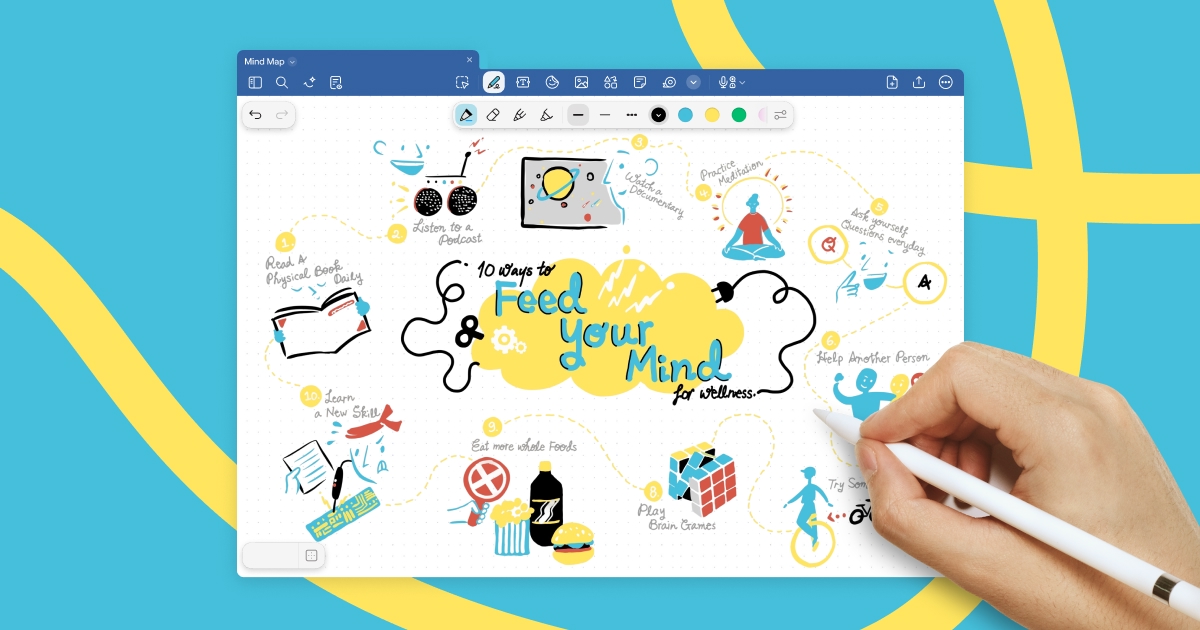
Goodnotes is a handwriting-first note-taking app spanning iPad, iPhone, Mac, Windows, Android and web. It converts handwriting to text, searches across typed text, handwriting and sketches, annotates PDFs, records and transcribes audio, and turns notes into mind maps and project plans.
goodnotes.com10 viewsAdded October 26, 2025390K visitors
Handwriting has a well-documented advantage that no amount of typing speed overcomes: people remember more of what they wrote by hand. The slowness is the point — you cannot transcribe verbatim, so you have to decide what matters.
It also has a fatal flaw as a system. A notebook is unsearchable. Something you wrote in March exists only if you remember which notebook, roughly when, and are willing to leaf through it.
That trade — better encoding, worse retrieval — kept handwritten notes a personal habit rather than a working system. Goodnotes' central feature removes the second half of it, and everything else the product does is arranged around that.
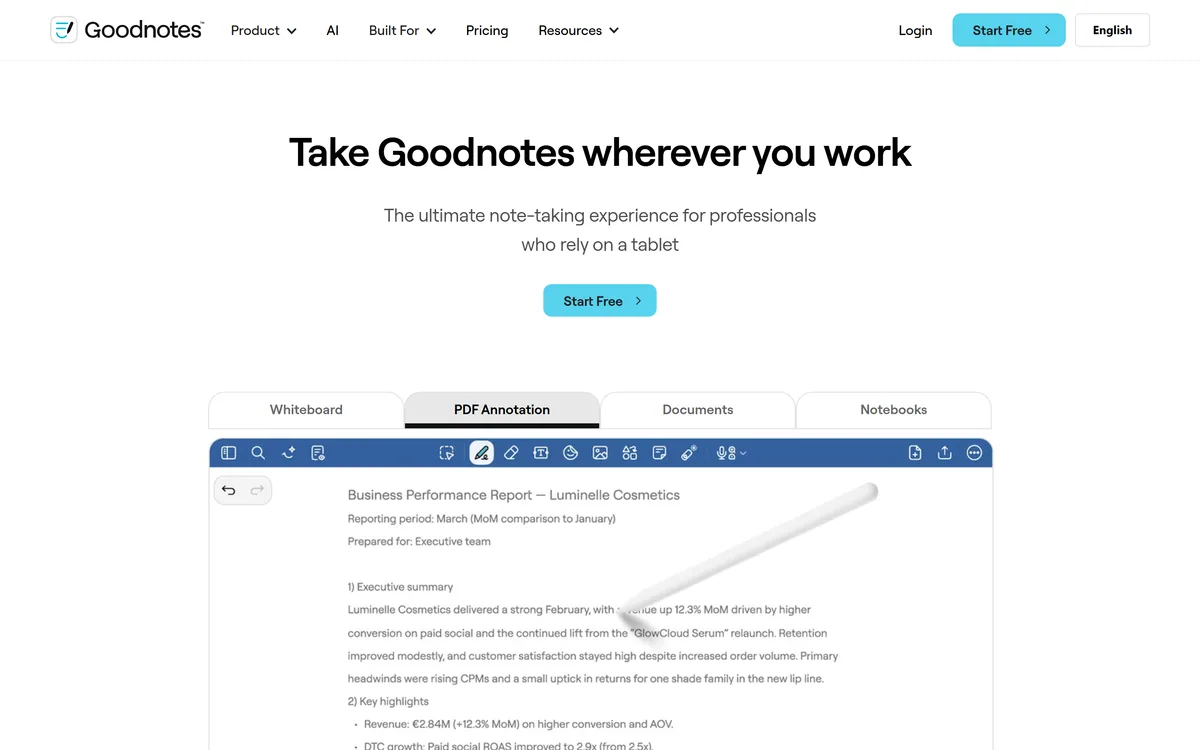
Goodnotes' homepage, captured 9 September 2026. Handwriting leads, with the AI and collaboration features positioned around it.
What Does Goodnotes Give You?
Handwriting that becomes searchable — the single feature that makes digital handwritten notes worth keeping.
Search spans typed text, handwriting and sketches together, in one query rather than three separate places.
Six platforms: iPad, iPhone, Mac, Windows, Android and web, which is unusual for an app that began as iPad-only.
PDF annotation with an infinite canvas and real-time collaboration on shared whiteboards.
AI features on top: summarisation, mind maps from notes, turning meeting minutes into a project plan, and audio transcription.
Searchable Handwriting Is The Whole Product
Goodnotes converts handwriting to text and searches across typed text, handwriting and sketches together.
The unified part is what matters more than the recognition. A note-taking system where handwriting lives in one silo and typed text in another has solved nothing — you still have to remember where you wrote something before you can look for it.
One query across everything means the archive becomes usable rather than merely stored. A meeting note from eighteen months ago is retrievable by a word you remember, which is the only realistic way anyone finds anything.
The realistic expectation on accuracy needs setting, and no figure is published. Handwriting recognition quality varies enormously with the individual — neat print recognises close to perfectly, hurried cursive considerably less well, and a script with idiosyncratic letterforms may fail badly. This is not a product where a review can tell you how well it will work; it depends on your handwriting.
The practical consequence is that search works probabilistically rather than exactly. If a word you searched for does not appear, try a synonym or a nearby word rather than concluding the note is not there — the note exists, the recognition may have differed.
Searchable handwriting closes the gap that always made paper lossy. Typed workspaces like Notion AI have had search since the beginning; handwriting was the format that did not.
A notebook you cannot search is a notebook you write into and never read. Retrieval, not capture, is what makes notes a system.
Six Platforms Removes The Old Objection
Goodnotes runs on iPad, iPhone, Mac, Windows, Android and web, which is a substantial change from its origins as an iPad application.
That matters because the historical objection to handwriting apps was lock-in to one device. Notes taken on an iPad that could not be read on a work laptop were a personal archive rather than a working one, and plenty of people declined to commit their thinking to a format they could only reach in one place.
Cross-platform availability changes the calculation. You can write on a tablet with a stylus, which is where handwriting belongs, and read or search on whatever machine you have at work.
The honest expectation is that these are not equal experiences. Handwriting requires a good stylus and a responsive screen, and the iPad remains where that is best. Treat the other platforms as reading, searching and typing surfaces rather than as equivalent writing environments.
How Much Should You Trust AI Summarisation Of Your Own Notes?
Goodnotes offers summarisation, mind map generation from notes, turning meeting minutes into a project plan, and audio transcription alongside notes.
These are genuinely useful and worth a specific caution, because summarising your own notes is different from summarising an article.
Notes are already a summary. You wrote down what mattered and left out what did not, and that selection is the intellectual work. Summarising a summary compresses something already compressed, and what gets dropped in the second pass is frequently the specific detail you kept deliberately — the number, the name, the caveat.
Where these features are strongest is transformation rather than compression. Turning meeting minutes into a project plan changes the shape of information rather than reducing it, and extracting actions from a page of scrawl is exactly the tedious step people skip.
Mind maps sit in the same category: a different arrangement of what you wrote, which can genuinely surface a relationship you had not noticed.
The reasonable discipline is to use the derived output as a working document and keep the original note as the record. When the summary and your handwriting disagree, your handwriting is what you actually thought.
Summarisation carries the same caveat wherever it appears. Meeting tools such as Otter.ai produce confident summaries of conversations, and a summary is a starting point rather than a record.
Keep the original note as the record; a summary is a working document, not a replacement.
Use transformation features — plans, mind maps — more readily than compression ones.
Check that numbers, names and dates survived any summarisation, since those are what get dropped.
Review audio transcription for names and technical terms, where it consistently fails.
Search with synonyms if a word does not appear, since recognition is probabilistic rather than exact.
PDF Annotation Is The Underrated Use Case
Alongside note-taking, Goodnotes annotates PDFs and offers an infinite canvas with real-time collaboration.
PDF annotation is arguably the strongest practical case for the whole category, and it serves a very specific set of people. Students marking up papers and textbooks. Lawyers annotating contracts. Researchers working through publications. Anyone who reads professionally and thinks in the margins.
The alternative for that work is printing, which produces annotations that exist on paper and nowhere else, or reading on a screen without marking anything, which for most people means retaining considerably less.
Handwritten annotation on a tablet gets both: the cognitive benefit of marking up by hand and a searchable record afterwards. For someone who reads a hundred papers a year, that is a genuinely different working method rather than a convenience.
The infinite canvas and collaboration features point at a second audience — teams whiteboarding together — which is a different product from personal note-taking and worth evaluating separately if that is what you need.
For reflective writing rather than reference notes, a journalling tool like Mindsera is built around a different purpose, and a workspace such as Cleve around a third.
Testing It On Your Own Handwriting
This is a product where a review genuinely cannot tell you how well it will work, because the answer depends on your script. Test it before committing an archive.
The bar is step two. If recognition fails on your natural handwriting, every downstream feature fails with it.
Write a full page in your natural hand — the way you write when taking notes at speed, not carefully for a test.
Search for five words from that page. How many you find is the single number that predicts whether this product works for you.
Repeat on a page of hurried writing, since that is what real note-taking produces and where recognition degrades most.
Annotate a real PDF you need to read, and check whether your annotations are searchable afterwards.
Test on your secondary device — Windows, Android or web — to confirm reading and searching are as good as the writing platform.
Try summarisation on a note whose content you know well, and check whether the numbers and names survived.
The Subscription And What The Metrics Describe
Goodnotes is subscription-based, with amounts not disclosed on the pages we read, and states GDPR, CCPA, ISO 27001 and AICPA SOC 2 Type II compliance.
That certification set is stronger than most consumer note apps carry, and it points at where the company is heading. The stated metrics point the same way: documents powering work, countries, teams, and a reliability figure. Those are business metrics rather than consumer ones.
That divergence is worth naming, because it affects what you are buying. Goodnotes is well known as a personal handwriting app and is clearly pursuing organisational use, and the two have different needs — a personal user wants sync and search, an organisation wants administration, permissions and compliance evidence.
For a personal buyer the compliance work is harmless and slightly reassuring. For an organisational buyer it is the reason to consider it at all.
We do not publish amounts. The thing to check before committing years of notes is export: what format your notes leave in, and whether handwriting exports as an image or as text. An archive you cannot get out of an app is an archive that belongs to the app.
Goodnotes: Platforms And Capabilities
Product type
Handwriting-first note-taking, PDF annotation and whiteboarding
Platforms
iPad, iPhone, Mac, Windows, Android and web
Handwriting
Conversion of handwriting to text
Search
Across typed text, handwriting and sketches together
AI features
Summarisation, mind map generation, meeting minutes to project plan, audio transcription
PDF
Annotation and markup
Canvas
Infinite canvas whiteboards with real-time collaboration
Subscription; amounts not disclosed on the pages we read
Key features of Goodnotes
Handwriting converted to searchable text
Unified search across typed text, handwriting and sketches
PDF annotation and markup with a stylus
Infinite canvas whiteboards with real-time collaboration
Audio recording with transcription alongside written notes
AI summarisation and mind map generation from notes
Meeting minutes converted into a project plan
Synchronisation across iPad, iPhone, Mac, Windows, Android and web
Pros & cons
Pros
6
Solves the actual problem with handwritten notes — that you cannot find them again
Unified search across handwriting, typing and sketches means one query rather than three
Six-platform support removes the device lock-in that limited handwriting apps historically
PDF annotation with searchable markup is a genuinely different working method for people who read professionally
Certification set is stronger than most consumer note apps carry
Transformation features — plans, mind maps — add more than summarisation does
Cons
6
No handwriting recognition accuracy figure is published, and quality varies enormously by script
Summarising your own notes compresses something already compressed, and detail gets dropped
Writing quality differs by platform — the tablet experience is not matched elsewhere
Export formats are not described, which matters before committing years of notes
The number of supported handwriting languages is not stated
Stated metrics describe organisational use while the product is best known as a personal one
Best For
People who think better writing by hand than typing
Students and researchers annotating papers and textbooks
Professionals who read and mark up documents constantly
Anyone whose handwritten notes are currently unfindable
Users working across a tablet and a separate work machine
Goodnotes Against Other Note Tools
Note-taking tools divide by input method, and that decides everything else — handwriting, typing and voice produce different notes and different retrieval problems.
Tool
Primary input
Search
Best for
Goodnotes
Handwriting with a stylus
Across handwriting, typed text and sketches together
People who think better writing by hand and need to find it later
You genuinely think better writing by hand, and typed notes have never worked for you.
Your notes are currently unfindable, which is the problem this exists to solve.
You read professionally — papers, contracts, textbooks — and annotate as you go.
You work across several devices and want to write on a tablet and search on a laptop.
You want handwritten notes with an archive you can actually retrieve from.
It is wrong for you when
You type faster than you write and have no attachment to handwriting, where a typed system is simply better.
Your handwriting is genuinely difficult to read, since recognition varies enormously and no accuracy figure is published.
You need structured team knowledge with databases and relations, which is a different category of tool.
You have no stylus-capable device, where the core input method is unavailable.
You need your notes to feed other systems, so check export formats before committing an archive.
What Goodnotes States About Itself
Last checked . Read from goodnotes.com, including the footer, with the screenshot above captured in the same session.
Product described as capturing and organising thoughts with handwriting, alongside typed documents, PDF annotation and whiteboard collaboration
Handwriting recognition confirmed as converting handwriting to text
Smart search confirmed as spanning typed text, handwriting and sketches
AI features confirmed as summarisation, turning notes into a mind map, and turning meeting minutes into a project plan
Audio recording with transcription confirmed
Platform support confirmed as iPad, iPhone, Mac, Windows, Android and web
PDF annotation and markup confirmed, alongside an infinite canvas
Real-time collaboration and multi-device synchronisation confirmed
Certifications stated on the site as GDPR, CCPA, ISO 27001 and AICPA SOC 2 Type II
Stated usage metrics read from the site: 10,000+ documents powering work, 50+ countries, 150+ teams and 99.9% reliability
Pricing confirmed as subscription-based with amounts not stated on the pages we read
What we could not confirm: no handwriting recognition accuracy figure is published, and recognition quality varies enormously by individual script — which makes this a product only your own testing can assess; no pricing amounts are disclosed; the number of supported handwriting languages is not stated; export formats are not described, which matters for an archive you may want to leave with; the stated metrics describe organisational usage rather than the consumer base; and we did not use the product.
Other Note And Knowledge Tools
Choose by input method first — how you capture determines what you can retrieve.
Notion AI — structured team knowledge rather than handwritten personal notes
Cleve — an AI workspace built around thinking and drafting rather than capture
Otter.ai — for meetings, where writing notes and participating compete
Mindsera — writing for reflection rather than for reference
GitBook — when notes become documentation others depend on
Editor's Verdict
4.1/5
Goodnotes scores well because it solved the problem that made handwritten notes a dead end: searchability. Notes you cannot find are notes you did not take, and converting handwriting into something searchable — alongside typed text and sketches in one query — turns a stack of digital paper into a usable archive. Going cross-platform beyond iPad removed the other historic limitation. It loses ground because handwriting recognition quality varies enormously by individual script and no accuracy data is published, and because the stated usage metrics describe a team product while the reviews describe a personal one. AInexfinder Editor Score: 4.1/5.
Goodnotes pricing
AInexfinder does not list plan prices or billing details. For current pricing, plans, and trials, visit the official Goodnotes website.
Vendor pricing, credits, and billing policies change over time. Always confirm on the official site before you buy.
Frequently asked questions
What is Goodnotes?
Goodnotes is a handwriting-first note-taking application running on iPad, iPhone, Mac, Windows, Android and web. It converts handwriting into searchable text, searches across handwriting, typed text and sketches together, annotates PDFs, records and transcribes audio, and offers AI summarisation and mind maps.
Can Goodnotes really search my handwriting?
Yes, and it searches handwriting, typed text and sketches in one query rather than separately — which is the part that matters, since a system where handwriting sits in its own silo has solved nothing. Accuracy varies by individual script though, and no figure is published, so test it on your own natural handwriting before committing an archive.
How accurate is Goodnotes' handwriting recognition?
No accuracy data is published, and honestly no review can tell you — it depends on your handwriting. Neat print recognises close to perfectly; hurried cursive considerably less well. Write a full page the way you actually take notes, then search for five words from it. How many you find is the number that predicts whether this works for you.
Which devices does Goodnotes run on?
iPad, iPhone, Mac, Windows, Android and web. That breadth removed the historic objection to handwriting apps — that notes taken on a tablet could not be reached on a work machine. Expect the platforms to differ in quality: handwriting needs a good stylus and responsive screen, so treat the others as reading and searching surfaces.
Is Goodnotes free?
It is subscription-based and amounts are not disclosed on the pages we read. Before committing years of notes, check something more important than price: export formats. Whether handwriting exports as searchable text or only as an image determines whether your archive is yours or the app's.
Should I trust AI summaries of my own notes?
Use them as working documents, not replacements. Notes are already a summary — you wrote what mattered and left out what did not — so summarising compresses something already compressed, and what gets dropped is frequently the number or caveat you kept deliberately. When the summary and your handwriting disagree, your handwriting is what you thought.
Is Goodnotes good for annotating PDFs?
It is arguably the strongest case for the whole category. Students marking up textbooks, lawyers annotating contracts, researchers working through papers — the alternative is printing, which produces annotations that exist nowhere digitally, or reading without marking, which most people retain less from. Handwritten annotation with searchable output gets both.
Why write by hand instead of typing?
Because people remember more of what they wrote by hand, and the slowness is the reason — you cannot transcribe verbatim, so you have to decide what matters. That selection is the intellectual work. The historic cost was that handwriting could not be searched, which is exactly what this product removes.
Can teams use Goodnotes together?
Yes — there is an infinite canvas with real-time collaboration, and the company states GDPR, CCPA, ISO 27001 and SOC 2 Type II compliance along with usage metrics describing teams and countries. Note that team whiteboarding is a different product from personal note-taking, so evaluate it separately against tools built for that.
What happens to my notes if I stop paying?
The site does not describe export formats or what happens on cancellation, which is the most important unanswered question here. An archive of years of handwritten notes is not something to leave inside an app you cannot get out of — ask about export before you commit, not after.
Daniel reviews AI tools the slow way — by actually using them on real projects. His reviews cover what works, what breaks, and who each tool is genuinely a good fit for.
Daniel and the AInexfinder editorial team research Goodnotes using public product information, listing evidence, and (when available) hands-on checks. Scores reflect listing completeness and transparency — not paid placement.
Listings may include affiliate or sponsored placements, which are labeled when present. Editorial scores and cons are not sold. See our affiliate disclosure and review methodology.
AudioNotes is an AI note-taker that turns voice, audio, video and text into structured notes, transcripts and summaries in 99+ languages, with custom templates, chat-with-your-notes, integrations, and a clear no-AI-training privacy stance.
AudioPen turns rambling voice notes into clean, polished text in a style and language you choose, with control over rewrite depth and length, apps on every device, and a keyboard and hot key that drop finished writing into any app.
Heptabase is a visual knowledge base for students, researchers and lifelong learners, combining whiteboards and cards, bi-directional links, a block-based editor, PDF annotation and Readwise and Zotero integrations, with an AI Tutor that guides structured learning sessions.
Buildin is an all-in-one AI workspace for docs, mind maps and databases, with lossless Notion import, AI throughout, cross-platform sync, an open API and MCP, and a distinctive built-in paid-subscription feature so you can monetise your content directly.
axess is a free AI job-search tool that scans LinkedIn, Indeed and Glassdoor daily, scores each role against your profile on both relevance and likelihood, researches the employer, and prepares a tailored CV and cover letter for the matches worth pursuing.
Otter.ai transcribes meetings live, writes summaries and action items, and organises everything into searchable Channels — with OtterPilot joining Zoom, Teams, and Google Meet, plus role-specific agents for sales, recruiting, and SDR work.