What is FlutterFlow?
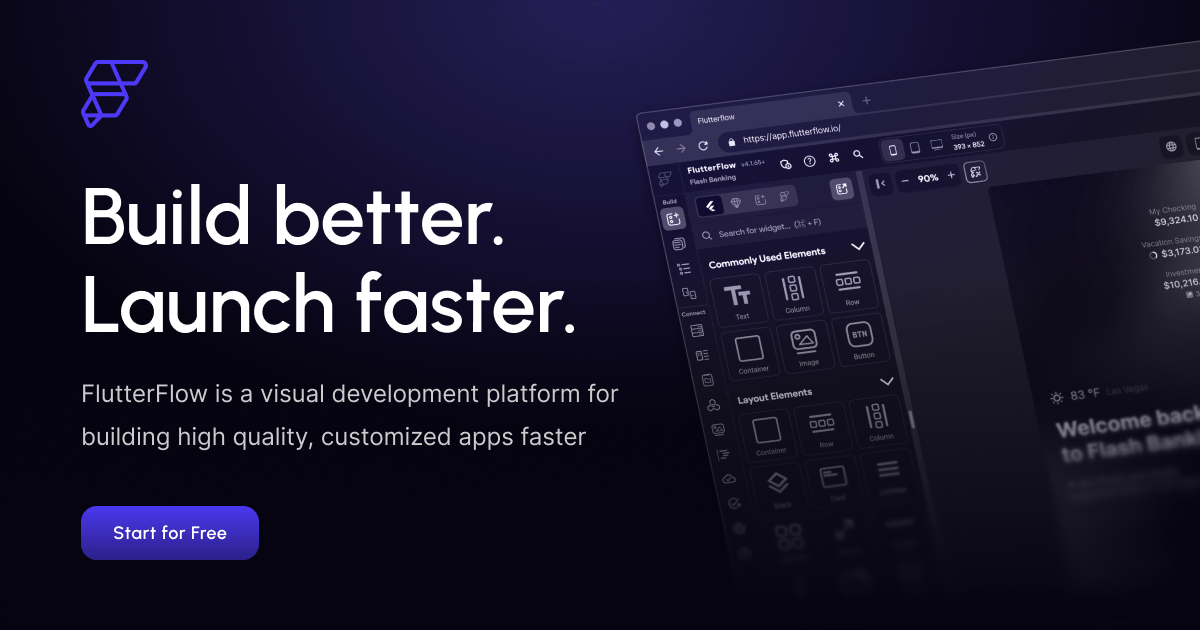
FlutterFlow is a low-code visual development platform for building high-quality native mobile and web applications using Google's Flutter framework, aimed at developers, designers, startups and agencies.
Users assemble interfaces from over 200 pre-designed UI elements and define behavior with a visual Action Flow editor, while retaining full control over widget properties, custom code and design systems.
Its AI capabilities can generate full pages from text prompts, convert designs into components, and suggest code fixes, accelerating the build process. FlutterFlow integrates with backends including Firebase, Supabase and REST APIs, and offers built-in integrations for payments, maps and more.
For teams it adds native branching, comments and task assignment to support collaborative development, and it supports cross-platform deployment to the App Store, Google Play and the web. Crucially, it allows exporting the generated Flutter code, avoiding vendor lock-in.
Use cases include rapidly prototyping mobile apps, shipping production apps without writing everything by hand, and giving designers a path to functional products. Pros include genuine cross-platform output from one project, strong backend integrations, and code ownership through export.
Cons are that complex custom logic can hit the limits of the visual editor and require Dart coding, and the platform has a learning curve for newcomers to Flutter. FlutterFlow is freemium with a free tier and paid Standard, Pro and Team plans.
Pricing changes often, so check the official site for current plans.
FlutterFlow's core capabilities include Visual Flutter UI builder with 200+ elements, AI page, component and code-fix generation, Visual Action Flow logic editor, Firebase, Supabase and REST API integrations, Team branching, comments and tasks and Flutter code export with no lock-in.
Visual Flutter UI builder with 200+ elements is built in, AI page, component and code-fix generation is built in, Visual Action Flow logic editor is built in, Firebase, Supabase and REST API integrations is built in, so you get a rounded toolkit rather than a single trick.
Each feature is designed to take the manual effort out of the task and help you reach a usable result faster, which is what makes FlutterFlow worth a place on your shortlist.
On the plus side, users consistently highlight Cross-platform output from one project, Strong backend integrations and Code ownership through export as the reasons they keep using FlutterFlow.
It isn't perfect, though — Complex logic may require Dart coding and Learning curve for Flutter newcomers are the trade-offs people most often mention, so weigh those against your own priorities before you commit.
As with any AI tool, the output still benefits from a quick human review, but FlutterFlow gets you most of the way there with far less effort.
FlutterFlow runs on a freemium pricing model, so you can start for free and only pay once you outgrow the free tier — handy for testing it on a real task before spending anything.
AI-tool pricing changes often, so always check the current plans, seats and add-ons on the official site for the latest details before you buy. Who is FlutterFlow for? It's best suited for low-code flutter app builder with ai features.
Whether you're a beginner trying this kind of AI tool for the first time or a professional who'll use it every day, it's a credible option to consider.
If you're still deciding, compare FlutterFlow against the alternatives and the head-to-head comparisons linked below — looking at features, pricing and real user ratings side by side is the fastest way to find the right fit for your workflow and budget.
Who is FlutterFlow for?
FlutterFlow is best suited for low-code flutter app builder with ai features. Whether you are trying this kind of coding & development tool for the first time or use one every day, it is a credible option to shortlist — compare it with the alternatives and head-to-head comparisons linked on this page to find the best fit for your workflow and budget.