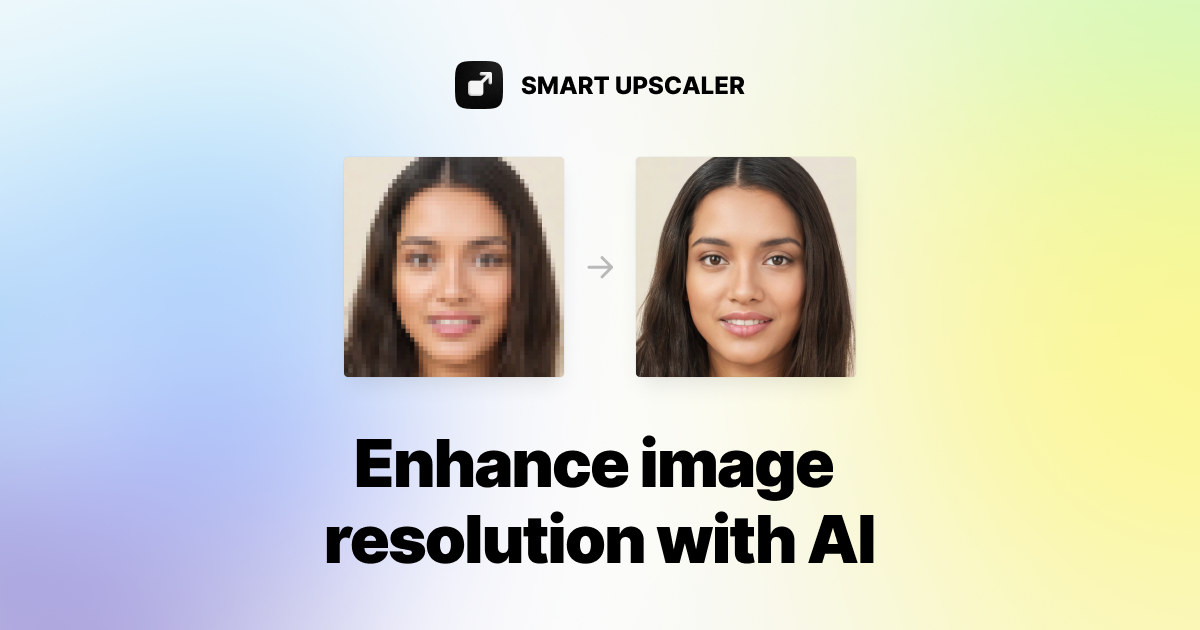
What is Icons8 Smart Upscaler?
Icons8 Smart Upscaler is an AI-powered online image enlargement tool from the Icons8 design ecosystem, built to increase photo resolution while preserving detail.
It uses deep learning trained on millions of images to intelligently upscale photos and is aimed at designers, content creators, marketers and anyone who needs to improve image quality at volume.
Core capabilities include AI upscaling that enhances quality without the blur of naive enlargement, automated noise reduction and sharpening as part of the enhancement process, and high-resolution output up to 7680x7680 pixels.
A standout for production workflows is batch processing, which lets users upload as many as five hundred images at once, and a companion Mac app called GoProd offers faster local batch handling for users who process photos regularly.
An API is available for developers who want to embed upscaling into their pipelines. Typical use cases include enlarging product photos and stock imagery for print, rescuing low-resolution assets and preparing graphics for high-density displays.
Pros: efficient batch handling for large jobs, integrated denoise and sharpening, and flexible access through web, Mac app and API. Cons: pricing is usage-based so heavy use can add up, and as a focused upscaler it does not offer broader editing or restoration features.
Icons8 Smart Upscaler offers prepaid image packages plus limited and unlimited subscription tiers and API access. Pricing changes often, so check the official site for current plans.
Icons8 Smart Upscaler's core capabilities include AI upscaling up to 7680x7680 pixels, Automatic noise reduction and sharpening, Batch processing up to 500 images, Mac app for faster local batches and Developer API access.
AI upscaling up to 7680x7680 pixels is built in, Automatic noise reduction and sharpening is built in, Batch processing up to 500 images is built in, Mac app for faster local batches is built in, so you get a rounded toolkit rather than a single trick.
Each feature is designed to take the manual effort out of the task and help you reach a usable result faster, which is what makes Icons8 Smart Upscaler worth a place on your shortlist.
On the plus side, users consistently highlight Strong batch processing for large jobs, Built-in denoise and sharpening and Web, Mac app and API access as the reasons they keep using Icons8 Smart Upscaler.
It isn't perfect, though — Usage-based pricing adds up with heavy use and Focused on upscaling without broader editing are the trade-offs people most often mention, so weigh those against your own priorities before you commit.
As with any AI tool, the output still benefits from a quick human review, but Icons8 Smart Upscaler gets you most of the way there with far less effort.
Icons8 Smart Upscaler runs on a freemium pricing model, so you can start for free and only pay once you outgrow the free tier — handy for testing it on a real task before spending anything.
AI-tool pricing changes often, so always check the current plans, seats and add-ons on the official site for the latest details before you buy. Who is Icons8 Smart Upscaler for? It's best suited for ai photo upscaler with batch processing to 7680px.
Whether you're a beginner trying this kind of AI tool for the first time or a professional who'll use it every day, it's a credible option to consider.
If you're still deciding, compare Icons8 Smart Upscaler against the alternatives and the head-to-head comparisons linked below — looking at features, pricing and real user ratings side by side is the fastest way to find the right fit for your workflow and budget.
Who is Icons8 Smart Upscaler for?
Icons8 Smart Upscaler is best suited for ai photo upscaler with batch processing to 7680px. Whether you are trying this kind of image & design tool for the first time or use one every day, it is a credible option to shortlist — compare it with the alternatives and head-to-head comparisons linked on this page to find the best fit for your workflow and budget.