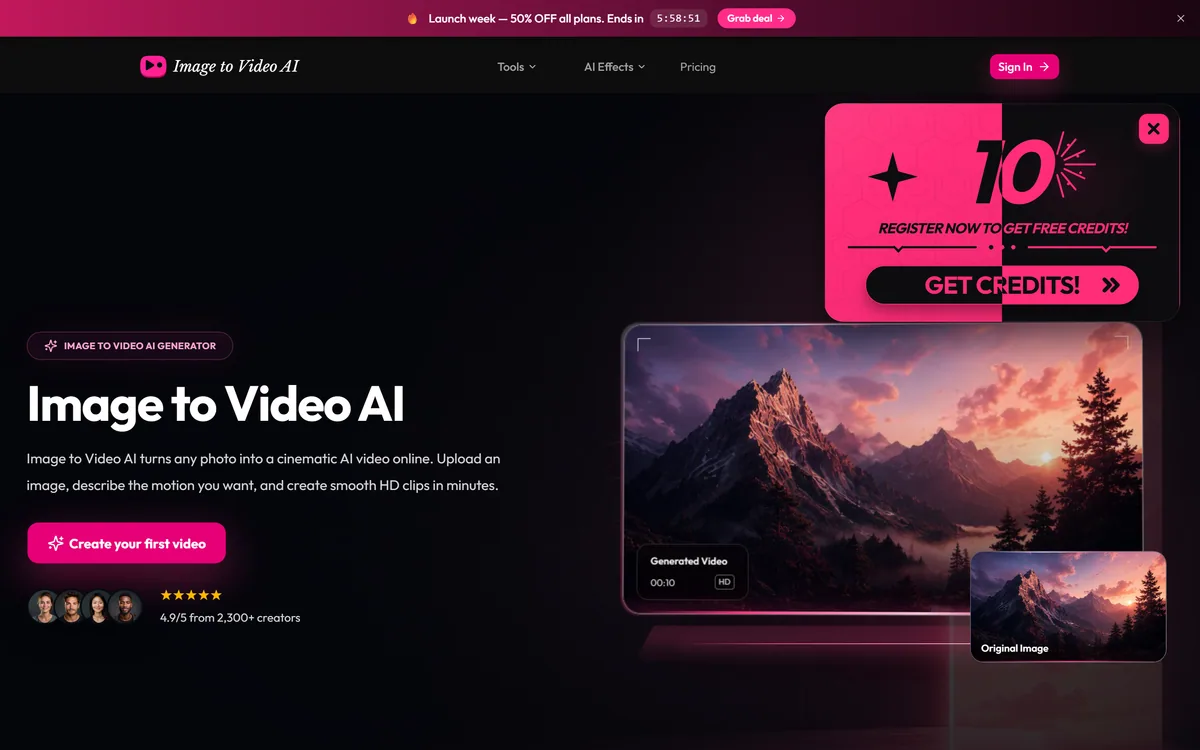
Image to Video AI is a web tool that animates a still photo into a short clip: upload an image, describe the motion, pick a model, and generate HD or 4K video on credits. It routes to third-party video models, so verify its provenance, licensing and data handling, and mind likeness for photos of people.
image-to-video-ai.im6 viewsAdded March 13, 20264K visitors
Animating a still photo into a short moving clip is a genuinely fun and useful capability, and Image to Video AI offers it in the simplest possible form: upload, describe the motion, generate. The experience is easy; the questions worth asking are about what sits behind it.
It is a web front-end that routes your image to third-party video models, outputs HD or 4K clips on a credit system, and advertises commercial use. Because it is a generic-named tool on a short domain wrapping others' models, it is best weighed against clearer options like a model platform such as Replicate or a full editor.
This review covers how Image to Video AI animates a photo, where it makes sense, how its credits work, and the provenance and licensing caveats to check first.
Image to Video AI animates a still photo into a short clip from a described motion.
Turning A Still Photo Into A Short Clip
Image to Video AI does one thing: it takes a static image and produces a short video where the scene moves according to a motion you describe. For social clips, simple product animation or turning a concept image into something dynamic, that is a quick and appealing capability.
The result quality depends almost entirely on the underlying model doing the generation, not on the wrapper around it. Image to Video AI is explicit that it offers multiple AI video models and even names them, which is a useful admission that it is a front-end routing to others' technology.
That front-end nature is the key to judging it. You are paying this tool for a convenient interface and credits on top of models you might reach elsewhere, so the sensible comparison is whether that convenience is worth it versus going more directly to the models or to a tool with a clearer identity.
The fair framing is that Image to Video AI is a straightforward image-to-video front-end whose value is ease of use, and whose quality, licensing and trustworthiness all trace back to the models and operator behind it, which is exactly what to verify.
You are paying for a convenient interface and credits on top of models you might reach elsewhere; the question is whether that convenience is worth it.
How Does Image To Video AI Animate A Photo?
The workflow is a simple upload-and-describe flow, with output options and some caveats that matter more than the interface.
Upload, Describe Motion And Pick A Model
You upload a reference image, describe the motion you want in text, and choose from the available video models, then set resolution (up to 4K), duration (short clips of a few seconds to around fifteen) and aspect ratio. It is a low-friction flow aimed at non-experts.
Because the models are third-party, the honest comparison is with reaching them more directly. A model-hosting platform like Replicate gives developers raw access to video models with more control and transparency; Image to Video AI trades that for a simpler, consumer-facing wrapper.
Resolutions, Licensing And A Provenance Caveat
The tool advertises HD and 4K output and commercial use 'safe for business and clients', which is a strong claim worth verifying in the actual terms, since commercial rights to AI-generated video can be nuanced and depend on the underlying model's licence. It also shows launch-week discounts and vendor ratings.
The provenance caveat is the same as for any generic-named tool on a short domain: confirm who operates it, how your uploaded images are stored and used, and that the commercial-use claim holds. And because animating a photo can involve a real person, getting consent matters; for simply improving a still you own, an enhancer like Deep-Image.ai sidesteps that entirely, and once you have a clip a general editor like VEED.IO is where you would assemble and polish it.
Where Image To Video AI Makes Sense
Image to Video AI makes sense for casual users and creators who want quick, low-stakes photo animation, are happy to test on free credits, and do not need control over or documentation of the exact model used.
It suits people who value the simple interface over going to a model platform directly, and short social or concept clips where good-enough motion from a still is the whole requirement.
It makes less sense for professional work needing dependable commercial rights (verify the terms first), anyone animating photos of real people without consent, and users who want model transparency, consistent results and a clearly identified operator. Its '4.9 from 2,300+ creators' figure is vendor-stated and not independently verified.
How Image To Video AI Bills Its Credits
Image to Video AI gives free starter credits and then sells credits or plans, with higher resolutions and longer clips costing more, and promotional launch discounts shown on the site. We do not reproduce prices, which change; check the site.
The value question is whether the convenience premium over reaching the same models elsewhere is worth it, and whether the commercial-use rights you need actually hold, since paying for output you cannot legally use commercially would be a false economy.
Because there are free credits, the sensible approach is to test output quality on your own images first, read the licensing and data terms, and only buy credits if both the results and the rights satisfy you.
A Low-Risk Way To Try Image To Video AI
Because it is a front-end with provenance questions, trial Image to Video AI cautiously and verify the terms.
Use the free credits to animate a few of your own images and judge the motion quality.
Try more than one of the available models and compare the results.
Read the licensing terms and confirm the commercial-use claim really covers your use.
Check how uploaded images are stored and used before uploading anything sensitive.
For any photo of a real person, make sure you have their consent.
Pass/fail: it is worth credits only if output quality and commercial rights both hold up.
Treat the 4.9/2,300+ rating as vendor-stated, not independent.
Image to Video AI, The Plain Brief
Image to Video AI animates stills: upload a photo, describe the motion, and it generates a short clip.
It routes to third-party models: it names video models it uses rather than being one itself, so it is a front-end.
Output is credit-based: HD and 4K at several durations and aspect ratios, with commercial-use claims to verify.
Mind provenance and likeness: check who runs it and its terms, and get consent for photos of real people.
Image to Video AI Facts
What it is
A web tool that animates stills into short clips
Flow
Upload image, describe motion, pick a model, generate
Models
Routes to third-party video models (e.g. named ones)
Output
HD and 4K, several durations and aspect ratios
Licensing
Commercial-use claim; verify in the terms
Nature
A front-end, not its own model
Likeness
Get consent for photos of real people
Access
Free credits, then paid credits/plans
Is Image To Video AI The Right Pick?
Who Image To Video AI May Help
Casual users wanting quick photo animation
Creators making short social or concept clips
People happy to test on free credits
Those who prefer a simple wrapper over a model platform
Users who don't need model transparency
When Image To Video AI Disappoints
Professional work needing dependable commercial rights
Animating real people's photos without consent
Users wanting a clearly identified operator and model
Anyone needing consistent, controllable results
Those taking the rating as independent proof
Key features of Image to Video AI
Image-to-video generation
Text motion description
Multiple third-party models
HD and 4K output
Adjustable duration
Multiple aspect ratios
Commercial-use claim
Free starter credits
Pros & cons
Pros
5
Simple, low-friction interface
Multiple models in one place
HD/4K output options
Free credits to test
Quick for casual animation
Cons
5
A front-end, not its own model
Generic name and provenance to verify
Commercial-use rights need checking
Likeness consent is the user's responsibility
Rating is vendor-stated, not independent
Best For
Casual photo animation
Short social clips
Testing on free credits
Simple wrapper over models
Non-sensitive images
Image To Video AI Against Other Animators
The useful comparison is with other ways to generate or work with video and images.
Last checked . Read from image-to-video-ai.im during this check, with the screenshot above captured at the same time.
A web tool that animates still images into short clips
An upload, describe-motion and generate flow
A choice of third-party video models it names
HD and 4K output at several durations and aspect ratios
A commercial-use claim ('safe for business and clients')
A credit system with free starter credits
A generic descriptive name on a short domain
A vendor-stated 4.9 rating from 2,300+ creators
Promotional launch discounts shown on the site
No prices reproduced here, in line with this site's pricing policy
Image to Video AI is a front-end routing to third-party models; quality, licensing and trust trace back to them and the operator. Verify who runs it, its data handling and that the commercial-use claim holds, and get consent for any photo of a real person. Its rating is vendor-stated.
Other Image And Video Tools
A model platform, an editor and an enhancer to weigh alongside Image to Video AI.
Image to Video AI earns 3.3 as a simple, usable front-end for turning a still photo into a short clip: upload, describe the motion, pick a model and generate at up to 4K. The experience is easy, but it routes to third-party models, so quality, licensing and trust all trace back to them and to an operator behind a generic name on a short domain. Verify the commercial-use claim and data handling before relying on it, and get consent for any real person's photo. For casual, low-stakes animation on free credits it is fine; for professional or sensitive work, choose a clearer-identity option. AInexfinder Editor Score: 3.3/5.
Image to Video AI pricing
AInexfinder does not list plan prices or billing details. For current pricing, plans, and trials, visit the official Image to Video AI website.
Vendor pricing, credits, and billing policies change over time. Always confirm on the official site before you buy.
Frequently asked questions
What is Image to Video AI?
Image to Video AI is a web tool that animates a still photo into a short video clip. You upload an image, describe the motion you want, pick from the available video models, and generate HD or 4K output on a credit system. It is a front-end to third-party models rather than its own.
Does Image to Video AI use its own model?
No. It offers and names multiple third-party video models and routes your image to them, so the quality of the result depends on the underlying model, not the interface. You are paying for a convenient wrapper and credits on top of technology you might reach elsewhere.
Can I use the videos commercially?
The site claims commercial use 'safe for business and clients', but commercial rights to AI-generated video can be nuanced and depend on the underlying model's licence, so verify the claim in the actual terms before relying on it for professional work. Paying for output you cannot legally use would be a false economy.
Is it safe to animate photos of people?
Animating a photo can involve a real person's likeness, so you should get their consent, and check how uploaded images are stored and used. If you only need to improve a still you own, an enhancer like Deep-Image.ai avoids the likeness question entirely.
How much does Image to Video AI cost?
It gives free starter credits and then sells credits or plans, with higher resolutions and longer clips costing more, plus promotional launch discounts. We do not reproduce prices, which change; check the site, and test output on the free credits first.
Should I trust Image to Video AI with my images?
As with any generic-named tool on a short domain, confirm who operates it, read its data-handling policy, and avoid uploading sensitive images until you are comfortable. Its provenance is not prominent, so verification matters more here than with a clearly identified brand.
Who is Image to Video AI best for?
Casual users and creators wanting quick, low-stakes photo animation for short social or concept clips, who are happy to test on free credits and do not need model transparency. It is less suited to professional work needing dependable rights or animating real people.
Is its 4.9 rating reliable?
The '4.9 from 2,300+ creators' figure is vendor-stated and not independently verified, so treat it as marketing rather than proof of quality. Judge the tool on your own test clips and on whether its licensing and provenance hold up for your intended use.
Is Image to Video AI free?
It gives free starter credits and then sells credits or plans, with higher resolutions and longer clips costing more. We do not reproduce prices, which change; check the site. Test output quality and read the licensing terms on the free credits before buying anything.
What length of video can Image to Video AI make?
It generates short clips, typically a few seconds up to around fifteen, from a single image, at resolutions up to 4K. It is built for short animated moments from stills, not long-form video, so for anything longer you would stitch clips together in a video editor.
Daniel reviews AI tools the slow way — by actually using them on real projects. His reviews cover what works, what breaks, and who each tool is genuinely a good fit for.
Daniel and the AInexfinder editorial team research Image to Video AI using public product information, listing evidence, and (when available) hands-on checks. Scores reflect listing completeness and transparency — not paid placement.
Listings may include affiliate or sponsored placements, which are labeled when present. Editorial scores and cons are not sold. See our affiliate disclosure and review methodology.
Pet Pic Portraits turns a pet photo into styled artwork — Royal King, Pop Art, Watercolour, Viking, Wizard and more — with an instant preview before ordering. Output is a digital download, a canvas print or framed wall art, and it includes a pet memorial option.
krea2.org is a browser image-generation workspace that runs several third-party models side by side, including Krea 2 tiers, FLUX.2, GPT Image 2, Nano Banana and Seedream 5.0, with reference uploads, six aspect ratios and live model switching.
Canva AI is the Magic Studio suite built into Canva — Magic Write for copy, Dream Lab for images, Magic Edit, Expand and Eraser for photos, Magic Switch for reformatting, Magic Charts for data, and Canva Code for interactive widgets.
Pixlr is a browser-based photo editor from Pixlr Pte Ltd with two editors and a generative AI layer — Generative Fill, Expand and Transform, background and object removal, Super Scale upscaling, face swap, plus image, video, and audio generation.
GenApe is an all-in-one AI platform covering writing, chat, image and video generation, image editing, product photography, translation, and research — with 145 free credits on signup and commercial rights granted to paid users.
Magic Patterns is an AI design tool for product teams that turns prompts, requirements and ideas into high-fidelity UI, matching your existing design system so teams can prototype and test directions before committing engineering resources.