Eve builds EveOS for plaintiff-side firms in personal injury, employment, medical malpractice, workers' compensation and Social Security disability. It runs intake, structures medical records, drafts demands and discovery, audits open matters nightly, and answers plain-English questions about the firm's own numbers.
LegalOn
Verified
LegalOn is a contract lifecycle platform from LegalOn Technologies, Inc. covering intake, review, redlining, storage and analysis, built on more than 135 attorney-authored playbooks across industries and countries, with a Microsoft Word integration and agentic workflows.
4.3Editor Score
legalontech.com8 viewsAdded May 24, 2026134K visitors
Contract review is a strange kind of work. Most of it is not judgement — it is checking the same twenty things against the same standard, hundreds of times, and staying alert on the four hundredth NDA.
That is exactly the sort of task machines should take, and it is also where a wrong answer is expensive in a way that is not obvious for months.
LegalOn's answer to that tension is worth attention: it reviews against playbooks written by attorneys rather than against patterns absorbed from a corpus, which means there is an answer to the question of why something was flagged.
LegalOn: Platform And Compliance
| Operating company | LegalOn Technologies, Inc. |
|---|---|
| Positioning | Global leader in legal AI for contracting, per the site |
| Assistant | AI assistant for legal questions, review, summarisation and drafting |
| Review | Automated analysis against organisational standards with AI-generated redlines |
| Playbooks | 135+ attorney-built, across industries and dozens of countries |
| Matter Management | Intake agent, triage and a tracking dashboard |
| Vault | Contract storage, search and business-intelligence extraction |
| Other modules | Translation, Entity Management, Board Management |
| Agentic workflows | Specialised agents for end-to-end task automation |
| Prompt workflows | 100+ pre-built skills for legal tasks |
| Contract types | NDAs, MSAs, DPAs, clinical trial agreements, BAAs, vendor, purchase, distributor, service, SaaS and joint order agreements |
| Integrations | Microsoft Word, plus email and Slack for intake |
| Compliance | SOC 2 Type II, ISO 27001, ISO 27007, GDPR, CCPA |
| Stated adoption | 9,000+ legal teams worldwide |
LegalOn: Five Things That Matter
- 135+ attorney-built playbooks across industries and dozens of countries, which is where its review standards come from.
- It covers the whole lifecycle — Assistant, Review, Playbooks, Matter Management, Vault, Translation, Entity Management and Board Management.
- Redlining in a click, delivered through a Microsoft Word integration rather than a separate interface.
- Intake from email and Slack, with an intake agent, triage and a tracking dashboard.
- SOC 2 Type II, ISO 27001, ISO 27007, GDPR and CCPA compliance, with 9,000+ legal teams stated.
What Do 135+ Attorney-Built Playbooks Buy You?
LegalOn states more than 135 attorney-built playbooks spanning industries and dozens of countries, plus 100+ pre-built skills for legal tasks. That source is the most important fact about the product.
Consider the alternative. A model trained on a large corpus of contracts learns what clauses usually look like, and usual is not the same as correct. Market-standard terms in a corpus reflect what was signed, including everything signed by a party with no leverage.
A playbook inverts that. It states a position: this clause should say this, this variation is acceptable, this one is not, and here is why. When the tool flags something, the flag traces back to a written standard rather than to a statistical intuition.
That distinction is what makes the output defensible. A lawyer asked why a limitation of liability was accepted can point at a playbook position; nobody can point at a model's prior.
The corresponding limitation is coverage. A playbook exists for a contract type in a jurisdiction, or it does not, and the quality gap between the covered and uncovered cases is large. The first question in any evaluation is therefore whether playbooks exist for the agreements you actually see and the law you actually operate under.
The alternative philosophy is to use your own written standard rather than the vendor's. That is Ivo's position, and it is the better one if your team has already codified how it negotiates.
A playbook states a position and explains it. A model trained on signed contracts has learned what people accepted, which is not the same as what is correct.
Why Living Inside Word Decides Adoption
LegalOn provides Microsoft Word integration, and this is the least glamorous item on its feature list and one of the most consequential.
Contract negotiation happens in Word. Not in a legal-tech interface, not in a browser tab — in a document with tracked changes, emailed back and forth, because that is what the other side uses and neither party gets to change it.
Any tool that requires a lawyer to leave that document is asking for a behaviour change during the exact task where nobody has spare attention. Tools that make that ask get trialled enthusiastically and abandoned quietly, which is the standard failure pattern in legal software.
Working inside Word removes the ask entirely. The review appears where the negotiation already is, and adoption stops depending on discipline.
It also matters for output. A redline that arrives as tracked changes in the document is immediately sendable; a list of suggested edits in a separate interface is a task someone has to perform, and the difference between those two is most of the promised time saving.
Intake Is The Part Legal Teams Underestimate
LegalOn offers an intake agent with triage and a dashboard, taking requests from email and Slack. This addresses a problem most legal departments have and few name.
The problem is that legal work arrives unstructured. It comes as a message from someone in sales, in whatever form they thought of, to whichever lawyer they know, with the contract attached or not, and it enters no system at all until somebody manually creates a record.
The consequences compound. Nobody knows the true volume, so headcount arguments have no evidence. Requests get lost. The same question gets answered three times by three people. And the department cannot demonstrate what it does, which is why legal is chronically under-resourced relative to its actual load.
Taking intake from email and Slack meets the requester where they already are. Asking the business to file a ticket is a reasonable request that fails in practice, because the requester's incentive is to ask the fastest way they know.
Triage and a dashboard are what turn that captured stream into management information. An accurate count of requests by type is worth more in a budget conversation than any amount of assertion about being busy.
Intake is also where a lifecycle platform such as Ironclad makes its case, and the two are genuinely competing on the same ground here rather than on review quality.
- Check whether playbooks exist for your contract types and your jurisdiction before anything else.
- Insist on redlines arriving as tracked changes in the document, not as a list elsewhere.
- Capture intake where requesters already are, since asking them to file tickets fails.
- Use the dashboard for resourcing arguments, which is where the data pays for itself.
- Keep a lawyer accountable for every accepted suggestion, since the tool carries no liability.
Reading The 9,000 Teams And The Named Customers
LegalOn states 9,000+ legal teams worldwide and names customers including Panasonic, Suntory, Toshiba, Wikimedia, Akin Gump, Ingersoll Rand, Klein Tools, Patterson, TriHealth, Valley Children's Healthcare, HighRadius and the University of Washington.
The named list is worth more than the count, and specifically because of who is on it. Akin Gump is a large law firm, and law firms are the most sceptical possible buyers of legal AI, because their own expertise is what the software claims to assist.
The presence of Panasonic, Suntory and Toshiba is also informative. LegalOn Technologies has a Japanese heritage, and a customer base weighted toward large Japanese enterprises suggests the platform has been tested against a market with distinctive contracting practices — which is consistent with playbooks spanning dozens of countries.
Healthcare names such as TriHealth and Valley Children's Healthcare matter for a different reason: they imply the security and compliance posture has survived reviews in a sector that conducts them thoroughly.
The 9,000+ figure itself deserves the usual scepticism. It is vendor-stated, unaudited, and a legal team is an elastic unit that could mean a department of forty or a single in-house counsel. The named customers are the part you can verify.
Read those figures the way you would read Luminance's comparable claims: the named customers are checkable, and the percentages and totals are not.
Evaluating Contract AI Against Reviews You Already Did
The strongest test of a contract reviewer is against agreements whose outcome you already know, because it removes opinion from the comparison.
Run the tool on contracts your team has already reviewed, and compare its findings against the redlines you actually sent.
- Confirm playbook coverage for your three most common agreement types in your governing jurisdictions.
- Take ten contracts your team reviewed in the last quarter, including at least two you negotiated hard.
- Run each through review without telling the tool what you found, and diff its flags against your redlines.
- Count the misses, not the hits — a tool that finds nineteen of your twenty points and invents four of its own has a specific, knowable profile.
- Check that a redline lands in Word as tracked changes you could send without reformatting.
- Test intake by sending a real request through email and Slack and seeing whether it arrives triaged and attributable.
Which Legal Teams Should Buy LegalOn?
A fit for your legal team when
- You review high volumes of standard agreements against a consistent position.
- Playbooks exist for your contract types and your governing jurisdictions.
- Your negotiation happens in Word and always will.
- Legal requests arrive by email and Slack and enter no system today.
- Your procurement requires SOC 2 Type II and ISO 27001 before anything else.
Not your CLM when
- Your agreements are bespoke, where a playbook has little to compare against.
- No playbook covers your jurisdiction, which is the largest single quality variable.
- You need a lightweight drafting assistant rather than a lifecycle platform.
- Your contracts live in a system you have no intention of replacing.
- Nobody will own the accountability question for accepted AI suggestions.
Key features of LegalOn
Contract review against 135+ attorney-authored playbooks
AI-generated redlines delivered through Microsoft Word
Assistant for legal questions, summarisation and drafting
Matter Management with an intake agent, triage and dashboard
Intake captured directly from email and Slack
Vault for contract storage, search and business-intelligence extraction
Translation, Entity Management and Board Management modules
Agentic workflows plus 100+ pre-built legal skills
Pros & cons
Pros
7- Review standards trace to written attorney playbooks rather than to statistical patterns
- Working inside Word removes the behaviour change that kills legal software adoption
- Redlines as tracked changes are immediately sendable rather than a task to perform
- Intake from email and Slack captures work that otherwise enters no system
- A serious certification list: SOC 2 Type II, ISO 27001, ISO 27007, GDPR and CCPA
- Named customers include a large law firm and several major enterprises
- Coverage spans intake through analysis rather than one stage
Cons
6- Playbook coverage is uneven by definition, and the gap between covered and uncovered is large
- Which jurisdictions are covered, and how current the playbooks are, is not published
- The underlying models are not disclosed
- The 9,000+ teams figure is vendor-stated and the unit is undefined
- Pricing and plan structure are not published
- A lifecycle platform is more than smaller teams need
Best For
- In-house legal teams reviewing high volumes of standard agreements
- Departments whose intake currently arrives as untracked messages
- Organisations with strict security certification requirements
- Multinationals needing playbooks across several countries
- Legal operations building a process rather than buying an assistant
LegalOn Against Other Contract Platforms
Contract AI splits by where the standard comes from and how much of the lifecycle the vendor wants.
| Tool | Where its standards come from | Scope | Best for |
|---|---|---|---|
| LegalOn | 135+ attorney-authored playbooks | Intake through review, storage and analysis | In-house teams wanting defensible review standards |
| Ironclad | Configured workflows and your own templates | Full contract lifecycle across six stages | Legal operations running a process across departments |
| Ivo | Your own playbook, applied in Word | Review and redlining | Teams whose standard is already written down |
| Luminance | A multi-model architecture over contract data | Draft, negotiate, analyse, comply, investigate | Large estates needing analysis as much as review |
| Spellbook | Drafting assistance inside Word | Drafting and review | Smaller firms wanting help writing rather than a platform |
LegalOn Published Details, Checked
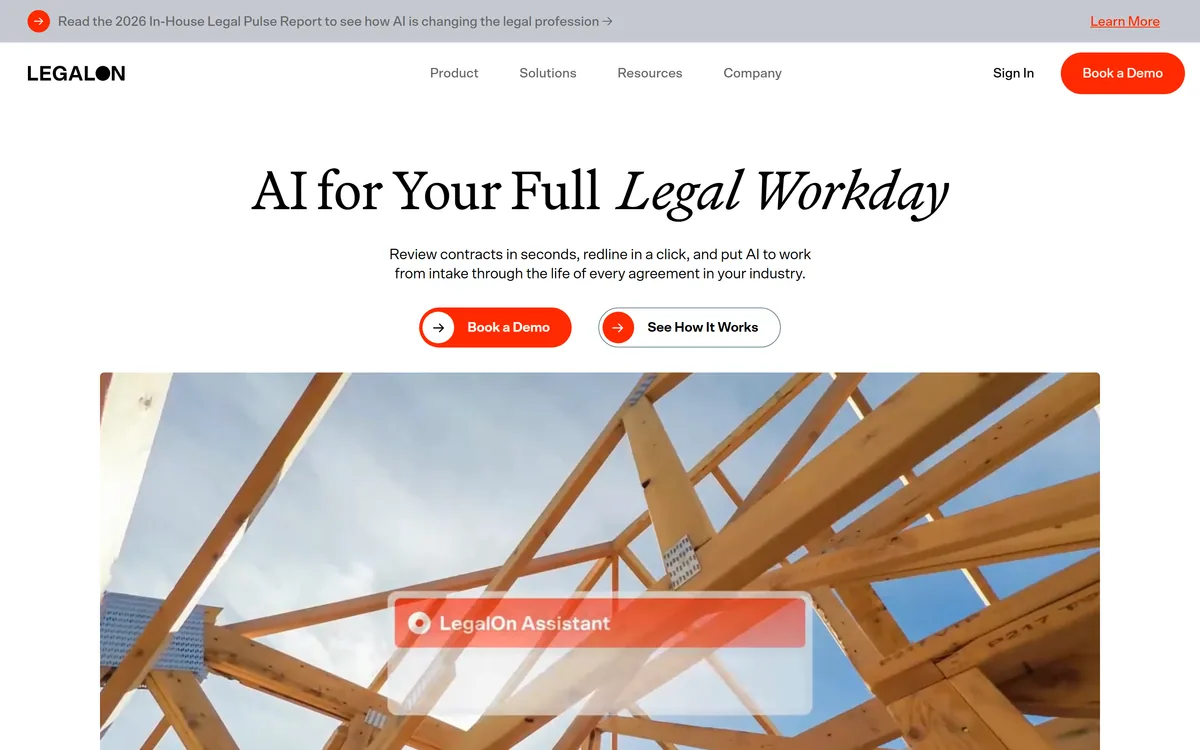
Last checked . Read from legalontech.com and its footer navigation, with the screenshot above captured in the same session.
- Operating company confirmed in the footer as LegalOn Technologies, Inc., with a 2026 copyright line
- Positioning stated on the site as global leader in legal AI for contracting
- Assistant confirmed for legal questions, contract review, summarisation and drafting
- Review confirmed as automated analysis against organisational standards with AI-generated redlines
- 135+ attorney-built playbooks confirmed, across industries and countries
- Matter Management confirmed with an intake agent, triage and dashboard
- Vault confirmed for contract storage, search and business-intelligence extraction
- Translation, Entity Management and Board Management confirmed as listed modules
- Agentic workflows and 100+ pre-built prompt skills confirmed
- Microsoft Word integration confirmed, plus email and Slack for intake
- Contract types confirmed including NDAs, MSAs, DPAs, clinical trial agreements, BAAs and vendor, purchase, distributor, service, SaaS and joint order agreements
- Compliance confirmed as SOC 2 Type II, ISO 27001, ISO 27007, GDPR and CCPA
- 9,000+ legal teams stated on the site
- Named customers confirmed on the site including TriHealth, Valley Children's Healthcare, Wikimedia, Panasonic, Suntory, Patterson, Klein Tools, Ingersoll Rand, Achievers, Toshiba, Akin Gump, Summit Hill, HighRadius and the University of Washington
- Footer sections confirmed for Products, Platform, Resources, Solutions, Company and Legal, including Privacy Policy, Terms and Conditions and a Disclaimer
What we could not confirm: which underlying models power review, drafting or the agents; headquarters or company size; pricing and plan structure; which specific jurisdictions the playbooks cover and how current they are kept; whether the 9,000+ figure counts organisations or seats, and how it is measured; whether named customers use the full platform or a single module; and any independent accuracy benchmark. We did not use the product, so nothing here reflects tested review quality.
Other Legal AI Platforms
The legal AI category divides between platforms that own the process and assistants that help inside it.
- Ironclad — the lifecycle-platform alternative, bought by legal operations
- Ivo — review against your own playbook, in Word, without a platform migration
- Luminance — when analysing a large existing estate matters as much as reviewing new agreements
- Spellbook — drafting help for smaller firms rather than a lifecycle system
- Harvey AI — the firm-facing end of legal AI, bought by lawyers rather than legal ops
Editor's Verdict
4.3/5LegalOn's differentiator is where its standards come from. Most contract AI compares your agreement against patterns learned from a corpus; LegalOn compares it against playbooks written by attorneys, which is a defensible position in a profession where you may have to explain why a clause was flagged. Add a Word plugin, intake from email and Slack, and a certification list running to SOC 2 Type II and ISO 27001, and this is a platform built for legal operations rather than for a demo. It scores below the top because playbook coverage is uneven by definition — the industries and countries with a playbook get a materially better product than those without. AInexfinder Editor Score: 4.3/5.
LegalOn pricing
AInexfinder does not list plan prices or billing details. For current pricing, plans, and trials, visit the official LegalOn website.
Visit official website for pricingVendor pricing, credits, and billing policies change over time. Always confirm on the official site before you buy.
Frequently asked questions
What is LegalOn?
LegalOn is a legal AI contracting platform from LegalOn Technologies, Inc. It covers intake, review, redlining, storage and analysis, built on more than 135 attorney-authored playbooks across industries and dozens of countries, with a Microsoft Word integration, agentic workflows and intake from email and Slack.
Why do attorney-built playbooks matter?
Because a model trained on a contract corpus learns what clauses usually look like, and usual is not correct — a corpus reflects everything that was signed, including by parties with no leverage. A playbook states a position and explains it, so a flag traces to a written standard. That is what makes the output defensible when someone asks why.
Does LegalOn work inside Microsoft Word?
Yes, and it is one of the most consequential things on the feature list. Negotiation happens in Word with tracked changes because that is what the other side uses. A tool that asks a lawyer to leave that document during the exact task where nobody has spare attention gets trialled enthusiastically and abandoned quietly.
What contract types does LegalOn handle?
The site names NDAs, MSAs, DPAs, clinical trial agreements, BAAs, vendor agreements, purchase agreements, distributor agreements, service agreements, SaaS contracts and joint order agreements. The more important question is whether a playbook exists for your types in your jurisdiction, since that is the largest single quality variable.
How good is LegalOn's security posture?
The site states SOC 2 Type II, ISO 27001, ISO 27007, GDPR and CCPA compliance. That is a serious list, and the presence of healthcare customers such as TriHealth and Valley Children's Healthcare suggests it has survived reviews in a sector that conducts them thoroughly.
Should I trust the 9,000+ legal teams figure?
Treat it as a claim about scale rather than a measurement. It is vendor-stated, unaudited, and a legal team is an elastic unit that could mean a department of forty or a single in-house counsel. The named customer list — including a large law firm in Akin Gump — is the part you can actually verify.
What does the intake agent solve?
The fact that legal work arrives unstructured — a message from someone in sales, in whatever form they thought of, to whichever lawyer they know. Nothing enters a system until someone creates a record by hand, so nobody knows the real volume and the department cannot evidence its load. Capturing intake from email and Slack meets requesters where they already are.
Who is accountable for an AI-suggested redline?
A lawyer, always. No contract AI carries professional liability, and accepting a suggestion is a legal judgement regardless of who proposed it. The practical implication is that the platform saves review time rather than review responsibility, and any deployment needs a named person owning that distinction.
How does LegalOn compare to Ironclad?
Ironclad is a lifecycle platform bought by legal operations to run a process across departments. LegalOn overlaps on lifecycle but leads with where its review standards come from — attorney-authored playbooks. If your problem is defensible, consistent review, that is the stronger pitch; if it is workflow across the business, Ironclad's is.
How should I evaluate it?
Against reviews you already did. Take ten contracts from last quarter, including two you negotiated hard, run them through without telling the tool what you found, and diff its flags against the redlines you actually sent. Count the misses rather than the hits — that gives you a knowable profile instead of an impression.
Reviews
Log in to write a review.
User Reviews
No reviews yet. Be the first to share your experience with LegalOn.
Reviewed by Daniel Reed
Assigned reviewer
Daniel ReedSenior AI Tools Reviewer
Daniel reviews AI tools the slow way — by actually using them on real projects. His reviews cover what works, what breaks, and who each tool is genuinely a good fit for.
Hands-on reviewsProduct testingAI software
Daniel and the AInexfinder editorial team research LegalOn using public product information, listing evidence, and (when available) hands-on checks. Scores reflect listing completeness and transparency — not paid placement.
- Last verified
- Methodology
- How we review AI tools
- Sources used
- legalontech.com
- AInexfinder listing fields (features, pros/cons, description)
- Public vendor pages when available
- Editorial policy
- Listings may include affiliate or sponsored placements, which are labeled when present. Editorial scores and cons are not sold. See our affiliate disclosure and review methodology.
Related tools
Darrow describes itself as an AI lab building legal exposure management, ingesting regulatory filings, incident data and litigation patterns to surface emerging risk for law firms, insurers and compliance teams. It states 5M+ signals detected monthly across 50+ exposure categories.

Harvey is an AI platform for legal and professional services — agents, a Vault for documents, Knowledge, Spaces, and Contract Intelligence — used by firms including A&O Shearman, Latham & Watkins, and Norton Rose Fulbright.
Solve Intelligence is an AI platform for patent work, covering application drafting, office action responses, invalidity and claim-mapping charts, freedom-to-operate reviews and portfolio analysis. It is used by over 700 in-house IP teams and law firms, with SOC 2 Type II and ISO 27001 certification and no training on customer data.
Ivo is AI contract review for in-house legal teams. It applies redlines directly in Microsoft Word or Google Docs, evaluates agreements against your playbooks and historical contracts, benchmarks clauses by governing law and industry, and queries executed contracts in plain language.
Spellbook reviews and drafts contracts inside Word and Google Docs, redlining against a firm's own playbooks, comparing terms to thousands of similar agreements, and indexing signed contracts for search — used by a stated 5,000-plus legal teams in 80-plus countries.
Explore More
Embed this listing on your site
Featured on AInexfinder