
Descript is a video and audio editor that works by editing a transcript — delete a sentence and the footage goes with it — plus Studio Sound, Eye Contact, filler-word removal, AI voices, avatars, and the Underlord assistant.
FreemiumVideo & Audio
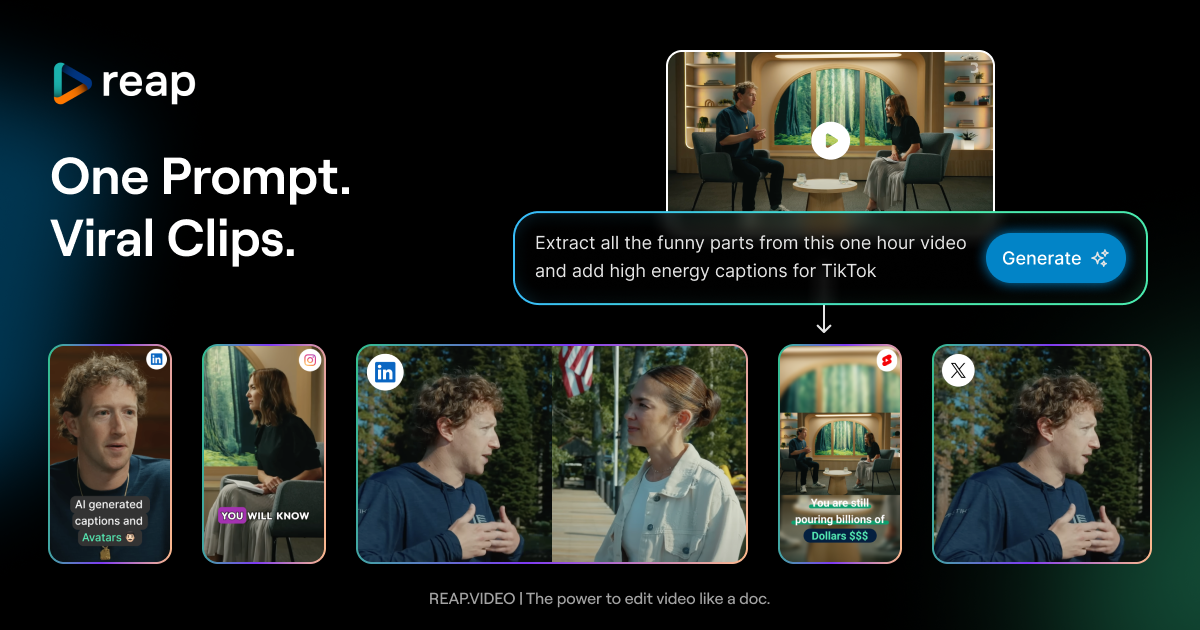
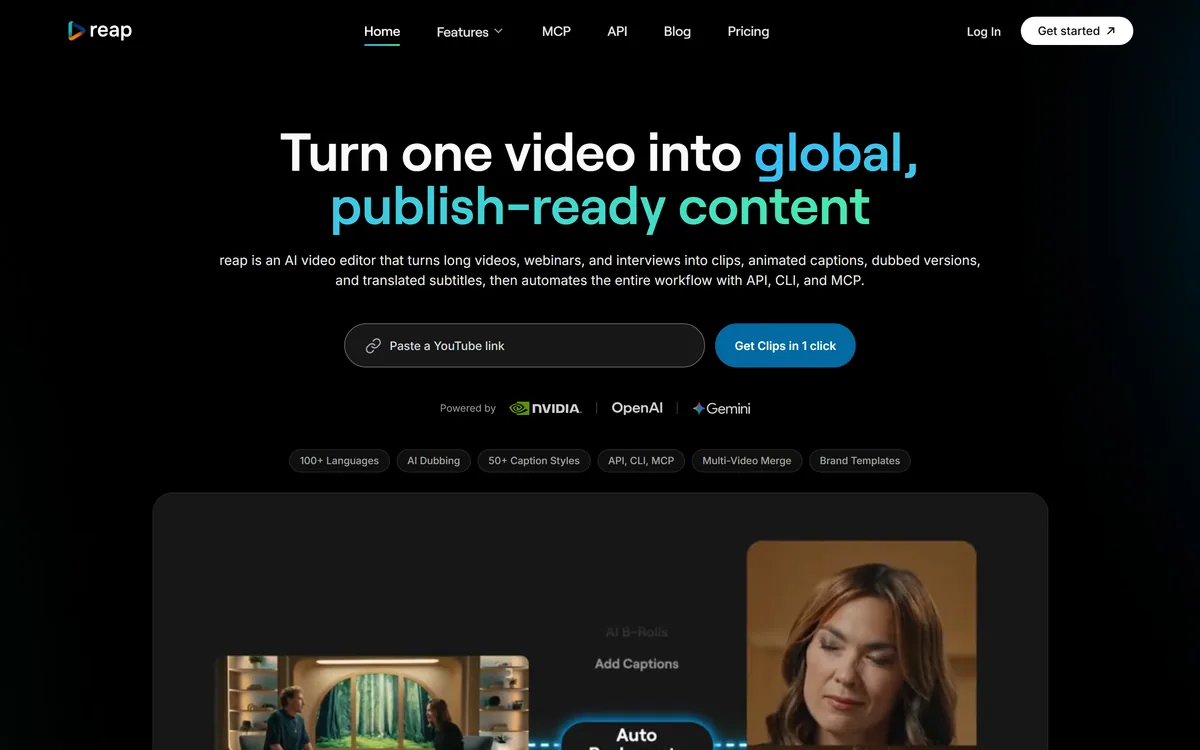
Reap is an AI video editor that turns long videos into clips, animated captions, dubbed versions and translated subtitles across 100+ languages, including romanized scripts like Hinglish, and automates the whole workflow with API, CLI and MCP.
Long-form video is a goldmine that most creators barely dig. One webinar or interview contains a dozen clips, several languages of audience, and weeks of social posts, but extracting all of that by hand takes hours nobody has. Reap is built to automate the whole thing.
It turns a long video into clips, animated captions, dubbed versions and translated subtitles, finds the moments worth clipping by prompt rather than guesswork, and reaches languages most tools ignore, including the romanized scripts billions of people actually type in. And it exposes all of it through an API, CLI and MCP.
This review covers how far its language support really goes, the automation layer that sets it apart, how it is priced, and who it suits against other AI video clippers.
Prompt-first clipping from long video
50+ animated caption presets
AI dubbing in 80+ languages with voice cloning
Subtitles in 100+ languages
Romanized-script captions like Hinglish and Arabizi
Speaker detection and auto-reframing
Edit-by-text and brand templates
REST API, CLI and MCP automation
Clippers differ by language reach, automation and how much they go beyond clipping.
| Tool | Focus | Strength | Note |
|---|---|---|---|
| Reap | Repurposing plus localization | 100+ languages, romanized scripts, API | A production system, not just a clipper |
| OpusClip | Clipping long video into shorts | Fast, popular clipping | Narrower language and automation reach |
| Descript | Audio and video editing | Full editing and overdub | Not repurposing-first |
| HeyGen | Avatar and translated video | Presenter video and translation | Avatar-led, not clip repurposing |
The core job is turning one recording into many assets. Reap analyses faces, vocal tone, pauses and pacing to find the moments worth clipping, then clips, reframes and captions them for TikTok, Reels, Shorts, LinkedIn and more, with speaker detection keeping everyone in frame.
What lifts it above a basic clipper is prompt-first clipping: you tell it what you want, find every product mention, extract the hot takes, rather than accepting whatever its highlight detector guesses. That turns clipping from a lottery into a directed task.
It is a crowded category, so the comparison that matters is against clippers like OpusClip and editors like Descript, where Reap's distinguishing bets are language reach and automation.
One webinar contains a dozen clips, several languages of audience, and weeks of posts. Reap's job is to extract all of it without the hours by hand.
Language reach is where Reap genuinely separates itself, and it matters most for audiences the big tools underserve.
Reap offers AI dubbing in more than eighty languages, cloning your voice with natural intonation, and subtitle translation in over a hundred, well beyond the twenty or so most tools stop at. One source video becomes region-ready variations without re-recording.
That breadth turns a single video into a genuinely global asset, which is a different proposition from an English-first clipper. For presenter-style localized video specifically, an avatar tool like HeyGen takes a different route, but for repurposing existing footage Reap's dubbing is the faster path.
The standout detail is romanized-script support: Hinglish, Romanized Urdu, Arabizi, Romanized Bengali and more, the way hundreds of millions of people actually type their language on social media. Most video tools cannot caption in these forms at all.
For creators serving Indian, South Asian and Arabic-speaking audiences, that is not a niche feature, it is the difference between captions your audience reads naturally and captions that feel foreign. It is a genuinely thoughtful piece of localization most competitors ignore.
Reap frames itself as a production system, not just an editor, and the automation layer backs that up. Everything, clipping, captioning, dubbing, translation, brand templates, multi-video merging, is available through a REST API, a CLI, and MCP, so it can run from your stack or be triggered by an AI assistant.
Crucially, that API access is included on paid plans rather than gated behind enterprise-only pricing or per-minute surcharges, which is unusual and genuinely creator-friendly. It works with automation tools and assistants like Claude, ChatGPT, n8n, Zapier and Make.
On the manual side it still offers edit-by-text, where you delete or rearrange the transcript and the video follows, plus brand templates and a team workspace, so human control is there when precision matters. That balance of automation and control is its real strength.
Reap has a free plan that includes a limited amount of AI clipping and captioning at 720p, with paid plans adding higher-resolution exports, dubbing, translation, brand templates and the full API, CLI and MCP access.
AInexfinder does not publish plan prices, which change and are best read on the site. The notable point is that Reap positions its entry paid tier and included API access as cheaper than competitors that gate automation behind enterprise plans, so the value is strongest for creators and agencies who will actually use the automation.
Estimate your real volume, how many videos and languages you process, since that, rather than the headline tier, determines the cost that matters.
Because its value is repurposing and reach, test Reap on a real long video, not a short clip.
| What it is | AI video editor for repurposing and localization |
|---|---|
| Input | Long videos, webinars, interviews |
| Output | Clips, animated captions, dubs, translated subtitles |
| Clipping | Prompt-first, by intent, topic or hook |
| Dubbing | 80+ languages with voice cloning |
| Subtitles | 100+ languages, including romanized scripts |
| Automation | REST API, CLI and MCP on paid plans |
| Editing | Edit by text, plus brand templates and team workspace |
| Scale cited | 500k+ videos processed, 50+ countries |
Last checked . Read from reap.video during this check, with the screenshot above captured at the same time.
Processing and country figures and the 4.5 rating are the vendor's own claims; dubbing and caption quality vary by language, so test the ones you need.
A popular clipper, a full editor, and an avatar-and-translation tool.
Reap earns 4.1 for turning long video into global, publish-ready content with exceptional language reach, including romanized scripts most tools ignore, prompt-first clipping, and automation via API, CLI and MCP without enterprise gating; it is capped because it is repurposing-first rather than a full editor and dubbing quality varies by language. AInexfinder Editor Score: 4.1/5.
AInexfinder does not list plan prices or billing details. For current pricing, plans, and trials, visit the official Reap website.
Visit official website for pricingVendor pricing, credits, and billing policies change over time. Always confirm on the official site before you buy.
Log in to write a review.
No reviews yet. Be the first to share your experience with Reap.
Assigned reviewer
Daniel ReedSenior AI Tools Reviewer
Daniel reviews AI tools the slow way — by actually using them on real projects. His reviews cover what works, what breaks, and who each tool is genuinely a good fit for.
Daniel and the AInexfinder editorial team research Reap using public product information, listing evidence, and (when available) hands-on checks. Scores reflect listing completeness and transparency — not paid placement.
Descript is a video and audio editor that works by editing a transcript — delete a sentence and the footage goes with it — plus Studio Sound, Eye Contact, filler-word removal, AI voices, avatars, and the Underlord assistant.
Vibrantsnap is an AI tool that turns a rough screen recording into a polished walkthrough: it rewrites your narration, reads it in a studio voice in any language, and auto-edits the video with zooms, chapters and captions.
Kapwing is a browser-based video studio combining a timeline editor, subtitler, audio editor and dubbing into 40+ languages with AI tools including Smart Cut, Trim with Transcript, B-Roll Generator, Clip Maker and Character Consistency. Made in San Francisco.
BlipCut translates and dubs video into more than 140 languages with AI lip synchronisation, so translated speech aligns with the speaker's mouth. It also clones voices in 29 languages, offers 600+ voices across 40+ languages, and generates, translates and edits subtitles from uploads or YouTube links.
VEED is an AI video-creation platform that takes an idea to a finished social video in the browser, bundling generation, AI avatars, subtitles, dubbing, clean audio and a brand kit, plus access to frontier models like Sora 2, Veo and Kling.
BIGVU is an AI personal-branding video platform with a teleprompter, AI avatars and voice cloning, auto-editing (caption, filler removal, eye-contact correction), and one-click social posting, aimed at realtors, coaches and marketers, with synthetic-media features that carry likeness and consent considerations.