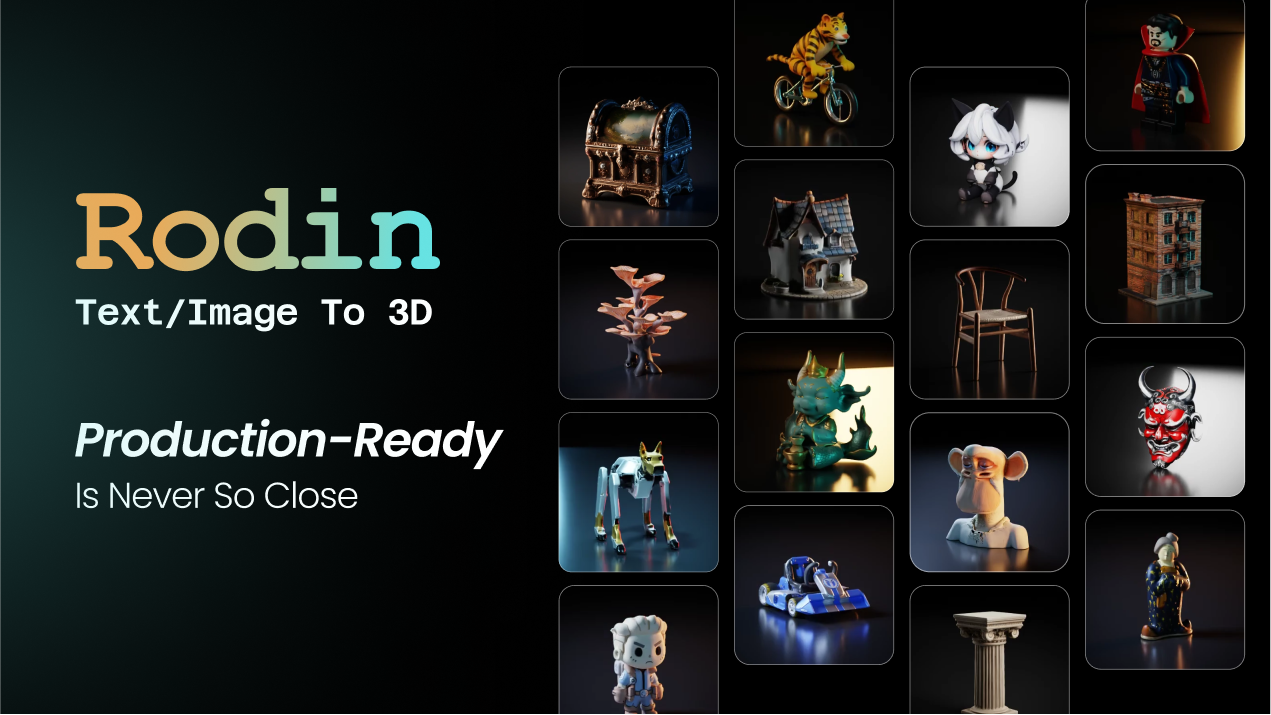
Rodin (Hyper3D) is an AI 3D model generator that turns text prompts or a single image into detailed 3D assets, with 21 styles, generation controls, plugins for Blender, Unity and Unreal, an API and MCP, aimed at game, print, product and avatar creators.
Modelling a 3D asset by hand is slow specialist work, which is why so much of a game or product pipeline bottlenecks on it. Rodin, the generator behind Hyper3D, aims to turn a prompt or a single photo into a usable 3D model in seconds.
It offers image-to-3D and text-to-3D with generation controls, 21 styles, an AI avatar generator, and plugins for the engines people actually ship in, plus an API and MCP. It sits directly alongside generative-3D tools like Sloyd, competing on quality, control and the breadth of its integrations.
This review covers how Rodin turns an image into 3D, who it suits across 3D work, how it prices generation, and the likeness caveat to keep in mind.
Rodin turns one image or a prompt into a detailed 3D asset in seconds.
Rodin 3D Generator Facts
What it is
An AI 3D model generator (Hyper3D)
Inputs
Text, or a single image (plus optional views)
Styles
21, from realistic to low-poly and voxel
Control
Bounding-box, voxel and point-cloud control
Pipeline
Blender, Unity, Unreal, Godot, Maya plugins
Access
Web, API and MCP
Also
AI avatars, texture and HDRI generation
Caveat
Likeness/IP on images of people and avatars
Detailed 3D Models From Text Or One Image
Rodin's headline is low friction: one image is often enough to generate most objects, with optional extra views when you want more control, and text-to-3D for when you have no reference at all. For anyone without 3D-modelling skills, that is the barrier gone.
What raises it above a toy is controllability. It offers generation controls, a bounding-box, voxel and point-cloud ControlNet and selectable effort levels, so you can trade speed for quality and steer the result rather than take whatever the model gives.
It is positioned as a high-quality, controllable generator, and its breadth of use cases, 3D printing, games, product and automotive design, e-commerce, VR/AR, jewellery, signals it is built for people who will actually use the output, not just preview it.
One image is often enough to generate most objects. For anyone without 3D-modelling skills, that is the barrier gone, and the controls stop it being a toy.
How Does Rodin Turn An Image Into 3D?
Two things decide whether it fits your work: the generation itself, and how the output reaches your tools.
Image And Text To 3D, With Control
You upload a reference image (or add a few views), or describe an object, pick a style and effort level, and Rodin generates a textured 3D model in seconds, with controls to guide the shape. The effort setting lets you choose a fast preview or a slower, higher-quality result.
That control is what separates a usable generator from a novelty, and it is the same axis on which a peer like Sloyd competes; the right pick comes down to output quality on your own objects and how each handles topology.
Styles, Plugins, API And Avatars
Rodin spans 21 styles, from photorealistic to low-poly and voxel, offers texture and HDRI generation, and plugs into Blender, Unity, Unreal, Godot, Maya and ComfyUI, with an API and MCP for programmatic and agentic use. It also has an AI avatar generator.
The plugin breadth is what makes it pipeline-friendly rather than a walled garden. For 2D game assets around a 3D project, a tool like Layer AI covers that side; Rodin stays focused on turning references into 3D meshes.
Who Rodin Suits Across 3D Work
Rodin suits game developers needing a steady supply of props and characters, 3D-printing makers, product and automotive designers building references, e-commerce teams wanting 3D product models, and VR/AR creators, anyone who needs 3D without a dedicated modeller.
The one-image workflow is especially valuable for turning existing product photos or concept art into 3D, and the engine plugins mean the output drops into a real scene rather than needing a conversion dance. The effort control helps balance iteration speed against final quality.
It suits less well anyone needing bespoke, hero-quality hand-sculpted assets, where a skilled artist still wins, and anyone generating 3D from photos of real people or creating avatars, which carries likeness and IP considerations that are the user's responsibility to handle. For the flat, 2D side of a game, sprites and icons, a tool like SpriteFlow pairs naturally with Rodin's 3D output rather than competing with it.
How Rodin Prices Its Generation
Rodin offers a free tier and a 7-day trial, then a subscription, with API access for programmatic use. We do not publish prices, which change; check the site.
Because generation consumes compute, and higher effort levels consume more, the practical question is how many usable models a plan yields for the kind of objects and quality you need, which varies a lot between a quick low-poly prop and a high-effort detailed asset.
The free tier and trial are the right way to test that hit rate, and for a studio or maker generating assets regularly, a subscription that replaces hours of modelling per asset usually justifies itself quickly.
A Brief Way To Try Rodin
Because the output has to work in a real pipeline, trial Rodin on an asset you would actually use or print.
Generate a real asset you need from a single image, then from a text prompt, and compare.
Use the generation controls and effort levels to steer shape and balance speed against quality.
Export into Blender, Unity or Unreal via the plugin and confirm it drops into your scene cleanly.
If you 3D-print, check the mesh is usable for your printer.
If you build with agents, try the API or MCP on a sample.
Pass/fail: Rodin is worth it if its output is usable in your pipeline and you iterate often.
Use only your own or licensed images for people, and handle avatar likeness responsibly.
Rodin, The 3D Snapshot
Rodin is an AI 3D model generator: text or a single image becomes a detailed 3D asset in seconds.
One image is often enough: with optional extra views for more control, which lowers the barrier a lot.
It fits real pipelines: 21 styles, generation controls, plugins for Blender, Unity and Unreal, an API and MCP.
A likeness caveat applies: generating from images, and avatar creation, raise likeness and IP considerations.
Rodin 3D Terms
Image-to-3D
Generating a 3D model from one or more reference images rather than modelling it by hand.
ControlNet
A way to constrain generation, here bounding-box, voxel or point-cloud, so you steer the resulting shape.
Effort level
A setting that trades generation time for quality, from a fast preview to a slower, more detailed result.
HDRI
A high-dynamic-range image used to light a 3D scene; Rodin can generate these too.
Key features of Rodin
Image-to-3D from one image
Text-to-3D generation
Generation controls and effort levels
21 art styles
Texture and HDRI generation
AI avatar generator
Blender, Unity, Unreal and more plugins
API and MCP access
Pros & cons
Pros
5
One image is often enough to generate a model
Real control over shape and quality
Broad engine-plugin support
API and MCP for pipelines and agents
Free tier and trial to test it
Cons
5
Not for bespoke, hero-quality hand-sculpted assets
Likeness/IP risk on photos of people and avatars
Higher effort levels burn more compute
Quality varies by object and prompt
Subscription overkill for a single model
Best For
Game asset pipelines
3D-printing makers
Product and automotive design
E-commerce 3D models
VR/AR creators
Rodin Against Other 3D Generators
The useful comparison is with other generative-3D and asset tools.
A single one-off model where a subscription is overkill
Teams wanting 2D art rather than 3D
How We Modelled With Rodin
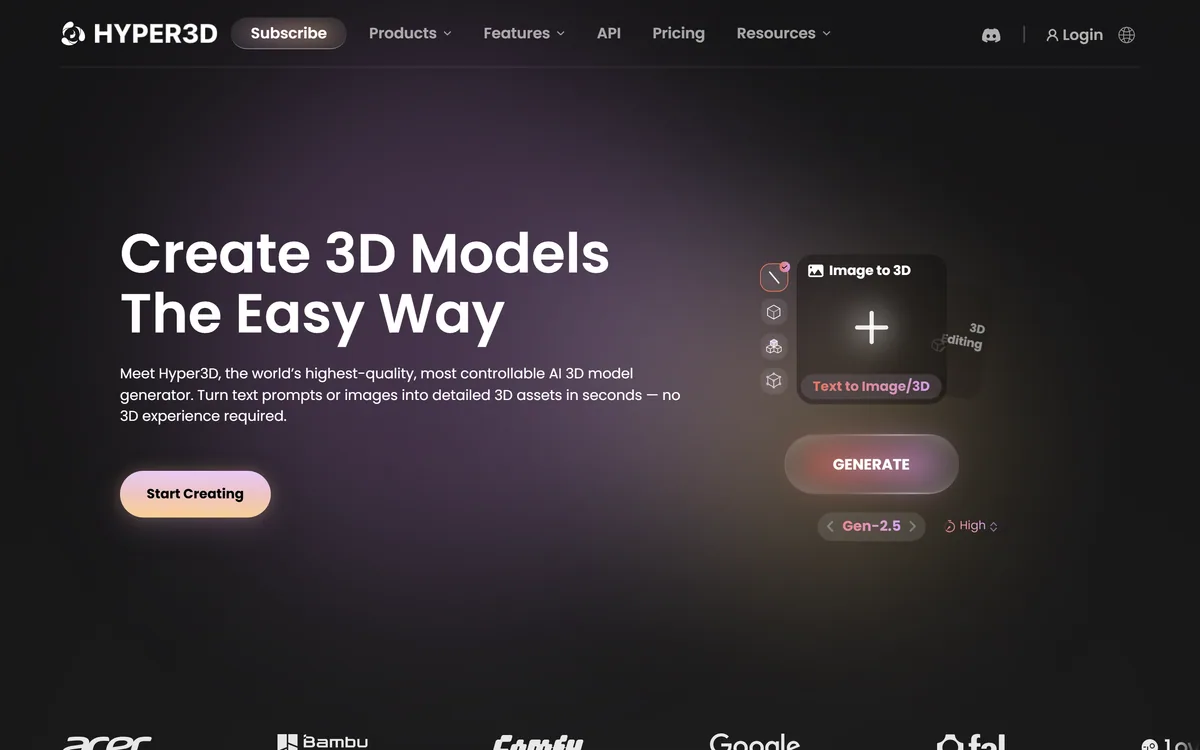
Last checked . Read from hyper3d.ai during this check, with the screenshot above captured at the same time.
An AI 3D model generator branded Hyper3D Rodin
Image-to-3D from a single image, plus text-to-3D
Generation controls (bounding-box, voxel, point-cloud) and effort levels
21 styles from photorealistic to low-poly and voxel
Texture and HDRI generation, and an AI avatar generator
Plugins for Blender, Unity, Unreal, Godot, Maya and ComfyUI
An API and MCP for programmatic and agentic use
A free tier and 7-day trial, then subscription
No plan prices reproduced here, in line with this site's pricing policy
Generating 3D from images of real people, and avatar creation, raise likeness and IP considerations that sit with the user; use your own or licensed references.
Other 3D And Asset Tools
A generative-3D peer and two game-art tools to weigh alongside Rodin.
Sloyd — generative 3D with strong topology and print-prep
Rodin earns 4.1 for making generative 3D both easy and controllable: one image or a prompt becomes a detailed, textured model, with real generation controls, 21 styles and plugins for every major engine, plus an API and MCP. It is not for bespoke hero assets, and generating from photos of people or avatars carries likeness and IP responsibility, but for game, print and product pipelines it turns a modelling bottleneck into seconds of work. AInexfinder Editor Score: 4.1/5.
Rodin pricing
AInexfinder does not list plan prices or billing details. For current pricing, plans, and trials, visit the official Rodin website.
Vendor pricing, credits, and billing policies change over time. Always confirm on the official site before you buy.
Frequently asked questions
What is Rodin?
Rodin is an AI 3D model generator, the tool behind Hyper3D, that turns a text prompt or a single image into a detailed, textured 3D asset in seconds. It offers 21 styles, generation controls, texture and HDRI generation, an avatar generator, and plugins for Blender, Unity, Unreal and more, plus an API and MCP.
Can Rodin make a 3D model from one image?
Yes. One image is often enough to generate most objects, with optional additional views when you want more control, and it also supports text-to-3D when you have no reference. That one-image workflow removes the need for 3D-modelling skills for many common assets.
Does Rodin give control over the result?
Yes, which is a key difference from novelty generators. It offers generation controls, a bounding-box, voxel and point-cloud ControlNet, and selectable effort levels that trade speed for quality, so you can steer the shape and balance a fast preview against a more detailed final model.
Which engines does Rodin plug into?
It offers plugins for Blender, Unity, Unreal, Godot, Maya, 3DS Max and ComfyUI, plus an API and MCP. That breadth means generated models drop into a real pipeline rather than requiring a conversion dance, which is what makes it practical for game and product work.
Does Rodin raise likeness or IP concerns?
It can. Generating 3D from a photo of a real person, and its AI avatar generator, raise likeness and intellectual-property considerations. Use only your own or properly licensed images for people, and handle avatar generation responsibly, since that responsibility sits with you, not the tool.
How is Rodin priced?
It offers a free tier and a 7-day trial, then a subscription, with API access for programmatic use. We do not publish prices, which change; check the site. Because higher effort levels consume more compute, test how many usable models a plan yields for your quality needs.
Who is Rodin for?
Game developers, 3D-printing makers, product and automotive designers, e-commerce teams and VR/AR creators, anyone who needs 3D assets without a dedicated modeller. The one-image workflow and engine plugins make it especially useful for turning references into pipeline-ready models.
Is Rodin good for high-end bespoke models?
Not really. For hero-quality, bespoke assets a skilled 3D artist still produces better results. Rodin's strength is fast, controllable, usable assets at volume, props, products, references, rather than one carefully hand-sculpted showpiece that justifies manual modelling.
Can an AI agent use Rodin?
Yes. Alongside its API, Rodin offers MCP, so an AI agent can call its 3D generation as part of an automated workflow rather than only through the web interface. That makes it suitable for pipelines and agentic tools that need to produce 3D assets on demand.
How does Rodin compare to Sloyd?
Both are generative-3D tools competing on quality and control. Sloyd emphasises topology control, print-prep and an unlimited-generation plan; Rodin emphasises one-image generation, 21 styles and broad engine plugins. The right pick comes down to output quality on your own objects, so trial both.
Daniel reviews AI tools the slow way — by actually using them on real projects. His reviews cover what works, what breaks, and who each tool is genuinely a good fit for.
Daniel and the AInexfinder editorial team research Rodin using public product information, listing evidence, and (when available) hands-on checks. Scores reflect listing completeness and transparency — not paid placement.
Listings may include affiliate or sponsored placements, which are labeled when present. Editorial scores and cons are not sold. See our affiliate disclosure and review methodology.
Skybox AI by Blockade Labs generates 360-degree equirectangular panoramas and skyboxes with stated generation times as fast as 15 seconds, 32-bit HDRI export for scene lighting, a Unity plugin, MCP support and direct export to Blender and Unreal.
Zoo Design Studio is an AI-native CAD application for hardware design that combines familiar point-and-click modelling, code-based CAD and an AI engineering agent called Zookeeper, all built on Zoo's own geometry engine producing editable B-rep models rather than meshes.
Sloyd is a generative-3D platform that creates 3D models from text or images, with topology control, auto-rigging and animation, print-ready export and engine plugins, priced for unlimited (non-credit) generation, aimed at game devs, makers and 3D creators.
Meshy is an AI 3D model generator that turns text or images into 3D models in under a minute, with printability checks, auto-repair and direct export to slicers like Bambu Studio and OrcaSlicer, plus assets for games and media.
FPVTune analyses Betaflight blackbox logs with a neural network and returns PID and filter settings as one-click CLI commands. It also offers free crash analysis, motor health checks and a flight time calculator, and charges only when you accept the tuning result.