Layer AI is a creative platform for teams that learns your brand and style, then generates image, video, 3D and audio across 300+ models with an agent, LoRA training and editing, plus IP-safety, auditability and enterprise controls.
The first wave of generative AI made any studio able to produce a slick image. That is precisely the problem: if everyone can make the same generic output, it differentiates no one. Layer AI's whole argument is that the value has moved to producing work that is recognisably yours, at volume, and passing review the first time.
It calls itself a creative harness: it learns your brand, your style and the work you have already shipped, then generates across image, video, 3D and audio using 300-plus models, with the applied knowledge of which to reach for. Around that sit a Creative Agent, custom training on your own artwork, and precise editing.
This review covers what creative teams can actually make inside Layer, the IP-safety and enterprise controls that matter at studio scale, how it is priced, and who it suits against single-model creative tools.
Layer AI: a creative harness that learns your brand so output passes review the first time.
Layer AI In Four Points For Studios
Layer AI is a creative harness for teams that learns your brand, style and past work, so creative passes review the first time.
It is broad and multi-model: image, video, 3D and audio generation across 300+ models, with the right one picked for you.
An agent and training sit on top: a Creative Agent, LoRA training on your artwork, and precise editing tools.
It is enterprise-grade: IP-safety as a priority, auditability, SOC 2 Type II, SSO and SCIM, used by 300+ entertainment brands.
A Creative Harness That Learns Your Brand And Style
The core idea is in the name. A harness is not another generator; it is the layer that makes generation produce on-brand, review-ready work rather than generic output you then have to fix. Layer learns your style and shipped work so the first pass already looks like yours.
That reframing matters because it answers the real objection to generative AI in a studio: not whether it can make something, but whether it can make your something, consistently, at the volume a live game or campaign demands. Layer aims the whole product at that gap.
For individual, open-ended creation, a tool like Midjourney is superb; Layer's bet is different, a team system where on-brand consistency and pipeline fit matter more than any single stunning image.
If everyone can make the same slick output, it differentiates no one. The value moved to making work that is recognisably yours, at volume.
What Can Creative Teams Make Inside Layer?
The breadth is deliberate: a studio's creative work spans media, and Layer tries to cover all of it behind one harness.
Image, Video, 3D And Audio From 300+ Models
Layer generates image, video, 3D and audio across more than three hundred models, with new ones arriving integrated so the foundation stays current without the team doing anything. It also knows which model suits which task, which is the applied knowledge an aggregator is really selling.
For video specifically, a direct tool like Runway ML offers its own deep models; Layer's advantage is covering every medium a game or campaign needs in one place, with brand consistency across all of it.
Training, Editing And The Creative Agent
You can train Layer on your own artwork with custom LoRAs and reference sets, then edit precisely, mask, inpaint, relight, remesh, re-cut, rather than only generating from scratch. A Creative Agent takes a brief, researches, picks the model, generates and refines, with you in the loop at each step.
The editing depth is what separates it from a prompt-only generator like Leonardo AI: Layer is built to take an asset through a real production pipeline, not just produce a first image.
IP Safety, Auditability And Enterprise Controls
At studio scale, the blockers to adopting generative AI are legal and operational as much as creative, and this is where Layer puts real emphasis. It treats IP safety as a first-class priority: every asset traceable, every action logged, every workflow auditable.
That auditability is exactly what a studio's legal team asks for before approving gen-AI, and it is echoed in customer quotes praising the traceability. On the controls side, Layer cites SOC 2 Type II, SSO and SCIM, role-based access and exportable audit logs, and states customer data is never used to train foundation models.
It also connects to the stack a creative team already uses, Photoshop, Premiere, After Effects, Blender, Unreal, Unity, Figma and Slack, and to ad platforms so the next batch of creative is informed by how the last performed. That pipeline fit is as important as the generation itself.
How Layer AI Structures Its Pricing
Layer offers a free start plus paid and enterprise plans, with a talk-to-sales route for larger teams that need the security and deployment controls.
AInexfinder does not publish plan prices, which change and are best read on the site. The value is a team one: Layer earns its cost when a studio is producing high-volume, on-brand content and the consistency, pipeline fit and auditability save more than the platform costs.
Check which models, training features and enterprise controls sit on the tier you need, since the IP-safety and compliance features are often what justify it for a studio.
A Short Test Of Layer On A Creative Brief
Because Layer's value is on-brand consistency at volume, test it on a real brief with your real brand assets.
Feed Layer your brand and some previously shipped work so it can learn your style.
Give the Creative Agent a genuine brief and judge whether the first pass looks on-brand or generic.
Train a custom LoRA on your artwork and compare the output against the untrained result.
Take one asset through an edit, inpaint or relight, to test the production pipeline, not just generation.
Connect one tool you actually use, such as Photoshop or Figma, and confirm the workflow fits.
Pass/fail: Layer earns adoption only if it produces review-ready, on-brand work faster than your current process at the volume you need.
Confirm the IP-safety, audit and security controls meet your legal team's requirements.
Runway ML — deep video generation from a single vendor
Leonardo AI — flexible image generation with editing controls
How We Reviewed Layer AI's Platform
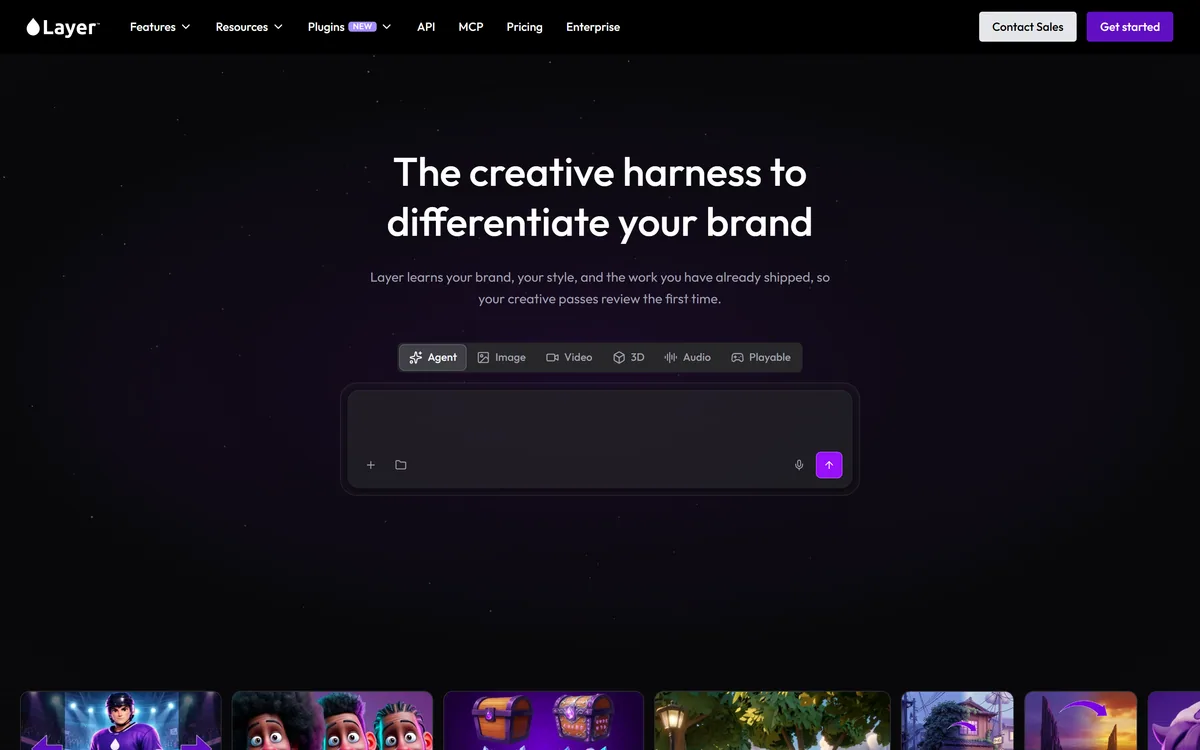
Last checked . Read from layer.ai during this check, with the screenshot above captured at the same time.
A creative harness that learns a team's brand, style and shipped work
Generation across image, video, 3D and audio with 300+ models
A Creative Agent, custom LoRA training and precise editing tools
REST API and MCP to run inside a team's own pipeline and agents
IP-safety emphasis with traceable assets and logged, auditable workflows
SOC 2 Type II, SSO and SCIM, role-based access and exportable audit logs
Stated that customer data is never used to train foundation models
Used by 300+ entertainment brands, with named studio customers
No plan prices reproduced here, in line with this site's pricing policy
Model counts and customer names are the vendor's own; confirm the IP-safety and security commitments against your legal team's requirements.
Editor's Verdict
4.2/5
Layer AI earns 4.2 for reframing generative AI as a harness that makes output recognisably yours at volume, covering every medium with 300+ models, deep editing and training, and the IP-safety and auditability a studio's legal team needs; it is capped because it is a team platform that is overkill for individual, single-medium creation. AInexfinder Editor Score: 4.2/5.
Layer AI pricing
AInexfinder does not list plan prices or billing details. For current pricing, plans, and trials, visit the official Layer AI website.
Vendor pricing, credits, and billing policies change over time. Always confirm on the official site before you buy.
Frequently asked questions
What is Layer AI?
Layer AI is a creative platform, or harness, for teams. It learns your brand, style and shipped work, then generates image, video, 3D and audio across more than 300 models, with a Creative Agent, custom training and editing, plus enterprise IP-safety and controls.
Who is Layer AI built for?
Creative teams producing high-volume, on-brand content, especially game studios and entertainment brands. Its consistency, IP-safety, auditability and pipeline integrations are aimed at teams rather than individual creators making one-off art.
What can I create with Layer AI?
Image, video, 3D and audio, across more than 300 models with the right one selected for the task. Beyond generation, you can train custom LoRAs on your artwork and edit precisely, inpaint, relight, remesh and more, through a real production pipeline.
Does Layer AI include multiple models or just one?
More than 300, and new models arrive integrated so the foundation stays current without your team doing anything. Part of what Layer provides is the applied knowledge of which model to reach for on a given task.
Is Layer AI safe on IP and enterprise security?
Layer treats IP safety as a first-class priority with traceable assets and logged, auditable workflows, and cites SOC 2 Type II, SSO and SCIM, role-based access and exportable audit logs, stating customer data is never used to train foundation models. Confirm the detail with your legal team.
How does Layer AI compare with Midjourney?
Midjourney is superb for open-ended individual image generation. Layer is a team harness focused on on-brand consistency across media, with editing, training, IP safety and pipeline fit. Different jobs: one for a stunning image, one for a studio's volume.
Can Layer AI keep my output consistent?
That is its central purpose. By learning your brand and style and supporting custom LoRA training on your artwork, it aims to make generated output recognisably yours and review-ready on the first pass, rather than generic work you then have to re-style.
Is Layer AI free?
There is a free start plus paid and enterprise plans, with a talk-to-sales route for larger teams needing the security and deployment controls. Check which models, training features and enterprise controls are on the tier you need before committing.
Does Layer AI fit into my existing tools?
Yes. It integrates with Photoshop, Premiere Pro, After Effects, Blender, Unreal, Unity, Figma and Slack, and connects to ad platforms so the next batch of creative is informed by how the last performed. Everything is also available over REST API and MCP.
Can I edit assets in Layer, not just generate them?
Yes. Layer supports precise editing, masking, inpainting, relighting, remeshing and re-cutting, alongside generation, so an asset can go through a full production workflow rather than stopping at a first generated image.
Daniel reviews AI tools the slow way — by actually using them on real projects. His reviews cover what works, what breaks, and who each tool is genuinely a good fit for.
Daniel and the AInexfinder editorial team research Layer AI using public product information, listing evidence, and (when available) hands-on checks. Scores reflect listing completeness and transparency — not paid placement.
Listings may include affiliate or sponsored placements, which are labeled when present. Editorial scores and cons are not sold. See our affiliate disclosure and review methodology.
Inworld AI is a research lab and inference provider supplying realtime voice infrastructure. Its products cover text-to-speech, speech-to-text, a realtime API, its own inference, a router across 220+ language models, and compute — used to build voice agents, companions and interactive media.
Friends & Fables runs tabletop roleplaying campaigns with an AI game master called Franz, combining world building tools, tactical turn-based combat on the 5.1 System Reference Document, maps, image generation, narration and multiplayer parties of up to six across desktop, tablet and mobile.
Seele AI's SeeleAgent is a game-focused multimodal AI agent that generates game prototypes, 2D and 3D, alongside images, video, 3D assets and code from prompts, using a skills library and Seele's own multimodal and world models. It is an early, ambitious tool best treated as a prototyping aid.
Promethean AI is a world-building assistant for digital art teams that indexes a studio's existing assets as metadata without moving or storing the files, sits on top of Unreal and other 3D editors rather than replacing them, and states over 10,000 users including PlayStation Studios.
Rodin (Hyper3D) is an AI 3D model generator that turns text prompts or a single image into detailed 3D assets, with 21 styles, generation controls, plugins for Blender, Unity and Unreal, an API and MCP, aimed at game, print, product and avatar creators.