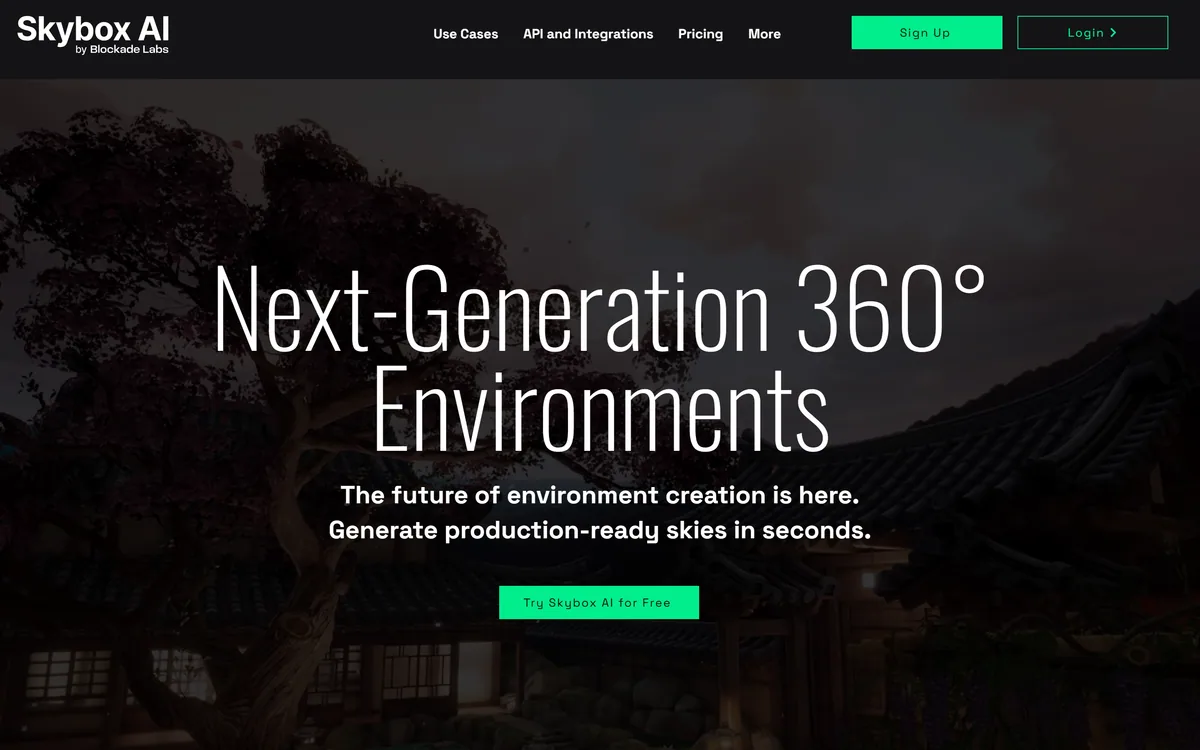
Skybox AI by Blockade Labs generates 360-degree equirectangular panoramas and skyboxes with stated generation times as fast as 15 seconds, 32-bit HDRI export for scene lighting, a Unity plugin, MCP support and direct export to Blender and Unreal.
Equirectangular panoramas described as production-ready
Speed
Fastest generation times stated as 15 seconds
Resolution
16k stated as highest resolution standard; 8k cited elsewhere on the same page
Lighting
32-bit HDRI exports
Integrations
API and SDK, a native Unity plugin, MCP support, exports to Blender and Unreal
Controls
Style presets, remix and negative prompts
Licensing
Full commercial licensing with clear IP ownership stated
Use cases
Spatial experiences, virtual production, retail, user-generated content, education, indie games
Platforms named
Quest, Vision Pro, Android XR, Roblox and Fortnite Creative
Roadmap
A next-generation model announced as available by request
Skybox AI: What Blockade Labs Ships
Full 360-degree environments, not flat images — equirectangular panoramas you can stand inside.
32-bit HDRI export, so a generated sky lights a scene rather than just backing it.
Fifteen-second generations at the fastest, enabling iteration rather than commissioning.
Pipeline integrations: Unity plugin, API and SDK, MCP support, Blender and Unreal export.
Full commercial licensing with clear IP ownership stated on the page.
Skybox AI: Whole Worlds Instead Of Flat Images
The claim is next-generation 360-degree environments, generating production-ready skies in seconds, positioned as the world's leading equirectangular panorama generator.
The word equirectangular is the one that separates this from the rest of image generation, and it deserves explanation rather than assumption.
A normal generated image is a rectangle you look at. A 360-degree environment is a sphere you stand inside, flattened into a rectangle by the same projection that turns a globe into a world map — which means the image is stretched enormously at the top and bottom and must wrap perfectly at the left and right edges.
Those are constraints a general image model has no reason to satisfy, and no amount of prompt engineering imposes them.
The consequence is that this is a genuinely different technical problem rather than a niche application of the same one, and it is why a dedicated product exists for it at all.
The claimed capability set follows from that framing: production-ready at any scale, from indie studios to enterprise platforms.
A generated image is a rectangle you look at. A 360 environment is a sphere you stand inside — and the seam where it wraps is the first thing anyone notices.
Seams, Poles And Why Panoramas Are Hard
Two failure modes define this category, and both are instantly visible to a viewer who would not notice anything wrong with an ordinary image.
The seam is the first. An equirectangular image's left and right edges are the same place, so if the content does not match exactly there is a vertical line running the full height of the world. A user turning their head crosses it, and nothing else about the environment matters after that.
The poles are the second and harder problem. Directly above and below, the projection compresses an entire circle into a single row of pixels, so any inconsistency becomes a smeared vortex at the zenith. Look up in a badly generated environment and the sky swirls.
The site's claim of 8k resolution with perfect seams is aimed precisely at the first of these, and it is the correct thing to claim because it is the thing that ruins output.
For a buyer this means one thing: evaluate by loading a generation into a headset or a viewer and looking up, down and behind you. A thumbnail tells you nothing about either failure. Environment tools that keep assets in a studio's own pipeline, like Promethean AI, solve a different half of the same production problem.
What Makes A Skybox Production-Ready?
Six capabilities are listed as the professional choice, and three of them are about pipelines rather than pictures: integrating your workflow, maintaining brand consistency, and owning your creative assets.
Production-ready is a phrase worth interrogating, because the gap between an impressive generation and a usable asset is where most generative tools stop.
Ship without revisions is the claim, and the supporting detail — resolution with perfect seams, going straight from generation to deployment — names the right criterion. An asset that needs a texture artist to fix the seam has not saved anyone time; it has moved the work.
Consistency is the second requirement and the one teams discover late. A game or a film needs environments that belong to the same world, and generating each independently produces a set that is individually good and collectively incoherent.
Style presets, remix and negative prompts exist to address exactly that, and remix in particular — producing a variant of something that already works — is the feature that turns a generator into a production tool. Iterating a hundred times faster than commissioning is only useful if the hundredth result still matches the first. For motion rather than environment, Luma Dream Machine generates video clips instead of worlds you can stand inside.
Evaluate in a headset or viewer — look up, down and behind you.
Test remix consistency across a set, not just a single generation.
Confirm which resolution figure applies to your export path.
Check the HDRI actually lights a scene the way you need.
Read the commercial licence terms rather than the summary line.
HDRI Exports And Lighting A Scene
The specification most easily skipped is 32-bit HDRI export, and it is the one that determines whether this is a backdrop tool or a lighting tool.
An ordinary image stores 8 bits per channel, which covers a limited brightness range. High dynamic range imagery stores far more, so the sun in the image is recorded as genuinely thousands of times brighter than the sky beside it rather than simply as white.
That difference is what allows a 3D renderer to use the panorama as a light source. Image-based lighting means the environment illuminates the objects in it — the sun casts directional shadows, the sky provides soft ambient fill, and coloured surfaces bounce light in the right hue.
Without high dynamic range data, a panorama can only sit behind a scene while the lighting is built separately by hand, which is most of the work.
This is why 32-bit output is the specification that makes generated environments useful in virtual production and 3D pipelines rather than only in flat presentations. The LED volume use case on the site depends entirely on it: real-time backplates with 32-bit lighting and instant location changes on set is a real workflow, and it is not possible with ordinary images. Character and behaviour systems such as Inworld AI populate those environments once they exist.
Owning What You Generate
Full commercial licensing with clear IP ownership — your creations, your rights, no hidden restrictions or usage limitations — is stated as one of the six headline capabilities.
Putting rights on the front page rather than in a terms document is the right instinct for this audience, because the buyers are studios whose legal teams ask before their artists do.
It is worth being precise about what such a statement can and cannot mean. A vendor can grant you broad rights to use its output and can undertake not to restrict how you use it. What no vendor can straightforwardly grant is copyright in purely generated material, because several jurisdictions require human authorship for copyright to subsist at all.
For most uses this distinction is academic — a skybox in a game is used, not defended — but for anything central to a product it is worth understanding the difference between a broad licence and an owned asset.
The rest of the platform story is conventional and complete: an API and SDK, a native Unity plugin, MCP support and direct export to Blender and Unreal. MCP appearing here is notable, because it means an agent in a production pipeline can request an environment. The named use cases — Quest and Vision Pro, LED volumes, Roblox and Fortnite Creative, museums and training — are specific enough to check against your own case.
Getting A Skybox Into Your Engine
The mistake is judging this by generations viewed as thumbnails in a browser.
This order evaluates the thing you would actually ship.
Generate three environments meant to belong to the same world.
Load them in a headset or engine and look at the poles and the seam.
Export a 32-bit HDRI and light a real scene with it.
Use remix to produce a variant and check it still matches the set.
Confirm which resolution your export path actually delivers.
Have someone read the licence before the assets ship in a product.
Key features of Skybox AI
360-degree equirectangular panorama generation
32-bit HDRI export for scene lighting
Style presets and remix for consistency
Negative prompts for production control
Native Unity plugin
Direct export to Blender and Unreal
API, SDK and MCP support
Commercial licensing with stated IP ownership
Pros & cons
Pros
7
Solves a genuinely different problem from ordinary image generation
HDRI export makes output a lighting source, not just a backdrop
Seam quality is the correct thing to claim, because it is what ruins environments
Remix addresses cross-asset consistency, which teams discover late
Engine plugins and exports mean assets reach a real pipeline
MCP support lets an agent request environments inside a workflow
Rights stated on the front page rather than buried in terms
Cons
7
Two different resolution figures appear on the same page unreconciled
Copyright in purely generated output remains contested regardless of licensing language
Cannot depict a real identifiable place accurately
Consistency across a set still depends on operator skill with remix
A single hero environment may still justify bespoke creation
Plugin coverage beyond Unity is by export rather than native integration
What the announced next-generation model changes is not described
Best For
Indie game studios needing environments without a 3D team
Virtual production teams using LED volumes
XR developers building for headsets
Training and education producers creating many scenarios
Retail teams building virtual showrooms
Skybox AI Beside Other Environment Tools
Generative tools for 3D production differ by what they output.
Last checked . Read from blockadelabs.com in a browser session on the date above, with the screenshot captured at the same time.
Positioned as next-generation 360-degree environments, production-ready in seconds
Described as the world's leading equirectangular panorama AI image generator
Fastest generation times stated as 15 seconds
Highest resolution standard stated as 16k, with 8k with perfect seams cited elsewhere on the page
32-bit HDRI exports stated as a headline specification
Integrations listed as API and SDK, a native Unity plugin, MCP support and direct Blender and Unreal export
Controls listed as style presets, remix and negative prompts
Full commercial licensing with clear IP ownership stated as a headline capability
Six use case categories named, including spatial experiences, virtual production and user-generated content
Named platforms including Quest, Vision Pro, Android XR, Roblox and Fortnite Creative
A next-generation model announced as available by request
Footer showing a 2026 Blockade Labs copyright with roadmap, licences, terms of service and privacy policy
What we could not confirm: why 16k and 8k both appear as resolution figures, or which applies to which export; how consistent remix output is across a set; what the commercial licence covers in contractual detail; what the next-generation model changes; and pricing. We did not generate an environment or test an export.
Editor's Verdict
4.2/5
Generating a seamless 360-degree panorama is a genuinely harder problem than generating a picture, and the difference is not aesthetic — a visible seam or a smeared zenith ruins an environment the moment a user turns their head. Blockade Labs has built around the practical requirements rather than the demo: HDRI export so a generated sky can actually light a scene, engine plugins so it reaches a pipeline, and explicit commercial licensing. Two resolution figures appear on the same page without reconciliation, which is worth checking before you plan around either. AInexfinder Editor Score: 4.2/5.
Skybox AI pricing
AInexfinder does not list plan prices or billing details. For current pricing, plans, and trials, visit the official Skybox AI website.
Vendor pricing, credits, and billing policies change over time. Always confirm on the official site before you buy.
Frequently asked questions
What does Skybox AI generate?
Full 360-degree equirectangular panoramas — environments you stand inside rather than images you look at — with 32-bit HDRI export so they can also light a 3D scene.
Why is a panorama harder than an ordinary image?
Because the left and right edges are the same place and must match exactly, and the projection compresses an entire circle into one row of pixels at the top and bottom. Neither constraint applies to a normal image.
How should I evaluate output quality?
Load it in a headset or engine and look up, down and behind you. A thumbnail hides both failure modes — the vertical seam and the smeared vortex at the zenith — which are instantly visible in use.
What does 32-bit HDRI actually buy me?
Lighting. High dynamic range data records the sun as thousands of times brighter than the sky, which lets a renderer use the panorama as a light source rather than just a backdrop behind the scene.
What resolution does it produce?
The page states 16k as the highest resolution standard and separately mentions 8k with perfect seams. The two are not reconciled on the page, so confirm which applies to your export path.
Can I use the output commercially?
The site states full commercial licensing with clear IP ownership and no hidden restrictions. Worth noting that a vendor can grant broad usage rights, while copyright in purely generated material remains contested in several jurisdictions.
How do I keep a set of environments consistent?
Style presets, remix and negative prompts are the stated controls, and remix is the important one — producing a variant of something that already works is what turns a generator into a production tool.
Does it fit my pipeline?
There is a native Unity plugin plus direct export to Blender and Unreal, an API and SDK, and MCP support. Unity is the deepest integration; the others are export paths worth testing on your own project.
What is an LED volume use case?
A stage surrounded by screens displaying a real-time environment, so changing location means changing an image rather than travelling. It depends entirely on 32-bit lighting data being available.
When would you not use this?
When the environment must depict a real identifiable place accurately, when one hero environment justifies bespoke creation, or when the look has to match hand-built assets exactly.
Daniel reviews AI tools the slow way — by actually using them on real projects. His reviews cover what works, what breaks, and who each tool is genuinely a good fit for.
Daniel and the AInexfinder editorial team research Skybox AI using public product information, listing evidence, and (when available) hands-on checks. Scores reflect listing completeness and transparency — not paid placement.
Listings may include affiliate or sponsored placements, which are labeled when present. Editorial scores and cons are not sold. See our affiliate disclosure and review methodology.
Rodin (Hyper3D) is an AI 3D model generator that turns text prompts or a single image into detailed 3D assets, with 21 styles, generation controls, plugins for Blender, Unity and Unreal, an API and MCP, aimed at game, print, product and avatar creators.
Zoo Design Studio is an AI-native CAD application for hardware design that combines familiar point-and-click modelling, code-based CAD and an AI engineering agent called Zookeeper, all built on Zoo's own geometry engine producing editable B-rep models rather than meshes.
Sloyd is a generative-3D platform that creates 3D models from text or images, with topology control, auto-rigging and animation, print-ready export and engine plugins, priced for unlimited (non-credit) generation, aimed at game devs, makers and 3D creators.
Meshy is an AI 3D model generator that turns text or images into 3D models in under a minute, with printability checks, auto-repair and direct export to slicers like Bambu Studio and OrcaSlicer, plus assets for games and media.
FPVTune analyses Betaflight blackbox logs with a neural network and returns PID and filter settings as one-click CLI commands. It also offers free crash analysis, motor health checks and a flight time calculator, and charges only when you accept the tuning result.