

Runway is an AI video platform built around generative world models — Gen-4.5, Aleph 2.0, and Act-Two for performance capture — split across Runway Creative for filmmakers, Runway Dev for builders, and Runway Robotics.
FreemiumVideo & Audio
Krikey AI generates 3D animated videos without rigging or keyframing. Upload a photo to create a rigged 3D character in styles including anime and cartoon, or generate talking avatar, music and podcast videos from text prompts. It runs on credits and states 100,000+ creators.
3D animation has a barrier that has nothing to do with creativity. Before a character can move at all, somebody has to build a skeleton inside it, attach the mesh to that skeleton and weight every joint so the elbow bends like an elbow.
That work is called rigging, it takes real skill, and it is entirely invisible in the finished result. It is also why most people who want to make animation never make any.
Krikey AI's proposition is to remove it: upload a photo, get a rigged character, and start animating from there.
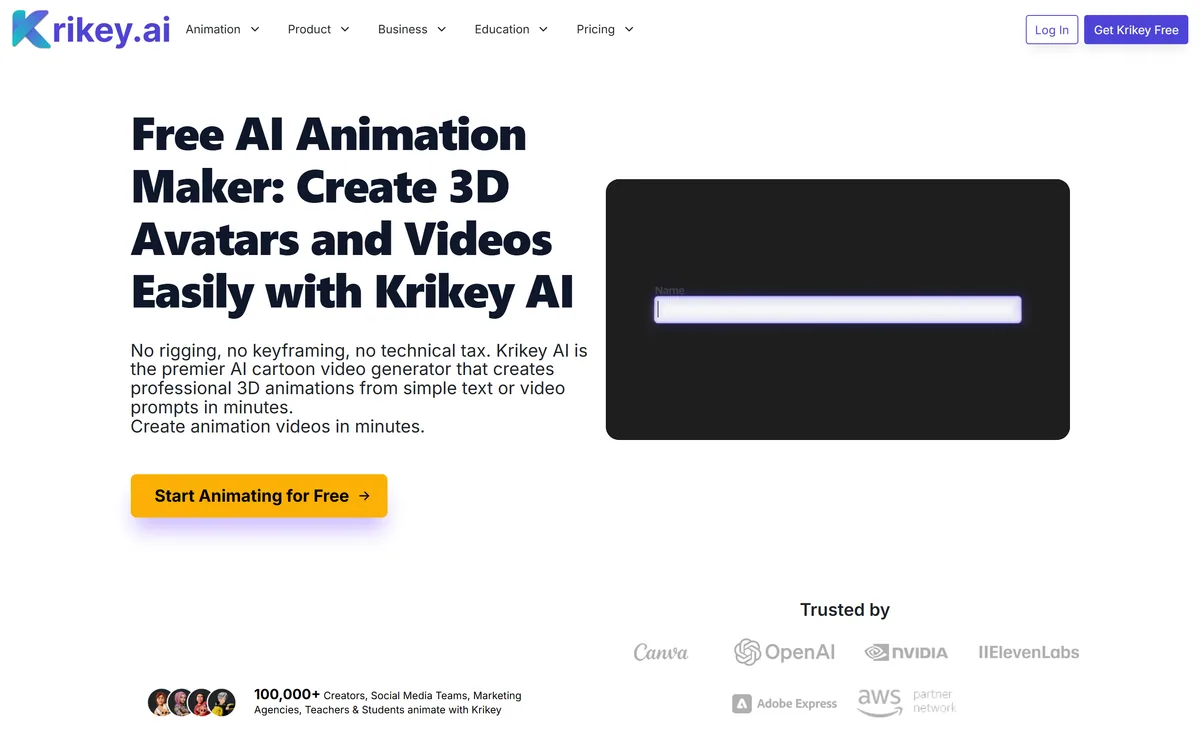
Krikey AI states there is no rigging, no keyframing and no technical tax, and that it generates professional 3D animations from text or video prompts in minutes.
It is worth being concrete about what those two words cover, because the saving is larger than it sounds to anyone who has not done it.
Rigging is building a controllable skeleton inside a model and binding the surface to it. Done badly, the shoulder collapses when the arm raises and the character looks broken in exactly the way audiences notice without knowing why.
Keyframing is specifying poses at particular moments and letting the software interpolate between them. It is the actual craft of animation and it is slow — seconds of convincing movement take hours.
Removing both changes who can participate rather than merely how fast the work goes. A teacher making a lesson video is never going to learn rigging, and the honest trade is that automated rigs are adequate rather than excellent, which for most of these uses is the right compromise.
Rigging takes real skill and is entirely invisible in the finished result. It is why most people who want to make animation never make any.
The character creator takes an uploaded photo, applies a style — K-pop, Mini Me, anime or cartoon — and produces a 3D character with automatic rigging and lip sync.
Stylisation is doing important work here, and not only aesthetically. A stylised character sidesteps the uncanny valley entirely, whereas a photorealistic avatar generated from one photo lands in it almost every time.
It also lowers the accuracy bar in a useful way. Nobody expects an anime version of a person to be dimensionally correct, so small errors read as style rather than as failure.
Automatic lip sync is the feature that makes the output usable for explainers and lessons, since a talking character whose mouth does not match the audio is worse than no character.
The site requires uploads to be a clear photo under 5MB, and asks you to confirm you are 13 or older and own the rights to the image — which is the right thing to ask, and a reminder that uploading a photo of someone else is a decision with consequences.
The character creator shows a credit cost per generation, and the site states that Krikey does not provide credit or monetary refunds for generated characters, and that all generated characters are final.
That is stated plainly, which is better than burying it, and it is the most important commercial fact on the page.
The consequence is that every failed generation costs you. With a photo that produces a poor result — bad lighting, an awkward angle, a partially obscured face — you pay for the attempt and pay again to retry.
That shifts the economics of experimentation. In a subscription tool you iterate freely; in a credit model with no refunds, each attempt is a small purchase, and the rational response is to prepare inputs carefully rather than generate repeatedly.
The practical advice follows directly: use the best photograph you have, front-facing and well lit, before spending anything. It is the same input-quality discipline that decides output in every generation tool, from Decory to any image generator — only here it has a price attached.
Beyond the character creator, Krikey AI lists text to animation, a music video generator and a podcast video generator.
Text to animation produces talking avatar explainers, tutorials, lesson plans and social videos from a prompt. This is the highest-volume use, and it competes directly with slide-based explainer tools rather than with animation studios.
The music video generator takes a genre and a lyric topic and produces a customised video with a singing 3D character. It is a novelty in the good sense — useful for invitations, jingles and marketing rather than for a release.
The podcast video generator takes a prompt or a blog post link and produces an animated clip, which addresses a real gap: audio content has nothing to show on video-first platforms.
The pattern across all four is the same. These are not tools for making a film; they are tools for putting a moving, watchable object in front of an audience that will not read a slide — which is a smaller ambition and a much more achievable one.
That places it alongside rather than against full video generators. A tool like Hypernatural produces footage from a script; this produces a character that can present one, and a lesson video frequently wants both — a presenter on screen and generated b-roll behind them.
It is worth naming what automated rigging and generation cannot do, so the output is used where it works.
Nuance in movement is the first casualty. Animation communicates character through weight, timing and anticipation, and automated systems produce motion that is correct rather than expressive — technically right and slightly lifeless.
Hands are the second, as everywhere in generated media. Fingers are the most articulated part of a rigged character and the hardest to automate convincingly.
Interaction between characters is the third. Two rigged figures occupying the same space, touching or reacting to each other, requires coordination that per-character rigging does not provide.
None of this matters for a lesson video or a social clip. It matters enormously the moment you want the animation itself to carry emotional weight, which is where a general video generator like DomoAI or an actual animator becomes the right call instead.
The way credits get wasted is generating first and thinking about the photo afterwards.
This sequence spends effort on the inputs, where it changes the output, rather than on retries.
| Product type | AI 3D animation and avatar generation |
|---|---|
| Positioning | No rigging, no keyframing, no technical tax |
| Character creator | Upload a photo, choose a style, generate a rigged 3D character |
| Styles | K-pop, Mini Me, Anime, Cartoon |
| Rigging | Automatic, with full body animation and lip sync |
| Text to animation | Talking avatar explainers, tutorials, lesson plans and social videos |
| Music video generator | Genre and lyric topic produce a video with a singing 3D character |
| Podcast video generator | A prompt or blog post link becomes an animated clip |
| Character gallery | Pre-made characters available to animate |
| Pricing model | Credit-based |
| Terms | Generated characters are final, with no credit or monetary refunds |
| Requirements | A clear photo, max 5MB, and confirmation you are 13 or older and own the image rights |
| Audience | 100,000+ creators, social teams, agencies, teachers and students |
Photo to rigged 3D character generation
Automatic rigging and lip sync
Four style options including anime and cartoon
Text to animation for explainers and lessons
AI music video generation with a singing character
Podcast video generation from a prompt or blog link
A pre-made character gallery and store
Credit-based generation
Video tools differ by whether they animate characters, generate footage, or edit what exists.
| Tool | What it produces | Skill required | Best for |
|---|---|---|---|
| Krikey AI | Rigged 3D characters and animated video | None — rigging is automated | Explainers, lessons and social clips |
| DomoAI | Generated and restyled video | Prompting | Varied source material |
| Hypernatural | Full-length branded video | A script and a brand setup | Marketing video at length |
| Argil | Video across three surfaces | Varies by surface | Repeatable formats |
| BeatViz | Music video from a track | A finished song | Visualising music specifically |
Last checked . Read from krikey.ai in a browser session on the date above, with the screenshot captured alongside.
What we could not confirm: credit pricing and how many credits a video costs as opposed to a character; output resolution and maximum duration; commercial licensing for generated characters and videos; which models perform the rigging and animation; how uploaded photographs are retained and whether they are used for training, which matters because they are images of people; and how the age requirement is enforced. We did not generate a character.
Adjacent products for generating and editing video around animated characters.
Rigging is the reason most people never make 3D animation. It is skilled, tedious work that has to be finished before anything can move, and removing it genuinely lowers the barrier rather than just speeding things up. Krikey AI's photo-to-rigged-character path plus text-to-animation covers the two ways beginners actually want to start. What keeps the score moderate is the credit model combined with terms stating generated characters are final and non-refundable, which puts the cost of a bad generation entirely on the user — worth understanding before you buy credits rather than after. AInexfinder Editor Score: 3.7/5.
AInexfinder does not list plan prices or billing details. For current pricing, plans, and trials, visit the official Krikey AI website.
Visit official website for pricingVendor pricing, credits, and billing policies change over time. Always confirm on the official site before you buy.
Log in to write a review.
No reviews yet. Be the first to share your experience with Krikey AI.
Assigned reviewer
Daniel ReedSenior AI Tools Reviewer
Daniel reviews AI tools the slow way — by actually using them on real projects. His reviews cover what works, what breaks, and who each tool is genuinely a good fit for.
Daniel and the AInexfinder editorial team research Krikey AI using public product information, listing evidence, and (when available) hands-on checks. Scores reflect listing completeness and transparency — not paid placement.
Runway is an AI video platform built around generative world models — Gen-4.5, Aleph 2.0, and Act-Two for performance capture — split across Runway Creative for filmmakers, Runway Dev for builders, and Runway Robotics.
LipSync.video generates lip-synchronised video from a face and an audio track. It offers two model tiers, accepts uploaded video, uploaded or recorded audio, or a typed script with generated speech, and provides over 300 prebuilt avatars. Credits can be earned through daily actions as well as bought.
Viggle animates characters from a still image driven by motion from a video, built on its Joint Space-Time model — described as a physics-native world model that generates characters, motion and scenes together in shared 4D space. It offers a Meme Maker, the PINOC motion-capture tool, games and an API, and states 50 million users.
BeatViz.ai turns music into video through three tools — Chat, Workflow and Editor. Chat 2.0 is positioned as an AI music video director, and the site names the models it draws on, including Veo, Sora, Kling, Seedance, Nano Banana and GPT Image 2.
Argil is an AI video platform built around three surfaces: a Playground for generating images and video model by model, a Director that takes an idea to a finished video, and Templates that turn a repeated video format into a reusable recipe with variables.

The workspace at www-flux3.com generates 5–20 second AI videos with native audio from text or a starting image, routing across FLUX 3, MiniMax H3, Seedance, Wan 3.0 and Kling 3.0 Pro, at 720p or 1080p with video extension.