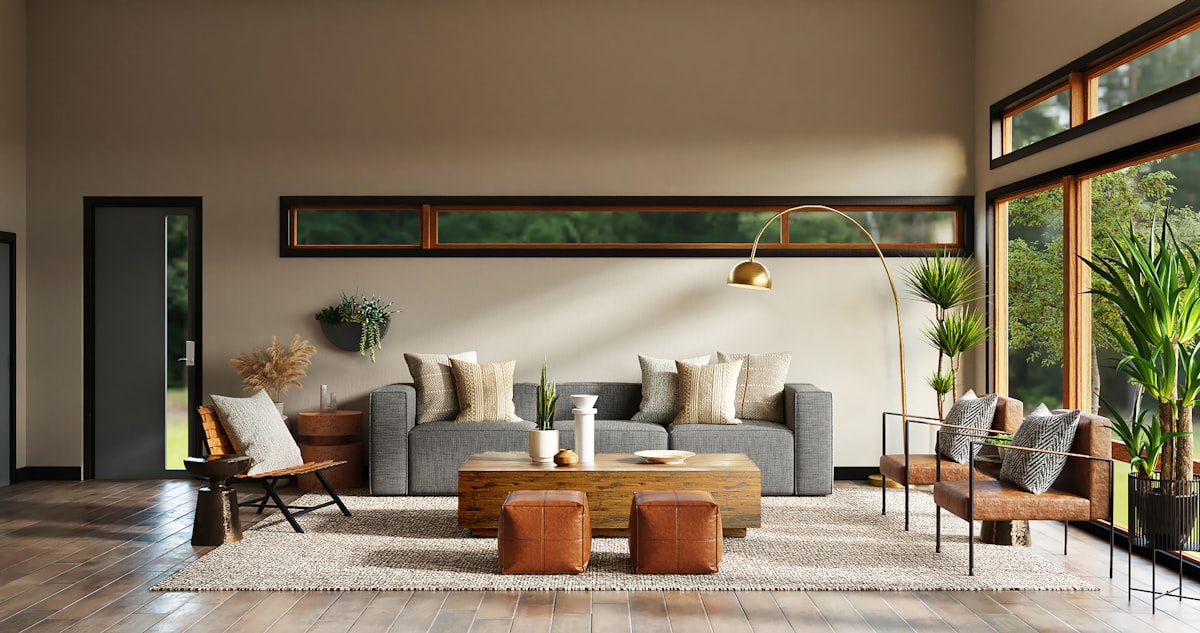
Decory is a free mobile AI interior design app that redesigns a room from a photo in about 30 seconds across 15+ styles. It also replaces and removes objects, previews flooring and wall colours, and searches furniture. Operated by The AI Journey Inc., with 500,000+ downloads claimed.
Choosing how a room should look is hard for a specific reason: you cannot see the alternative. A paint colour on a card is not a wall, and a sofa in a showroom is not a sofa in your living room.
That gap is why people repaint twice and why furniture gets returned. The decision has to be made in imagination, and imagination is bad at rooms.
Decory closes it cheaply. Photograph the space, pick a style, and thirty seconds later you are looking at a version of your own room rather than somebody else's.
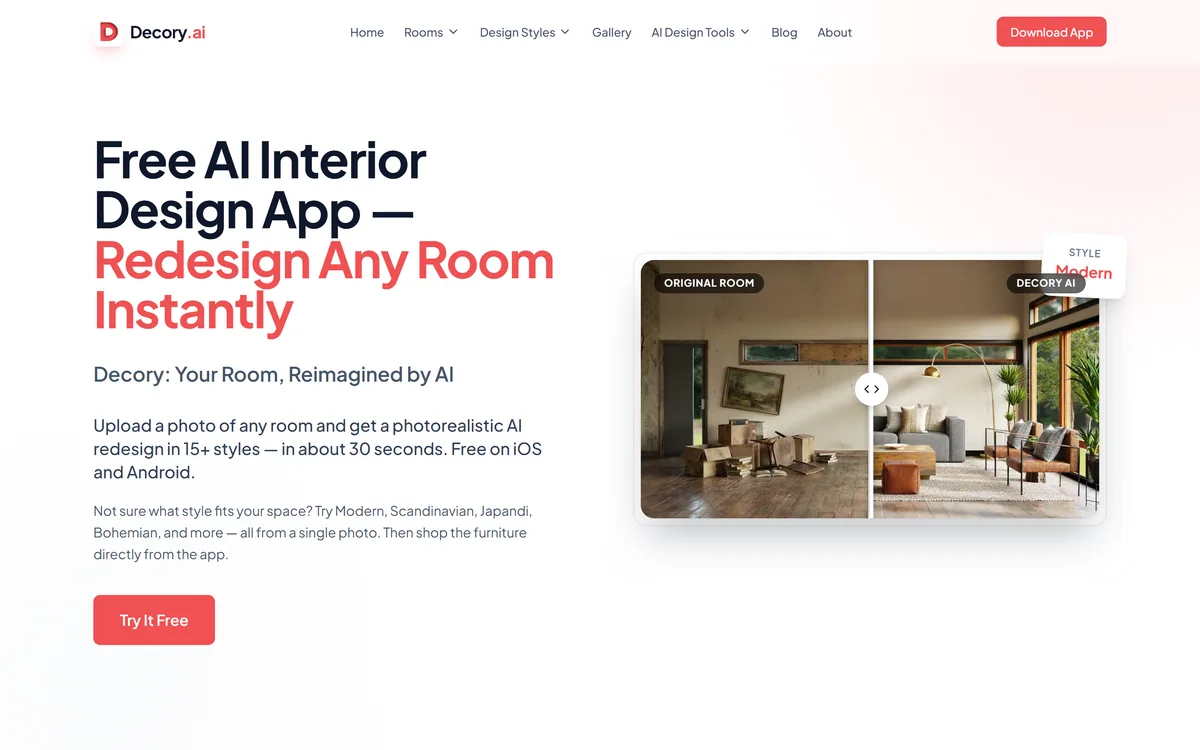
Decory's homepage, captured 9 September 2026, showing the room redesign flow and style options.
How Good Is A Thirty-Second Redesign?
Decory states that you upload a photo of any room and get a photorealistic AI redesign in 15+ styles in about 30 seconds, with 100+ design models behind it.
For the job of deciding, that is fast enough to change behaviour. Something that takes thirty seconds gets used fifteen times; something that takes a day gets used once, and once is not enough to discover what you actually like.
The value is comparative rather than aspirational. Seeing your room in Japandi, Industrial and Coastal side by side tells you something reliable about your own taste, and it tells you before any money has moved.
It also makes disagreement resolvable. Two people arguing about a room are usually imagining different things, and putting both versions on a screen collapses an argument into a preference.
What the image is not is a specification. Generated interiors take liberties with geometry, lighting and scale, so the room shown may not be buildable from the room photographed — which is why the picture is a prompt for a decision, not an instruction to a contractor.
Two people arguing about a room are usually imagining different things. Putting both versions on a screen collapses the argument into a preference.
Why Object Replacement Beats Full Redesign
Beyond whole-room redesigns, Decory offers replacing objects, removing objects, previewing flooring across ten styles, changing wall colours and paint, searching furniture with AI placement, and applying a reference image's style.
These narrower tools are the more useful half of the product, and it is worth understanding why.
A full redesign changes everything at once, which is beautiful and unactionable. Almost nobody replaces an entire room; they replace one sofa, or repaint, or change the floor.
Object-level tools answer the question people actually have. Would a darker floor make this room feel smaller? Does that sofa work against this wall? Those are decisions with a purchase attached, and they are answerable in an image.
Removing objects is the quietly clever one. Seeing your room without the thing you were unsure about is often the fastest way to learn whether it was the problem — the same reconstruction capability that video tools such as Clipfly apply to footage, pointed at a decision instead.
Fifteen Styles And Choosing Between Them
Decory names Modern, Scandinavian, Japandi, Bohemian, Industrial, Mid-Century Modern, Art Deco, Coastal and Farmhouse among 15+ styles.
Named styles are a good interface for a hard problem. Most people cannot describe what they want and can recognise it instantly, which is exactly the situation a menu of options solves.
They are also a constraint worth noticing. Style labels are commercial categories that flatten a great deal — Japandi in particular is a marketing coinage rather than a tradition — and generating within them produces rooms that look like the category rather than like you.
That is fine at the deciding stage and limiting afterwards. The reference-image feature matters here: applying the aesthetic of a photograph you found is closer to how taste actually forms than picking from a list.
The practical route is to use the named styles to narrow quickly, then switch to reference images to get specific. Broad first, then particular, which is the same order that works in most creative tooling — including palette work in tools like ColorKit, where extraction from a real image beats choosing from a menu.
Use the whole-room redesigns to decide, not to plan.
Spend most of your time in the object-level tools, which answer purchase questions.
Narrow with named styles, then get specific with reference images.
Photograph in daylight from a corner — input quality decides output quality.
Check any furniture you like actually exists before falling for the image.
Shopping The Furniture From The App
Decory states you can shop the furniture directly from the app, and lists furniture search with intelligent AI placement among its tools.
Connecting visualisation to purchase is the obvious commercial model here, and it is also the point at which a free app's incentives become worth understanding.
The useful version is real: seeing a specific purchasable item placed in your actual room removes the biggest uncertainty in furniture buying, which is scale. Most returns are about size rather than taste.
The version to be careful about is the generated one. If a redesign contains a beautiful chair that does not correspond to any product, you have been sold a feeling rather than an option, and the search results that follow are a substitute for the thing you fell in love with.
The question worth asking of any app in this category is whether recommendations are ranked by fit or by commercial relationship. That is rarely disclosed, and it changes what a suggestion means.
What A Generated Room Cannot Tell You
There are limits here that no amount of model quality resolves, and knowing them prevents expensive disappointment.
Dimensions are the first. A generated image does not measure your room, so a sofa that looks right may be forty centimetres too long, and the image will happily show it fitting.
Light is the second and the most underrated. A north-facing room and a south-facing one make the same paint colour look like two different colours, and a generated interior lights the scene to look good rather than to look accurate.
Structure is the third. Load-bearing walls, window positions, radiator placement, where the plugs are — the constraints that actually determine what is possible do not appear, and a redesign may quietly relocate a door.
None of that undermines the deciding use. It does mean that anything structural still needs measuring, and anything expensive still needs a sample on the wall in your own light before you commit.
Professional visualisation tools such as Collov AI sit at the other end of this trade, giving up speed and phone convenience for output closer to something you can hand to a contractor. Which end you want depends on whether you are deciding or specifying.
Getting A Usable Room Design
The way people waste time with these apps is generating forty gorgeous rooms and learning nothing, because nothing generated was tied to a decision.
This sequence starts from the decision and uses the app to answer it.
Photograph in daylight, from a corner, with the whole room in frame.
Generate three or four contrasting styles to find your direction quickly.
Switch to a reference image once you know roughly what you like.
Move to object-level tools for the actual decision — this floor, that sofa, this colour.
Measure anything you intend to buy, since the image does not.
Test paint with a physical sample in your own light before committing.
Decory: Redesign A Room From A Photo
Photo in, redesign out in about 30 seconds, across 15+ styles from Modern to Japandi.
Object-level tools — replace or remove furniture, change flooring, repaint walls, apply a reference style.
Free on iOS and Android, with 500,000+ downloads and a displayed 4.4 App Store rating.
Furniture search that places pieces in your space and links to shopping.
The AI Journey Inc., with 100+ design models stated.
Decory: App And Company
Operating company
The AI Journey Inc.
Product type
AI interior design app
Platforms
iOS and Android, with a web presence
Core flow
Upload a room photo, receive a photorealistic redesign
Speed
About 30 seconds, per the site
Styles
15+, including Modern, Scandinavian, Japandi, Bohemian, Industrial, Art Deco and Coastal
What we could not confirm: whether the app is free throughout or has paid tiers, since we did not read pricing in the stores; where uploaded room photos are processed and how long they are retained, which matters because they are pictures of your home; whether furniture recommendations are ranked by fit or by commercial relationship; which models generate the redesigns; whether the 4.4 rating matches the current store listing, since we read it as displayed on the vendor's page; and the company's location. We did not install the app or generate a redesign.
Editor's Verdict
3.8/5
The genuine value of AI interior visualisation is not the finished picture — it is finding out that you dislike a style before you have paid for it. Decory does that well: a photo in, fifteen styles out, thirty seconds each, on a phone, free. The object replacement and flooring preview tools are more useful than the full redesigns, because they answer questions you can actually act on. What keeps it mid-table is the gap every tool in this category has: a generated room is not a buildable plan, dimensions are not respected, and the furniture that made the image beautiful may not exist. AInexfinder Editor Score: 3.8/5.
Decory pricing
AInexfinder does not list plan prices or billing details. For current pricing, plans, and trials, visit the official Decory website.
Vendor pricing, credits, and billing policies change over time. Always confirm on the official site before you buy.
Frequently asked questions
What is Decory?
Decory is a free AI interior design app from The AI Journey Inc. that redesigns a photographed room in about 30 seconds across 15+ styles. It also replaces and removes objects, previews flooring and wall colours, and searches furniture with AI placement. It claims 500,000+ downloads.
How useful is a thirty-second redesign?
For deciding, very. Speed changes behaviour — something taking thirty seconds gets used fifteen times, and fifteen comparisons tell you something reliable about your own taste. Something taking a day gets used once, which is not enough to learn anything.
Can I build from a generated room?
No. Generated interiors take liberties with geometry, lighting and scale, so the room shown may not be buildable from the room photographed. Treat the image as a prompt for a decision, never as an instruction to a contractor.
Which tools are most useful?
The narrow ones. A full redesign changes everything at once, which is beautiful and unactionable — almost nobody replaces an entire room. Object replacement, flooring preview and wall colour answer questions with a purchase attached, which is what you can actually act on.
Why is object removal useful?
Because seeing your room without the thing you were unsure about is often the fastest way to learn whether it was the problem. It is the same reconstruction capability video tools use to remove objects from footage, pointed at a decision instead.
How should I choose a style?
Narrow with the named styles, then get specific with a reference image. Style labels are commercial categories that flatten a lot, and generating within them produces rooms that look like the category rather than like you. A photograph you found is closer to how taste actually forms.
Will the furniture in a redesign be real?
Not necessarily, and that is the thing to watch. If a generated room contains a beautiful chair corresponding to no product, you have been sold a feeling rather than an option — and the search results that follow are a substitute for the thing you liked.
Can it tell me if something will fit?
No — it does not measure your room. A sofa that looks right in the image may be forty centimetres too long, and the render will happily show it fitting. Measure anything you intend to buy, whatever the picture suggests.
Is it accurate about paint colours?
Treat it as directional only. A north-facing room and a south-facing one make the same colour look like two different colours, and generated interiors light a scene to look good rather than accurate. Test with a physical sample in your own light before committing.
How should I photograph the room?
In daylight, from a corner, with the whole room in frame. Input quality determines output quality more than any setting in the app, and a dark, cropped or angled photo produces a redesign that shares very little with the actual space.
Daniel reviews AI tools the slow way — by actually using them on real projects. His reviews cover what works, what breaks, and who each tool is genuinely a good fit for.
Daniel and the AInexfinder editorial team research Decory using public product information, listing evidence, and (when available) hands-on checks. Scores reflect listing completeness and transparency — not paid placement.
Listings may include affiliate or sponsored placements, which are labeled when present. Editorial scores and cons are not sold. See our affiliate disclosure and review methodology.
Snaptrude is an AI-native workspace for architecture covering site analysis, programming, massing, BIM and presentation in one connected model, converting massing into full BIM in a click and exporting to Revit and Rhino, with SOC 2 compliance and ring-fenced AI queries.
Ark Design AI automates floor plan generation and feasibility studies for multi-family and mixed-use development. It optimises unit mix for density, profitability and living standards, checks against local building code and ordinances for US projects, and produces area tables and feasibility reports. It holds a US patent.
Saleswise is an AI toolkit for real estate agents. It builds comparative market analyses with active and sold comps on an interactive map, virtually stages listing photos, generates marketing flyers, and writes listing descriptions, emails and blog posts — all on a single plan with unlimited usage.
Rodin (Hyper3D) is an AI 3D model generator that turns text prompts or a single image into detailed 3D assets, with 21 styles, generation controls, plugins for Blender, Unity and Unreal, an API and MCP, aimed at game, print, product and avatar creators.
Skybox AI by Blockade Labs generates 360-degree equirectangular panoramas and skyboxes with stated generation times as fast as 15 seconds, 32-bit HDRI export for scene lighting, a Unity plugin, MCP support and direct export to Blender and Unreal.