
Descript is a video and audio editor that works by editing a transcript — delete a sentence and the footage goes with it — plus Studio Sound, Eye Contact, filler-word removal, AI voices, avatars, and the Underlord assistant.
FreemiumVideo & Audio
Wondershare DemoCreator review on AInexfinder — freemium AI tool for Video & Audio. Features, pricing notes, and alternatives.
Wondershare DemoCreator is an all-in-one screen recorder and video editor designed for tutorials, software demos, online courses and presentations. It offers six recording modes and captures screen, webcam, microphone and system audio on separate tracks to simplify post-production, with output up to 4K resolution and high frame rates.
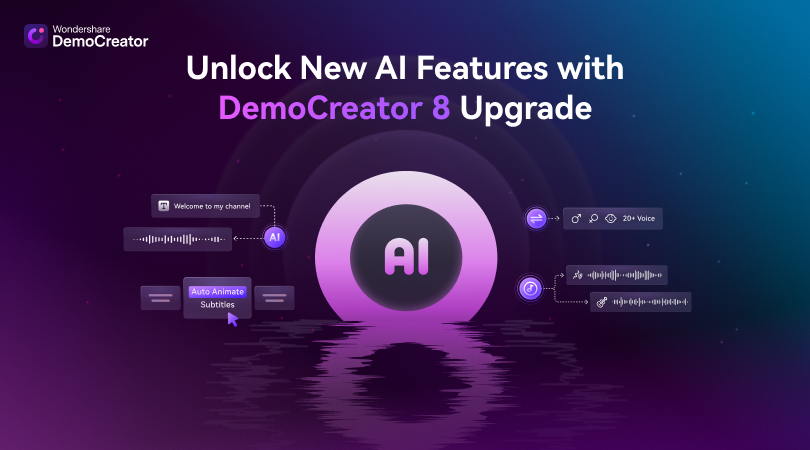
An AI Teleprompter helps presenters deliver scripts smoothly, while integrated AI tools include automatic subtitle generation from speech in 90-plus languages with animated subtitle templates, an AI Voice Cleaner, highlighted cursor effects, smart zoom and AI voice changing.
Editing happens on a multi-track timeline with mixing tools and a large asset library of effect packs, transitions, captions and sound effects, and AI background removal can isolate or replace subjects.
DemoCreator targets educators, trainers, product teams and creators who need to record and polish instructional or demo content in one app. It is a separate product from Wondershare Filmora and Virbo.
Strengths include the combined record-and-edit workflow, strong AI features for subtitles and audio, multi-track capture, and a rich asset library.
Trade-offs include a paid model for full features (with watermarks or limits on free use), a learning curve for the deeper editing tools, and a focus on screen-recorded content rather than cinematic production.
DemoCreator sits between a simple screen recorder and a full editor, which makes it a strong fit for course creators, software trainers and product teams who need to both capture and refine instructional content in one application rather than moving between separate recording and editing tools.
The separate-track capture of screen, webcam, microphone and system audio is a practical advantage in post-production, and AI features like automatic multilingual subtitles, smart zoom and the teleprompter directly address common pain points in tutorial production.
It runs on Windows and Mac and is a distinct product from Wondershare Filmora and Virbo.
The main considerations are that the most useful features require a paid license and the editing depth takes time to master, but for demo, tutorial and course content it is a capable, well-rounded option. Pricing changes often, so check the official site for current plans.
Wondershare DemoCreator is best suited for ai screen recorder and video editor for demos. Whether you are trying this kind of video & audio tool for the first time or use one every day, it is a credible option to shortlist — compare it with the alternatives and head-to-head comparisons linked on this page to find the best fit for your workflow and budget.
Multi-mode screen, webcam and audio recording
AI subtitles in 90+ languages
AI Teleprompter, smart zoom and cursor effects
AI voice cleaner and voice changer
Multi-track editor with large asset library
Wondershare DemoCreator has an AInexfinder Editor Score of 4.6/5.
AInexfinder does not list plan prices or billing details. For current pricing, plans, and trials, visit the official Wondershare DemoCreator website.
Visit official website for pricingVendor pricing, credits, and billing policies change over time. Always confirm on the official site before you buy.
Log in to write a review.
No reviews yet. Be the first to share your experience with Wondershare DemoCreator.
Assigned reviewer
Daniel ReedSenior AI Tools Reviewer
Daniel reviews AI tools the slow way — by actually using them on real projects. His reviews cover what works, what breaks, and who each tool is genuinely a good fit for.
Daniel and the AInexfinder editorial team research Wondershare DemoCreator using public product information, listing evidence, and (when available) hands-on checks. Scores reflect listing completeness and transparency — not paid placement.
Descript is a video and audio editor that works by editing a transcript — delete a sentence and the footage goes with it — plus Studio Sound, Eye Contact, filler-word removal, AI voices, avatars, and the Underlord assistant.
Vibrantsnap is an AI tool that turns a rough screen recording into a polished walkthrough: it rewrites your narration, reads it in a studio voice in any language, and auto-edits the video with zooms, chapters and captions.
Kapwing is a browser-based video studio combining a timeline editor, subtitler, audio editor and dubbing into 40+ languages with AI tools including Smart Cut, Trim with Transcript, B-Roll Generator, Clip Maker and Character Consistency. Made in San Francisco.
BlipCut translates and dubs video into more than 140 languages with AI lip synchronisation, so translated speech aligns with the speaker's mouth. It also clones voices in 29 languages, offers 600+ voices across 40+ languages, and generates, translates and edits subtitles from uploads or YouTube links.
VEED is an AI video-creation platform that takes an idea to a finished social video in the browser, bundling generation, AI avatars, subtitles, dubbing, clean audio and a brand kit, plus access to frontier models like Sora 2, Veo and Kling.
BIGVU is an AI personal-branding video platform with a teleprompter, AI avatars and voice cloning, auto-editing (caption, filler removal, eye-contact correction), and one-click social posting, aimed at realtors, coaches and marketers, with synthetic-media features that carry likeness and consent considerations.