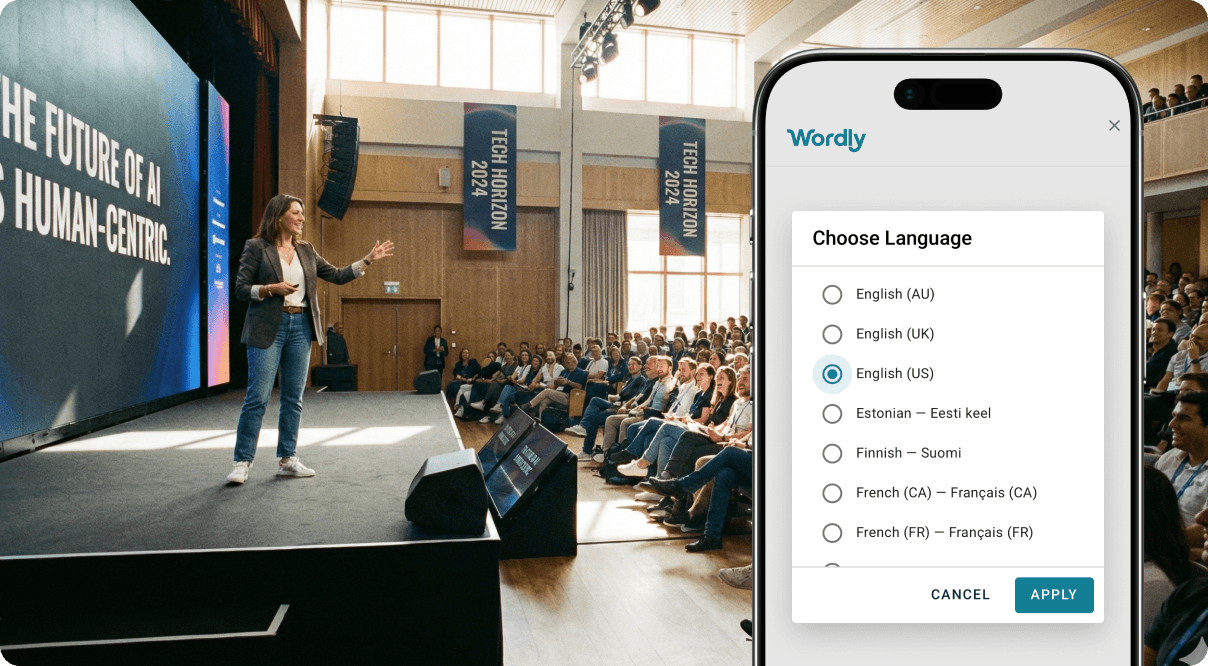
What is Wordly?
Wordly is an AI-powered translation and captioning platform that makes meetings, conferences and events accessible across many languages without hiring human interpreters.
It provides real-time two-way translation, live captioning, transcripts and post-event summaries, working across in-person, virtual and hybrid settings and integrating with Zoom, Microsoft Teams, Google Meet and Webex.
Attendees join simply by scanning a QR code or opening a link with no downloads required, then read translated captions or listen to translated audio in their preferred language.
The platform bundles four capabilities, translation, captions, transcripts and summaries, at a single hourly rate, and supports custom glossaries so specialized terminology and brand names stay accurate. Target users include corporations, associations, nonprofits, government agencies, educational institutions and event organizers that need multilingual access for diverse audiences.
Common use cases are global all-hands meetings, multilingual conferences, training sessions, town halls and worship services. Strengths include fast self-service deployment, broad language coverage, the all-in-one bundling of related features, and enterprise security certifications such as SOC 2 Type II and ISO 27001.
The company positions itself as a major cost saver versus human interpretation.
Drawbacks are that AI translation, while strong, can still struggle with heavy accents, crosstalk and highly nuanced or idiomatic speech where a human interpreter would do better, and the hourly model means costs scale directly with usage for very long or frequent events.
Pricing changes often, so check the official site for current plans. Wordly's core capabilities include Real-time two-way translation across many languages, Live captions, transcripts and summaries bundled, Integrations with Zoom, Teams, Meet and Webex, QR code or link access with no downloads and Custom glossaries for specialized terminology.
Real-time two-way translation across many languages is built in, Live captions, transcripts and summaries bundled is built in, Integrations with Zoom, Teams, Meet and Webex is built in, QR code or link access with no downloads is built in, so you get a rounded toolkit rather than a single trick.
Each feature is designed to take the manual effort out of the task and help you reach a usable result faster, which is what makes Wordly worth a place on your shortlist.
On the plus side, users consistently highlight Fast self-service setup for events of any size, All-in-one bundle of translation, captions and transcripts and Strong enterprise security and broad language coverage as the reasons they keep using Wordly.
It isn't perfect, though — Struggles with heavy accents, crosstalk and idioms and Hourly pricing scales with event length and frequency are the trade-offs people most often mention, so weigh those against your own priorities before you commit.
As with any AI tool, the output still benefits from a quick human review, but Wordly gets you most of the way there with far less effort. Wordly runs on a paid pricing model, aimed at users who want the full feature set without free-tier limits.
AI-tool pricing changes often, so always check the current plans, seats and add-ons on the official site for the latest details before you buy. Who is Wordly for? It's best suited for real-time ai translation and captioning for events.
Whether you're a beginner trying this kind of AI tool for the first time or a professional who'll use it every day, it's a credible option to consider.
If you're still deciding, compare Wordly against the alternatives and the head-to-head comparisons linked below — looking at features, pricing and real user ratings side by side is the fastest way to find the right fit for your workflow and budget.
Who is Wordly for?
Wordly is best suited for real-time ai translation and captioning for events. Whether you are trying this kind of productivity & automation tool for the first time or use one every day, it is a credible option to shortlist — compare it with the alternatives and head-to-head comparisons linked on this page to find the best fit for your workflow and budget.