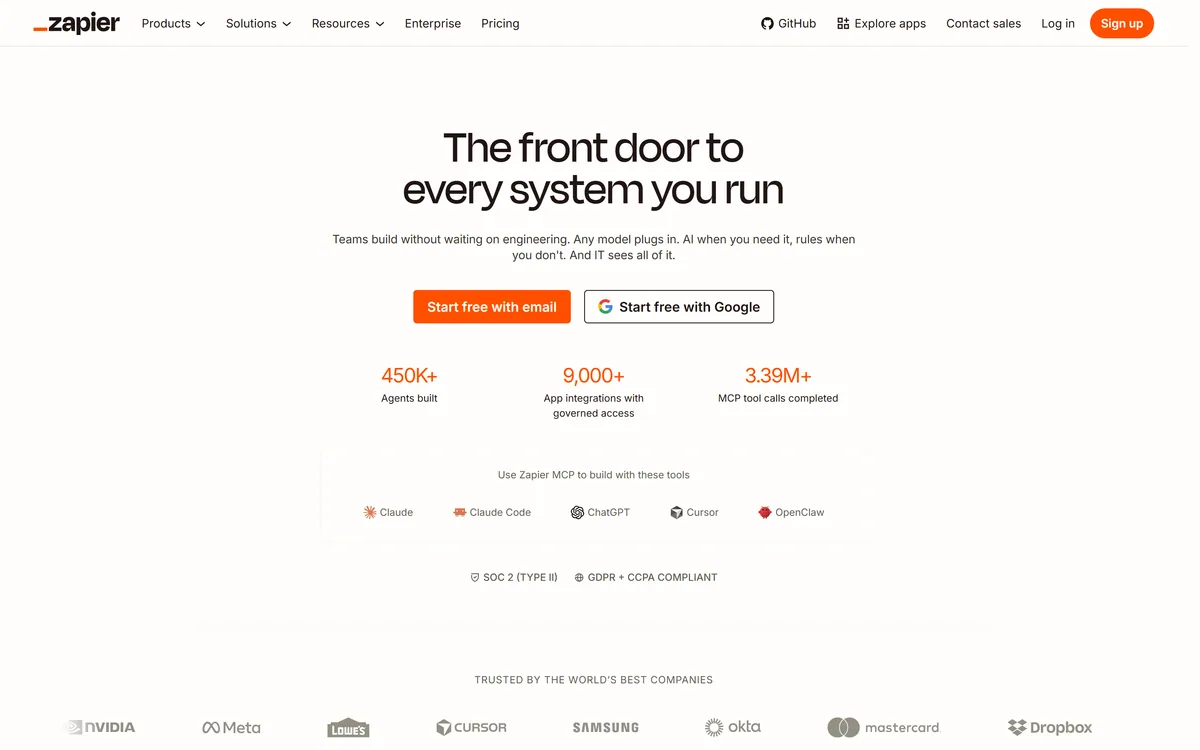
Zapier's AI layer adds agents and MCP tool access on top of its automation platform, connecting more than 9,000 apps with governed access so teams can mix AI decisions with deterministic rules under central oversight.
Zapier Inczapier.com98,017 viewsAdded May 9, 20252.2M+ visitors
Zapier connects applications so work moves between them without a person copying it across. That has been true for years; what changed is that AI now sits inside those connections.
The current positioning is explicit about the balance: any model plugs in, AI is used when you need it and fixed rules when you do not, and IT can see all of it. That last clause is the one that gets Zapier into large organisations.
This review covers the AI agents, the MCP server that lets assistants act through Zapier, how to decide between AI and deterministic steps, and where the costs and failure modes are.
Zapier now leads with agents and governance rather than with its original trigger-and-action Zaps.
Zapier AI By The Numbers
Category
Automation platform with an AI agent layer
App reach
More than 9,000 app integrations with governed access
Agents built
450,000+, per Zapier's own homepage figure
MCP usage
3.39 million+ MCP tool calls completed
MCP clients
Zapier lists Claude, Claude Code, ChatGPT, Cursor, and OpenClaw
Model policy
Any model plugs in — AI where you want it, rules where you do not
Zapier's classic automation is deterministic — a trigger fires, defined actions run, and the same input always produces the same output. AI agents are probabilistic; they decide what to do based on the situation.
Getting this choice right is most of the skill. Anything with a correct answer every time — copy this field, file this record, notify this channel — should stay a rule. Automation that quietly does something different each run is a liability, not a feature.
Agents earn their place where the input varies and judgement is required: triaging inbound messages, categorising unstructured requests, deciding which of several paths a case belongs on. Zapier's own framing, AI when you need it and rules when you do not, is the correct instinct.
The 9,000-App Advantage
Zapier's integration catalogue is its moat, and by its own figures it spans more than nine thousand applications with governed access.
This matters more for AI than it did for automation. An agent that can reason but cannot act is a chat window; an agent wired into nine thousand systems can actually complete work.
Breadth also covers the long tail. Every organisation runs at least one obscure tool that no other automation platform supports, and that single gap is usually what decides the purchase.
Zapier's own figure of more than 450,000 agents built suggests the agent layer is being used at scale rather than experimented with, which is a reasonable signal that the integrations behind it hold up under real load.
Zapier Against Code And Rival Platforms
Against writing your own integrations, Zapier trades efficiency for reach. A hand-built integration between two systems will be cheaper and faster at high volume; Zapier wins when you have thirty such connections and no engineering time to spend on any of them.
Against other automation platforms, the differentiator is almost always catalogue size rather than features. Most competitors handle the common integrations perfectly well and fall down on the one unusual tool your finance team depends on.
The pragmatic pattern many teams settle on is both: custom code for the few high-volume paths that justify the engineering, and Zapier for the long tail everything else lives in.
Zapier MCP: Letting Assistants Act
Zapier's MCP server exposes its integrations to AI assistants, so a model can carry out real actions across your connected apps rather than only describing what to do.
Zapier lists Claude, Claude Code, ChatGPT, Cursor, and OpenClaw among the clients that connect this way, and cites more than 3.39 million MCP tool calls completed.
This is a genuine shift in where automation lives. Instead of building a Zap in advance, you ask an assistant to do something and it uses Zapier as its hands. Whether that suits you depends entirely on how comfortable you are with actions decided at runtime.
Governance Is The Enterprise Story
The homepage line "IT sees all of it" is aimed squarely at the shadow automation problem. Individual employees wiring up business-critical processes with no oversight is a real risk, and it is how most organisations first adopt Zapier.
Governed access, central visibility, SOC 2 Type II certification, and GDPR and CCPA compliance are what convert that sprawl into something a security team will sign off.
The named customer list reflects it — NVIDIA, Meta, Lowe's, Samsung, Okta, Mastercard, and Dropbox among them. These are organisations where an ungoverned integration layer would not survive review.
Where The Costs Bite
Zapier is priced around task volume, and that is where budgets go wrong. A workflow that seems trivial can consume an enormous number of tasks once it runs against real data volumes.
AI steps compound this, because agent runs cost more than simple actions and their usage is harder to predict than a fixed rule's.
The common failure is building something that works beautifully in testing and then discovering the monthly cost at production volume. Estimate task counts against real throughput before committing a critical process to it.
Reliability And What Breaks
Zapier depends on the APIs it connects to, so when a vendor changes an endpoint or rate-limits you, your automation breaks for reasons entirely outside Zapier's control.
Debugging across systems is genuinely harder than debugging code. A failure can sit in the trigger, the transformation, the destination app's validation, or an agent's decision, and error messages rarely say which.
Agent steps add a further category: output that is wrong rather than absent. A failed action alerts you; a plausible but incorrect decision propagates quietly, which is why the rules-versus-agents choice deserves care.
Building Automations That Survive
Start with rules and add AI only where the input genuinely varies. Most workflows people build as agents would be more reliable and cheaper as deterministic steps.
Add explicit error handling and notification paths. Silent failure is the default state of automation, and a broken workflow nobody notices for three weeks is worse than no workflow.
Document what each automation does and who owns it. Zapier makes it easy for one person to build a process the whole team then depends on — and impossible for anyone to maintain it after that person leaves.
Before enabling MCP access, decide what an assistant is allowed to do. Read access and write access to nine thousand applications are very different propositions.
Where Zapier AI Lands
Zapier remains the most practical way to connect systems that were never designed to talk to each other, and the AI layer has extended that from moving data to making decisions about it.
Choose it when your work spans many tools, when non-engineers need to build automation, or when you want AI assistants to take real actions under central oversight. Look elsewhere if your integrations are few and high-volume, where custom code will be cheaper and more reliable at scale.
There is a free plan, which is enough to test a workflow end to end. Check zapier.com for current task limits before moving anything critical onto it.
Key features of Zapier AI
AI agents that decide actions based on varying input
Deterministic Zaps for work with one correct outcome every time
More than 9,000 app integrations with governed access
Zapier MCP server letting AI assistants act across connected apps
Model-agnostic — any model can plug into the workflow layer
Central IT visibility over what automations exist and what they do
SOC 2 Type II certification with GDPR and CCPA compliance
Pros & cons
Pros
5
Unmatched integration breadth, including the obscure tools rivals miss
AI and deterministic rules coexist, so you only take risk where it pays
MCP support turns assistants into something that can actually complete work
Governance controls convert shadow automation into a reviewable system
Non-engineers can build genuinely useful workflows without waiting on IT
Cons
5
Task-based pricing scales painfully once real data volumes arrive
Agent steps cost more and consume far less predictably than fixed rules
Breaks when third-party APIs change, for reasons outside Zapier's control
Cross-system debugging is harder than debugging equivalent code
Agents can fail quietly with plausible but wrong decisions
Best For
Teams stitching together many SaaS tools without engineering support
Operations teams triaging varied inbound requests
Organisations that need automation with central IT oversight
Anyone giving an AI assistant the ability to act in real systems
Companies whose stack includes tools no other platform integrates with
Editor's Verdict
4.6/5
Zapier AI has an AInexfinder Editor Score of 4.6/5.
Zapier AI pricing
AInexfinder does not list plan prices or billing details. For current pricing, plans, and trials, visit the official Zapier AI website.
Vendor pricing, credits, and billing policies change over time. Always confirm on the official site before you buy.
Frequently asked questions
When should I use a Zapier AI agent instead of a normal Zap?
Use a normal Zap whenever there is one correct outcome every time — copying a field, filing a record, sending a notification. Use an agent only when the input genuinely varies and judgement is needed, such as triaging or categorising unstructured requests.
What is Zapier MCP?
A server that exposes Zapier's integrations to AI assistants so they can take real actions across your connected apps. Zapier lists Claude, Claude Code, ChatGPT, Cursor, and OpenClaw among the clients, and cites more than 3.39 million MCP tool calls completed.
How many apps does Zapier connect to?
More than 9,000, with governed access. That breadth is its main advantage, and it matters most for the long-tail tools that no other automation platform supports.
Is Zapier safe for enterprise use?
It holds SOC 2 Type II certification and states GDPR and CCPA compliance, with central IT visibility over what automations exist. Named customers include NVIDIA, Meta, Samsung, Okta, Mastercard, and Dropbox.
Why do Zapier costs rise unexpectedly?
Pricing is based on task volume, and a workflow that looks trivial in testing can consume a large number of tasks against real data. AI agent steps cost more and are less predictable, so estimate against real throughput before going live.
What usually breaks a Zapier automation?
Changes at the other end. Zapier depends on third-party APIs, so an endpoint change or a rate limit breaks your workflow for reasons outside its control. Build explicit error handling — silent failure is automation's default state.
Is Zapier free?
There is a free plan, enough to test a workflow end to end. Check zapier.com for current task limits before moving a business-critical process onto it.
Daniel reviews AI tools the slow way — by actually using them on real projects. His reviews cover what works, what breaks, and who each tool is genuinely a good fit for.
Daniel and the AInexfinder editorial team research Zapier AI using public product information, listing evidence, and (when available) hands-on checks. Scores reflect listing completeness and transparency — not paid placement.
Listings may include affiliate or sponsored placements, which are labeled when present. Editorial scores and cons are not sold. See our affiliate disclosure and review methodology.
CrewAI is an enterprise platform to build and run AI agents: a Discovery layer that finds automation opportunities, a no-code canvas and code-first Python API for building role-based multi-agent workflows, and a control plane that adds tracing, RBAC, audit and human-in-the-loop approvals.
Kuse is an AI workspace from Kuse Inc. built around scheduled workflows: describe a recurring task in plain language, connect the apps it touches, and let it run. It also generates websites, documents, presentations and spreadsheets, with several model families available.
Axiom is a browser-automation and web-scraping platform you can build no-code in a Chrome extension, script in your IDE, or drive agentically through Claude and MCP, running on cloud browsers or your own machine for scrapers, form-fillers, monitors and scheduled workflows.
Formless by Typeform is a conversational AI form builder. Trained on your own data, it asks questions in natural language and answers the respondent's questions back, adapts its path without branching logic, and supports over 120 languages.
Browser Use is an open-source project (117k GitHub stars, MIT) offering AI agents that complete web tasks and a simple remote browser infrastructure for your own agents, benchmark-led, pay-as-you-go, with MCP, form-filling and login automation, usable in the cloud or self-hosted.
Fillout is a form builder that also handles scheduling, payment collection, PDF generation, e-signatures and workflow routing. Forms can be fully white-labelled down to the favicon, served from your own domain, embedded four ways, and made editable by respondents through login forms.