Browser Use is an open-source project (117k GitHub stars, MIT) offering AI agents that complete web tasks and a simple remote browser infrastructure for your own agents, benchmark-led, pay-as-you-go, with MCP, form-filling and login automation, usable in the cloud or self-hosted.
browser-use.com6 viewsAdded May 6, 20266K visitors
A huge amount of real work is just a browser being driven, and AI agents are increasingly the thing driving it. Browser Use is one of the most-starred open-source projects in that space, and now a commercial offering too.
It is two linked things: Browser Use Agents that complete web tasks, and Browser Infrastructure, a simple remote browser for your own agents, open source (MIT, 117k stars), benchmark-led and pay-as-you-go, with MCP, form-filling and login automation. It sits alongside browser-automation tools like Axiom.ai, distinguished by its open-source roots and published benchmarks.
This review covers how Browser Use gets a task done, who it suits, how it prices runtime, and the responsible-use line around automation that any buyer should understand.
Browser Use is the widely-starred open-source project for agents that drive the browser.
Browser Use, The Fast Brief
Browser Use is two things: AI agents that finish web tasks, and remote browser infrastructure for your own agents.
It is open source and widely used: 117k GitHub stars, MIT licensed, run in the cloud or on your own machine.
It is benchmark-led: it publishes task-success and cost comparisons rather than only marketing claims.
A ToS caveat applies: browser automation, captcha solving and anti-detect features can conflict with site terms.
Agents That Use The Browser, Plus Infrastructure For Yours
Browser Use splits into two offerings that share a core. The first, Browser Use Agents, is an agent that finishes a browser task end to end. The second, Browser Infrastructure, is a remote browser you point your own agents at, the plumbing rather than the brain.
That split matters because it serves two audiences: people who want a task done, and developers building their own agents who need a reliable remote browser to run them on. Few tools serve both from one project.
Its credibility rests partly on being open source, one of GitHub's most-starred projects, MIT licensed, runnable in the cloud or on your own machine, which is a stronger trust signal than marketing alone, and on publishing benchmarks rather than only claims.
It serves two audiences from one project: people who want a browser task done, and developers who need a reliable remote browser to run their own agents on.
How Does Browser Use Get A Task Done?
The agents do the task; the infrastructure runs it; and both come with benchmarks and a caveat.
Agents And Remote Browser Infrastructure
Browser Use Agents complete tasks like data extraction, shopping and checkout, booking, research and form filling, while Browser Infrastructure gives your own agents a remote browser over a CDP-compatible interface, with MCP, proxies and a web agent API. A no-code-to-code automation tool like Axiom.ai covers a similar space; Browser Use leans open-source and agent-native.
That CDP-compatibility means existing Playwright or Puppeteer code can drive it, so it fits developers' existing tooling rather than demanding a rewrite.
Open Source, Benchmarks And The ToS Caveat
Browser Use publishes benchmarks, task-success rates and cost-per-task against other models, and protected-site reach against other infrastructure providers, which is a more honest way to compete than adjectives. It is MIT licensed, so you can inspect and self-host it.
The caveat to state plainly: its listed capabilities include captcha solving and an anti-detect browser, and browser automation generally can conflict with a target site's terms of service. Whether a given automation is permitted and lawful is the user's responsibility, as it is for any tool in this space, including an agent platform like Ema.
Who Browser Use Suits Among Builders
Browser Use suits developers and teams building AI agents that need to act on the web, who want either a ready agent or a reliable remote browser to run their own, and who value open source and published benchmarks over vendor promises.
It also suits anyone automating repetitive web tasks, extraction, form filling, monitoring, at a scale where a reliable, cheap remote browser matters, and coding-agent builders who need a browser their agent can drive. The pay-as-you-go, no-subscription model suits spiky, experimental use. Builders often pair the browser layer with a model host like Replicate, running the agent's models there while Browser Use handles the web actions.
It suits less well a non-technical user wanting a fully managed, no-code automation with support, where a more hand-held tool fits better, and anyone whose use would clearly breach target-site terms, which is on the user to avoid.
How Browser Use Prices Its Runtime
Browser Use is pay-as-you-go: credits with no subscription and no expiry, with browser time billed per hour and agents billed at model cost plus a margin. Self-hosting the open-source project is free beyond your own compute. We do not reproduce rates, which change; check the site.
That usage model fits agent work well, you pay for what you run, and the open-source option means you can avoid per-use fees entirely by running it yourself if you have the capability.
The honest way to size cost is to run your real agent workload for a period and read the bill, since it depends heavily on task complexity, how long the browser runs, and the model behind your agent.
A Cautious Way To Trial Browser Use
Because browser automation touches other people's sites, trial Browser Use on permitted tasks, with the ToS line respected.
Decide whether you want the ready agent or infrastructure for your own, and start free.
Run a real, permitted task, extraction or form filling, and judge the task-success and reliability.
If you build agents, point existing Playwright/Puppeteer code at the remote browser via CDP.
Check the published benchmarks against your own results rather than assuming them.
Confirm every automation is allowed under the target site's terms before scaling it.
Pass/fail: Browser Use is worth it if it completes your permitted tasks reliably and cheaply.
Avoid captcha-bypass or anti-detect use that breaches a site's terms; that responsibility is yours.
Browser Use Agent Terms
Browser agent
An AI agent that drives a web browser to complete a task, clicking, typing and navigating like a person.
CDP
The Chrome DevTools Protocol, which lets tools like Puppeteer and Playwright, and Browser Use, control a browser programmatically.
Remote browser
A browser running on a server that your agent drives, so you do not manage local browser instances.
MIT licence
A permissive open-source licence; Browser Use is MIT licensed, so you can inspect, modify and self-host it.
Is Browser Use The Right Layer?
Builders Browser Use Fits
Developers building agents that act on the web
Teams wanting a reliable remote browser for their agents
People who value open source and published benchmarks
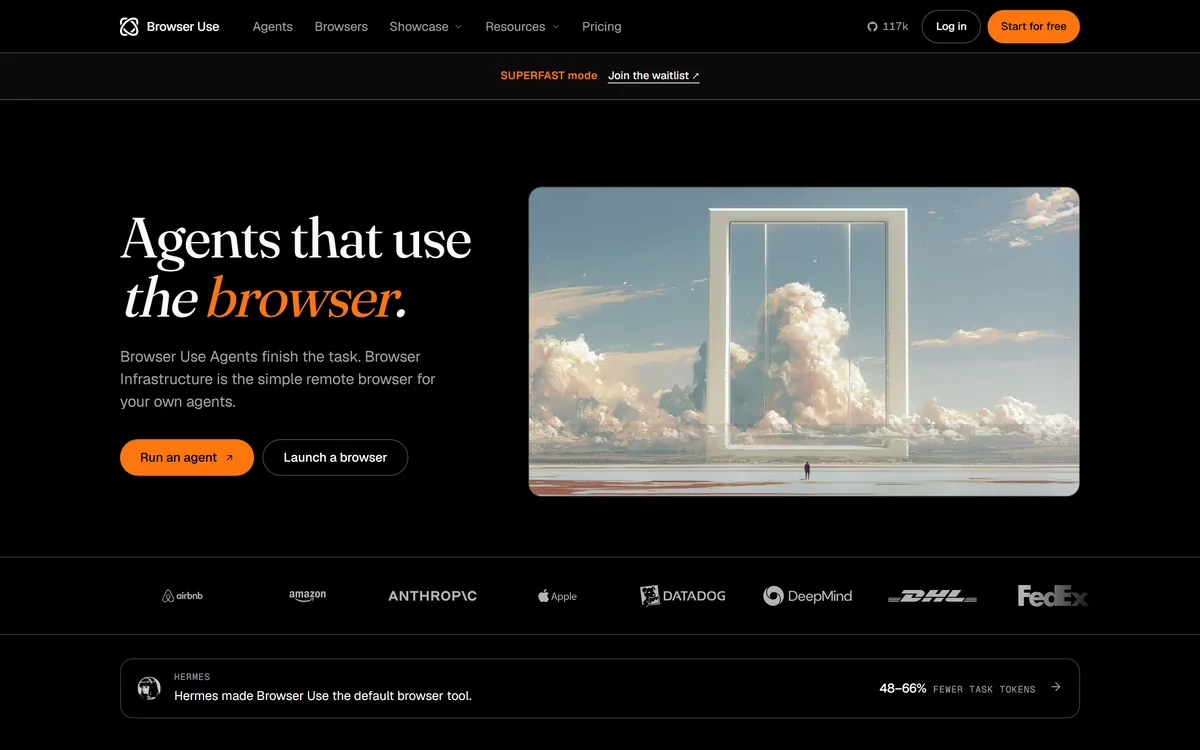
Last checked . Read from browser-use.com during this check, with the screenshot above captured at the same time.
Open-source browser agents plus remote browser infrastructure
A stated 117k GitHub stars and MIT licence
Published task-success and cost benchmarks
A CDP-compatible remote browser, drivable from Playwright/Puppeteer
MCP, a web agent API, proxies and form/login automation
Cloud or self-hosted operation
Pay-as-you-go credits with no subscription
Listed capabilities including captcha solving and anti-detect
No rates reproduced here, in line with this site's pricing policy
Browser automation, including captcha solving and anti-detect features, can conflict with a site's terms of service; whether a given automation is permitted and lawful is the user's responsibility. Benchmarks are vendor-published; verify on your own tasks.
Other Browser And Automation Tools
A no-code/code automation tool, an enterprise agent platform and a model host to weigh alongside Browser Use.
Browser Use earns 4.2 as a credible, open-source take on browser automation: AI agents that finish web tasks and remote browser infrastructure for your own, MIT licensed with huge adoption, pay-as-you-go, and benchmark-led rather than relying on adjectives. It is for builders rather than hand-held no-code users, and its captcha and anti-detect features put the responsibility to respect each site's terms squarely on the user. AInexfinder Editor Score: 4.2/5.
Browser Use pricing
AInexfinder does not list plan prices or billing details. For current pricing, plans, and trials, visit the official Browser Use website.
Vendor pricing, credits, and billing policies change over time. Always confirm on the official site before you buy.
Frequently asked questions
What is Browser Use?
Browser Use is an open-source project (MIT, 117k GitHub stars) offering two things: Browser Use Agents that complete web tasks end to end, and Browser Infrastructure, a simple remote browser for your own agents. It is benchmark-led, pay-as-you-go, with MCP, form-filling and login automation, usable in the cloud or self-hosted.
Is Browser Use open source?
Yes. It is MIT licensed and one of GitHub's most-starred projects, so you can inspect, modify and self-host it, running it on your own machine rather than only the cloud. That open-source foundation is a stronger trust signal than marketing claims alone.
Does Browser Use raise terms-of-service concerns?
It can. Browser automation generally, and its listed captcha-solving and anti-detect capabilities specifically, can conflict with a target site's terms of service. Whether a given automation is permitted and lawful is the user's responsibility, so check each site's terms before automating against it.
What's the difference between the agents and the infrastructure?
Browser Use Agents finish a task for you, the brain. Browser Infrastructure is a remote browser your own agents drive, the plumbing. People who want a task done use the first; developers building their own agents who need a reliable remote browser use the second.
Can I use my existing Playwright code with Browser Use?
Yes. Its remote browser is CDP-compatible, so existing Playwright or Puppeteer code can drive it, and it offers MCP and a web agent API. That means it fits developers' existing tooling rather than requiring a rewrite to adopt.
How is Browser Use priced?
It is pay-as-you-go: credits with no subscription and no expiry, browser time billed per hour and agents at model cost plus a margin. Self-hosting the open-source project is free beyond your own compute. We do not publish rates; test your real workload to gauge cost.
Are Browser Use's benchmarks reliable?
They are vendor-published, task-success and cost comparisons against other models and infrastructure providers, which is a more honest way to compete than adjectives, but still the vendor's own tests. Verify them against your own tasks rather than assuming the same results.
Who is Browser Use for?
Developers and teams building AI agents that act on the web, who want either a ready agent or a reliable remote browser for their own, and who value open source and benchmarks. It is less suited to non-technical users wanting fully managed, supported no-code automation.
Can I self-host Browser Use?
Yes. Because it is MIT-licensed open source, you can run it on your own machine or infrastructure rather than paying for the cloud, which avoids per-use fees if you have the capability. The cloud option exists for convenience and scale.
What can Browser Use agents do?
Common tasks include data extraction, shopping and checkout, travel and booking, research, testing and QA, and form filling and login automation. As with any browser automation, confirm each task is permitted under the relevant site's terms before running it at scale.
Daniel reviews AI tools the slow way — by actually using them on real projects. His reviews cover what works, what breaks, and who each tool is genuinely a good fit for.
Daniel and the AInexfinder editorial team research Browser Use using public product information, listing evidence, and (when available) hands-on checks. Scores reflect listing completeness and transparency — not paid placement.
Listings may include affiliate or sponsored placements, which are labeled when present. Editorial scores and cons are not sold. See our affiliate disclosure and review methodology.
CrewAI is an enterprise platform to build and run AI agents: a Discovery layer that finds automation opportunities, a no-code canvas and code-first Python API for building role-based multi-agent workflows, and a control plane that adds tracing, RBAC, audit and human-in-the-loop approvals.
Axiom is a browser-automation and web-scraping platform you can build no-code in a Chrome extension, script in your IDE, or drive agentically through Claude and MCP, running on cloud browsers or your own machine for scrapers, form-fillers, monitors and scheduled workflows.
Kuse is an AI workspace from Kuse Inc. built around scheduled workflows: describe a recurring task in plain language, connect the apps it touches, and let it run. It also generates websites, documents, presentations and spreadsheets, with several model families available.
Formless by Typeform is a conversational AI form builder. Trained on your own data, it asks questions in natural language and answers the respondent's questions back, adapts its path without branching logic, and supports over 120 languages.
Zapier's AI layer adds agents and MCP tool access on top of its automation platform, connecting more than 9,000 apps with governed access so teams can mix AI decisions with deterministic rules under central oversight.
Fillout is a form builder that also handles scheduling, payment collection, PDF generation, e-signatures and workflow routing. Forms can be fully white-labelled down to the favicon, served from your own domain, embedded four ways, and made editable by respondents through login forms.