Formless by Typeform is a conversational AI form builder. Trained on your own data, it asks questions in natural language and answers the respondent's questions back, adapts its path without branching logic, and supports over 120 languages.
formless.ai7 viewsAdded January 19, 20267K visitors
Every form ever built has the same asymmetry: it asks, you answer, and if you have a question there is nowhere to put it.
That is fine for a support ticket and quietly expensive for a sales enquiry, because the person filling it in frequently has a question that determines whether they finish at all — does this work with our stack, do you cover our region, is this even the right product.
Formless, built by Typeform, is a form that can answer. It is trained on your own data, so a respondent can interrupt with a question and get a real reply before continuing, and that single inversion is what the product is actually about.
The Two-Way Form In Five Lines
It answers as well as asks — Formless is trained on your data, so respondents can ask it questions mid-form and get a real answer.
No branching logic to maintain: the form adapts its path conversationally rather than through conditional trees you have to build and debug.
Over 120 languages, which means one form rather than one per market.
Built by Typeform, which brings a decade of form design behind it rather than a standing start.
Embeds in multiple formats and integrates with HubSpot, Google Sheets, Mailchimp, Slack, Pipedrive and Zapier.
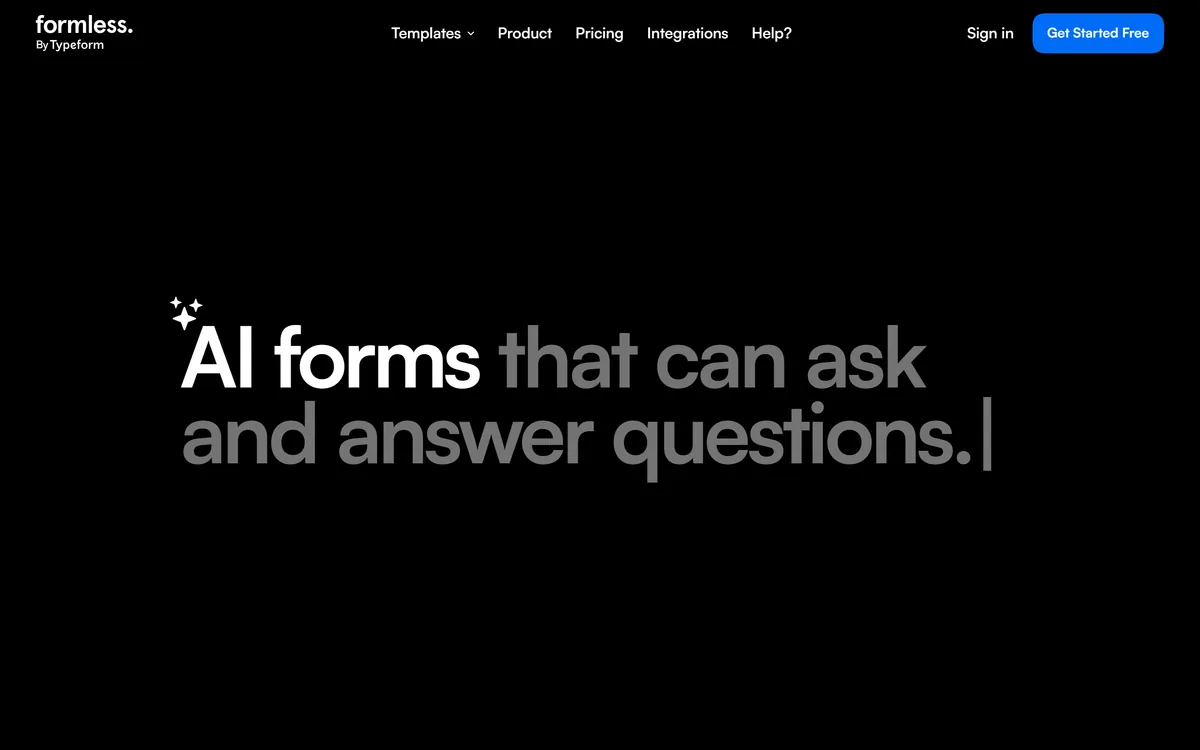
The Formless homepage, captured 9 September 2026. The two-way conversation framing is the product's central claim.
Formless: Product And Publisher
Publisher
Typeform
Product type
AI conversational form builder
Core idea
A form that both asks and answers questions
Training
Trained on your own data to answer respondent questions
Logic
Flexible adaptation without complex branching trees
Languages
Over 120 supported
Embedding
Multiple embed formats
Integrations
HubSpot, Google Sheets, Mailchimp, Slack, Pipedrive, Zapier
Formless is described as an AI-powered form that asks and answers questions, trained on your data. The second half is the part worth dwelling on.
Consider what happens on a normal enquiry form when a prospect hits a question the form does not address. They guess, they abandon, or they submit a vague answer that makes the lead harder to qualify. All three are losses, and only the second is visible in your analytics.
A form that answers converts that moment into a conversation. The prospect asks whether you support their integration, gets an accurate answer from your own material, and either continues with confidence or self-disqualifies — and a fast self-disqualification is a genuinely good outcome for both sides.
It also changes what a form is for. A form is normally a data-collection instrument; this is closer to a first-line sales conversation that happens to produce structured data at the end.
The dependency is your source material. Trained on your data means the answers are only as good, current and complete as what you gave it, and an out-of-date document becomes an out-of-date answer given directly to a customer with your name on it. That is a maintenance obligation, not a one-time setup.
The nearest neighbour is not another form builder but a chat agent. Chatbase answers questions from your content without collecting structured data; this collects the data and answers questions as a consequence.
A form that answers converts abandonment into conversation — and a fast self-disqualification is a good outcome, not a lost one.
Why Removing Branching Logic Matters More Than It Sounds
Formless offers flexible logic without complex branching, and anyone who has maintained a large conditional form will recognise the problem being solved.
Branching logic starts simple and compounds. Three conditions are manageable; fifteen conditions interacting across twenty questions produces a structure nobody fully understands, including the person who built it. Paths go untested, dead ends appear, and the form silently breaks for some segment of respondents.
It is also why forms stop being updated. The cost of changing a heavily branched form is not the edit — it is re-verifying every path the edit might have affected, which is why so many organisations run forms that are two product cycles out of date.
Conversational adaptation sidesteps the structure entirely. The form decides what to ask next from what has been said, rather than from a tree you drew in advance.
The trade is determinism, and it is worth naming. A branched form is auditable — you can prove which questions a given respondent saw. A conversational one is harder to pin down, which matters if your questions are regulated, contractual or need to be identical for every applicant.
Where Do Conversational Forms Beat Ordinary Ones?
The honest position is that this is not better than a normal form. It is better at some jobs and worse at others, and the difference is predictable enough to decide in advance.
It wins where the respondent has questions, where the right next question depends on context, and where the interaction is itself part of the sale. Inbound lead capture, contact-sales flows, quote generation and complex job applications all fit that description.
It loses where the respondent already knows exactly what they want to give you. Someone submitting a support ticket with an order number does not want a conversation — they want four fields and a submit button, and making that slower is a worse experience however well it is done.
Speed is the specific cost. Conversational interfaces are inherently slower than a form you can scan, tab through and complete in twenty seconds, and that gap is widest for exactly the motivated respondents you least want to annoy.
The templates Formless publishes reflect this well. Inbound leads, contact sales, feedback, quizzes, quote generators and job applications are all cases where the extra time buys something — which is a more disciplined product position than claiming to replace every form you have.
For a conventional form built quickly, Makeform is the lighter answer, and for ongoing feedback programmes a survey platform such as SurveySparrow is designed around a different rhythm entirely.
Use it for lead capture and contact-sales flows, where questions block completion.
Use it for quote generation, where the right questions genuinely depend on earlier answers.
Keep a plain form for support tickets and anything a respondent completes in under a minute.
Keep a plain form where every applicant must see identical questions for compliance reasons.
Review the training material on a schedule, since stale sources become wrong answers to customers.
Languages, Embedding And What Reaches Your Stack
Formless supports over 120 languages, and the operational meaning of that is one form rather than a form per market.
Multilingual forms are normally maintained as separate assets, which means every product change becomes a translation project and the versions drift apart. A single form that adapts to the respondent's language removes an entire maintenance category.
The caution is the same as anywhere else in the product: if the form answers questions in a language your source material is not written in, it is translating your content on the fly. That is usually fine and occasionally not, particularly for anything with legal or pricing implications, so spot-check the languages that actually matter to you.
On distribution, Formless embeds in multiple formats rather than only linking out, which matters because an embedded form on the page converts better than one behind a click.
Integrations cover HubSpot, Google Sheets, Mailchimp, Slack, Pipedrive and Zapier — CRM, spreadsheet, email, notification and the catch-all. That set is well chosen: it means a conversational lead lands in the same place as every other lead, rather than in a silo somebody has to check.
A lead landing in your CRM is only the start of the pipeline. Enrichment tools such as Clay and outbound platforms like Instantly pick up from there.
Setting It Up Without Creating A Liability
The setup risk here is not technical. It is that you have connected a system trained on your material directly to prospects and given it permission to speak.
Treat the training corpus as published customer-facing copy, because functionally that is what it now is.
Audit what you feed it before connecting anything, and remove internal, outdated or unapproved documents.
Test it adversarially with the questions your sales team actually gets, including the awkward ones about pricing and competitors.
Check what it says when it does not know, since a confident wrong answer is worse than a referral to a human.
Verify the integration path end to end so conversational leads land in your CRM alongside everything else.
Spot-check answers in the two or three languages that matter most to your business.
Put the training material on a review schedule tied to product releases, not to whenever someone remembers.
Formless Or A Plain Form?
Reach for Formless when
Prospects abandon your enquiry form because it cannot answer their question.
Your branching logic has grown past the point where anyone fully understands it.
You operate across languages and maintain a separate form for each market.
The right next question genuinely depends on what was just said, as in quoting.
You want qualification to happen during capture rather than afterwards.
Use a normal form when
The respondent already knows exactly what to give you, as in a support ticket.
Speed of completion is the priority and a conversation would only slow it down.
Compliance requires every respondent to see identical questions in a fixed order.
You have no current, accurate source material to train it on.
Nobody will own keeping that material up to date after launch.
Key features of Formless
Conversational forms that answer respondent questions as well as asking their own
Trained on your own data so answers come from your material
Path adaptation without building or maintaining branching logic
Support for over 120 languages from a single form
Multiple embed formats for placing the form in context
Integrations with HubSpot, Google Sheets, Mailchimp, Slack, Pipedrive and Zapier
Last checked . Read from formless.ai, including its templates and integrations pages, with the screenshot above captured in the same session.
Product identified as Formless by Typeform
Described as an AI-powered form that both asks and answers questions
Trained on your own data, confirmed as the mechanism behind its answers
Flexible logic without complex branching confirmed as a stated capability
Support for over 120 languages confirmed
Multiple embedding formats confirmed
Integrations confirmed for HubSpot, Google Sheets, Mailchimp, Slack, Pipedrive and Zapier
Templates confirmed for inbound leads, contact sales, feedback, quizzes, quote generators and job applications
What we could not confirm: which underlying model powers the answering, and whether it can be selected; pricing, plan structure or how Formless relates commercially to a Typeform subscription; how the training corpus is uploaded, sized or refreshed; what the form does when it cannot answer a question; whether conversations are retained and for how long; data residency; and any published conversion data comparing it to conventional forms. We did not build a form with it, so nothing here reflects tested behaviour.
Other Forms And Capture Tools
Formless sits between the form builders and the chat agents, and both neighbours solve part of the same problem.
Makeform — an AI form builder for when you want a conventional form, quickly
SurveySparrow — conversational surveys, if feedback rather than lead capture is the job
Chatbase — if answering questions matters more than collecting structured data
Instantly — the outbound side of the same pipeline
Clay — for enriching the leads a form like this produces
Editor's Verdict
4.1/5
Formless earns a strong score for a single well-chosen idea: a form that can answer the respondent's questions, not only ask its own. That inverts the fundamental asymmetry of every form ever built, and it maps directly onto the moment where forms lose people — the prospect who abandons because nobody told them whether the product does the thing they need. Removing branching logic is the second real win, since complex conditional trees are where forms become unmaintainable. It stops short of higher because conversational interfaces are slower for people who already know what they want, and because a form trained on your data can say something wrong to a customer. AInexfinder Editor Score: 4.1/5.
Formless pricing
AInexfinder does not list plan prices or billing details. For current pricing, plans, and trials, visit the official Formless website.
Vendor pricing, credits, and billing policies change over time. Always confirm on the official site before you buy.
Frequently asked questions
What is Formless?
Formless is a conversational AI form builder from Typeform. It is trained on your own data, which lets it answer respondents' questions as well as asking its own, adapt its path without branching logic, and operate in over 120 languages. It embeds in multiple formats and connects to HubSpot, Google Sheets, Mailchimp, Slack, Pipedrive and Zapier.
How is Formless different from a normal Typeform?
A normal form only asks. Formless can also answer, because it is trained on your material — so a prospect who hits a blocking question gets a reply instead of abandoning. It also adapts conversationally rather than through conditional branching, which removes the tree you would otherwise have to build, test and maintain.
Does Formless replace all my forms?
No, and it does not claim to. It wins where respondents have questions and where the right next question depends on context — lead capture, contact sales, quoting, complex applications. It loses where someone already knows exactly what to give you, like a support ticket, because a conversation is slower than four fields and a submit button.
What data does Formless need to answer questions?
Your own material — the product is trained on data you supply. That makes the training corpus effectively customer-facing copy: answers are only as accurate, current and complete as what you gave it, and a stale document becomes a stale answer delivered directly to a prospect. Audit what you feed it and put it on a review schedule.
Why does removing branching logic matter?
Because branching compounds. Three conditions are manageable; fifteen interacting across twenty questions produces a structure nobody fully understands, with untested paths that silently break for some respondents. It is also why forms stop being updated — the cost of a change is re-verifying every affected path, so organisations run forms two product cycles out of date.
What is the downside of conversational forms?
Two things. Speed — they are slower than a form you can scan and tab through, and that gap is widest for the motivated respondents you least want to annoy. And determinism — a branched form lets you prove which questions someone saw, which a conversational one makes harder. That matters for regulated, contractual or identical-for-everyone questions.
How many languages does Formless support?
Over 120. Operationally that means one form instead of one per market, which removes an entire maintenance category, since multilingual forms normally drift apart as each product change becomes a translation project. Spot-check the two or three languages that matter most, particularly for anything with pricing or legal implications.
What does Formless integrate with?
HubSpot, Google Sheets, Mailchimp, Slack, Pipedrive and Zapier — CRM, spreadsheet, email, notification and a catch-all. That set matters because it means a conversational lead lands in the same pipeline as every other lead, rather than in a silo somebody has to remember to check.
How much does Formless cost?
Pricing was not published on the pages we read, and we could not establish how Formless relates commercially to a standard Typeform subscription — whether it is included, an add-on or separate. If budget approval requires a published figure, that is worth resolving with the vendor before evaluating.
What happens if the form cannot answer a question?
Not documented, and it is the single most important thing to test before launch. A confident wrong answer given to a prospect is worse than an honest referral to a human, so run it adversarially against the awkward questions your sales team actually gets — pricing, competitors, edge-case compatibility — and see what comes back.
Daniel reviews AI tools the slow way — by actually using them on real projects. His reviews cover what works, what breaks, and who each tool is genuinely a good fit for.
Daniel and the AInexfinder editorial team research Formless using public product information, listing evidence, and (when available) hands-on checks. Scores reflect listing completeness and transparency — not paid placement.
Listings may include affiliate or sponsored placements, which are labeled when present. Editorial scores and cons are not sold. See our affiliate disclosure and review methodology.
CrewAI is an enterprise platform to build and run AI agents: a Discovery layer that finds automation opportunities, a no-code canvas and code-first Python API for building role-based multi-agent workflows, and a control plane that adds tracing, RBAC, audit and human-in-the-loop approvals.
Axiom is a browser-automation and web-scraping platform you can build no-code in a Chrome extension, script in your IDE, or drive agentically through Claude and MCP, running on cloud browsers or your own machine for scrapers, form-fillers, monitors and scheduled workflows.
Kuse is an AI workspace from Kuse Inc. built around scheduled workflows: describe a recurring task in plain language, connect the apps it touches, and let it run. It also generates websites, documents, presentations and spreadsheets, with several model families available.
Zapier's AI layer adds agents and MCP tool access on top of its automation platform, connecting more than 9,000 apps with governed access so teams can mix AI decisions with deterministic rules under central oversight.
Fillout is a form builder that also handles scheduling, payment collection, PDF generation, e-signatures and workflow routing. Forms can be fully white-labelled down to the favicon, served from your own domain, embedded four ways, and made editable by respondents through login forms.
Bardeen is a browser-based web automation platform aimed at sales teams: it extracts data from any website, researches leads with AI search, finds validated contact details, qualifies them against a described ideal profile, and pushes the result to Sheets, Airtable, Notion or a CRM.