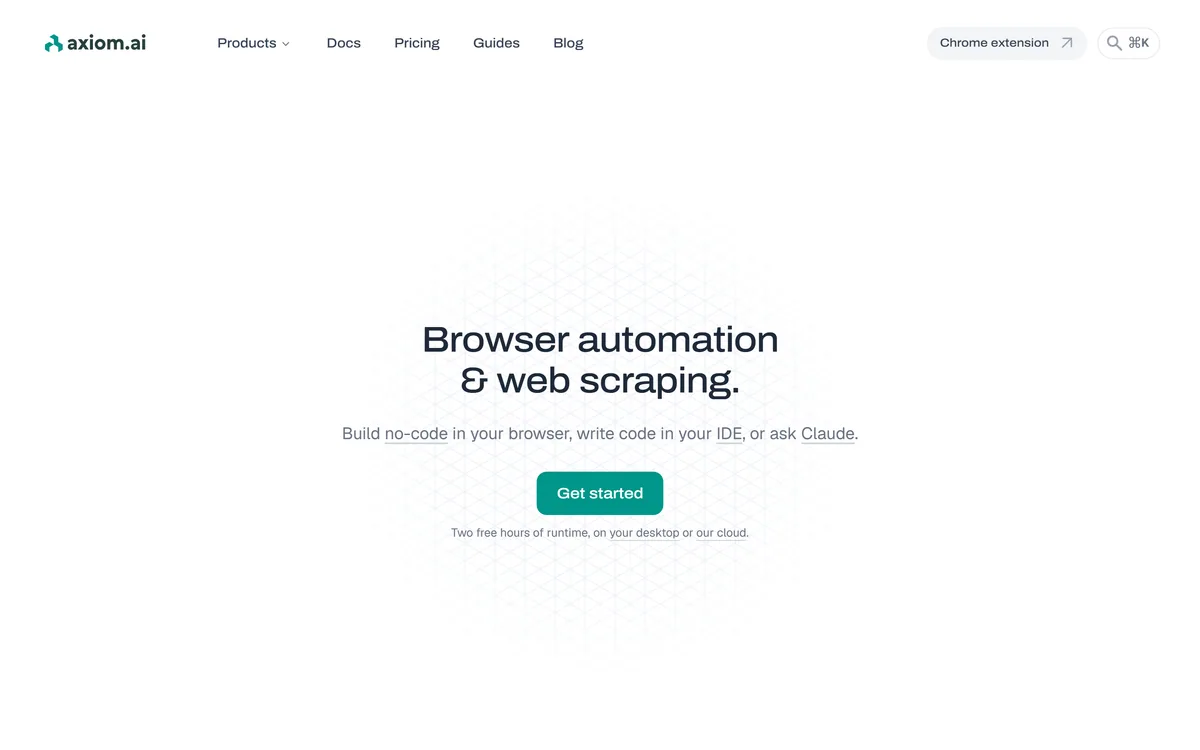
Axiom is a browser-automation and web-scraping platform you can build no-code in a Chrome extension, script in your IDE, or drive agentically through Claude and MCP, running on cloud browsers or your own machine for scrapers, form-fillers, monitors and scheduled workflows.
A surprising amount of knowledge work is just a human repeating the same clicks in a browser: copying data, filling forms, checking a page. Axiom exists to hand that off to software.
It is a browser-automation and web-scraping platform with an unusual breadth of entry points: build no-code in a Chrome extension, script it in your IDE, or let an AI agent drive it through MCP, running on cloud browsers or your own machine. The agentic side puts it in conversation with AI-agent platforms like Ema, but Axiom's focus is the browser specifically.
This review covers how Axiom runs a browser task, where it replaces repetitive clicking, how its runtime pricing works, and the responsible-use line around scraping that any buyer should understand.
Axiom lets you build the same browser automation three different ways.
Axiom, The Quick Picture
Axiom automates browser tasks: scrapers, form-fillers, monitors and multi-step workflows, without you watching the screen.
It builds three ways: no-code in a Chrome extension, in code in your IDE, or driven by an AI agent through MCP.
It runs where you want: on Axiom's cloud browsers or locally on your own machine for privacy.
Use it within site rules: scraping and anti-bot bypassing can conflict with a target site's terms, which is on you.
Axiom Automation Facts
What it is
A browser-automation and scraping platform
Build it
No-code, in code, or via an AI agent
No-code in
A Chrome extension with prebuilt actions
Code paths
Step, Orchestrate and Chrome (CDP) APIs
Agentic
An MCP server for Claude and Cursor
Runs on
Cloud browsers or your own machine
Use cases
Scrapers, form-fillers, monitors, reporters
Backing
Y Combinator, per the site
Browser Automation You Build Three Ways
Axiom's distinctive choice is to meet three very different users with the same engine. A non-technical person can build an automation by describing it or assembling prebuilt actions in a Chrome extension; a developer can script it; and an AI agent can build and trigger it through MCP.
That three-way flexibility is genuinely useful, because browser automation spans exactly those audiences, from an ops person automating a report to an engineer wiring it into a pipeline. Few tools serve all three without feeling bolted together.
The agentic path is the newest and most interesting: letting Claude or Cursor read a site, build an automation and run it blurs the line between a tool you operate and one that operates itself, which is where this category is heading.
Browser automation spans a non-technical ops person, a developer and an AI agent. Axiom's trick is meeting all three with the same engine.
How Does Axiom Run A Browser Task For You?
The two decisions that shape any Axiom automation are how you build it and where it runs.
No-Code, Code Or Driven By An Agent
In the Chrome extension you assemble automations from a library of actions, scrapers and logic, or describe what you want and have AI build it. In code, there are the Step API for high-level actions, an Orchestrate API to trigger and manage runs, and a Chrome API that exposes a cloud browser over a WebSocket you can drive from Puppeteer or Playwright.
That CDP WebSocket is a quiet strength: existing Playwright or Puppeteer code can drive Axiom's cloud browsers. And the MCP server means an AI organiser like Saner.ai or an agent can treat Axiom as a capability rather than a destination.
Cloud Browsers Or Your Own Machine
Automations run either on Axiom's cloud, with scheduling, concurrency, proxies and error reporting, or locally on your desktop, with unlimited automations, no concurrency limits and full privacy because the data stays on your machine.
That local option matters for sensitive work, and it pairs with feeding results into whatever comes next, a data task might hand off to a retrieval API like Exa, or push rows into a spreadsheet or CRM through Axiom's integrations.
Where Axiom Replaces Repetitive Clicking
Axiom earns its place on structured, repetitive browser work: scraping data from pages, filling a form from each row of a spreadsheet, monitoring a page and alerting on a change, or running a scheduled report. These are the jobs people quietly waste hours on.
It suits non-technical operators who want results without code, developers who want to script or schedule at scale, and agent builders who want browser actions available to an AI. The breadth is the point.
The responsible-use line is worth stating plainly: scraping and the anti-bot 'bypassing' and captcha-handling integrations can conflict with a target site's terms of service. Whether a given automation is allowed is your responsibility to check, not the tool's.
How Axiom Structures Free And Paid Runtime
Axiom is freemium: it is free to install, with a couple of free hours of runtime on desktop or cloud, and paid plans adding more. We do not publish prices, which change; check the site.
Pricing on runtime rather than per-action is sensible for automation, since a few heavy jobs and many light ones cost according to the time they actually consume. The free hours are enough to prove a real workflow before paying.
The honest value test is whether the hours you save, times how often the automation runs, clearly beat the plan cost, which for a genuinely repetitive task it usually does.
A Sensible Way To Trial Axiom
Because the build paths differ so much, trial Axiom on a real task using the path that matches you.
Pick one genuinely repetitive browser task you do by hand today.
Build it no-code in the extension first, even if you can code, to gauge the easy path.
Confirm the automation handles the edge cases, not just the happy path, before trusting it.
Decide whether it should run on the cloud (scheduling, scale) or locally (privacy).
If you use agents, try building and triggering it through the MCP server.
Pass/fail: Axiom is worth it if the saved time clearly beats the runtime cost.
Check the target site's terms of service before scraping or automating against it.
Axiom Automation Terms
Browser automation
Software that performs browser actions, clicks, typing, navigation, on your behalf, repeatably.
Web scraping
Extracting data from web pages automatically; subject to the target site's terms and local rules.
CDP
The Chrome DevTools Protocol, which lets tools like Puppeteer and Playwright drive a browser programmatically.
MCP server
An interface that lets an AI agent, such as Claude or Cursor, build and trigger Axiom automations directly.
Key features of Axiom.ai
No-code Chrome-extension builder
Step, Orchestrate and Chrome CDP APIs
MCP server for AI-agent control
Cloud or local execution
Scrapers, form-fillers and monitors
Scheduling, concurrency and proxies
Puppeteer/Playwright compatibility
Zapier, Make, n8n and Sheets integrations
Pros & cons
Pros
5
Serves no-code, code and agent users at once
CDP WebSocket drives cloud browsers from existing code
Local run option keeps data private
Runtime-based pricing fits uneven workloads
Free hours to prove a real workflow
Cons
5
Scraping can conflict with site terms, on you to check
Testimonials are largely unattributed
Needs edge-case handling and upkeep
A browser is the wrong layer when an API exists
Not a fully managed agent
Best For
Repetitive browser work
No-code operators
Developers scripting at scale
Agent builders via MCP
Privacy-sensitive local runs
Axiom Against Other Automation Tools
The useful comparison is with other automation and agent approaches.
Last checked . Read from axiom.ai during this check, with the screenshot above captured at the same time.
A browser-automation and web-scraping platform
A no-code Chrome-extension builder with prebuilt actions
Code paths via Step, Orchestrate and Chrome (CDP) APIs
An MCP server for agent-driven building and triggering
The option to run on cloud browsers or locally
Use cases across scrapers, form-fillers, monitors and reporters
Integrations with tools like Zapier, Make, n8n and Sheets
A freemium model with free runtime hours
No plan prices reproduced here, in line with this site's pricing policy
Axiom's testimonials are largely unattributed. Scraping and anti-bot or captcha-handling features can conflict with a site's terms of service; responsibility for lawful, permitted use sits with the user.
Editor's Verdict
3.7/5
Axiom earns 3.7 for a genuinely flexible take on browser automation, the same engine built no-code, in code, or driven by an AI agent through MCP, with the choice of cloud or private local execution. Its runtime pricing suits uneven workloads, but its testimonials are thin, automations need upkeep, and the scraping and anti-bot features put the responsibility to respect each site's terms squarely on the user. AInexfinder Editor Score: 3.7/5.
Axiom.ai pricing
AInexfinder does not list plan prices or billing details. For current pricing, plans, and trials, visit the official Axiom.ai website.
Vendor pricing, credits, and billing policies change over time. Always confirm on the official site before you buy.
Frequently asked questions
What is Axiom?
Axiom is a browser-automation and web-scraping platform. You can build automations no-code in a Chrome extension, script them in your IDE, or let an AI agent drive them through MCP, and run them on Axiom's cloud browsers or locally on your own machine for scrapers, form-fillers, monitors and scheduled workflows.
Do I need to code to use Axiom?
No. You can build automations no-code in the Chrome extension by assembling prebuilt actions or describing what you want and having AI build it. Code paths and APIs exist for developers who want to script or schedule at scale, but the no-code route is the easiest starting point.
Can an AI agent control Axiom?
Yes. Axiom ships an MCP server so an AI agent such as Claude or Cursor can read a site, build an automation and trigger runs directly. That lets an agent treat browser actions as a capability, which is one of Axiom's more forward-looking features.
Does Axiom run in the cloud or on my machine?
Both. You can run automations on Axiom's cloud browsers, which add scheduling, concurrency, proxies and error reporting, or locally on your desktop with unlimited automations and full privacy because the data never leaves your machine. The right choice depends on scale versus sensitivity.
Is web scraping with Axiom allowed?
That depends on the target site and your jurisdiction, not on Axiom. Scraping and the anti-bot or captcha-handling features can conflict with a site's terms of service, so the responsibility to check that a given automation is permitted and lawful sits with you.
How is Axiom priced?
It is freemium: free to install with a couple of free runtime hours on desktop or cloud, and paid plans adding more. We do not publish prices, which change; check the site. Pricing on runtime rather than per-action suits a mix of heavy and light automations.
What can I automate with Axiom?
Common jobs include scraping data from pages, filling a form from each row of a spreadsheet, monitoring a page and alerting on changes, and running scheduled reports, plus multi-step workflows with branching logic. It targets the repetitive browser work people waste hours on.
Can Axiom work with my existing Playwright code?
Yes. Its Chrome API exposes a cloud browser over a WebSocket you can drive from Puppeteer, Playwright or any Chrome DevTools Protocol client, so existing automation code can run against Axiom's cloud browsers rather than requiring a rewrite.
What are Axiom's limitations?
Automations need edge-case handling and upkeep, a browser is the wrong layer when a proper API exists, and its testimonials are largely unattributed. It is also a builder rather than a fully managed agent, so you own the logic and the responsibility for how it is used.
Who should use Axiom?
Non-technical operators automating repetitive browser tasks, developers who want to script or schedule at scale, and agent builders who want browser actions available via MCP. The local run option also suits anyone handling sensitive data who wants automations to stay on their machine.
Daniel reviews AI tools the slow way — by actually using them on real projects. His reviews cover what works, what breaks, and who each tool is genuinely a good fit for.
Daniel and the AInexfinder editorial team research Axiom.ai using public product information, listing evidence, and (when available) hands-on checks. Scores reflect listing completeness and transparency — not paid placement.
Listings may include affiliate or sponsored placements, which are labeled when present. Editorial scores and cons are not sold. See our affiliate disclosure and review methodology.
CrewAI is an enterprise platform to build and run AI agents: a Discovery layer that finds automation opportunities, a no-code canvas and code-first Python API for building role-based multi-agent workflows, and a control plane that adds tracing, RBAC, audit and human-in-the-loop approvals.
Kuse is an AI workspace from Kuse Inc. built around scheduled workflows: describe a recurring task in plain language, connect the apps it touches, and let it run. It also generates websites, documents, presentations and spreadsheets, with several model families available.
Formless by Typeform is a conversational AI form builder. Trained on your own data, it asks questions in natural language and answers the respondent's questions back, adapts its path without branching logic, and supports over 120 languages.
Zapier's AI layer adds agents and MCP tool access on top of its automation platform, connecting more than 9,000 apps with governed access so teams can mix AI decisions with deterministic rules under central oversight.
Fillout is a form builder that also handles scheduling, payment collection, PDF generation, e-signatures and workflow routing. Forms can be fully white-labelled down to the favicon, served from your own domain, embedded four ways, and made editable by respondents through login forms.
Bardeen is a browser-based web automation platform aimed at sales teams: it extracts data from any website, researches leads with AI search, finds validated contact details, qualifies them against a described ideal profile, and pushes the result to Sheets, Airtable, Notion or a CRM.