Zoviz is an AI branding and content platform built around a reusable Brand Profile — generate logos, business cards, social posts, videos, websites and bio pages that stay consistent with your brand's look, voice and audience.
Most small businesses do not have a brand problem so much as a consistency problem. The logo lives in one tool, the social templates in another, the website somewhere else, and nothing quite matches. Zoviz's whole pitch is to fix that by making the brand itself the reusable unit.
You set up a Brand Profile once — what you do, who you serve, how you look and sound — and Zoviz uses it to keep every asset on brand, from a logo to a product video to a link-in-bio page. It opens on a logo, which it describes as human-designed and AI-customised, exported as editable vectors, then fans out into content and websites.
This review covers what the Brand Profile actually changes, the range of assets Zoviz produces, how its Studio, Canvas and creative-agent modes differ, how it is priced, and the businesses it suits versus those it does not.
Zoviz starts with a logo or a connected brand, then keeps every asset consistent.
Zoviz Captured In Four Points
Zoviz is an AI branding and content platform built around a Brand Profile you set up once and reuse across everything you make.
It starts with a logo — human-designed, AI-customised, exported as editable print-ready vectors — then extends to the rest of your assets.
From one brand it produces business cards, social posts, product videos, websites, link-in-bio pages and digital business cards.
It offers two modes — Studio and Canvas — plus a creative agent, an API, MCP integrations and a white-label option for teams.
Zoviz Branding Platform Facts
What it is
AI branding and content-creation platform
Anchor feature
Brand Profile — set once, reused across all assets
Social posts, images, product videos, websites, link-in-bio, digital cards
Modes
Studio and Canvas, plus a chat-based creative agent
For developers
APIs, MCP integrations, Azure Marketplace, white label
Scale cited
4.8 on G2, 1.3M+ businesses, 190+ countries, 100+ languages
Policy pages
Privacy, terms, refund, licensing and DPA pages in the footer
Set A Brand Profile Once, Keep Every Asset On Brand
The Brand Profile is the idea that makes Zoviz more than a logo maker. You tell it about your business, product or personal brand once — your colours, fonts, voice and audience — and it draws on those details every time you create something new.
The payoff is consistency without effort. A social post, a poster and a website all inherit the same look and tone, and when you update the profile, future creations follow the change while existing work stays as it is. That separation — new work tracks the brand, old work is left alone — is a sensible design decision that avoids nasty surprises.
It also means you do not need a finished brand to start. Zoviz can work from just a name, which lowers the barrier for the exact user it targets: a small business or creator who needs a coherent brand and does not have a designer on call.
Most small businesses do not have a brand problem. They have a consistency problem — and that is the one Zoviz is actually built to solve.
What Can You Make After Connecting A Brand In Zoviz?
Once a brand exists, Zoviz spreads it across a wide set of asset types, which is where it moves from a logo tool to a content platform.
Logos, Cards And Print-Ready Vectors
The logo engine produces editable vector marks you can customise, plus matching business cards and brand files. Exporting as print-ready vectors matters: it means the logo scales cleanly and is usable beyond the screen, which cheaper generators often get wrong.
As a dedicated logo maker, a tool like Looka covers similar ground; Zoviz's advantage is that the logo is the start of a connected brand system rather than a standalone file you then have to build everything else around.
Social Posts, Videos And Bio Pages
Beyond the logo, Zoviz makes Instagram posts and reels, product video ads, AI-generated images, full websites, link-in-bio pages and digital business cards — all drawing on the Brand Profile. It even generates images from a prompt, overlapping with tools like Midjourney, though Zoviz aims them at on-brand marketing use rather than open-ended art.
The breadth is the appeal and the caution at once. A broad brand suite like this trades the depth of a dedicated design tool such as Canva AI for the convenience of everything inheriting one brand. Which matters more depends on whether consistency or fine control is your bigger pain.
Studio, Canvas And The Zoviz Creative Agent
Zoviz splits its creation surface into two modes. Studio is the guided path — pick a tool, get an on-brand result; Canvas is the freeform, infinite-canvas workspace where you connect tools and build your own creative workflow. The site frames the choice as Studio or Canvas, 'find your fit', which is a fair way to describe the trade between speed and control.
On top sits a creative agent you can simply ask — make a product ad and an Instagram post, edit a photo, create a logo — and it runs the tools for you. Notably, you can chat with it before signing in, which lowers the commitment to try it.
For businesses that want to embed Zoviz rather than use it directly, there are APIs, MCP integrations, an Azure Marketplace listing and a white-label option. That developer surface is unusual for a small-business branding tool and widens who it is for.
How Zoviz Charges For Branding And Content
Zoviz runs on a subscription, with a chat-and-explore experience available before you sign in and paid plans unlocking downloads and the full tool set. It publishes the commerce pages you want to see — privacy, terms, refund, licensing and a data-processing agreement.
AInexfinder does not publish plan prices, which change and are best read on the pricing page. The variable that matters is scope: Zoviz spans logos, content, video and websites, so check which of those your plan actually includes and what the licensing terms say about commercial use of your logo and assets.
The licensing page is worth reading specifically, because a logo you will build a business on needs clear ownership and usage terms, not a guess.
A Short Test Drive Of Zoviz
Because the Brand Profile is the whole idea, test Zoviz by setting one up and seeing whether consistency actually holds across asset types.
Create a Brand Profile for a real or planned business, with your colours, fonts and voice.
Generate a logo and export it, checking that the vector is clean and genuinely editable.
Make three different assets — a social post, a business card and a bio page — and judge whether they look like one brand.
Change one element of the Brand Profile and confirm new creations follow it while old ones stay put.
Try the creative agent with a plain request and see whether it runs the right tools for you.
Pass/fail: Zoviz earns a subscription only if the assets are consistent and good enough to use without heavy manual fixing.
Finally, read the licensing terms for your logo and confirm the commercial-use rights match your plans.
Key features of Zoviz
Reusable Brand Profile driving every asset
AI-customised, editable, print-ready vector logos
Business cards and brand files
Social posts, reels and product video ads
AI image generation tuned for on-brand marketing
Websites, link-in-bio pages and digital business cards
Studio and Canvas modes plus a creative agent
APIs, MCP integrations and a white-label option
Pros & cons
Pros
5
Brand Profile delivers real consistency across asset types
Logos export as clean, editable vectors usable in print
One platform spans logo, content, video and websites
Creative agent and pre-sign-in chat make it easy to try
Developer surface (API, MCP, white label) is unusually broad
Cons
5
Breadth trades away the depth of a dedicated design tool
Open-ended creative control is limited versus a pure design suite
Overkill for a brand that only needs one specific asset
Asset quality varies, so outputs need review before use
Commercial-use terms require reading the licensing page carefully
Best For
Small businesses without a designer
Creators who need a consistent brand across channels
People starting a brand from just a name
Teams embedding branding via API or white label
Anyone whose assets never quite match today
Zoviz Against Other AI Branding Tools
The branding-tool choice is a connected brand system versus a dedicated logo maker or a general design suite.
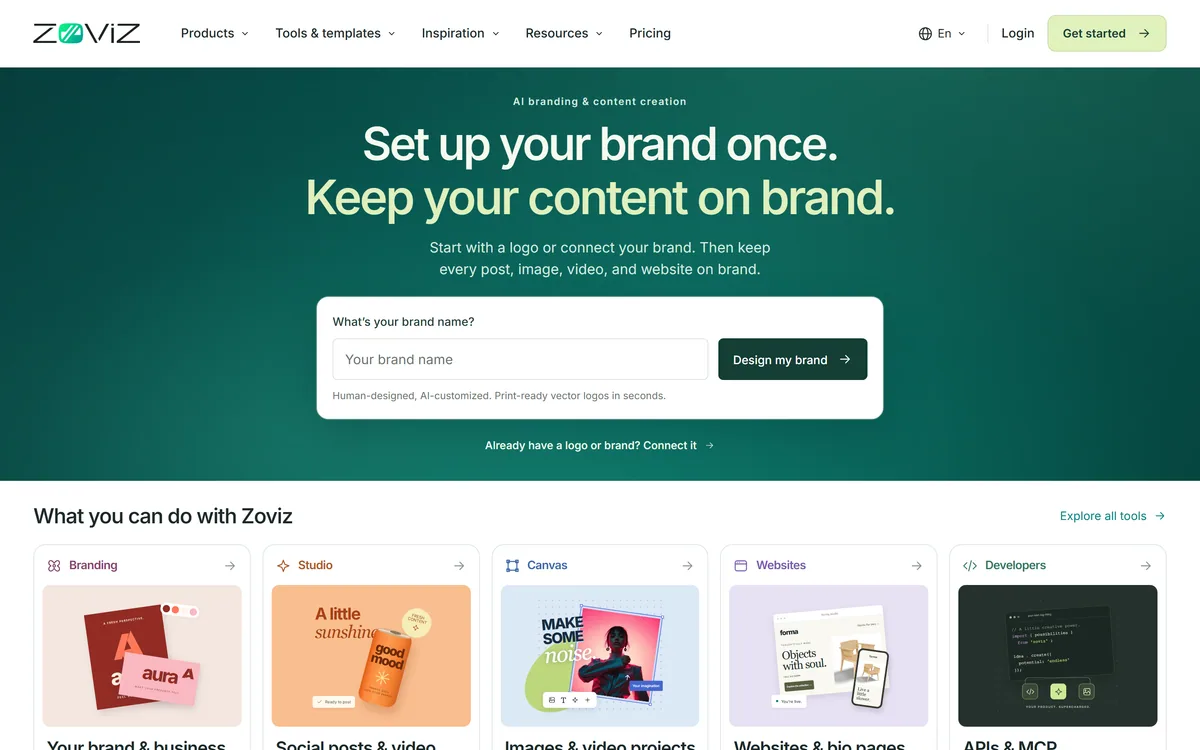
Last checked . Read from zoviz.com during this check, with the screenshot above captured at the same time.
AI branding platform built around a reusable Brand Profile
Human-designed, AI-customised logos exported as editable print-ready vectors
Content across social posts, product videos, websites, link-in-bio and digital business cards
Studio and Canvas modes, plus a chat-based creative agent usable before sign-in
APIs, MCP integrations, an Azure Marketplace listing and a white-label option
4.8 G2 rating, 1.3M+ businesses, 190+ countries and 100+ languages cited by the vendor
Privacy, terms, refund, licensing and DPA pages present in the footer
No plan prices reproduced here, in line with this site's pricing policy
Scale figures and ratings are the vendor's own citations; read the licensing page for the exact ownership and commercial-use terms on your assets.
Editor's Verdict
3.9/5
Zoviz earns 3.9 for a genuinely smart core idea — a Brand Profile that keeps logos, content and websites consistent — backed by clean vector logos and a broad developer surface; it is capped because that breadth trades away the depth and fine control a dedicated design tool gives you. AInexfinder Editor Score: 3.9/5.
Zoviz pricing
AInexfinder does not list plan prices or billing details. For current pricing, plans, and trials, visit the official Zoviz website.
Vendor pricing, credits, and billing policies change over time. Always confirm on the official site before you buy.
Frequently asked questions
What is Zoviz?
Zoviz is an AI branding and content-creation platform built around a Brand Profile. You define your brand once, and Zoviz uses it to produce logos, business cards, social posts, product videos, websites and bio pages that all stay consistent with your look and voice.
What is a Brand Profile in Zoviz?
It is a saved definition of your brand — what you do, who you serve, your colours, fonts and tone. Zoviz draws on it every time you create, so assets stay consistent. Update the profile and future creations follow it, while existing work is left unchanged.
Can I edit the logo and download it?
Yes. Zoviz logos are described as human-designed and AI-customised, and export as editable, print-ready vectors, so they scale cleanly and are usable beyond the screen. Check the licensing terms for the exact ownership and commercial-use rights on your plan.
What is the difference between Studio and Canvas?
Studio is the guided path — pick a tool and get an on-brand result quickly. Canvas is a freeform, infinite-canvas workspace where you connect tools into your own creative workflow. Studio favours speed; Canvas favours control.
How does Zoviz compare with Looka?
Looka is a dedicated logo maker and brand-kit builder. Zoviz covers logos too but treats them as the start of a connected brand system spanning content, video and websites. Choose Looka if you mainly want a logo, Zoviz if you want everything to stay on brand.
How does Zoviz compare with Canva AI?
Canva AI is a broad design suite with deep control and a huge template library, where brand consistency is something you maintain manually. Zoviz automates consistency through the Brand Profile but offers less fine design control. The right pick depends on whether consistency or control is your bigger need.
Is Zoviz free?
You can chat with its creative agent and explore before signing in, with paid subscription plans unlocking downloads and the full tool set. Check which asset types your plan includes, since Zoviz spans logos, content, video and websites.
Can I use Zoviz assets commercially?
Zoviz publishes licensing and data-processing pages, and commercial use is the intended case for a branding tool. Because a logo underpins a business, read the licensing page specifically to confirm ownership and usage terms rather than assuming them.
Does Zoviz have an API?
Yes. Zoviz offers APIs, MCP integrations, an Azure Marketplace listing and a white-label option, so businesses can embed its branding and image generation into their own apps and workflows rather than only using the site directly.
Do I need an existing brand to use Zoviz?
No. Zoviz can start from just a business name and build a brand from there, which is part of why it suits small businesses and creators without a designer. You can also connect an existing brand if you already have one.
Daniel reviews AI tools the slow way — by actually using them on real projects. His reviews cover what works, what breaks, and who each tool is genuinely a good fit for.
Daniel and the AInexfinder editorial team research Zoviz using public product information, listing evidence, and (when available) hands-on checks. Scores reflect listing completeness and transparency — not paid placement.
Listings may include affiliate or sponsored placements, which are labeled when present. Editorial scores and cons are not sold. See our affiliate disclosure and review methodology.
krea2.org is a browser image-generation workspace that runs several third-party models side by side, including Krea 2 tiers, FLUX.2, GPT Image 2, Nano Banana and Seedream 5.0, with reference uploads, six aspect ratios and live model switching.
Pet Pic Portraits turns a pet photo into styled artwork — Royal King, Pop Art, Watercolour, Viking, Wizard and more — with an instant preview before ordering. Output is a digital download, a canvas print or framed wall art, and it includes a pet memorial option.
VividManga colourises black-and-white manga while keeping recurring characters on a fixed palette and leaving speech bubbles untouched. It takes ZIP and CBZ archives, offers twelve-plus styles, and exports pages individually or as a packaged chapter.
RetypeWords is a browser tool that replaces text that has been flattened into a PNG, JPG or WebP image. It reads the words with OCR, lets you correct what it read, then regenerates the selected area so the new wording sits in the picture rather than on top of it.
Canva AI is the Magic Studio suite built into Canva — Magic Write for copy, Dream Lab for images, Magic Edit, Expand and Eraser for photos, Magic Switch for reformatting, Magic Charts for data, and Canva Code for interactive widgets.
Pixlr is a browser-based photo editor from Pixlr Pte Ltd with two editors and a generative AI layer — Generative Fill, Expand and Transform, background and object removal, Super Scale upscaling, face swap, plus image, video, and audio generation.