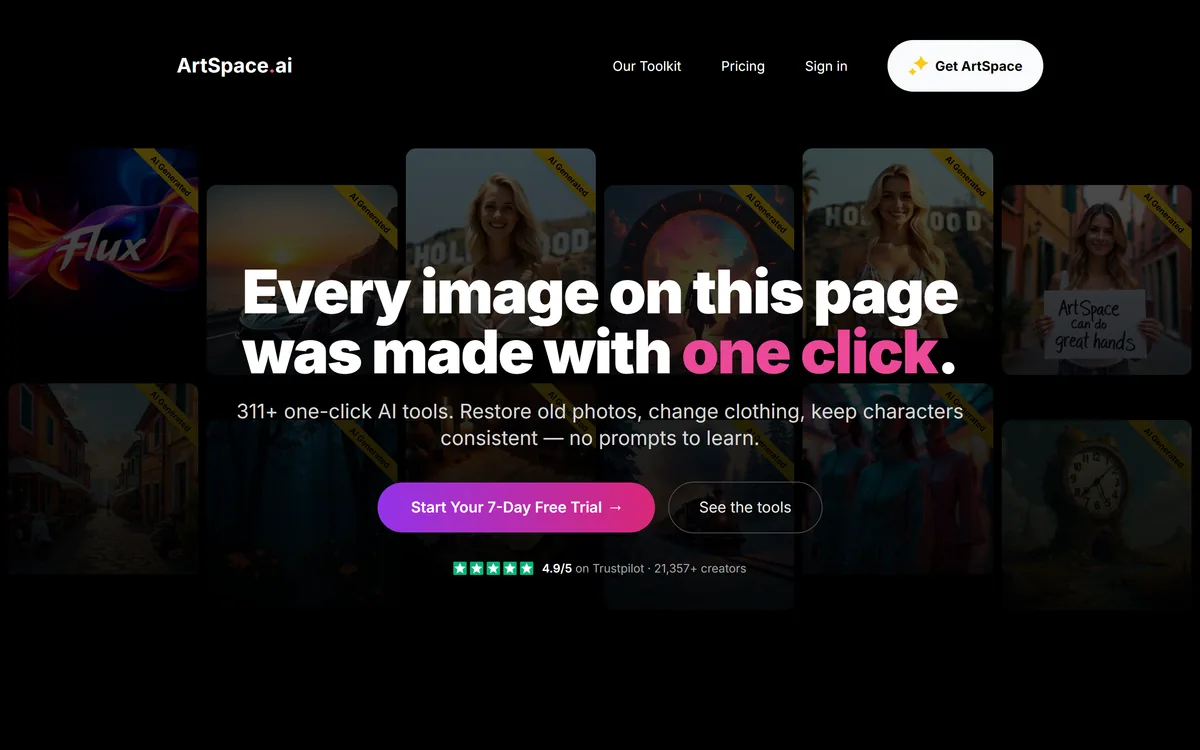
ArtSpace.ai is a browser image studio built around 311+ one-click tools — restore, upscale, change clothing, swap scenes, colourise and more — plus canvas editing and Camera and Pose studios, available on a subscription or a lifetime licence.
Most AI image tools assume you want to write prompts. ArtSpace.ai is built on the opposite assumption: that most people have a specific edit in mind — fix this photo, change that outfit, move this subject to a new scene — and just want it done without learning prompt craft.
So it packages more than three hundred one-click tools, each doing one job, alongside a professional canvas with inpainting, outpainting and 4K upscaling, and newer Camera and Pose studios for re-shooting a subject from a new angle or in a new pose. It runs in the browser, and notably sells a lifetime licence as well as a trial.
This review covers how the one-click model actually works, what the 311 tools and the studios cover, a fair note on the appearance-editing tools, how its pricing and lifetime option work, and who it suits against prompt-first generators.
ArtSpace.ai's pitch: pick a tool, drop in an image, done — no prompt to write.
ArtSpace.ai In Four One-Click Points
ArtSpace.ai is a browser image studio built around 311+ one-click tools — you pick a tool, drop in an image, and get a result with no prompt to learn.
The range is editing-led: restore old photos, upscale, change clothing or scene, colourise, remove backgrounds, and much more.
It adds canvas tools and studios — inpainting, outpainting, 4K upscaling, plus Camera Studio and Pose Studio for re-angling and re-posing a subject.
It offers a lifetime licence alongside a trial — unusual in a category of subscriptions — with strong Trustpilot ratings and a hands-on founder.
Key features of ArtSpace.ai
311+ one-click image tools
Photo restoration, colourisation and 4K upscaling
Background removal and replacement
Clothing, pose, scene and style changes
Canvas inpainting and outpainting
Camera Studio for new angles and heights
Pose Studio for new poses with the same subject
Browser-based access across desktop and mobile
Pros & cons
Pros
5
One-click model needs no prompt skill for specific edits
Genuinely useful restore, upscale and background tools
Camera and Pose studios solve real product and portrait needs
Lifetime licence is a rare, often better-value option
Strong named Trustpilot reviews and a responsive founder
Cons
5
A toolbox of defined jobs, not open-ended generation
No help if your need falls outside the provided tools
Appearance-editing tools require careful, consented use
No training-data commercial-safety guarantee of the Firefly kind
Less suited to deep, layered professional editing
Best For
People who want specific edits without prompting
Anyone restoring or upscaling old photos
Product and portrait angle and pose variations
Casual users who prefer a lifetime licence
Hobbyists who value a hands-on founder
ArtSpace.ai Against Other Image Editors
The choice is a one-click toolbox versus prompt-first generators and rights-first tools.
The core idea is to replace the blank prompt box with a menu of specific jobs. You pick the tool — restore an old photo, change a background, colourise black and white — drop in your image, and the result comes back, with nothing to set up and no prompt to phrase.
That is a genuinely different proposition from a prompt-first generator like Midjourney, where the quality of your words determines the output. ArtSpace trades the ceiling of open-ended generation for a floor of reliable, repeatable edits anyone can get, which for casual users and specific tasks is the better trade.
The limit is the flip side: you can do the 311 things it offers well, and you cannot easily do the 312th. It is a toolbox of defined jobs, not an open canvas for anything you can imagine.
ArtSpace trades the ceiling of open-ended generation for a floor of reliable edits anyone can get. For a specific job, that is the better trade.
What Falls Under ArtSpace.ai's 311 One-Click Tools?
The headline number is large, so it helps to group what those tools actually do into the two families that matter.
Restore, Upscale And Background Edits
A big share of the value is unglamorous but genuinely useful photo work: restoring and colourising old photos, upscaling to 4K, sharpening, and removing or replacing backgrounds. These are the tasks people repeatedly need and that one-click tools suit perfectly.
The professional canvas adds inpainting to remove objects and outpainting to extend an image, overlapping with what a generator like Leonardo AI offers, but framed as targeted edits rather than open generation. For restoring a family photo, the one-click route is far simpler than prompting.
Camera Studio And Pose Studio
The newer studios are the more advanced draw. Camera Studio re-shoots a subject from a new angle — a choice of directions and heights — while Pose Studio changes a subject's pose while keeping the face, outfit and background the same.
These solve a real problem for product and portrait work, where you have one good shot and need variations. A commercial-safe generator like Adobe Firefly approaches image work from a rights-first angle; ArtSpace competes on the sheer convenience of targeted, one-click variation instead.
A Note On The Appearance-Editing Tools
A fair review should flag that some of the 311 tools edit a person's appearance — change clothing, pose, age, weight, skin tone, hairstyle, or transfer an expression onto someone. These are standard photo-editing capabilities, and they are useful for try-on, portraits and creative work.
The responsible-use point is simply about consent and honesty, as with any editing tool. Editing images of real people, especially their bodies or faces, is something to do with their permission and to disclose where the result could mislead. That is a note on use, not a criticism of the tool, which offers ordinary editing features.
ArtSpace itself publishes its terms and an acceptable-use position, and the sensible posture is the same one you would take with any capable photo editor: use these tools on images you have the right to edit, and be transparent when an image has been altered.
How ArtSpace.ai Prices Its Lifetime And Trial
ArtSpace's pricing is unusual for the category. Alongside a 7-day free trial and subscription access, it sells a lifetime licence — a one-time payment with ongoing updates — which its reviewers repeatedly single out as the reason they chose it over subscription-only rivals.
AInexfinder does not publish plan prices, which change and are best read on the site. The lifetime option changes the maths: for a casual user who found recurring subscriptions poor value, a one-time payment can be genuinely more sensible, which several Trustpilot reviews describe. Verify the current terms of what lifetime includes before relying on it.
Image generation and edits are usage-based within plans, so check how that works on the tier or licence you are considering, and confirm commercial-use rights for the output you intend to sell or publish.
A Quick Test Of ArtSpace.ai On A Photo
Because it is editing-led, test ArtSpace on a real image and a real job rather than on open-ended generation.
Start the trial and run a genuine task — restore an old photo or remove a background — and judge the result against your expectation.
Try a Camera Studio or Pose Studio variation on a product or portrait and check identity and detail hold up.
Use the canvas inpainting to remove an object and see how cleanly it fills the gap.
Upscale an image to 4K and inspect fine detail at full size.
On an image of a person, confirm you have the right to edit it, and test whether the edit is convincing.
Pass/fail: ArtSpace earns a licence only if the specific tools you need return usable results with little cleanup.
Finally, if you are weighing the lifetime option, confirm what it includes and the commercial-use terms before buying.
ArtSpace.ai One-Click Tool Facts
What it is
Browser image studio built on one-click tools
Tool count
311+ one-click tools
Editing range
Restore, upscale, change clothing, swap scenes, colourise and more
Adobe Firefly — commercial-safe generation with Adobe integration
Leonardo AI — flexible generation with inpainting and editing controls
How We Tried ArtSpace.ai For This Review
Last checked . Read from artspace.ai during this check, with the screenshot above captured at the same time.
A browser image studio built around 311+ one-click tools
Editing range from restore and upscale to clothing, scene and colour changes
Professional canvas with inpainting, outpainting, 4K upscaling and background removal
Camera Studio for new angles and Pose Studio for new poses
A 7-day free trial plus subscription and a lifetime (one-time) licence
4.9 Trustpilot rating with 21,357+ users cited, including named verified reviews
Operator credited to Nico Engler in the footer
Privacy, terms and legal pages present in the footer
No plan prices reproduced here, in line with this site's pricing policy
Ratings are the vendor's cited Trustpilot figures. Some tools edit a person's appearance; use them on images you have the right to edit and disclose alterations where they could mislead.
Editor's Verdict
3.9/5
ArtSpace.ai earns 3.9 for making hundreds of specific image edits genuinely one-click, adding useful Camera and Pose studios, and offering a rare lifetime licence backed by strong named reviews; it is capped because it is a fixed toolbox rather than open generation, and its appearance-editing tools call for careful, consented use. AInexfinder Editor Score: 3.9/5.
ArtSpace.ai pricing
AInexfinder does not list plan prices or billing details. For current pricing, plans, and trials, visit the official ArtSpace.ai website.
Vendor pricing, credits, and billing policies change over time. Always confirm on the official site before you buy.
Frequently asked questions
What is ArtSpace.ai?
ArtSpace.ai is a browser image studio built around more than 311 one-click tools. You pick a tool — restore a photo, change a background, colourise, upscale — drop in your image, and get a result with no prompt to write, plus canvas editing and Camera and Pose studios.
How is ArtSpace.ai different from a prompt-based generator?
A generator like Midjourney depends on how well you write prompts. ArtSpace replaces the prompt box with a menu of specific jobs, trading open-ended range for reliable, repeatable edits anyone can get. It is a toolbox of defined tasks rather than an open canvas.
What do the Camera Studio and Pose Studio do?
Camera Studio re-shoots a subject from a new angle, with a choice of directions and heights. Pose Studio changes a subject's pose while keeping the face, outfit and background the same. Both solve the common need for variations when you only have one good shot.
Does ArtSpace.ai offer a lifetime licence?
Yes. Alongside a trial and subscription access, ArtSpace sells a lifetime, one-time licence with ongoing updates — unusual in a subscription-heavy category, and the reason many of its reviewers chose it. Confirm what the lifetime option currently includes before buying.
Can I edit photos of people with ArtSpace.ai?
It includes tools that change clothing, pose, age and other aspects of a person's appearance. These are standard editing features; use them only on images you have the right to edit, and disclose alterations where the result could mislead, as you would with any photo editor.
Is ArtSpace.ai free?
There is a 7-day free trial, with subscription plans and a lifetime licence beyond it. Generation and edits are usage-based within plans. We do not publish prices; check the current terms and confirm commercial-use rights for anything you intend to sell or publish.
How does ArtSpace.ai compare with Adobe Firefly?
Adobe Firefly centres on commercial-safety and Adobe integration. ArtSpace competes on the convenience of hundreds of targeted, one-click edits. If training-data assurances are critical, weigh Firefly; if you want specific edits done fast with no prompting, ArtSpace is more direct.
Can I use ArtSpace.ai images commercially?
Commercial use is a common case, but confirm the current terms for your plan and the specific tools you use before selling or publishing output. Rights can depend on the edit and the source image, so read the terms rather than assuming.
Do I need design skills to use ArtSpace.ai?
No. The one-click model is built for people without prompt or design skills — you choose the job and drop in an image. The professional canvas and studios add more control for those who want it, but the core tools are deliberately simple.
Is ArtSpace.ai good for restoring old photos?
Yes, that is one of its strongest, most practical uses. Restoring, colourising and upscaling old photos are exactly the kind of specific, repeatable tasks the one-click model handles well, and far more simply than prompting a general generator to do the same.
Daniel reviews AI tools the slow way — by actually using them on real projects. His reviews cover what works, what breaks, and who each tool is genuinely a good fit for.
Daniel and the AInexfinder editorial team research ArtSpace.ai using public product information, listing evidence, and (when available) hands-on checks. Scores reflect listing completeness and transparency — not paid placement.
Listings may include affiliate or sponsored placements, which are labeled when present. Editorial scores and cons are not sold. See our affiliate disclosure and review methodology.
krea2.org is a browser image-generation workspace that runs several third-party models side by side, including Krea 2 tiers, FLUX.2, GPT Image 2, Nano Banana and Seedream 5.0, with reference uploads, six aspect ratios and live model switching.
GenApe is an all-in-one AI platform covering writing, chat, image and video generation, image editing, product photography, translation, and research — with 145 free credits on signup and commercial rights granted to paid users.
Adobe Firefly generates images, video, and audio from models trained on licensed Adobe Stock and public domain content, with Content Credentials on every output, Firefly Boards for ideation, Custom Models for brand style, and third-party partner models alongside Adobe's own.
GPT Image 2 launched on 21 April 2026 as ChatGPT Images 2.0 and as the gpt-image-2 API model. Its distinguishing capabilities are dense, accurate text rendering, layout fidelity for infographics and packaging, up to 3840px output, prompt-guided masking, and reasoning applied to image structure before generation.
Stockimg AI offers separate generators for logos, stock photos, illustrations, wallpapers, product photos and social posts, then schedules the output to Instagram, TikTok, LinkedIn, YouTube and X, with an API for programmatic use.
OpenArt is an all-in-one AI creation platform covering image, video, voice and audio in one place, built around a Director that lets you lay out a storyboard and shape each shot through conversation, alongside persistent characters and worlds for consistency across a project.