Bigjpg is a long-running AI image enlarger that uses deep convolutional neural networks to upscale artwork and photos up to 16x, reconstructing lines and detail and cutting noise, with added photo-restoration and video-enhancement tools and an API.
bigjpg.com7 viewsAdded February 8, 2026194K visitors
Not every tool needs to be a platform. Bigjpg is a long-running, no-frills image enlarger that does one thing, upscale images well, and has quietly done it for years.
It uses deep convolutional neural networks to enlarge artwork and photos up to 16x, reconstructing lines and detail and cutting noise rather than simply stretching pixels, with added photo-restoration and video-enhancement tools and an API. It sits among focused enhancers like Aiarty Image Enhancer, competing on simplicity and its strength with artwork.
This review covers how Bigjpg enlarges an image, who it suits and its limits, how it prices enlargement, and where a heavier tool is the better call.
Bigjpg reconstructs lines and detail when enlarging, rather than just stretching pixels.
Bigjpg, The Enlarger Brief
Bigjpg is an AI image enlarger: it upscales artwork and photos up to 16x using deep convolutional neural networks.
It reconstructs, not just stretches: it rebuilds lines, colours and detail and reduces noise rather than blurring.
It is especially good for artwork: anime and illustration are a stated strength, alongside photos.
It is simple and focused: a no-frills tool with added restoration and video features and an API.
Lossless Image Enlarging For Art And Photos
Bigjpg's whole pitch is in the enlargement quality: rather than stretching pixels and producing a blurry result, it reconstructs lines, colours and fine detail while cutting noise, so an enlarged image stays sharp and clean.
It has a particular reputation for artwork, anime and illustration, where clean lines matter and generic upscalers often smear them, and it handles photos too. That focus on art is a genuine point of difference from photo-first tools, and it is the main reason illustrators keep returning to it rather than reaching for a general photo enhancer.
It is refreshingly simple: a web tool you point at an image, with a login that raises speed and stability for batches. We review it as the focused utility it is, not an all-in-one platform, which is exactly its appeal for people who just want a bigger, cleaner image.
Rather than stretching pixels into a blur, Bigjpg reconstructs lines, colours and detail while cutting noise, which is why it has a reputation for clean anime and illustration upscaling.
How Does Bigjpg Enlarge An Image?
The core is the upscaling model, with a few adjacent tools around it.
Super-Resolution Up To 16x
Bigjpg uses deep convolutional neural networks to enlarge images up to 16x, reconstructing detail rather than interpolating, which keeps lines crisp and reduces the noise and artefacts a naive enlargement would amplify.
That reconstruct-don't-stretch approach is the same principle dedicated enhancers use; a tool like VanceAI offers a broader kit, while Bigjpg keeps to the single job and its artwork strength.
Noise, Artwork And Added Tools
It includes noise reduction and configuration for artwork versus photos, and has added adjacent tools, an AI magic upscaler, photo restoration and video enhancement, plus an API for programmatic use.
Those additions widen it slightly without losing the focus. For heavier, professional upscaling with more control a tool like Topaz Gigapixel goes further; Bigjpg's niche is a quick, capable enlarger, strong on art, that just works in a browser.
Who Bigjpg Suits, And Its Limits
Bigjpg suits anyone who needs a quick, clean enlargement without a platform: illustrators and anime artists upscaling work, hobbyists and small sellers enlarging images, and developers wanting a simple upscaling API.
Its artwork strength makes it a go-to for illustration and anime specifically, where many photo-first upscalers disappoint. The simplicity is a feature: there is little to learn, and the result is usually just a bigger, cleaner image.
Its limits are the flip side of that simplicity: it offers less control and fewer professional features than heavyweight tools, output quality varies by image, and for high-end photo or video finishing a dedicated pro tool does more. It is a capable utility, not a studio. That said, there is real value in a tool that stays this focused: there are no models to choose between, no subscription tiers to decode and no learning curve, you upload, pick a factor, and get a cleaner, larger image. For the common case of enlarging a piece of art or a photo without fuss, that lack of friction is precisely the point, and it is why Bigjpg has kept a loyal following for years despite flashier competitors.
How Bigjpg Prices Enlargement
Bigjpg is freemium: you can enlarge images without an account, while logging in and paying raises limits, speed and batch stability, with an API billed by use. We do not publish prices, which change; check the site.
For occasional enlargement the free use may be enough; for volume or faster, larger batches the paid tiers make sense, and the API suits developers embedding upscaling.
The value test is straightforward: run your own images, especially artwork, and see whether the enlargement is clean enough for your use before paying, since quality is the only thing that matters here.
A Quick Way To Enlarge With Bigjpg
Because it is all about enlargement quality, test Bigjpg on your own real images, art and photos.
Upload a real image, ideally including a piece of artwork or anime, and enlarge it.
Inspect the result at full size for crisp lines and reconstructed detail, not blur.
Compare photo versus artwork settings to see which suits your material.
Try noise reduction on a noisy image and judge the cleanup.
If you build tools, test the API on a sample batch.
Pass/fail: Bigjpg is worth it if the enlargement is clean enough for your use, especially on art.
For heavy professional photo or video finishing, compare a dedicated pro tool.
Key features of Bigjpg
AI image enlarging up to 16x
Deep convolutional neural networks
Line and detail reconstruction
Noise reduction
Artwork and photo modes
Photo restoration
Video enhancement
API access
Pros & cons
Pros
5
Clean enlargements, strong on artwork
Reconstructs detail instead of blurring
Simple, no-platform workflow
Free use to try it
API for developers
Cons
5
Less control than professional tools
Sparse interface and documentation
Output quality varies by image
Not for high-end photo/video finishing
Adjacent tools are lighter than specialists
Best For
Anime and illustration upscaling
Hobbyists and small sellers
Quick, casual enlargement
Developers wanting an API
Artwork-heavy images
Bigjpg Against Other Enlargers
The useful comparison is with other upscalers, on simplicity versus professional depth.
Pros needing fine control and professional features
High-end photo or video finishing
Anyone wanting a full enhancement suite
Those who will not test on their own images
Work where output must be print-perfect every time
How We Enlarged With Bigjpg
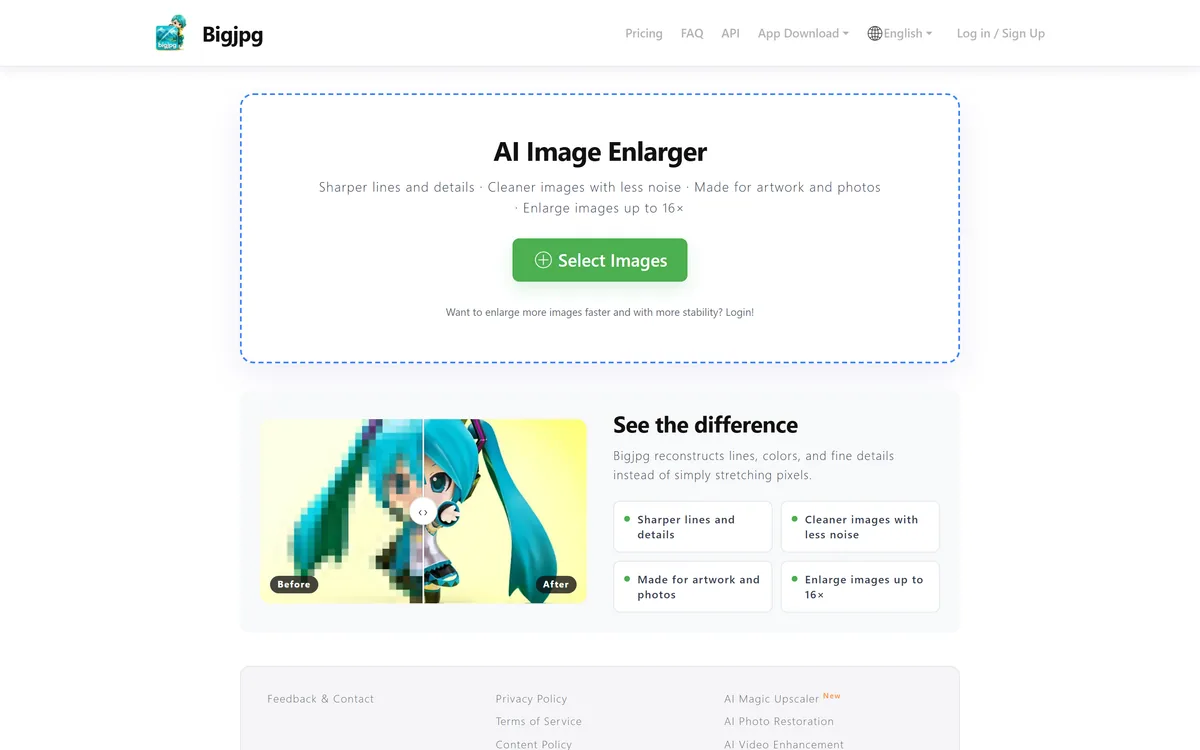
Last checked . Read from bigjpg.com during this check, with the screenshot above captured at the same time.
An AI image enlarger using deep convolutional neural networks
Upscaling up to 16x
Reconstruction of lines and detail rather than stretching
Noise reduction and settings for artwork versus photos
A stated strength with anime and illustration
Added tools: magic upscaler, photo restoration, video enhancement
An API and an app download
A freemium model where login raises speed and batch stability
No plan prices reproduced here, in line with this site's pricing policy
Bigjpg is a focused utility, not a professional suite; its page is sparse. Output quality varies by image, so judge it on your own files, especially artwork, where it is strongest.
Other Image Enlarging Tools
A focused enhancer, a broad kit and a pro upscaler to weigh alongside Bigjpg.
Bigjpg earns 3.8 as a focused, long-running image enlarger that does one thing well: upscaling artwork and photos up to 16x by reconstructing lines and detail rather than stretching pixels, with a genuine strength on anime and illustration. It offers less control than professional tools and its quality varies by image, but for clean, quick, no-platform enlargement, especially of artwork, it is a dependable, simple pick. AInexfinder Editor Score: 3.8/5.
Bigjpg pricing
AInexfinder does not list plan prices or billing details. For current pricing, plans, and trials, visit the official Bigjpg website.
Vendor pricing, credits, and billing policies change over time. Always confirm on the official site before you buy.
Frequently asked questions
What is Bigjpg?
Bigjpg is an AI image enlarger that uses deep convolutional neural networks to upscale artwork and photos up to 16x, reconstructing lines, colours and detail and cutting noise rather than simply stretching pixels. It also offers photo restoration, video enhancement and an API.
How much can Bigjpg enlarge an image?
Up to 16x. Rather than interpolating, it reconstructs detail with neural networks, so an enlarged image stays sharper and cleaner than a naive stretch would, which is particularly noticeable on line-heavy artwork where generic upscalers tend to smear the lines.
Is Bigjpg good for anime and artwork?
Yes, that is a stated strength. It is well known for enlarging anime and illustration cleanly, keeping lines crisp where photo-first upscalers often blur them. It handles photos too, but its reputation rests largely on artwork, which is a reason to choose it for that specifically.
Is Bigjpg free?
It is freemium: you can enlarge images without an account, while logging in and paying raises limits, speed and batch stability, with an API billed by use. We do not publish prices, which change; check the site. The free use is enough to test enlargement quality on your own images.
Does Bigjpg do more than upscaling?
Its core is upscaling, but it has added adjacent tools: a magic upscaler, photo restoration and video enhancement. These widen it slightly without changing that its main, best-known job is clean image enlargement, particularly of artwork.
Who is Bigjpg for?
Illustrators and anime artists upscaling work, hobbyists and small sellers enlarging images, anyone who wants a quick enlarger without learning a platform, and developers wanting a simple upscaling API. Its artwork strength makes it especially suited to illustration.
How does Bigjpg compare to Topaz Gigapixel?
Topaz Gigapixel is a professional-grade upscaler with more models, control and local processing, aimed at quality-critical work. Bigjpg is a simpler, lighter utility, strong on artwork and quick casual use. For high-end photo finishing, Gigapixel does more; for a fast, clean art enlarge, Bigjpg is handy.
Does Bigjpg reduce noise?
Yes. Alongside enlargement it includes noise reduction and settings tuned for artwork versus photos, so it can clean up grain and compression artefacts rather than amplifying them during upscaling. Test it on a genuinely noisy image to see how well the cleanup holds detail.
Can developers use Bigjpg?
Yes. Bigjpg offers an API so upscaling can be built into a product or workflow rather than used only through the website. Test it on a sample batch to judge both quality and throughput before relying on it in production.
What are Bigjpg's limitations?
It offers less control and fewer professional features than heavyweight tools, its interface and documentation are sparse, and output quality varies by image. For high-end photo or video finishing a dedicated pro tool does more; Bigjpg is a capable, focused utility rather than a studio.
Daniel reviews AI tools the slow way — by actually using them on real projects. His reviews cover what works, what breaks, and who each tool is genuinely a good fit for.
Daniel and the AInexfinder editorial team research Bigjpg using public product information, listing evidence, and (when available) hands-on checks. Scores reflect listing completeness and transparency — not paid placement.
Listings may include affiliate or sponsored placements, which are labeled when present. Editorial scores and cons are not sold. See our affiliate disclosure and review methodology.
Imglarger is a set of focused AI image tools covering enlargement up to eight times, resolution upscaling, generative uncropping, photo enhancement, sharpening and background removal, alongside browser-based editors and format converters. Uploaded and processed images are stated as deleted within six hours.
Remini is a photo and video enhancement app from Bending Spoons offering unblurring, denoising, old-photo restoration, face enhancement, colour correction and upscaling, plus AI-generated professional headshots. It runs on iOS, Android and the web, and states 100 million monthly active users.
Topaz Labs makes professional AI image and video enhancement software, upscaling, sharpening, denoising, restoring, stabilizing and frame interpolation, across desktop, web and mobile, with Emmy-winning technology and a long track record, used by photographers, videographers and finishing pros.
GoStudio is an AI photo and video studio offering headshots and personal branding packs, image and video generation, and more than 38 one-click editing tools. It routes across twenty-plus underlying models — including GPT Image, FLUX, Veo and Nano Banana — without asking users to choose between them.
Aiarty Image Enhancer is desktop software from Digiarty that upscales, denoises, deblurs and restores images using several purpose-built AI models. It runs entirely on your own machine with no upload, handles large batches, and reaches 32K output on Windows.
Topaz Gigapixel is the dedicated image-upscaling app from Topaz Labs, enlarging photos up to 6x with multiple enhancement models that add accurate detail, restore and recover faces, running locally or in the cloud on Mac and Windows, as a plugin or standalone.