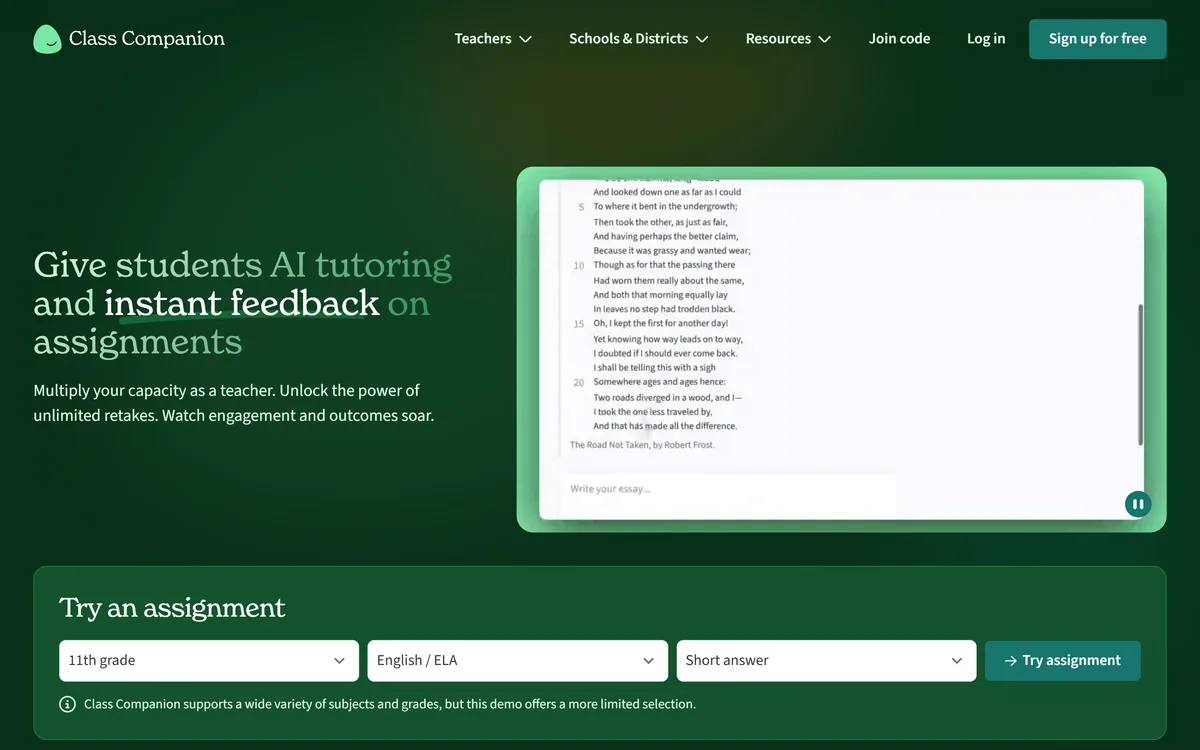
Class Companion gives students instant, rubric-aligned AI feedback and tutoring on assignments while giving teachers back hours, with unlimited retakes, classroom insights, and strong student-data privacy for K-12 and beyond.
classcompanion.com17 viewsAdded February 6, 202624K visitors
The hardest constraint on teaching is not knowledge, it is time. A teacher can give one brilliant round of feedback to thirty students, but not five rounds each, which is what actually moves learning. Class Companion is built to break that constraint.
It gives students instant, customisable feedback and an AI tutor on their assignments, with unlimited retakes so they can revise while the material is still fresh. For the teacher, it turns grading and one-to-one coaching from an impossible workload into something a class can get at scale, and surfaces where students are struggling.
This review covers how the feedback and tutoring actually work, what the teacher gets back in time and insight, how the platform handles the serious question of student-data privacy and AI integrity, how it is priced, and who it fits.
Class Companion's pitch: instant feedback and a tutor for every student, so teachers can scale themselves.
Class Companion In Four Points For Educators
Class Companion is an AI feedback and tutoring tool for teachers that gives students instant, rubric-aligned responses on their work.
It is built around practice and revision: unlimited retakes let students act on feedback while the lesson is still fresh.
Teachers get the time back, plus insights into where a class is struggling, across English, science, social studies and world languages.
Privacy is taken seriously: FERPA and COPPA compliant, a Student Privacy Pledge signatory, and it does not sell student data.
Instant Feedback And A Tutor For Every Student
The core of Class Companion is the loop between feedback and revision. A student submits work and gets immediate, rubric-aligned feedback and a score, plus an AI tutor that helps and encourages them rather than simply marking them wrong.
What makes this pedagogically sound, rather than just fast, is the unlimited-retakes model. Feedback a week later lands on a student who has forgotten why they wrote what they wrote; feedback in the moment, with the chance to immediately improve and resubmit, is where learning actually happens. Teachers in its testimonials describe students who previously got completion checks now revising for a better grade.
The tutor is framed as a safe space to ask questions and be wrong, which matters for engagement. It is closer in spirit to a writing-feedback tool like Grammarly pointed at learning outcomes than to a chatbot that simply writes the answer for the student.
A teacher can give one great round of feedback to thirty students, but not five rounds each. Closing that gap is the whole point.
What Does Class Companion Do For A Teacher's Workload?
The student-facing feedback is only half the product. The other half is what it does for the teacher, which is where the time saving and the insight live.
Assignments, Scoring And Unlimited Retakes
Teachers can generate a relevant assignment with AI in seconds, upload their own, or use built-in content, then let the platform handle instant feedback and scoring. The vendor cites an average of around twelve hours a week saved across creating assignments, giving feedback and one-to-one instruction.
This is a different job from a flashcard-and-quiz study app like Quizlet: Class Companion is aimed at open responses and essays, where feedback is hard to scale, rather than at memorisation drills.
Insights On Where A Class Is Struggling
Beyond individual feedback, Class Companion shows teachers where students struggle most and how they engage with assignments, so instruction can target the real gaps rather than guesswork. Several teachers single out the analytics as the feature that changes how they plan.
For teachers who build structured study materials rather than only assess, a tool like Algor Education complements this on the content-creation side, while Class Companion owns the feedback-and-practice loop.
How Class Companion Handles Student Privacy And AI Integrity
Any tool that processes student work has to clear a high privacy bar, and this is an area where Class Companion is notably thorough. It is FERPA and COPPA compliant, complies with state privacy laws, is a Student Privacy Pledge signatory, and states plainly that it does not sell, rent or use student data for advertising.
There is a Data Privacy Packet and a Data Privacy Agreement a teacher can hand to a district IT director, which is exactly the practical artefact that gets a tool approved rather than blocked. For schools, that matters as much as the pedagogy.
On AI integrity, the approach is measured: the free plan shows teachers text a student pasted in, and paid plans add response-integrity signals like typing anomalies and similarity between student responses. The framing is support for a teacher's judgement, not an automated verdict, which is the responsible way to handle detection in a classroom.
How Class Companion Prices Teachers Versus Districts
Class Companion offers a genuinely free plan for individual teachers and their students, which is the on-ramp that has put it in so many classrooms. The paid tiers are school or district plans that add LMS integration, deeper insights, response-integrity detection and more.
AInexfinder does not publish plan prices, which change and are best read on the site or discussed with the vendor; district pricing is quoted rather than listed in any case. The practical point is that a single teacher can start for nothing and prove the value before a school commits.
Budget for the paid tier when you need the institutional features, especially LMS integration and the integrity tools, which are what move it from a personal classroom aid to a school-wide system.
Trying Class Companion On One Real Assignment
A classroom tool only proves itself on real student work, so test it on one assignment with a real class rather than on the demo.
Sign up on the free teacher plan and either generate an assignment or upload one you already grade.
Run it with a real class and read a sample of the AI feedback against how you would have marked the same work.
Check whether students actually use the retakes to revise, which is where the learning gain is.
Open the insights and see whether they point you at a genuine class-wide gap you would have missed.
Review the response-integrity signals on a couple of submissions and judge whether they support your own read.
Pass/fail: Class Companion earns a place only if the feedback matches your standards and saves you time you would otherwise spend grading.
If a school rollout is likely, download the Data Privacy Packet and start the district approval early.
Key features of Class Companion
Instant, rubric-aligned AI feedback on student work
An AI tutor that supports and encourages students
Unlimited retakes for revision
AI assignment generation plus upload and built-in content
Class insights on where students struggle
Response-integrity detection on paid plans
LMS integration on school and district plans
FERPA and COPPA-compliant student-data handling
Pros & cons
Pros
5
Closes the feedback-and-revision loop that drives real learning
Saves teachers substantial grading and coaching time
Insights target instruction at genuine class-wide gaps
Teachers who assign a lot of writing or open responses
Classrooms where students benefit from immediate, repeated feedback
Teachers who want insight into class-wide gaps, not just grades
Schools that need a tool with a defensible student-privacy stance
Educators teaching English, science, social studies or world languages
When Class Companion Is Not The Fit
Subjects that are purely multiple-choice or memorisation-based
Teachers who want students using a general chatbot to write for them
Settings where no device access makes digital feedback impractical
Anyone expecting it to replace, rather than support, a teacher's judgement
Schools unwilling to run the data-privacy approval it rightly invites
How We Ran This Class Companion Review
Last checked . Read from classcompanion.com during this check, with the screenshot above captured at the same time.
Instant, rubric-aligned AI feedback and an AI tutor for students
Unlimited retakes so students can revise on the feedback
Teacher tools for assignment generation, scoring and class insights
Subjects across English, science, social studies and world languages, K-12 and up
Response-integrity detection on paid plans, framed as teacher support
FERPA and COPPA compliance and Student Privacy Pledge signatory status, stated on the site
A free plan for individual teachers, with paid school or district tiers
Terms, privacy, security and data-privacy pages present in the footer
No plan prices reproduced here, in line with this site's pricing policy
The 25,000+ schools figure and the hours-saved and outcome percentages are the vendor's own claims, not independently verified.
Other Classroom AI Tools To Consider
A study-drill app, a writing-feedback tool, and a study-materials builder.
Quizlet — flashcards and quizzes for memorisation and self-study
Grammarly — writing feedback and correction for individual improvement
Algor Education — turns sources into study maps, notes and quizzes
Editor's Verdict
4.2/5
Class Companion earns 4.2 for closing the feedback-and-revision loop that actually moves learning, saving teachers real time, and backing it with an unusually thorough student-privacy posture; it is capped because its full value needs a paid school tier and it suits open responses far more than drill-based subjects. AInexfinder Editor Score: 4.2/5.
Class Companion pricing
AInexfinder does not list plan prices or billing details. For current pricing, plans, and trials, visit the official Class Companion website.
Vendor pricing, credits, and billing policies change over time. Always confirm on the official site before you buy.
Frequently asked questions
What is Class Companion?
Class Companion is an AI feedback and tutoring platform for teachers. Students get instant, rubric-aligned feedback and an AI tutor on their assignments, with unlimited retakes to revise, while teachers save grading time and gain insight into where a class is struggling.
Does Class Companion do students' work for them?
No. It gives feedback and tutoring on work students produce, with response-integrity signals on paid plans, rather than writing answers for them. The design encourages revision and understanding, and the integrity tools support a teacher's judgement rather than replacing it.
Which subjects and grades does Class Companion support?
It supports a range of subjects including English, science, social studies and world languages, across grades from kindergarten through higher education. It is strongest on open responses and essays, where scaling feedback is hardest.
Is Class Companion safe with student data?
It is FERPA and COPPA compliant, complies with state privacy laws, is a Student Privacy Pledge signatory, and states it does not sell or use student data for advertising. A Data Privacy Packet is available to help districts approve it.
Is Class Companion free?
There is a genuinely free plan for individual teachers and their students. Paid school or district plans add LMS integration, deeper insights and response-integrity detection. A teacher can start free and prove the value before a school commits.
How does Class Companion compare with Quizlet?
Quizlet is built for flashcards and quizzes, which suit memorisation. Class Companion is built for instant feedback and tutoring on open responses and essays. They solve different problems; many classrooms could use both for different tasks.
Can Class Companion detect AI-written text?
On the free plan it shows teachers text a student pasted in; paid plans add signals like typing anomalies and similarity between responses. These are framed as support for a teacher's own evaluation, not an automated accusation, which is the responsible approach.
How much time does Class Companion save teachers?
The vendor cites an average of around twelve hours a week across creating assignments, giving feedback and one-to-one instruction. Treat that as a vendor figure; your own saving depends on how much open-response work you assign and grade.
Does Class Companion integrate with my LMS?
LMS integration is included in the paid school or district plans rather than the free teacher tier. If LMS integration is essential to your workflow, factor that into which plan you evaluate.
Is Class Companion worth it for a single teacher?
Often yes, because the free plan covers an individual teacher and their students. It is worth it if you assign open responses and want students to act on feedback; the paid tiers make sense once a school wants shared insights and integrations.
Daniel reviews AI tools the slow way — by actually using them on real projects. His reviews cover what works, what breaks, and who each tool is genuinely a good fit for.
Daniel and the AInexfinder editorial team research Class Companion using public product information, listing evidence, and (when available) hands-on checks. Scores reflect listing completeness and transparency — not paid placement.
Listings may include affiliate or sponsored placements, which are labeled when present. Editorial scores and cons are not sold. See our affiliate disclosure and review methodology.
LUCA is a K-12 reading intervention platform that analyses student reading at the phoneme level rather than the word level, identifying skill gaps in real time. It reports a 17.4 words-per-minute average fluency gain and 763,000+ grapheme-phoneme mappings, delivered through SoundScout, StoryGen and Assessment Intelligence.
RemNote combines outlining, handwriting, PDF annotation and spaced-repetition flashcards in one document, generating cards, quizzes and summaries from PDFs, slides, lecture transcripts and video, with an exam scheduler that works backwards from a date you set.
Question AI is a homework-helper app that scans a question and returns step-by-step answers across school subjects, plus AI writing, search, translation and summarizing. Its study uses are legitimate; using it to hand in answers or graded work crosses academic-integrity lines, which we weigh honestly.
Gizmo is a mobile-first study app that turns your notes, PDFs, slides and YouTube videos into AI-generated quizzes and flashcards, built around active recall so revision becomes a habit rather than a chore.
StudyFetch turns course material — PDFs, slides, lecture recordings, YouTube videos, photographed notes — into flashcards, quizzes, summaries and an AI tutor called Spark.E that answers only from your uploaded content.
ThetaWise is a STEM study tool covering maths, science and engineering with step-by-step solutions, a Tutor Mode that guides through hints, generated animated video lessons, practice quizzes, flashcards and Desmos graphing, stating 765,781 students.