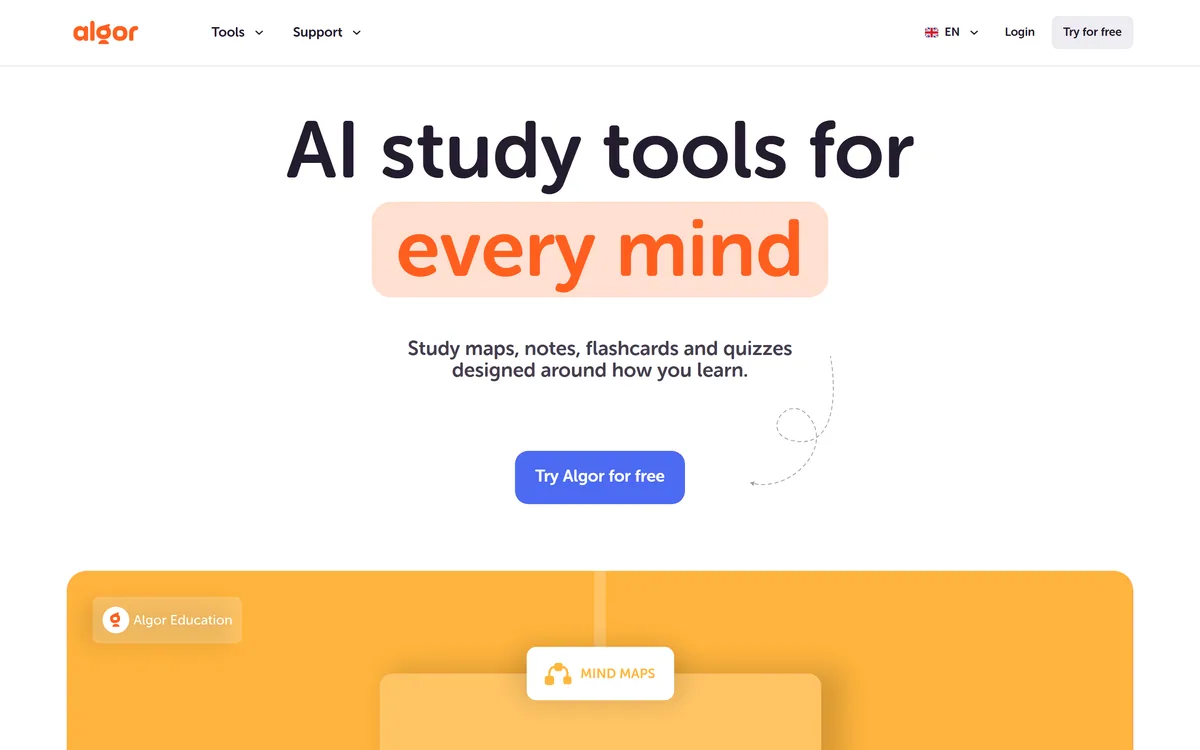
Algor Education is an all-in-one AI study platform that turns notes, documents, web links and videos into a structured Set — editable concept maps, study notes, flashcards and quizzes with progress tracking and an AI assistant.
algoreducation.com6 viewsAdded August 13, 2025200K visitors
The problem with most AI study tools is that they hand you one thing — a summary, or a set of flashcards — and leave you to assemble the rest. Algor Education's answer is to turn a source into a whole structured study environment in one pass.
You drop in your material, and Algor builds a Set: a study guide organised into sections and pages, with editable concept maps, notes, flashcards and quizzes, plus an assistant you can ask about the content. It is built by an Italian startup, Algor Lab, and leans hard into visual, map-based learning rather than walls of text.
This review covers how the pieces fit into one study flow, what Algor accepts as input, how its pricing works, and who gets the most from it — against both general note tools and single-purpose study apps.
Algor turns your material into a structured study Set, not just a single output.
Algor Education In Four Study-Ready Points
Algor Education is an all-in-one AI study platform that turns any source into a structured Set of study materials.
It is visual-first: editable concept maps and mind maps sit alongside study notes, flashcards and quizzes.
It takes almost anything as input — PDFs, Word docs, images, pasted text, a web or YouTube link, or audio and video to transcribe.
It is a complete study environment, with progress tracking and an AI assistant, aimed at students, teachers and lifelong learners.
Turning Any Source Into A Structured Study Set
The central idea is the Set. Give Algor your material, choose the language, style and level of detail, and it produces a study guide organised into sections and pages, from which you can run flashcard sessions and quizzes and ask the assistant questions.
That structure is what makes Algor feel like a study platform rather than a feature. A general tool like Gemini Notebook is excellent at grounded Q&A over your documents, but Algor is specifically building the scaffolding of revision — maps, cards, quizzes, progress — around the material, which is a different and more exam-oriented job.
Crucially, the output is editable. You can review the outline and change the text and maps after generation, so Algor is a starting structure you refine rather than a black box you have to accept.
Most AI study tools hand you one piece and leave you to build the rest. Algor builds the whole study scaffold around your material in one pass.
How Do Algor's Maps, Notes And Quizzes Fit Together?
Algor's tools are designed to connect, so the same material flows from understanding to revision to self-testing without leaving the platform.
Concept Maps And Mind Maps You Can Edit
The visual core is the concept map and mind map, which connect key ideas and relationships so you can see the shape of a topic rather than only read about it. For visual thinkers, that is the main reason to choose Algor, and because the maps are editable you can correct or extend what the AI drew.
Mapping relationships is something flashcard-first tools do not do, which is where Algor's approach pays off: it is building understanding, not just memorisation drills.
Flashcards, Quizzes And Progress Tracking
From the same Set you generate flashcards and quizzes and track your progress, choosing what to study next based on results. This closes the loop from learning to testing without re-entering the material elsewhere.
On raw flashcard-and-quiz drilling, a dedicated tool like Quizlet has a deeper, more social ecosystem; Algor's advantage is that the cards and quizzes are generated from, and linked back to, the maps and notes of the same study guide.
What Algor Accepts As Input, From PDFs To YouTube
Algor is unusually flexible about what you can feed it, which matters because students rarely have their material in one tidy format.
You can upload PDFs, Word documents and images, paste text, drop in a web or YouTube link, or use the Transcribe feature for audio and video files — and you can also generate a Set from just a topic, with no upload at all. On the free plan there are limits, such as up to 25 pages per PDF, which is a fair boundary for trying it.
That breadth of input makes Algor genuinely useful for real study, where a source might be a lecture recording, a textbook chapter or a YouTube explainer. For deeper library research beyond your own materials, a tool like Zendy covers the literature side that Algor does not.
How Algor Education Prices Study Tools
Algor is free to try, with premium features on paid plans. The free tier is a real taste of the product within usage limits rather than a locked demo, which suits the student audience it targets.
AInexfinder does not publish plan prices, which change and are best read on the pricing page. The things that vary by plan are usage limits — how much you can upload and generate — and access to the fuller feature set, so match the tier to how heavily you will actually use it through a term.
Being an EU company, Algor Lab publishes its company details and a fair-usage policy, which is reassuring for anyone handing over their study materials.
A Simple Test Of Algor On Your Own Material
Study tools only prove themselves on real material under real revision pressure, so test Algor on something you actually need to learn.
Upload a genuine source — a lecture PDF, a chapter, or a YouTube explainer you are studying from.
Generate a Set and check the concept map actually captures the relationships that matter, not just keywords.
Edit one map or note where the AI got it slightly wrong, to confirm the editing is workable.
Run a flashcard session and a quiz from the Set and judge whether the questions test real understanding.
Try a different input type — a web link or a transcribed recording — to see how well it handles your real sources.
Pass/fail: Algor earns a subscription only if a Set genuinely saves you time building revision materials and the maps are accurate enough to trust.
Finally, confirm the usage limits on your plan cover the volume of material you study.
Algor Education Study Terms
Set
Algor's core unit: a structured study guide generated from your material, organised into sections and pages.
Concept map
A visual diagram connecting key ideas and their relationships, editable after Algor generates it.
Template
A pre-built or customisable learning structure that shapes how your content becomes a Set.
Transcribe
Algor's feature for turning an audio or video file into text you can then study from.
Key features of Algor Education
Structured study Sets from any source
Editable AI concept maps and mind maps
AI-generated study notes
Flashcards and quizzes from the same Set
Progress tracking to guide what to study next
An integrated AI study assistant
Broad inputs including PDFs, links, YouTube and transcribed media
Choice of language, style and level of detail
Pros & cons
Pros
5
Builds a whole study environment, not a single output
Visual, editable maps aid understanding, not just memorisation
Accepts almost any source, including YouTube and recordings
Cards, quizzes and tracking close the learn-to-test loop
Transparent EU company with clear policies
Cons
5
Not a research database for the wider literature
AI maps and notes still need checking for accuracy
Free-plan limits can be tight for heavy material
Flashcard drilling alone is deeper in dedicated apps
Overkill if you only ever want quick cards
Best For
Visual learners who think in maps
Students wanting notes, cards and quizzes together
Teachers building resources from their own material
Learners working from mixed source types
Anyone who wants editable, trustworthy study materials
Algor Education Beside Other Study Platforms
Study tools differ by whether they build understanding, drill memory, or research the literature.
A Set — a structured study guide with sections and pages
Study tools
Concept maps, mind maps, study notes, flashcards, quizzes
Inputs
PDF, Word, images, pasted text, web or YouTube links, audio and video
Editing
Maps and text are editable after generation
Extras
AI assistant, progress tracking, choice of language, style and detail
Free plan
Includes limited use, such as up to 25 pages per PDF
Operator
Algor Lab S.r.l., Turin, Italy
Audience
Students, teachers, parents and lifelong learners
Is Algor Education Right For Your Studying?
Learners And Teachers Algor Fits
Visual thinkers who learn better from maps than from text
Students who want notes, cards and quizzes from one source in one place
Teachers building structured resources from their own material
Learners who work from mixed sources like PDFs, links and recordings
Anyone who wants to edit and trust the study materials, not just accept them
When Algor May Be Overkill
People who only need quick flashcards and nothing else
Researchers whose real need is access to academic literature
Anyone who will not check the maps for accuracy before revising from them
Learners whose material exceeds the free plan's limits and who want to stay free
Those who prefer a single general note tool over a dedicated study app
How We Evaluated Algor Education
Last checked . Read from algoreducation.com during this check, with the screenshot above captured at the same time.
All-in-one study platform producing a structured Set from a source
Editable concept maps and mind maps alongside notes, flashcards and quizzes
Inputs spanning PDF, Word, images, text, web and YouTube links, and audio or video
An integrated AI assistant and progress tracking
A free plan with limits such as up to 25 pages per PDF
Operated by Algor Lab S.r.l., Turin, with company details and a fair-usage policy in the footer
Privacy, terms and cookie pages present in the footer
No plan prices reproduced here, in line with this site's pricing policy
Learner and partner figures are the vendor's own claims; AI-generated maps and notes should be checked for accuracy before you revise from them.
Study And Research Tools Worth A Look
Grounded document Q&A, flashcard drilling, and a research library.
Gemini Notebook — grounded question-answering over your own documents
Quizlet — a deep, social flashcard and quiz ecosystem
Zendy — an AI research library for the academic literature side
Editor's Verdict
4.1/5
Algor Education earns 4.1 for turning almost any source into a complete, editable study environment — maps, notes, flashcards, quizzes and tracking in one place — from a transparent EU startup; it loses ground only because it is not a literature-research tool and its AI maps still need an accuracy check before you revise from them. AInexfinder Editor Score: 4.1/5.
Algor Education pricing
AInexfinder does not list plan prices or billing details. For current pricing, plans, and trials, visit the official Algor Education website.
Vendor pricing, credits, and billing policies change over time. Always confirm on the official site before you buy.
Frequently asked questions
What is Algor Education?
Algor Education is an all-in-one AI study platform. It turns a source — notes, a document, a web or YouTube link, even a recording — into a structured Set with editable concept maps, study notes, flashcards and quizzes, plus an AI assistant and progress tracking.
What is a Set in Algor?
A Set is Algor's core unit: a study guide generated from your material, organised into sections and pages. From it you can run flashcard sessions and quizzes, track progress, and ask the AI assistant questions about the content.
What can I upload to Algor Education?
PDFs, Word documents and images, pasted text, a web or YouTube link, or audio and video via the Transcribe feature. You can also generate a Set from just a topic. The free plan has limits, such as up to 25 pages per PDF.
How is Algor different from other AI study tools?
Most produce a single output and leave you to build the rest. Algor brings editable concept maps, notes, flashcards and quizzes into one connected study environment, with an assistant and progress tracking, so the whole revision scaffold comes from one source.
How does Algor compare with Quizlet?
Quizlet has a deeper, more social flashcard-and-quiz ecosystem. Algor generates cards and quizzes too, but links them back to editable concept maps and notes from the same Set, so it emphasises understanding alongside memorisation rather than drilling alone.
How does Algor compare with Gemini Notebook?
Gemini Notebook excels at grounded question-answering over your documents. Algor builds structured revision materials — maps, cards, quizzes, tracking — around your source. Use Gemini Notebook to interrogate documents, Algor to turn them into a study scaffold.
Is Algor Education free?
It is free to try, with premium features on paid plans. The free tier is a real, if limited, version of the product rather than a locked demo. Usage limits and the fuller feature set vary by plan, so match the tier to how heavily you will use it.
Are Algor's AI-generated maps accurate?
They are a strong starting structure but, like any AI output, can miss nuance or make errors. Because the maps and notes are editable, the sensible workflow is to review and correct them before revising, rather than trusting them blindly.
Who is Algor Education for?
Students, teachers, parents and lifelong learners — especially visual thinkers who prefer maps to walls of text. It suits anyone who wants notes, flashcards and quizzes built from their own mixed sources in one place.
Who makes Algor Education?
It is built by Algor Lab S.r.l., an innovative startup based in Turin, Italy. The company publishes its details, a fair-usage policy and privacy and terms pages, which is reassuring for anyone uploading their own study materials.
Daniel reviews AI tools the slow way — by actually using them on real projects. His reviews cover what works, what breaks, and who each tool is genuinely a good fit for.
Daniel and the AInexfinder editorial team research Algor Education using public product information, listing evidence, and (when available) hands-on checks. Scores reflect listing completeness and transparency — not paid placement.
Listings may include affiliate or sponsored placements, which are labeled when present. Editorial scores and cons are not sold. See our affiliate disclosure and review methodology.
Coconote records or accepts uploads — lectures, PDFs, videos, links, documents — and produces organised notes and transcripts, then generates quizzes, flashcards, study games and AI podcasts. It supports 100+ languages and syncs across iPhone, iPad, Android, web and desktop.
NoteGPT is an AI learning assistant covering YouTube summarising, transcription, note taking, flashcards, quizzes and slide generation, alongside image, audio and writing tools. Chrome and Edge extensions extend it into the browser.
Recall is an AI knowledge base that saves videos, articles, podcasts, PDFs and books, summarises them, auto-tags and links related ideas, and schedules spaced-repetition quizzes. It runs on web, iOS and Android with Chrome, Safari, Edge and Firefox extensions.
LUCA is a K-12 reading intervention platform that analyses student reading at the phoneme level rather than the word level, identifying skill gaps in real time. It reports a 17.4 words-per-minute average fluency gain and 763,000+ grapheme-phoneme mappings, delivered through SoundScout, StoryGen and Assessment Intelligence.
RemNote combines outlining, handwriting, PDF annotation and spaced-repetition flashcards in one document, generating cards, quizzes and summaries from PDFs, slides, lecture transcripts and video, with an exam scheduler that works backwards from a date you set.
Gizmo is a mobile-first study app that turns your notes, PDFs, slides and YouTube videos into AI-generated quizzes and flashcards, built around active recall so revision becomes a habit rather than a chore.
.png)