Recall is an AI knowledge base that saves videos, articles, podcasts, PDFs and books, summarises them, auto-tags and links related ideas, and schedules spaced-repetition quizzes. It runs on web, iOS and Android with Chrome, Safari, Edge and Firefox extensions.
Everyone reading this has a read-later app containing several hundred articles they will never open again. Saving is easy, costs nothing, and feels productive — which is exactly why it does not work.
The uncomfortable truth is that reading something once and filing it away leaves almost nothing behind. Within a month you retain the vague impression that you read something about the topic, which is not knowledge and cannot be used.
Recall's answer is the one the study literature has recommended for decades and nobody applies to their own reading: test yourself, on a schedule. The saving and summarising are the setup; the quiz is the product.
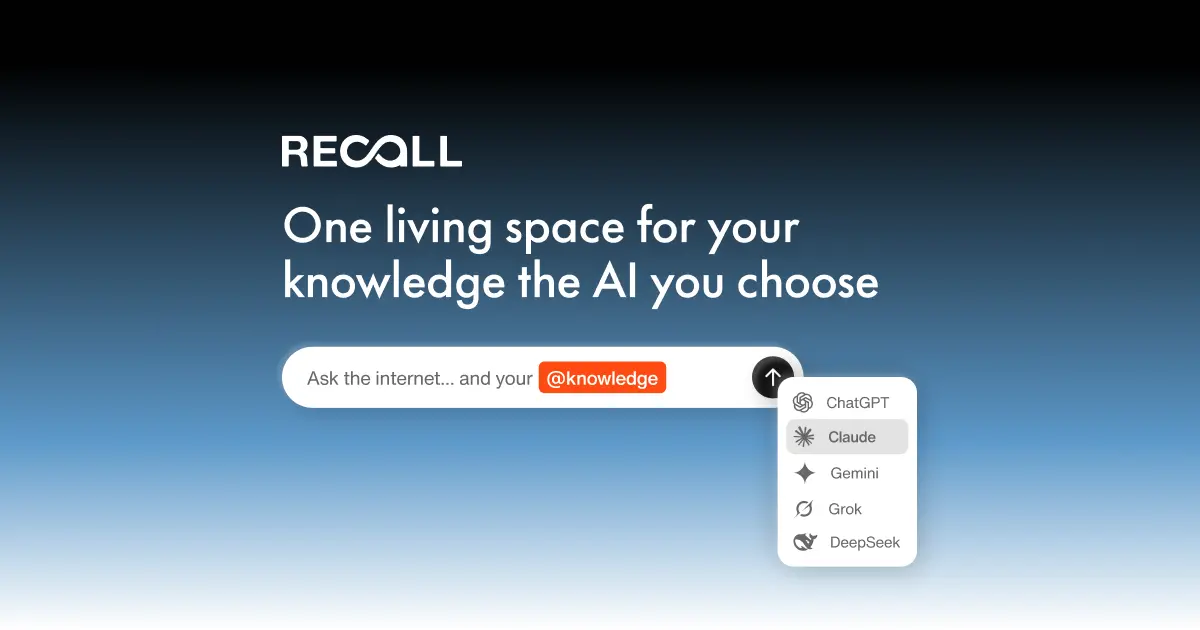
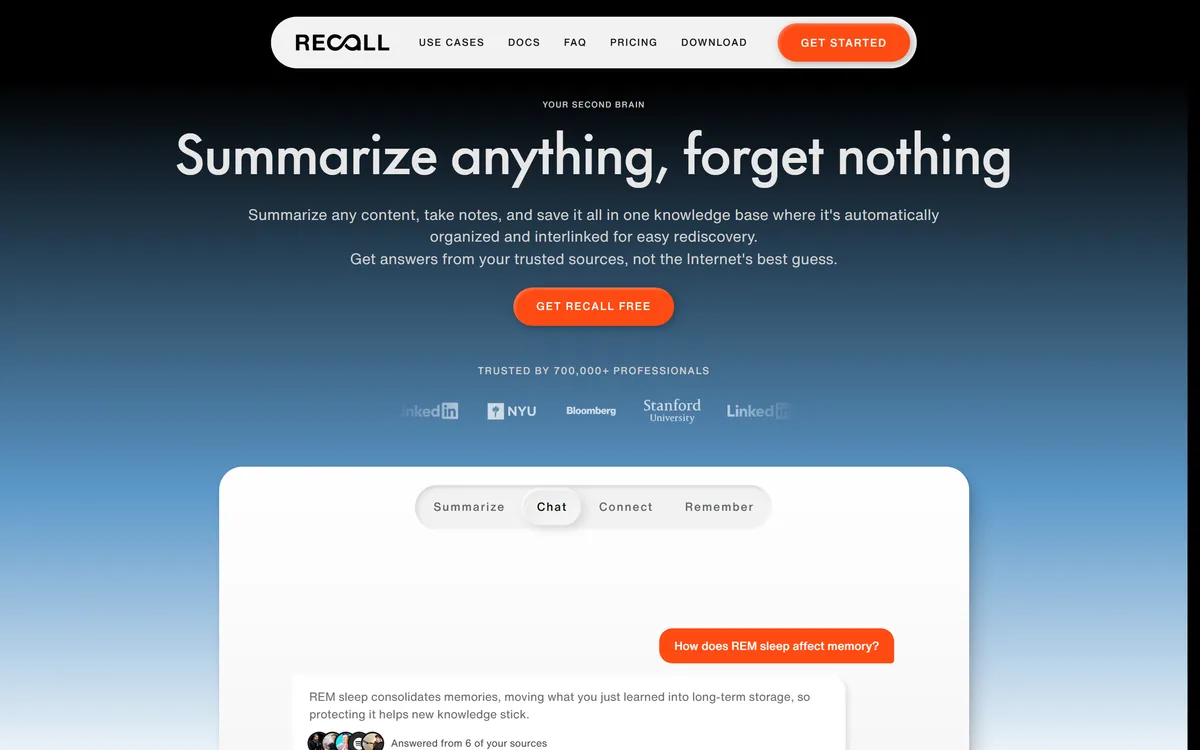
Recall's homepage, captured 9 September 2026, showing the knowledge base positioning around saving, summarising and remembering.
Recall: Platforms And Content Types
Product type
AI-powered personal knowledge base
Current domain
recall.it, with getrecall.ai redirecting
Knowledge Base
Centralised storage with automatic organisation
Summaries
AI summaries of videos, podcasts and other media
Spaced Repetition
Automated quizzes on a personalised schedule
Smart Tags
Auto-tagging that the site says improves over time
Connections
Automatic linking of related ideas across saved content
Augmented Browsing
Local-first resurfacing of connected knowledge while browsing
Content types
TikToks, notes, YouTube videos, podcasts, Wikipedia articles, PDFs, articles, recipes, books, movies
Platforms
Web app, iOS, Android
Browser extensions
Chrome, Safari, Edge, Firefox
Footer sections
Product, Feedback, Socials, Download
Recall: A Second Brain That Quizzes You
Spaced repetition is the differentiator — automated quizzes on a personalised schedule, not just a place to store things.
It saves almost anything: YouTube videos, podcasts, TikToks, Wikipedia articles, PDFs, articles, recipes, books and movies.
Smart Tags auto-organise and improve over time, so filing is not a task you have to keep doing.
Connections link related ideas automatically across everything you have saved.
Augmented Browsing resurfaces connected knowledge while you browse, described as local-first.
Why Does Spaced Repetition Belong In A Read-Later App?
Recall schedules automated quizzes on what you have saved, at intervals designed to build long-term memory. That is spaced repetition, and it is the most consistently supported finding in the study literature.
The mechanism is retrieval. Pulling something out of memory strengthens it in a way that reading it again does not — and reading again feels far more productive, which is why almost everyone chooses the worse method.
The spacing matters as much as the testing. Being asked about something just as you are about to forget it produces the strongest effect, which is why the schedule needs to be computed rather than chosen. Nobody can guess their own forgetting curve.
Applying this to general reading rather than to exam revision is the unusual part. Students use flashcards; almost nobody applies the same technique to the articles, videos and books they consume for work — despite that being where most adult learning actually happens.
The honest caveat is that generated questions test facts more reliably than understanding. A quiz asking what a study found is easier to generate than one asking what its limitations imply, and the second is what makes knowledge usable. The tool gets you retention; the application is still your job.
Students have applied this for years through card systems like Quizlet. The unusual move is pointing the same mechanism at ordinary reading rather than at exam material.
Reading something again feels far more productive than being tested on it. That feeling is why almost everyone chooses the method that works worse.
Smart Tags And Connections Do The Filing
Recall auto-tags saved content with a system it says improves over time, and automatically links related ideas across everything you have saved.
This solves the failure that kills every personal knowledge system: manual organisation. People start with an elegant folder structure, maintain it enthusiastically for two weeks, and then save things loose forever after.
The reason is that filing costs effort at the moment of saving and pays off at some unknown later point, which is exactly the shape of task humans reliably skip. Automating it removes the decision entirely.
Connections are the more interesting half, because they surface something you could not have filed for. Two articles read four months apart that make the same argument from different fields is a link no folder structure would ever have produced.
The realistic expectation is that automatic connections are noisy. Some will be genuine insight and many will be superficial keyword overlap, and the value depends on the ratio being good enough that scanning them is worth the time.
Augmented Browsing Is The Local-First Bet
Recall describes Augmented Browsing as local-first functionality that resurfaces connected knowledge while you browse, with extensions for Chrome, Safari, Edge and Firefox.
The idea is to close the gap between having knowledge and having it at the right moment. A note about a company you read six months ago is useless when you are reading about that company today and do not remember writing it — and surfacing it automatically is precisely when it becomes valuable.
The local-first framing matters more than it sounds, because the feature necessarily involves watching what you browse. A system that resurfaces relevant knowledge has to know what page you are on, which is an enormous amount of information about you.
Processing that locally rather than sending it to a server is the difference between a useful feature and a comprehensive browsing log held by someone else. That is a genuine design decision and worth crediting.
It is also worth verifying rather than assuming. Local-first describes an architecture, not a guarantee, and anyone whose browsing includes confidential material should read the privacy documentation before installing an extension that reads every page.
That is a different promise from a grounded notebook. Gemini Notebook answers questions from sources you deliberately assembled; this surfaces things you had forgotten you saved.
Save less than you want to — a knowledge base you cannot review is a read-later app again.
Answer the quizzes when they arrive, since the schedule is the mechanism.
Scan the automatic connections weekly rather than trusting them individually.
Read the privacy documentation before installing a browser extension that reads every page.
Write your own note on anything important, since your words retain better than a summary.
Building A Knowledge Base You Return To
The failure mode is obvious and near-universal: saving everything and reviewing nothing, which is the original problem with an AI layer on top.
Restraint at the point of saving is what makes the rest work.
Decide what you actually want to remember, and save only that — not everything you found interesting.
Write one sentence in your own words when you save something, because your phrasing retains far better than a generated summary.
Answer quizzes the day they arrive rather than batching them, since the interval is the whole point.
Review the automatic connections once a week and promote the two or three that are genuinely surprising.
Delete things you no longer care about, because a knowledge base with dead weight in it gets abandoned.
After a month, check whether you can explain three things you saved without opening the app — that is the only real test.
Where Recall Sits Against A Notes App
The obvious comparison is with a general notes or workspace tool, and the distinction is about what each is for.
A notes app holds what you wrote. It is an output tool — the place where your thinking accumulates — and it is judged on how easily you can get things back out.
Recall holds what you consumed. It is an input tool, and it is judged on whether any of that consumption survived contact with your memory. Those are different problems and both are real.
The overlap causes confusion because both end up as a searchable archive. But searching a notes app finds something you wrote and half-remember; the quiz in Recall is aimed at things you would never think to search for, because you have forgotten they exist.
For most people the honest answer is that both have a place, and the mistake is trying to make one do the other's job — a notes app used as a read-later pile is the most common version of that mistake.
A workspace such as Cleve sits on the output side of the same divide, building context from what you have written rather than what you have read.
Is Recall Your Second Brain?
A good habit when
You save a great deal and remember very little of it.
You have abandoned a manual folder system at least once.
You consume across formats — video, podcasts, PDFs, articles — and want them together.
You will actually answer a quiz when it appears, which is the whole mechanism.
You want connections surfaced between things you read months apart.
Not your system when
Your problem is capturing what you write rather than what you read.
You need a shared team knowledge base rather than a personal one.
You will not review anything, in which case this is a read-later app again.
You need grounded answers with citations rather than retention.
You are uncomfortable with an extension that reads the pages you browse.
Key features of Recall
Spaced-repetition quizzes scheduled from what you saved
AI summaries of videos, podcasts, articles and PDFs
Smart Tags that organise automatically and improve over time
Connections linking related ideas across your whole library
Augmented Browsing that resurfaces relevant saved knowledge as you browse
Support for TikToks, YouTube, podcasts, Wikipedia, PDFs, books, recipes and movies
Web, iOS and Android apps
Extensions for Chrome, Safari, Edge and Firefox
Pros & cons
Pros
6
Spaced repetition is the best-evidenced retention technique and nobody applies it to their reading
The scheduling is computed, which matters because nobody can guess their own forgetting curve
Auto-tagging removes the manual filing that kills every personal knowledge system
Connections surface links across months that no folder structure would produce
Local-first Augmented Browsing is the right architecture for a feature that watches your browsing
Genuinely broad content support, including video and podcast formats
Cons
6
Generated questions test facts more reliably than understanding
Automatic connections are noisy, mixing insight with keyword overlap
Still depends on the habit of reviewing, without which it is a read-later app again
Local-first describes an architecture, not a verified guarantee
No operating company, location or pricing published on the pages we read
The domain move from getrecall.ai to recall.it is unexplained
Best For
People who save constantly and retain almost nothing
Anyone who has abandoned a manual folder system
Learners consuming across video, podcast and text formats
Researchers wanting connections surfaced between distant reading
Anyone willing to answer a quiz when it appears
Recall Beside Other Knowledge Tools
Knowledge tools split by whether they hold what you wrote, what you read, or what you were given.
Input, output and interrogation are three different jobs that all end up looking like an archive.
Notion AI — for what you write rather than what you read
Gemini Notebook — when you need grounded answers from sources rather than retention
Cleve — a workspace built on everything you have written
Quizlet — spaced repetition applied to study material specifically
Goodnotes — if a large part of what you want to keep is handwritten
Recall: How We Checked The Details
Last checked . Read from recall.it, reached via a redirect from getrecall.ai, with the screenshot above captured in the same session.
getrecall.ai returns a 301 permanent redirect to recall.it
Product branded as Recall on the current site
Described as an AI-powered knowledge base for saving, organising, summarising and chatting with content
Knowledge Base confirmed as centralised storage with automatic organisation
Summaries confirmed for videos, podcasts and other media
Spaced Repetition confirmed as automated quizzes on personalised schedules to build long-term memory
Smart Tags confirmed as an auto-tagging system stated to improve over time
Connections confirmed as automatic linking of related ideas across saved content
Augmented Browsing confirmed as local-first functionality resurfacing connected knowledge while browsing
Content types confirmed including TikToks, notes, YouTube videos, podcasts, Wikipedia articles, PDFs, articles, recipes, books and movies
Platforms confirmed as web app, iOS and Android
Browser extensions confirmed for Chrome, Safari, Edge and Firefox
Footer sections confirmed for Product, Feedback, Socials and Download
What we could not confirm: the operating company's legal name or location; pricing and plan structure; which underlying models perform summarisation and question generation; what local-first means technically, and what leaves the device; how the spacing schedule is computed; storage limits; and export options if you leave. The domain move from getrecall.ai to recall.it is not explained on the site. We did not use the product, so nothing here reflects tested output.
Editor's Verdict
4.1/5
Recall's insight is that saving things is not the problem. Everyone already has a read-later app full of articles nobody returned to, and adding AI summarisation to that pile produces a faster way to not learn anything. What Recall adds is spaced repetition — quizzes on a schedule — which is the single best-evidenced study technique there is and the one nobody applies to their own reading. Auto-tagging and automatic connections do the filing that people abandon within a fortnight. It scores below the top because generated quiz questions test recall of facts rather than understanding, and because a knowledge base still requires the habit of adding to it. AInexfinder Editor Score: 4.1/5.
Recall pricing
AInexfinder does not list plan prices or billing details. For current pricing, plans, and trials, visit the official Recall website.
Vendor pricing, credits, and billing policies change over time. Always confirm on the official site before you buy.
Frequently asked questions
What is Recall?
Recall is an AI-powered personal knowledge base. It saves videos, podcasts, articles, PDFs and books, summarises them, auto-tags and links related ideas, and schedules spaced-repetition quizzes to build long-term memory. It runs on web, iOS and Android, with Chrome, Safari, Edge and Firefox extensions.
Why does spaced repetition matter here?
Because reading something once and filing it away leaves almost nothing behind — within a month you retain a vague impression, which is not knowledge. Retrieval strengthens memory in a way re-reading does not, and the spacing matters as much as the testing, which is why the schedule needs computing rather than guessing.
How is this different from a read-later app?
A read-later app is a place things go to be forgotten, and adding AI summarisation to that produces a faster way to not learn anything. The quiz is what makes Recall different: it asks you about what you saved, on a schedule, so consumption occasionally survives contact with your memory.
Do the generated quizzes actually test understanding?
They test facts more reliably than understanding. A question asking what a study found is easier to generate than one asking what its limitations imply, and the second is what makes knowledge usable. Recall gets you retention; applying what you retained is still your job.
What is Augmented Browsing?
Local-first functionality that resurfaces connected knowledge from your library while you browse. The value is closing the gap between having knowledge and having it at the right moment — a note about a company you read six months ago is useless when you cannot remember writing it.
Is Augmented Browsing a privacy risk?
It necessarily involves knowing what page you are on, which is a great deal of information. The site describes it as local-first, which is the right architecture and the difference between a useful feature and a browsing log held elsewhere. Local-first describes an architecture rather than a guarantee, so read the privacy documentation before installing.
What can I save into Recall?
TikToks, YouTube videos, podcasts, Wikipedia articles, PDFs, general articles, recipes, books, movies and your own notes. That breadth matters because most adult learning happens across formats, and a system covering only one of them leaves the rest in the pile it was meant to replace.
How is Recall different from Notion?
Notion holds what you wrote — it is an output tool judged on getting things back out. Recall holds what you consumed, and is judged on whether any of it survived in your memory. Both are real problems, and the common mistake is using a notes app as a read-later pile.
Was Recall previously at a different address?
getrecall.ai now returns a 301 redirect to recall.it. The site does not explain the move, and the product name is unchanged. Practically it means older links and references point at the previous domain, which currently forwards correctly.
How much should I save?
Less than you want to. The single most useful discipline is deciding what you actually want to remember and saving only that — a knowledge base you cannot review is the original problem with more steps. After a month, check whether you can explain three things you saved without opening the app.
Daniel reviews AI tools the slow way — by actually using them on real projects. His reviews cover what works, what breaks, and who each tool is genuinely a good fit for.
Daniel and the AInexfinder editorial team research Recall using public product information, listing evidence, and (when available) hands-on checks. Scores reflect listing completeness and transparency — not paid placement.
Listings may include affiliate or sponsored placements, which are labeled when present. Editorial scores and cons are not sold. See our affiliate disclosure and review methodology.
Coconote records or accepts uploads — lectures, PDFs, videos, links, documents — and produces organised notes and transcripts, then generates quizzes, flashcards, study games and AI podcasts. It supports 100+ languages and syncs across iPhone, iPad, Android, web and desktop.
NoteGPT is an AI learning assistant covering YouTube summarising, transcription, note taking, flashcards, quizzes and slide generation, alongside image, audio and writing tools. Chrome and Edge extensions extend it into the browser.
LUCA is a K-12 reading intervention platform that analyses student reading at the phoneme level rather than the word level, identifying skill gaps in real time. It reports a 17.4 words-per-minute average fluency gain and 763,000+ grapheme-phoneme mappings, delivered through SoundScout, StoryGen and Assessment Intelligence.
Gizmo is a mobile-first study app that turns your notes, PDFs, slides and YouTube videos into AI-generated quizzes and flashcards, built around active recall so revision becomes a habit rather than a chore.
Question AI is a homework-helper app that scans a question and returns step-by-step answers across school subjects, plus AI writing, search, translation and summarizing. Its study uses are legitimate; using it to hand in answers or graded work crosses academic-integrity lines, which we weigh honestly.
RemNote combines outlining, handwriting, PDF annotation and spaced-repetition flashcards in one document, generating cards, quizzes and summaries from PDFs, slides, lecture transcripts and video, with an exam scheduler that works backwards from a date you set.