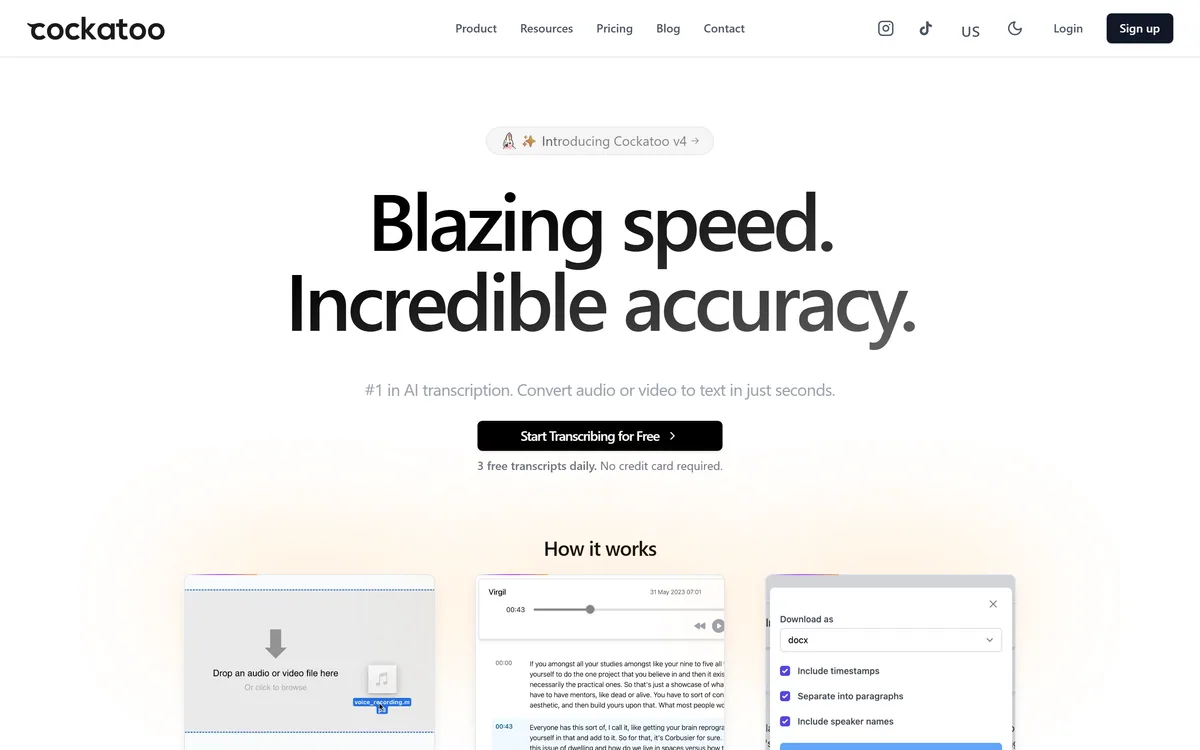
Cockatoo transcribes audio and video across 100+ languages with a stated accuracy of up to 99.8%, exports to SRT, DOCX, PDF and TXT, imports from Dropbox and YouTube, and offers three free transcripts daily with no card required.
Cockatoo transcribes recordings. That is the whole product, and the narrowness is deliberate in a market where every transcription tool is busy becoming a meeting assistant.
Two things stand out. The free allowance is three transcripts a day rather than a one-time trial, which makes it genuinely usable for occasional work. And it states plainly that it makes money from the product rather than advertising.
This review covers what the accuracy claim really means, how the export formats determine whether it fits your workflow, why the business model matters for a tool you hand recordings to, and where transcription still needs your attention.
Cockatoo keeps the product narrow — upload, transcribe, export, and little else.
Cockatoo Transcription Details
Company
Cockatoo Inc., stated as independently owned
Category
AI transcription for audio and video
Stated accuracy
Up to 99.8%
Language coverage
100+ languages, with 11 listed explicitly including English, Spanish, Chinese, Japanese and Arabic
Input
All video and audio types, plus imports from Dropbox and YouTube
Export formats
SRT, DOCX, PDF and TXT
Extras
AI summaries; translation offered separately
Free tier
3 free transcripts daily, no credit card required
Stated privacy position
Data never shared; revenue from the product rather than advertising
Cockatoo At A Working Glance
What it does: converts audio and video to text, with AI summaries and export to SRT, DOCX, PDF and TXT.
Free allowance is unusually clear: three transcripts a day, no card required — a real daily tool, not a one-off trial.
Coverage claimed: 100+ languages, with a stated accuracy of up to 99.8%.
Imports from Dropbox and YouTube, so you are not always uploading a file by hand.
Stated business model: paid product only, never advertising — which is a meaningful position for a tool you hand recordings to.
Reading A 99.8% Accuracy Claim
Cockatoo states accuracy of up to 99.8%. The phrase to notice is "up to" — that is a ceiling under favourable conditions, not an expectation for your recording.
Transcription accuracy is dominated by input quality, not by the model. Clean audio, one speaker at a time, a common accent and ordinary vocabulary will approach the headline figure. A noisy room with three people talking over each other will not, with any tool on the market.
The number worth having is your own. Transcribe one real recording, count the errors, and time how long correcting them takes — that is the only figure that predicts whether this saves you anything.
Every transcription vendor quotes a number from ideal audio. Nobody records in ideal audio.
Export Formats Decide The Workflow
The four export formats each serve a different downstream job, and having all of them is more useful than it first appears.
SRT — subtitle files that drop straight into a video editor or player
DOCX — for editing the transcript as a document, which is what interviews need
PDF — a fixed record for sharing or filing
TXT — plain text for feeding into another tool or a search index
AI summaries — for when nobody will read the transcript itself
The Business Model Is A Feature
Cockatoo states that charging for the product is the only way it makes money, never advertising, and that it will not share user data.
For a transcription tool this is not marketing fluff. You are uploading recordings — interviews, meetings, medical or legal conversations, sometimes material involving people who did not choose the tool.
A product funded by advertising has a structural interest in your data that a product funded by subscriptions does not. Stating that plainly is worth crediting, though it remains a vendor commitment rather than an audited certification, and anything genuinely sensitive still warrants reading the terms.
Who Else Is In The Recording
Transcription raises a question most tools leave to you: the other people on the recording did not choose this product, and in many cases did not know a transcript would exist.
For an interview you conducted, consent to record usually covers it. For a meeting someone else convened, a support call, or anything involving health, legal or personnel matters, the position is less comfortable — and recording law in some jurisdictions requires every party to agree, not just one.
The practical rule is simple enough to adopt as policy: say that you are recording and why, decide in advance which categories of conversation never get uploaded to a third-party tool, and delete transcripts you no longer need rather than accumulating an archive nobody is managing.
Getting The Most Accurate Result
Most of the accuracy you get is decided before you upload anything.
Record as close to the speaker as possible — microphone distance affects accuracy more than any setting.
Avoid overlapping speech where you can; it is the single hardest case for every transcription engine.
Import directly from Dropbox or YouTube rather than re-encoding a file, which can degrade audio.
Transcribe a short sample first if the recording is long, and check the error rate before committing.
Correct names and technical terms first — they are where errors cluster and where they matter most.
Export to the format you actually need rather than the default; SRT and DOCX serve very different jobs.
Where It Stops
Cockatoo transcribes, and that is the boundary. It does not join your meetings, sit in your calendar, or push notes into a CRM, which is what the meeting-assistant category has moved toward.
For some people that is exactly right — a tool that does one thing and asks nothing of your calendar. For teams wanting meeting capture with follow-up actions, it is the wrong category entirely.
Language quality will also vary considerably across the 100+ claimed. Eleven are listed explicitly, which suggests those are the best supported; anything outside that list is worth testing on the free allowance before relying on it.
And like every transcription tool, output needs reviewing before publication or quotation. Product names, personal names and jargon are mangled by all of them.
Is Cockatoo The Right Transcriber?
Choose It If
You transcribe files occasionally rather than capturing every meeting
Three transcripts a day covers your actual volume
You need SRT for subtitles as well as documents for editing
You would rather not give a tool access to your calendar
A stated no-advertising business model matters for your recordings
Choose Otherwise If
You want an assistant that joins Zoom, Teams or Meet automatically
You need meeting notes pushed into a CRM or task tracker
Your work is in a language outside the eleven explicitly listed
You need transcription as an editing interface rather than an output
You require an audited privacy certification, not a stated commitment
Key features of Cockatoo
Audio and video transcription across 100+ languages
Stated accuracy of up to 99.8% on suitable recordings
Export to SRT, DOCX, PDF and TXT
AI summaries of transcribed content
Direct import from Dropbox and YouTube
Support for all common video and audio file types
Three free transcripts daily with no card required
Pros & cons
Pros
5
Free allowance renews daily rather than being a one-off trial
Four export formats cover subtitles, documents, records and plain text
Stated no-advertising model, which matters for uploaded recordings
Dropbox and YouTube import avoids manual re-uploading
Deliberately narrow, so there is nothing to configure
Cons
5
"Up to 99.8%" is a ceiling from clean audio, not a typical result
Does not join meetings — you supply the file
Only eleven languages listed explicitly out of 100+ claimed
No CRM, task tracker, or workflow integrations
Privacy position is a vendor commitment rather than an audited certification
Best For
Journalists and researchers transcribing recorded interviews
Video editors needing SRT subtitle files from existing footage
Students transcribing lectures they recorded themselves
Anyone who wants transcription without granting calendar access
Occasional users whose volume fits three transcripts a day
Cockatoo Versus Other Transcription Options
The split is between transcription tools and meeting assistants — they solve different problems.
Vendor pricing, credits, and billing policies change over time. Always confirm on the official site before you buy.
Frequently asked questions
How accurate is Cockatoo really?
It states up to 99.8%, which is a ceiling under favourable conditions. Accuracy is dominated by audio quality rather than the model, so a noisy recording with overlapping speakers will fall well short — as it would with any tool. Test on your own recording.
How much can I transcribe for free?
Three transcripts a day with no credit card required. Because the allowance renews daily rather than being a one-off trial, it is genuinely usable for occasional transcription work.
What formats can I export?
SRT for subtitles, DOCX for editing as a document, PDF as a fixed record, and TXT for feeding into other tools. AI summaries are also available for when nobody will read the full transcript.
Does Cockatoo join my meetings like Otter?
No. You upload a file or import from Dropbox or YouTube. If you want an assistant that auto-joins Zoom, Teams or Google Meet and pushes notes into other systems, that is a different category of tool.
Is my recording private?
Cockatoo states it never shares user data and that it makes money from the product rather than advertising. That is a meaningful position for a transcription tool, though it is a vendor commitment rather than an audited certification.
Which languages work best?
Cockatoo claims 100+ languages but lists eleven explicitly — English, Spanish, French, German, Italian, Portuguese, Russian, Chinese, Japanese, Korean and Arabic. Test anything outside that list on the free allowance before relying on it.
Do I still need to check the transcript?
Yes, particularly for names, product terms and jargon, which is where errors cluster across every transcription tool. Correct those first — they are also the errors that matter most if the text gets published or quoted.
Daniel reviews AI tools the slow way — by actually using them on real projects. His reviews cover what works, what breaks, and who each tool is genuinely a good fit for.
Daniel and the AInexfinder editorial team research Cockatoo using public product information, listing evidence, and (when available) hands-on checks. Scores reflect listing completeness and transparency — not paid placement.
Listings may include affiliate or sponsored placements, which are labeled when present. Editorial scores and cons are not sold. See our affiliate disclosure and review methodology.
Rev has repositioned from transcription into an investigative intelligence platform for legal teams, combining AI evidence analysis with human-verified transcription guaranteed 99%+ accurate in 12 hours, plus court reporting, deposition summaries and a speech-to-text API.
AssemblyAI sells voice AI infrastructure: production APIs for pre-recorded and real-time speech-to-text on its Universal models, a Speech Understanding API that turns transcripts into structured insight, a Voice Agent API over a single WebSocket, and guardrails including PII redaction and content moderation.
Deepgram provides speech-to-text and text-to-speech through its Flux models, plus a Voice Agent API that combines transcription, speech synthesis and LLM orchestration into a single interface. Everything runs in real time or batch, in the cloud or self-hosted, with text-to-speech latency stated as low as 80ms.
The workspace at www-flux3.com generates 5–20 second AI videos with native audio from text or a starting image, routing across FLUX 3, MiniMax H3, Seedance, Wan 3.0 and Kling 3.0 Pro, at 720p or 1080p with video extension.
Runway is an AI video platform built around generative world models — Gen-4.5, Aleph 2.0, and Act-Two for performance capture — split across Runway Creative for filmmakers, Runway Dev for builders, and Runway Robotics.