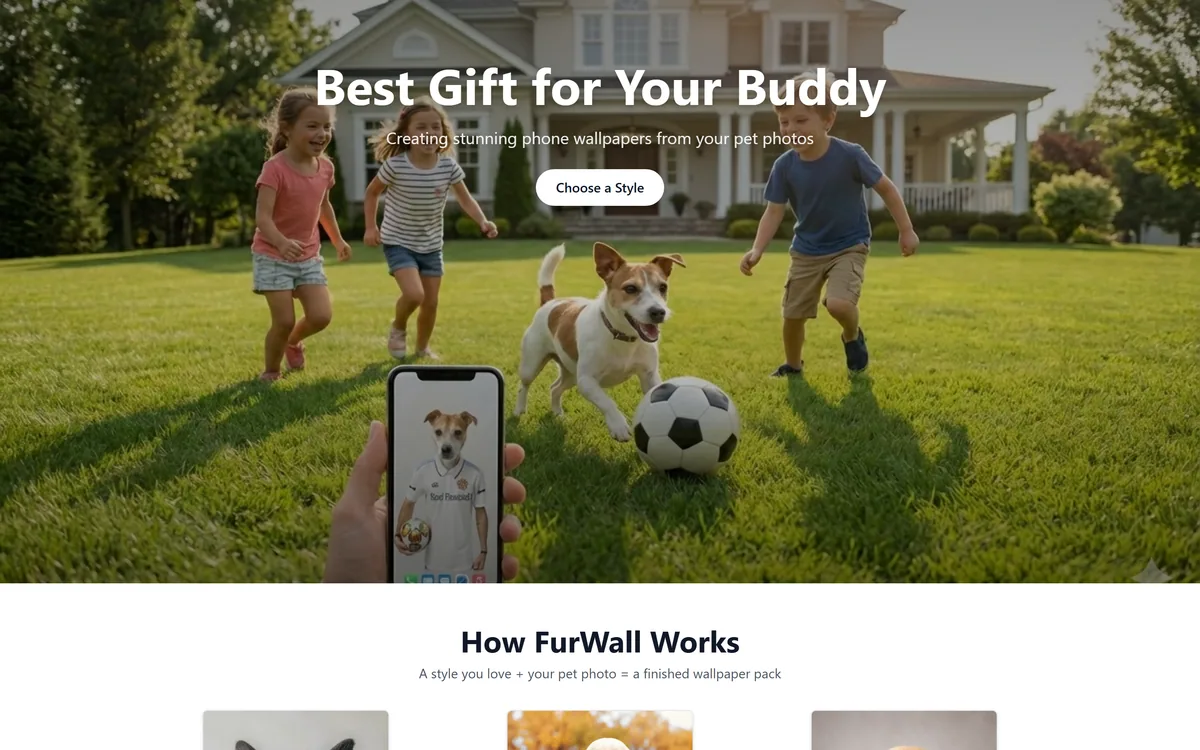
FurWall turns a pet photo into phone wallpaper packs, combining an uploaded image with one of 200+ styles across 17 categories including Renaissance, Film and TV, Fantasy, Galaxy and Christmas. Output is a coordinated set rather than one picture.
furwall.kukukala.com8 viewsAdded June 28, 202612K visitors
Personalising a phone with a pet photo is not a new idea — everyone has done it, and everyone has run into the same problem. A photograph cropped to a lock screen fights the clock and the notifications; the same photo on the home screen fights the icons; and the two together look like an accident rather than a choice.
FurWall's answer is to stop treating this as an image problem. You pick a style, upload a photo, and get back a matching wallpaper pack designed to work across the screens rather than a single picture you then have to crop twice.
This review covers why the pack format is the genuinely good idea here, what a 200-style library really offers, one thing worth thinking about in the style categories, and where this sits against the pet-portrait tools that end in a printed object.
A pack, not a picture — lock screen, home screen and the variations in between.
Packs, Not Pictures
Output is a coordinated set, not one image — which is the right shape for a phone, where the lock screen and home screen need to work together.
200+ styles across 17 categories, weighted heavily towards Film and TV (69) and Renaissance (52).
Digital only. No prints, no physical product — the whole thing lives on your screen.
Very simple input: pick a style, upload a pet photo, get the pack back.
A small operation on a subdomain, with privacy and terms published and a personal contact address.
Why A Pack Is The Right Unit
This is the design decision that makes the product make sense, and it is easy to skim past as a packaging detail.
A phone is not one canvas. The lock screen has a clock at the top and notifications through the middle; the home screen has a grid of icons; some people use a widget layout that occupies a third of the display. An image that looks good in a preview frequently has your dog's face behind the time or under a row of app icons.
A coordinated pack solves that by giving you variations built for those different jobs — the composition shifted so the subject sits where nothing covers it, with a consistent look across the set so the phone reads as deliberately styled rather than randomly assembled.
That is a small idea executed sensibly, and it is more useful than another hundred styles would be. Anyone who has spent ten minutes dragging a photo around the wallpaper cropper knows exactly which problem is being solved.
The hard part was never generating a nice image of your dog. It was getting one that survives the clock, the notifications and a grid of icons.
What 200 Styles Actually Gives You
Seventeen categories, weighted unevenly, and the weighting tells you what people actually ask for.
Film and TV (69 styles) — by far the largest category, which is a fair reflection of what most people want their pet inserted into
Renaissance (52 styles) — the oil-painting aristocrat look, which has been the dominant pet-art joke for a decade and shows no sign of tiring
Seasonal — Christmas and Halloween, which are the two dates this kind of product sells on
Character themes — Superheroes, Military, Fantasy and Mythology, Jobs and Professions
Aesthetic themes — Galaxy, Floral Crown, Food and Drinks, Travel and Adventure, Music and Performing Arts, Sports and Hobbies
One Thing Worth Thinking About In The Style List
The categories weighted most heavily — Film and TV, Superheroes — describe looks associated with entertainment properties, and it is worth being clear about what that does and does not mean.
Producing an image in the visual style of a genre is ordinary creative practice. A wallpaper that looks cinematic, or that borrows the palette and lighting of an era of film, is a style choice like any other, and nothing about generating one is unusual.
The territory to be thoughtful about is where an image moves from evoking a genre to reproducing a specific, protected character or design. Trademarks and character rights belong to their owners, and a personal wallpaper on your own phone sits in very different territory from something posted publicly, sold, or printed on merchandise.
This is not an accusation about how FurWall operates — its style names describe visual treatments and we make no claim beyond that. It is the same practical note we would give about any style library: private personal use is one thing, redistribution is another, and the second is a decision worth making deliberately.
Getting A Pack You Will Actually Keep
Wallpapers are judged differently from portraits: you see one for three seconds, forty times a day, forever.
Use a photo where your pet's face is clear and well lit. Everything downstream depends on it, exactly as with any generated portrait.
Think about your own screen before choosing a style. A busy, detailed style disappears under a grid of icons; a simple one survives it.
Prefer styles with a clear area where the clock sits — the top third of a lock screen is effectively unusable.
Pick one category and stay in it. The point of a pack is coherence, and mixing a Renaissance lock screen with a Galaxy home screen defeats it.
Live with it for a week before generating more. Wallpapers that delight on day one can grate by day five, and that is not a judgement you can make in a preview.
Keep the files somewhere off the phone if you like them, since a device change or a reset loses whatever is only on the handset.
For anything you intend to share publicly rather than keep privately, think about the style category first rather than after.
Where This Sits Against Printed Pet Art
It is worth being explicit that FurWall and the pet portrait services are different products aimed at different moments, even though both start from the same photograph.
A portrait service ends in an object — a canvas, a framed print, a gift you hand to somebody. The purchase is occasional, the emotional register is higher, and the memorial use case belongs there rather than here.
FurWall ends on your screen. The purchase is casual, the thing is disposable in the sense that you will change it, and the volume format — packs rather than pieces — reflects that. Nobody frames a wallpaper.
That difference also sets expectations for polish. A print has to survive close inspection at A3; a wallpaper has to work at a glance behind icons. The second is a more forgiving job, which is part of why a 200-style library is viable here and would not be for print.
On the operator: FurWall runs on a subdomain, publishes privacy and terms, gives a personal contact address, and links to another tool from the same maker. That is a small independent operation rather than a company, which is fine for a digital purchase of this size — and a reason to keep copies of anything you want to keep.
Key features of FurWall
Pet photo upload with style selection
Coordinated wallpaper packs rather than single images
200+ styles available
17 style categories including seasonal options
Film and TV category with 69 styles
Renaissance category with 52 styles
Christmas and Halloween seasonal sets
Digital delivery with no physical fulfilment
Pros & cons
Pros
5
Packs are the correct unit for a phone, where lock and home screens need different compositions
Solves the real problem of a subject sitting behind the clock or under an icon grid
Very large style library, weighted towards what people actually ask for
Seasonal categories suit the way people actually change wallpapers
Simple enough to use in one sitting, with no setup
Cons
5
Digital only — nothing to print, frame or give as a physical gift
Output quality still depends on a clear, well-lit source photo
Style presets rather than compositional control
A small operation on a subdomain, so keep your own copies of anything you like
Style categories are worth a thought if you plan to publish rather than keep results private
Best For
Pet owners who want a phone that looks deliberately styled rather than cropped
Anyone who changes wallpapers seasonally
People who have tried a photo as a lock screen and lost the face behind the clock
Casual personalisation where a digital result is the whole point
Owners of several pets wanting a matching set across screens
Same Photo, Different Destinations
Three tools that all start with a picture of your pet and end somewhere else entirely.
Sports and Hobbies, Floral Crown, Christmas, Jobs and Professions, Halloween, Galaxy, Superheroes, Military, Fantasy and Mythology, Food and Drinks, Travel and Adventure, Music and Performing Arts
Physical products
None — digital only
Hosting
Runs on a subdomain of kukukala.com
Policies published
Privacy policy, terms of service
Contact
Published email address
Related tool
Links to Animate Photo AI from the same maker
Wallpaper Or Wall Art?
Worth A Go If
You want your pet on your phone and keep losing the face behind the clock
A matching lock and home screen appeals more than one cropped photo
You like changing your wallpaper seasonally — Christmas and Halloween are covered
You have a clear, well-lit photo to work from
A digital-only result is what you actually want
Not What You Need If
You want something printed, framed or given as a gift
You are making a memorial keepsake, which belongs with a portrait service
Your only photos are dark, distant or side-on
You want precise control over composition rather than a style preset
You intend to publish or sell the results, where style category matters more
Other Things To Do With A Photo Of Your Pet
Screen, wall, or simply a better version of the original.
Pet Pic Portraits — the printed version — canvas and framed art rather than wallpapers
Remini — enhancing the original photo when you would rather keep it a photo
Photoleap — manual editing and effects when a preset is not enough
OpenArt — prompt-driven generation for a look no style list covers
Pixlr — straightforward cropping and adjustment by hand
Read From The FurWall Site
Last checked . Checked against the site during this review, with the screenshot above captured at the same time.
The workflow described on the site as a style selection plus a pet photo upload producing a matching wallpaper pack
A stated 200+ styles across 17 categories
Category sizes given for Renaissance (52 styles) and Film and TV (69 styles)
Category names including Sports and Hobbies, Floral Crown, Christmas, Jobs and Professions, Halloween, Galaxy, Superheroes, Military, Fantasy and Mythology, Food and Drinks, Travel and Adventure, and Music and Performing Arts
Output described as wallpaper packs, with no physical products offered
Privacy policy, terms of service and a contact email address present in the site footer
A link to Animate Photo AI, described as a related tool
The site runs on a subdomain rather than its own domain
No plan prices published here, in line with this site's pricing policy
The note about style categories and character rights is general guidance about how style libraries work and the difference between private and public use. It is not a finding about this operator, whose style names describe visual treatments, and no claim is made beyond that.
Editor's Verdict
3.4/5
FurWall has an AInexfinder Editor Score of 3.4/5.
FurWall pricing
AInexfinder does not list plan prices or billing details. For current pricing, plans, and trials, visit the official FurWall website.
Vendor pricing, credits, and billing policies change over time. Always confirm on the official site before you buy.
Frequently asked questions
What is a wallpaper pack and why does it matter?
A coordinated set rather than one image, composed so the subject survives what sits on top of it — the clock and notifications on a lock screen, the icon grid on a home screen. It is a small idea that solves the actual problem, which was never generating a nice picture of your dog.
How many styles are there really?
200+ across 17 categories, weighted heavily: Film and TV has 69 and Renaissance 52. That distribution is a fair reflection of what people ask for — cinematic looks and the oil-painting aristocrat joke have dominated pet art for years.
Can I get a print?
No — this is digital only. If you want something framed or given as a gift, a pet portrait service with print fulfilment is the right product. Nobody frames a wallpaper, and the two purchases suit completely different moments.
What photo works best?
The same as for any generated pet art: face clear, well lit, facing the camera. Then think about your own screen — a busy detailed style disappears under a grid of icons, and the top third of a lock screen is effectively unusable because of the clock.
Should I worry about the Film and TV styles?
For a wallpaper on your own phone, this is ordinary personal use. Producing something in the visual style of a genre is normal creative practice. Where it is worth thinking twice is publishing, selling or printing on merchandise — character and trademark rights belong to their owners, and public redistribution is a different decision from private use.
Will I still like it in a month?
Test it rather than guessing. A wallpaper is seen for three seconds, forty times a day — a style that delights on day one can grate by day five, and no preview tells you that. Live with one for a week before generating more.
Who runs it?
A small independent operation running on a subdomain, publishing privacy and terms plus a contact address, and linking to another tool by the same maker. That is fine for a digital purchase of this size — just keep your own copies of any packs you want to keep, since a phone reset loses whatever only lives on the handset.
Daniel reviews AI tools the slow way — by actually using them on real projects. His reviews cover what works, what breaks, and who each tool is genuinely a good fit for.
Daniel and the AInexfinder editorial team research FurWall using public product information, listing evidence, and (when available) hands-on checks. Scores reflect listing completeness and transparency — not paid placement.
Listings may include affiliate or sponsored placements, which are labeled when present. Editorial scores and cons are not sold. See our affiliate disclosure and review methodology.
krea2.org is a browser image-generation workspace that runs several third-party models side by side, including Krea 2 tiers, FLUX.2, GPT Image 2, Nano Banana and Seedream 5.0, with reference uploads, six aspect ratios and live model switching.
Pet Pic Portraits turns a pet photo into styled artwork — Royal King, Pop Art, Watercolour, Viking, Wizard and more — with an instant preview before ordering. Output is a digital download, a canvas print or framed wall art, and it includes a pet memorial option.
Canva AI is the Magic Studio suite built into Canva — Magic Write for copy, Dream Lab for images, Magic Edit, Expand and Eraser for photos, Magic Switch for reformatting, Magic Charts for data, and Canva Code for interactive widgets.
Pixlr is a browser-based photo editor from Pixlr Pte Ltd with two editors and a generative AI layer — Generative Fill, Expand and Transform, background and object removal, Super Scale upscaling, face swap, plus image, video, and audio generation.
GenApe is an all-in-one AI platform covering writing, chat, image and video generation, image editing, product photography, translation, and research — with 145 free credits on signup and commercial rights granted to paid users.
Magic Patterns is an AI design tool for product teams that turns prompts, requirements and ideas into high-fidelity UI, matching your existing design system so teams can prototype and test directions before committing engineering resources.