What is ImgUpscaler?
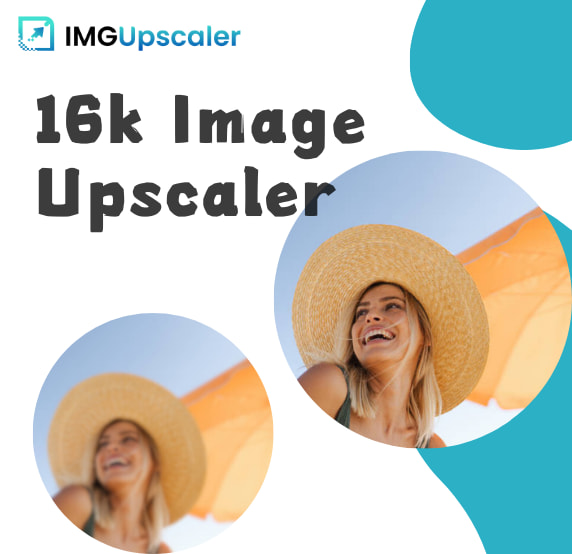
ImgUpscaler is a free, web-based AI image upscaler that enlarges low-resolution images up to very high resolutions, advertised up to 16K, while keeping results crisp.
Rather than simply stretching pixels, its AI fills in plausible detail so enlarged images stay sharp, and it also removes blur and pixelation, enhances faces and portraits, and sharpens text in screenshots.
It supports common formats such as JPG, PNG, and WebP and works across Windows, Mac, and mobile devices directly in the browser, with no signup required for core use.
The platform sits alongside complementary tools from the same provider, including old-photo restoration and video enhancement, so users can move between related tasks. It serves everyday users, ecommerce sellers, designers, and content creators who need to prepare images for print, large displays, or higher-quality posting without installing software.
ImgUpscaler positions itself as completely free with no registration, which lowers the barrier compared with credit-based competitors, and states that uploaded images are deleted within twenty-four hours for privacy.
Strengths include the free and frictionless workflow, the high claimed maximum resolution, and targeted enhancements like face and text sharpening.
Limitations are that as a free service it may impose practical limits on file size or processing speed during heavy demand, and AI upscaling of extremely low-quality sources can introduce artifacts or invented detail that does not match the original.
Pricing changes often, so check the official site for current plans. ImgUpscaler's core capabilities include AI upscaling up to 16K resolution, Blur and pixelation removal, Face and portrait enhancement and Text sharpening for screenshots.
AI upscaling up to 16K resolution is built in, Blur and pixelation removal is built in, Face and portrait enhancement is built in, Text sharpening for screenshots is built in, so you get a rounded toolkit rather than a single trick.
Each feature is designed to take the manual effort out of the task and help you reach a usable result faster, which is what makes ImgUpscaler worth a place on your shortlist.
On the plus side, users consistently highlight Free with no signup required, High claimed maximum resolution and Targeted face and text enhancements as the reasons they keep using ImgUpscaler.
It isn't perfect, though — Possible limits under heavy demand and Very low-quality sources can show artifacts are the trade-offs people most often mention, so weigh those against your own priorities before you commit.
As with any AI tool, the output still benefits from a quick human review, but ImgUpscaler gets you most of the way there with far less effort.
ImgUpscaler runs on a free pricing model, so you can start for free and only pay once you outgrow the free tier — handy for testing it on a real task before spending anything.
AI-tool pricing changes often, so always check the current plans, seats and add-ons on the official site for the latest details before you buy. Who is ImgUpscaler for? It's best suited for free ai image upscaler up to 16k.
Whether you're a beginner trying this kind of AI tool for the first time or a professional who'll use it every day, it's a credible option to consider.
If you're still deciding, compare ImgUpscaler against the alternatives and the head-to-head comparisons linked below — looking at features, pricing and real user ratings side by side is the fastest way to find the right fit for your workflow and budget.
Who is ImgUpscaler for?
ImgUpscaler is best suited for free ai image upscaler up to 16k. Whether you are trying this kind of image & design tool for the first time or use one every day, it is a credible option to shortlist — compare it with the alternatives and head-to-head comparisons linked on this page to find the best fit for your workflow and budget.