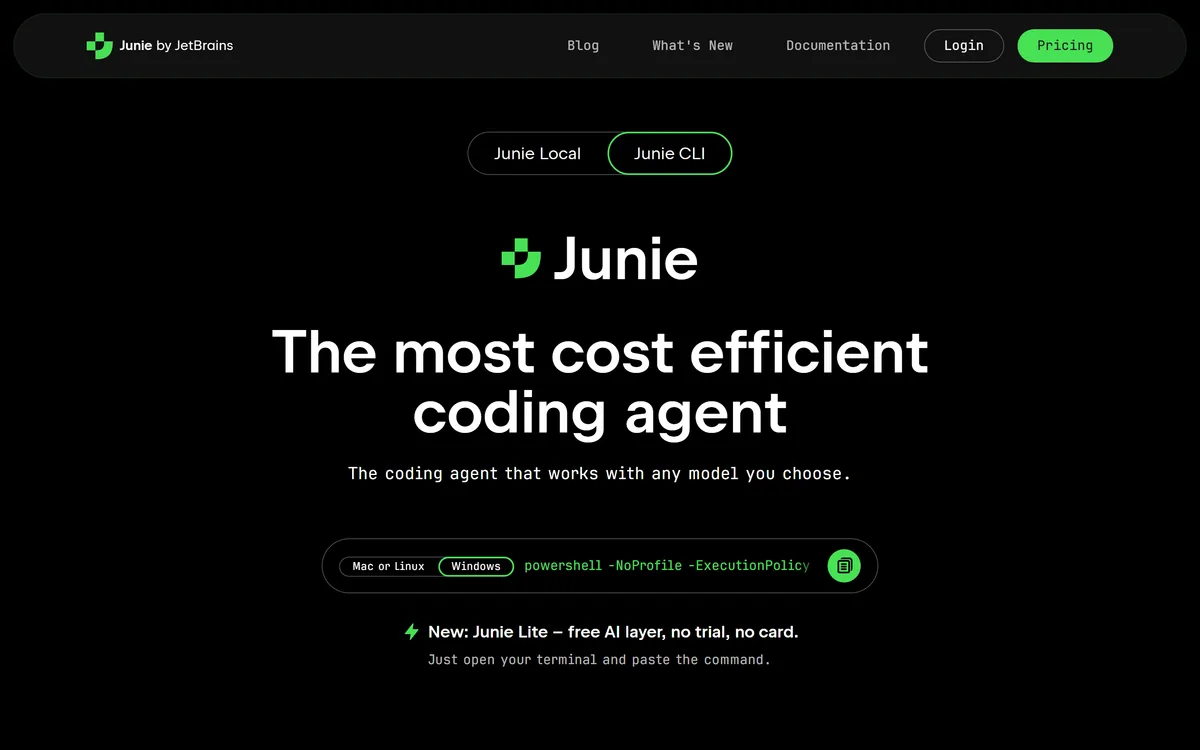
JetBrains Junie is a coding agent that works with any model you bring, built on the IntelliJ engine, with a Plan Mode, live prompting, human-in-the-loop control, agentic debugging in a real debugger, and a free Junie Lite layer.
jetbrains.com13 viewsAdded January 4, 20262.6M+ visitors
Coding agents have a trust problem: hand one a task and it is easy to end up with a confident wall of changes you did not ask for and cannot cheaply undo. JetBrains, which has made developer tools for a quarter of a century, has built Junie around keeping the developer in control rather than out of the loop.
Junie works with whatever model you bring, runs on the IntelliJ engine behind JetBrains IDEs, and separates planning from implementation so you can plan on a powerful model and build on a fast, cheaper one. It adds a Plan Mode, live steering, human-in-the-loop approvals and agentic debugging in a real debugger.
This review covers how Junie keeps you in control, the bring-your-own-key cost argument, how it is priced, and who it suits against other coding agents.
Junie: the coding agent that works with any model you choose, built on the IntelliJ engine.
JetBrains Junie In Four Points
Junie is a coding agent from JetBrains that works with any model you choose, built on the IntelliJ IDEA engine.
Control is the theme: a Plan Mode, live prompting to steer mid-task, and human-in-the-loop approval of key actions.
It brings your own key: plan on a powerful model and implement on a cheaper one, at provider rates with no markup.
There is a free layer, Junie Lite, always on in every JetBrains account, with paid tiers for heavier agent use.
A Coding Agent That Runs On Any Model You Choose
Junie's defining choice is being model-agnostic. Rather than locking you to one provider, it works with any of the top models you bring, so you are not betting your workflow on a single vendor's roadmap or pricing.
That flexibility pairs with a practical split: plan on a powerful model, implement on a fast one, for the same quality at a fraction of the cost. It is built on the IntelliJ engine, so inside a JetBrains IDE it uses the code intelligence and tooling you already rely on rather than reinventing them.
It enters a crowded field next to an in-IDE assistant like GitHub Copilot and an agentic editor like Cursor, with its distinguishing angles being model choice and an unusually strong emphasis on developer control.
Hand an agent a task and you can end up with a confident wall of changes you did not ask for. Junie is built to keep you in the loop instead.
How Does Junie Keep A Developer In Control?
The control features are the heart of Junie and the clearest reason to pick it, because an agent you cannot steer is an agent you cannot trust on real code.
Agentic Debugging In A Real Debugger
Junie does not just read logs; it starts a real debugger, sets breakpoints, inspects runtime state and steps through your code, with modes from autonomous to user-assisted. For a JetBrains tool that is a natural strength, since the debugger is already world-class.
There is also Remote Control for async work, start a migration from your laptop and check progress from your phone, plus custom guidelines, skills, subagents and MCP integration, so the agent can be taught your team's standards and extended with your own tools.
Bring Your Own Key And The Cost Argument
Junie's bring-your-own-key model is both a philosophy and a cost lever. You pay provider rates with zero markup, and because you can plan on an expensive model and implement on a cheaper one, the effective cost of a task drops without sacrificing the quality of the plan.
It also supports locally running models, which matters for teams that cannot send code to a third-party API at all. That combination, any model, your key, local option, is a genuinely different stance from agents that bundle a single model and bill you for it.
The trade-off is that bring-your-own-key means managing your own model access and spend, which is a small overhead most serious teams will happily accept for the control and flexibility it buys.
How JetBrains Prices Junie And Its AI Tools
There is a genuinely free layer, Junie Lite, always on in every JetBrains account, plus paid AI tiers that add cloud credits for more frequent agent use. Bring-your-own-key AI usage is billed separately at provider rates.
AInexfinder does not publish plan prices, which change and are best read on the site. The thing to weigh is how heavily you will run the agent: light users may live on Lite plus their own key, while teams running agents constantly will want the higher cloud-credit tier.
For organisations, JetBrains cites SOC 2 certification and positions Junie within its wider AI subscription, so it slots into an existing JetBrains relationship rather than being a separate procurement.
A Short Test Of Junie On A Real Task
Because Junie's value is control plus model choice, test it on a real task in a real repository, not a toy prompt.
Install Junie, connect your own model key, and pick a genuine task with some complexity.
Use Plan Mode first and read whether the plan is sound before approving it.
Let it implement, steering mid-task with live prompting when it drifts.
Try planning on a powerful model and implementing on a cheaper one, and compare the result and cost.
Use agentic debugging on a real bug and judge whether stepping through runtime state actually helps.
Pass/fail: Junie earns a paid tier only if the control features let you trust it on work you would not hand a hands-off agent.
Confirm the local-model and compliance options meet your team's requirements if that matters.
Is JetBrains Junie The Agent For You?
Developers Junie Suits Best
JetBrains IDE users who want an agent on their existing tooling
Developers who want to choose and switch models freely
Teams that insist on reviewing and approving agent actions
People who want to cut cost by planning and implementing on different models
Teams needing local models or a SOC 2 story
When Junie Is Not The Right Agent
Developers who want a fully hands-off agent with no oversight
People outside the JetBrains and IntelliJ ecosystem by preference
Anyone unwilling to manage their own model access and spend
Those who want a single bundled model and one simple bill
Teams wanting a lightweight autocomplete rather than an agent
JetBrains Junie Facts For Developers
What it is
A coding agent built on the IntelliJ engine
Models
Any model you choose, via bring-your-own-key
Interfaces
Junie in IDEs, Junie CLI, and a free Junie Lite
Control features
Plan Mode, live prompting, human-in-the-loop
Debugging
Agentic debugging in a real debugger with breakpoints
Async
Remote Control to start tasks and check from elsewhere
Extensibility
Custom guidelines, skills, subagents and MCP
Compliance
SOC 2 certified
Benchmark cited
Top performer on SWE-Rebench
How We Benchmarked JetBrains Junie
Last checked . Read from jetbrains.com/junie during this check, with the screenshot above captured at the same time.
A coding agent built on the IntelliJ engine that works with any model via bring-your-own-key
Junie in IDEs, a Junie CLI, and a free Junie Lite layer
Plan Mode, live prompting and human-in-the-loop control
Agentic debugging in a real debugger with breakpoints
Remote Control for async work, plus custom guidelines, skills, subagents and MCP
Support for locally running models
SOC 2 certification cited
Pricing, documentation and terms present on the site
No plan prices reproduced here, in line with this site's pricing policy
Benchmark and cost claims are the vendor's own; which models perform best for your work depends on the keys and models you bring.
Key features of JetBrains Junie
Model-agnostic agent via bring-your-own-key
Built on the IntelliJ IDEA engine
Plan Mode with editable, committable plans
Live prompting to steer mid-task
Human-in-the-loop action approval
Agentic debugging in a real debugger
Remote Control for async execution
Custom guidelines, skills, subagents and MCP
Pros & cons
Pros
5
Freedom to choose and switch any model
Strong, deliberate developer-control features
Agentic debugging in a genuinely good debugger
Cost control via plan-and-implement model split
A real free layer plus local-model support
Cons
5
Not for those wanting a fully hands-off agent
Best inside the JetBrains and IntelliJ ecosystem
Bring-your-own-key means managing your own spend
Overkill if you only want autocomplete
Agent quality still depends on the model you bring
Best For
JetBrains IDE users wanting an agent
Developers who want model freedom
Teams that insist on approving agent actions
People optimising model cost per task
Teams needing local models or SOC 2
JetBrains Junie Against Other Coding Agents
Coding tools differ by model lock-in, how autonomous they are, and how much control they give.
An in-IDE assistant, an AI-first editor, and a more autonomous specialist.
GitHub Copilot — the ubiquitous in-IDE AI pair programmer
Cursor — a fast, AI-first code editor with agentic editing
Cosine — a more autonomous agent with specialist code models
Editor's Verdict
4.4/5
JetBrains Junie earns 4.4 for pairing genuine model freedom with the strongest developer-control story in the category, Plan Mode, live steering, human-in-the-loop and real-debugger agentic debugging, plus a free layer; it is held back only for those who want a fully hands-off agent or prefer a single bundled model and bill. AInexfinder Editor Score: 4.4/5.
JetBrains Junie pricing
AInexfinder does not list plan prices or billing details. For current pricing, plans, and trials, visit the official JetBrains Junie website.
Vendor pricing, credits, and billing policies change over time. Always confirm on the official site before you buy.
Frequently asked questions
What is JetBrains Junie?
Junie is a coding agent from JetBrains, built on the IntelliJ engine, that works with any model you bring. It emphasises developer control with a Plan Mode, live prompting, human-in-the-loop approvals and agentic debugging in a real debugger.
Which models does Junie work with?
Junie is model-agnostic and works with the top models via bring-your-own-key, and it supports locally running models too. That lets you choose and switch models freely, and plan on a powerful model while implementing on a cheaper one.
How does Junie keep me in control?
Plan Mode writes a structured plan you approve or redirect before any code changes; live prompting lets you steer mid-task; and human-in-the-loop means you review and approve key actions. It deliberately trades some autonomy for confidence in what the agent does.
What is bring-your-own-key, and why does it matter?
You supply your own model API key and pay provider rates with no markup, rather than a bundled model. It gives you model choice, lets you control spend by using different models for planning and implementation, and supports local models for code that cannot leave your environment.
How does Junie compare with GitHub Copilot?
Copilot is the ubiquitous in-IDE assistant with its own model options and strong ecosystem. Junie emphasises model freedom and developer control, built on the IntelliJ engine. If you want model choice and to approve agent actions, Junie leans your way.
Is JetBrains Junie free?
There is a free layer, Junie Lite, always on in every JetBrains account, with paid AI tiers adding cloud credits for heavier agent use. Bring-your-own-key AI usage is billed separately at provider rates, so light users can go a long way on Lite plus their own key.
Can Junie debug my code?
Yes. It starts a real debugger, sets breakpoints, inspects runtime state and steps through your code, with modes from autonomous to user-assisted. For a JetBrains tool that is a natural strength, since the underlying debugger is already strong.
Can Junie run tasks asynchronously?
Yes, through Remote Control: you can start a task such as a migration from your laptop and check progress from a phone or web app, which suits long-running changes you do not want to babysit at your desk.
Is Junie suitable for enterprise teams?
It cites SOC 2 certification, supports local models, and offers custom guidelines, skills and MCP so it can be taught a team's standards. It sits within the wider JetBrains AI subscription, so it fits teams already using JetBrains tools.
Does Junie work outside JetBrains IDEs?
There is a Junie CLI and GitHub and GitLab integrations alongside the in-IDE experience, so it is not strictly limited to the IDE. That said, it is at its strongest inside the JetBrains and IntelliJ ecosystem it is built on.
Daniel reviews AI tools the slow way — by actually using them on real projects. His reviews cover what works, what breaks, and who each tool is genuinely a good fit for.
Daniel and the AInexfinder editorial team research JetBrains Junie using public product information, listing evidence, and (when available) hands-on checks. Scores reflect listing completeness and transparency — not paid placement.
Listings may include affiliate or sponsored placements, which are labeled when present. Editorial scores and cons are not sold. See our affiliate disclosure and review methodology.
GitHub Copilot is an AI coding assistant that spans completion, chat, agent mode, automated code review, and a cloud agent that opens pull requests, working across VS Code, Visual Studio, JetBrains, Xcode, Neovim, Eclipse, the CLI, and github.com.
Replit AI turns a written description into a working application — the Agent writes the code, and Replit supplies the database, authentication, hosting, and monitoring, so a prototype goes live without a local setup or a deployment pipeline.
Tabnine is an enterprise AI coding assistant offering context-aware code completion, chat and agents with private deployment and a codebase-wide context engine. In July 2026 it was acquired by Tricentis, and tabnine.com now routes to the Tricentis agentic quality engineering platform.
Zencoder is an AI orchestration platform for engineering work: agents plan with one model, build with another and review with a third, across multi-repo indexing and full dependency mapping, inside VS Code and JetBrains. It adds scheduled automation and a work layer spanning Jira, Slack and Notion.
Kiro is an agentic software-engineering toolset, an IDE, a CLI and cloud sessions, that turns prompts into executable specs, validates code correctness, and works across large codebases with parallel agents, positioned as a step beyond basic AI code completion.
Cline is an open-source AI coding agent that works in your editor as a VS Code extension, in the terminal as a CLI, as a desktop app and through an SDK, using any model including open-weight ones, with a plan-and-act workflow where you approve its actions.