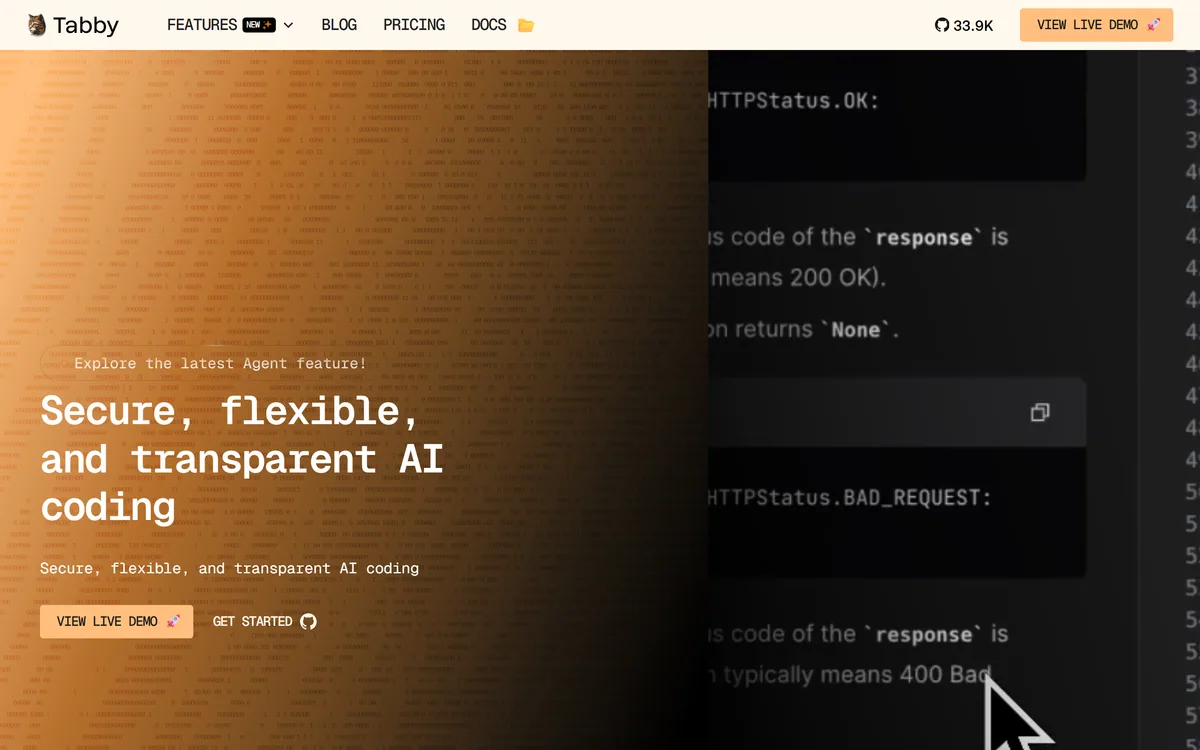
Tabby is an open-source, self-hosted AI coding assistant offering code completion, chat and an agent feature, built so teams can run AI coding on their own infrastructure for security, transparency and control rather than sending code to a cloud service.
tabbyml.com7 viewsAdded January 1, 20261K visitors
Cloud AI coding assistants are convenient, but for some teams, regulated, security-conscious, or simply privacy-minded, sending proprietary code to a third-party service is a non-starter. Tabby exists for exactly those teams.
It is an open-source, self-hosted AI coding assistant, code completion, chat and an agent feature, that you run on your own infrastructure. Where cloud assistants like JetBrains Junie keep the model on the vendor's side, Tabby's defining choice is that you host it.
This review covers why self-hosting Tabby matters, who gains from it, how its open-source and paid sides work, and who is better served by a cloud tool. We note up front that its public page is light on detail, so we keep claims to what is verifiable.
Tabby runs an AI coding assistant on your own infrastructure, not a vendor's cloud.
Tabby, The Self-Hosted Brief
Tabby is an open-source, self-hosted AI coding assistant: completion, chat and an agent, run on your own infrastructure.
Self-hosting is the whole point: your code stays on your servers rather than going to a vendor's cloud.
Open source brings transparency: you can inspect it, and it has strong community traction on GitHub.
It is a control-and-privacy choice: appealing to teams that cannot or will not use a cloud assistant.
Tabby Coding Assistant Facts
What it is
A self-hosted AI coding assistant
Licence
Open source
Deployment
On your own infrastructure
Core
Code completion and chat
Newer
An agent feature
Pitch
Security, transparency and control
Community
Strong GitHub traction (vendor-shown stars)
Access
Self-host free; paid/hosted tiers implied
A Coding Assistant You Host Yourself
Tabby's one defining decision is where the model runs: on your infrastructure, not a vendor's cloud. For most developers that is a detail; for the teams Tabby targets, it is the entire reason to choose it.
That matters because a cloud coding assistant means your source code leaves your environment to be processed elsewhere, which some organisations cannot allow for security, compliance or IP reasons. Self-hosting removes that objection at its root.
Being open source compounds the appeal: you can inspect what it does rather than trust a black box, and its community traction on GitHub is a genuine signal of real-world use. A fair caveat, though, is that the marketing page is sparse, so we describe the pitch and keep the specifics modest.
A cloud coding assistant means your source code leaves your environment. Self-hosting removes that objection at its root, which is Tabby's entire reason to exist.
Why Does Self-Hosting Tabby Matter?
The value is not a flashy feature but control, and that splits into two parts.
Open Source, On Your Infrastructure
Because Tabby is open source and self-hosted, your code never has to leave your network, and you can audit and adapt the tool itself. For a security team, those two properties, no data egress and full transparency, are often decisive in a way no feature list is.
That is a different trade from a convenience-first cloud tool. An open-source coding agent like OpenCode shares the transparency instinct; Tabby adds the self-hosting that keeps everything in-house.
Completion, Chat And The Agent Feature
On capability, Tabby provides the expected core, code completion and chat, and has added an agent feature for more autonomous work, with a live demo and docs available. These are table stakes for a coding assistant, delivered under a self-hosted model.
The realistic expectation is that a self-hosted assistant trades some of the frontier polish of a big cloud tool for control. A cloud option like Replit AI may feel more turnkey; Tabby's bet is that control is worth more to its users than the last increment of convenience.
Who Gains From A Self-Hosted Assistant
Tabby suits teams that cannot or will not send code to a cloud: regulated industries, security-conscious enterprises, defence and government-adjacent work, and anyone with strict IP or data-residency rules.
It also suits open-source-minded developers who value transparency and the ability to run and adapt their own tools, and teams that want to avoid per-seat cloud lock-in by hosting their own assistant.
It suits less well a solo developer or small team that just wants the easiest possible setup, since self-hosting adds operational work, and anyone who wants the absolute frontier model with zero infrastructure. For them, a managed cloud assistant is the pragmatic choice.
How Tabby Handles Open Source And Paid
Tabby is open source and free to self-host, with a pricing page indicating paid or hosted tiers for teams that want more than the free self-hosted route. We do not publish prices, which change; check the site.
The value equation is different from a pure SaaS tool: the "cost" of the free path includes the infrastructure and operational effort to run it, which is real but buys you control and keeps code in-house.
For a team with the capability to self-host, that trade is often worth it; for one without, the paid or hosted options, or a cloud competitor, may be the better call. Weigh the ops cost honestly, not just the licence. The open-source licence also means there is no per-seat meter working against you as the team grows, which can matter more than any single feature once an assistant is rolled out widely across an engineering org.
A Sensible Way To Trial Tabby
Because the pitch is control through self-hosting, trial it by actually standing it up, not just reading about it.
Stand up a self-hosted Tabby instance on your own infrastructure.
Confirm that code completion and chat work in your editors and that no code leaves your network.
Try the agent feature on a real task and judge the capability honestly against your needs.
Have your security team review that the deployment meets your data and compliance rules.
Weigh the operational effort of running it against the control it gives you.
Pass/fail: Tabby is worth it if its assistance is good enough and self-hosting meets a real requirement.
If you have no hard reason to self-host, compare the effort against a managed cloud assistant.
Is Tabby The Right Assistant For You?
Developers Tabby Trusts
Regulated or security-conscious teams that cannot use a cloud assistant
Organisations with strict IP or data-residency rules
Open-source-minded developers who value transparency
Teams wanting to avoid per-seat cloud lock-in
Anyone who can self-host and wants code to stay in-house
When Tabby Is Not Justified
Solo developers wanting the easiest possible setup
Teams without the capacity to self-host
Anyone who needs the absolute frontier model with no ops
Those with no real reason to avoid a cloud tool
People expecting a polished, fully managed experience
Key features of Tabby
Open-source codebase
Self-hosted deployment
Code completion
Chat
An agent feature
Runs on your own infrastructure
Live demo and docs
Community traction on GitHub
Pros & cons
Pros
5
Code never leaves your network
Open source brings transparency and adaptability
Removes a blocker for regulated teams
Avoids per-seat cloud lock-in
Strong community adoption signal
Cons
5
Self-hosting adds operational work
Public page is thin on detail
May trail frontier cloud models in polish
Overkill if you have no reason to self-host
Not the easiest setup for a solo developer
Best For
Regulated engineering teams
Strict IP/data-residency shops
Open-source-minded developers
Teams avoiding cloud lock-in
In-house-only code policies
Tabby Against Cloud Coding Assistants
The useful comparison is between self-hosted control and cloud convenience.
Last checked . Read from tabbyml.com during this check, with the screenshot above captured at the same time.
An open-source, self-hosted AI coding assistant
Code completion and chat as the core
A newer agent feature
A security/transparency positioning via self-hosting
Strong GitHub traction shown on the page
A live demo and documentation available
Free to self-host, with paid/hosted tiers implied
A sparse marketing page (much of it decorative), limiting detail
No plan prices reproduced here, in line with this site's pricing policy
Tabby's public page is thin on specifics, so our evidence is limited; we describe the self-hosting pitch and keep capability claims modest where the page does not detail them.
Other Coding Assistant Tools
An open-source agent, an IDE agent and a cloud dev tool to weigh alongside Tabby.
OpenCode — a transparent, open-source coding agent
Tabby earns 4.1 for doing one thing that matters a lot to the right teams: an open-source AI coding assistant you self-host, so code never leaves your network and you can inspect the tool itself. Its public page is thin and it trades some cloud polish for control, so it is overkill for anyone without a real reason to self-host, but for security-conscious and regulated teams it removes a genuine blocker. AInexfinder Editor Score: 4.1/5.
Tabby pricing
AInexfinder does not list plan prices or billing details. For current pricing, plans, and trials, visit the official Tabby website.
Vendor pricing, credits, and billing policies change over time. Always confirm on the official site before you buy.
Frequently asked questions
What is Tabby?
Tabby is an open-source, self-hosted AI coding assistant offering code completion, chat and an agent feature. Teams run it on their own infrastructure rather than sending code to a vendor's cloud, which is its defining choice and the main reason security-conscious organisations choose it.
Why self-host a coding assistant?
Because a cloud assistant sends your source code off your network to be processed, which some organisations cannot allow for security, compliance or IP reasons. Self-hosting keeps the code in-house, removing that objection at its root, which is Tabby's core value proposition.
Is Tabby really open source?
Yes. Tabby is open source, so you can inspect what it does and adapt it rather than trusting a closed service, and it has strong community traction on GitHub. That transparency, combined with self-hosting, is the pairing that appeals to security teams.
Is Tabby free?
It is free to self-host as open-source software, with a pricing page indicating paid or hosted tiers for teams wanting more than the free route. We do not publish prices, which change; check the site, and remember the free path's real cost includes the effort to run it.
What can Tabby actually do?
It provides the core of a coding assistant, code completion and chat, and has added an agent feature for more autonomous work, with a live demo and docs. Its page is light on specifics, so it is worth standing up a trial instance to judge the capability against your needs.
Does Tabby trail cloud coding assistants?
A self-hosted assistant typically trades some of the frontier polish of a large cloud tool for control and privacy. Whether that trade is worth it depends on your priorities: if keeping code in-house matters, Tabby's control outweighs the last increment of cloud convenience.
Who should use Tabby?
Regulated or security-conscious teams that cannot use a cloud assistant, organisations with strict IP or data-residency rules, open-source-minded developers, and teams wanting to avoid per-seat cloud lock-in. It suits anyone who can self-host and needs code to stay in-house.
Who should not use Tabby?
Solo developers or small teams who just want the easiest setup, teams without the capacity to self-host, and anyone who needs the absolute frontier model with zero infrastructure work. For them, a managed cloud assistant is the more pragmatic choice.
How do I trial Tabby?
Stand up a self-hosted instance on your own infrastructure, confirm completion and chat work in your editors with no code leaving your network, try the agent feature on a real task, and have your security team verify the deployment meets your rules. Weigh the ops effort against the control.
Does Tabby keep my code private?
That is the whole point of self-hosting: because you run Tabby on your own infrastructure, your code stays within your network rather than being sent to a third-party cloud. You should still have your security team confirm the deployment meets your specific data and compliance requirements.
Daniel reviews AI tools the slow way — by actually using them on real projects. His reviews cover what works, what breaks, and who each tool is genuinely a good fit for.
Daniel and the AInexfinder editorial team research Tabby using public product information, listing evidence, and (when available) hands-on checks. Scores reflect listing completeness and transparency — not paid placement.
Listings may include affiliate or sponsored placements, which are labeled when present. Editorial scores and cons are not sold. See our affiliate disclosure and review methodology.
GitHub Copilot is an AI coding assistant that spans completion, chat, agent mode, automated code review, and a cloud agent that opens pull requests, working across VS Code, Visual Studio, JetBrains, Xcode, Neovim, Eclipse, the CLI, and github.com.
Replit AI turns a written description into a working application — the Agent writes the code, and Replit supplies the database, authentication, hosting, and monitoring, so a prototype goes live without a local setup or a deployment pipeline.
Tabnine is an enterprise AI coding assistant offering context-aware code completion, chat and agents with private deployment and a codebase-wide context engine. In July 2026 it was acquired by Tricentis, and tabnine.com now routes to the Tricentis agentic quality engineering platform.
Zencoder is an AI orchestration platform for engineering work: agents plan with one model, build with another and review with a third, across multi-repo indexing and full dependency mapping, inside VS Code and JetBrains. It adds scheduled automation and a work layer spanning Jira, Slack and Notion.
Pieces runs in the background on your computer forming a searchable memory of your work, capturing what you see and what you copy by default and what you hear only if you opt in. It builds a chronological timeline across Gmail, Outlook, browsers and Slack, and generates standups, briefs and recaps from real context.
Cline is an open-source AI coding agent that works in your editor as a VS Code extension, in the terminal as a CLI, as a desktop app and through an SDK, using any model including open-weight ones, with a plan-and-act workflow where you approve its actions.