ImagineArt is the AI creative suite formerly branded Vyro AI, whose domain now redirects here. It covers image and video generation, audio, editing and upscaling, with Fashion, Ad and Film studios, an Imagine Computer in beta, an MCP integration and a published list of underlying models.
The first thing to know about this listing is that the name on it has changed. Vyro AI's domain redirects to imagine.art, and the product you arrive at is a creative suite rather than the image generator the old brand implied.
That is worth saying plainly because a rename is the kind of thing that quietly breaks a bookmark, a comparison spreadsheet or a search. Anyone looking for Vyro is in the right place.
What is here now spans image, video and audio generation with three purpose-built studios on top — a much larger surface than before, and one that needs evaluating on different terms.
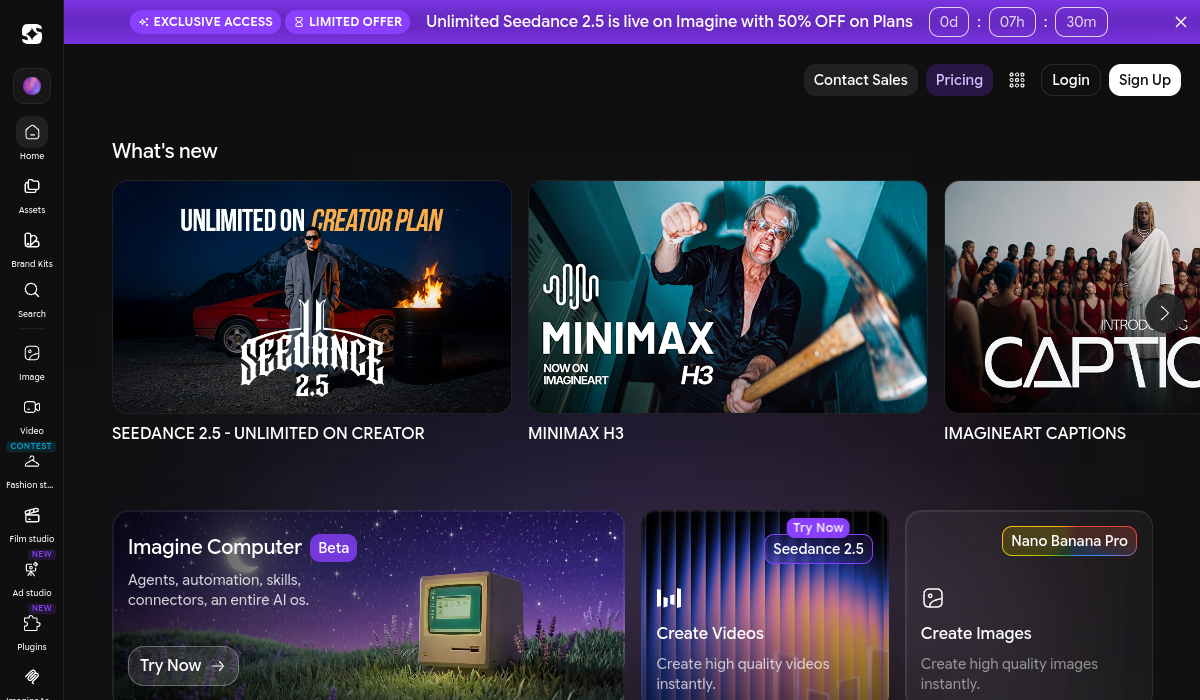
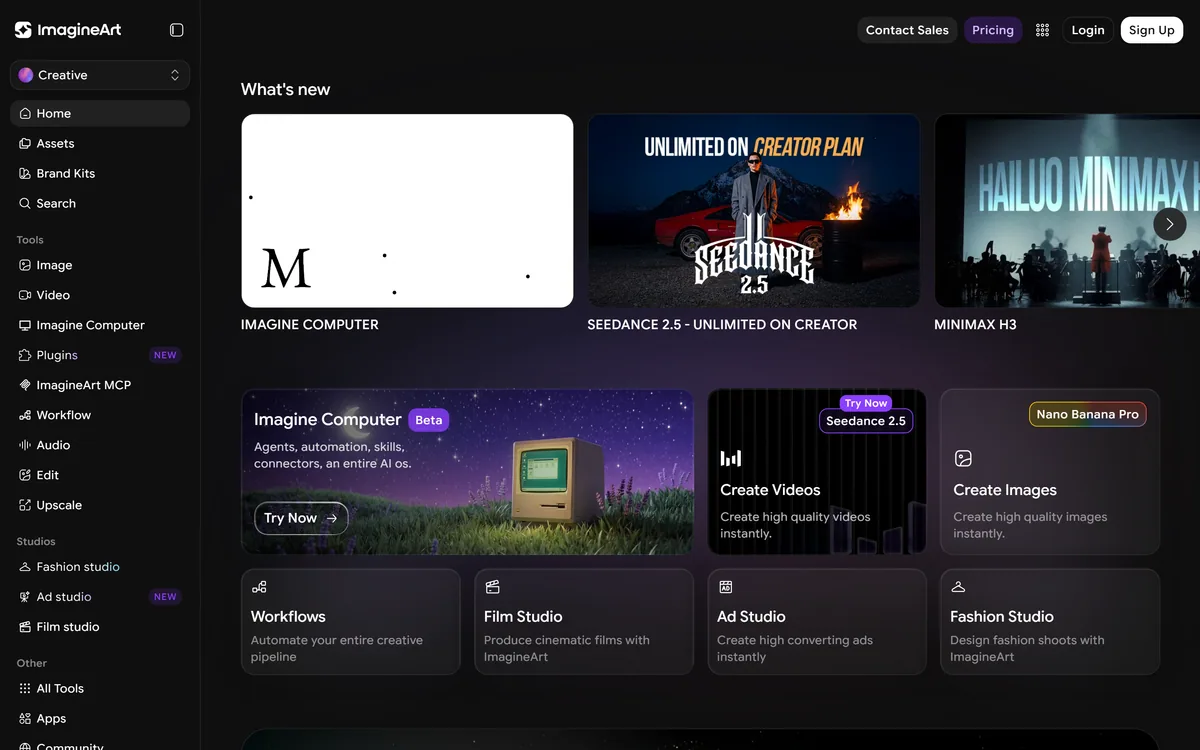
ImagineArt's homepage, captured 9 September 2026, after vyro.ai redirected here.
ImagineArt: Vyro AI Under A New Name
vyro.ai now redirects to imagine.art — same operation, different brand and a much wider product.
Images, video, audio, editing and upscaling in one suite rather than a single generator.
Three studios: Fashion, Ad and Film, each shaped around a specific output rather than a general prompt box.
Models named openly — Seedance 2.5, MiniMax H3, GPT Image 2, Nano Banana 2, Veo 3.1 Lite, Kling 3, Seedream V5 Pro, Recraft V4 and PixVerse V6 among them.
Imagine Computer in beta, described as agents, automation, skills and connectors, plus an ImagineArt MCP integration.
Why Did Vyro AI Become ImagineArt?
We can report the redirect and not the reasoning: vyro.ai issues a 302 to imagine.art, and the destination is a full creative suite with its own established branding.
The commercial logic behind renames of this kind is usually one of two things, and both fit what is visible here.
The first is scope. Vyro read as a company name attached to several apps; ImagineArt reads as a product, and a product name works better when the thing being sold is one suite rather than a portfolio.
The second is recognition. A name that describes what the thing does carries a search advantage a coined word does not, and imagine.art is unusually direct about the category it is in.
What matters practically is continuity rather than motive. Anyone who had an account, saved assets or a subscription under the old brand should confirm that all three carried over, because a rename is exactly the moment that kind of thing gets lost.
A rename is exactly the moment an account, a saved asset or a subscription quietly gets lost. Confirm all three carried over.
Naming Every Model In The Suite
ImagineArt lists its underlying models openly across its announcements: Seedance 2.5 and 2.0, MiniMax H3, GPT Image 2, Nano Banana 2, Veo 3.1 Lite, Kling 3 with motion control, Seedream V5 Pro, Recraft V4 and PixVerse V6, alongside its own ImagineArt 2.0.
That is an unusual amount of disclosure, and it changes how the product should be evaluated.
Models differ sharply and visibly. One handles motion coherence better, another renders text legibly, another holds a face across shots. Knowing which is available lets you choose deliberately rather than testing blind.
It also tells you what the company is: an orchestration layer over frontier models plus one of its own, which is a defensible position because it inherits improvements as those models ship.
The corollary is that capability shifts underneath you. A result you liked may not be reproducible once a model is retired or replaced, so noting which produced anything you intend to repeat is worth the ten seconds — the same discipline that applies to Picwand and every other multi-model platform.
Three Studios And An Imagine Computer
Beyond the generators, ImagineArt offers a Fashion studio, an Ad studio and a Film studio, plus an Imagine Computer described as agents, automation, skills and connectors — an entire AI operating system, in beta.
The studios are the more interesting half, because they represent a shift away from the prompt box.
A general generator asks you to describe everything. A studio makes assumptions — a Fashion studio knows the output is a garment on a body, an Ad studio knows the output has to sell something — and those assumptions do work you would otherwise do in a prompt.
That is the same logic behind format-specific tools succeeding against general ones, applied inside a suite rather than across products. Whether each studio is good is a separate question the site does not answer.
The Imagine Computer is the vaguest thing on the page and it is labelled beta, which is honest. An entire AI operating system is the hardest kind of claim to evaluate from marketing copy, and the sensible posture is to treat it as an experiment rather than as a reason to choose the suite.
Confirm your old Vyro account, assets and subscription carried across.
Note which model produced anything you intend to reproduce later.
Use the studios rather than the general prompt box where one fits your job.
Treat anything marked beta as an experiment, not a purchasing reason.
Check licensing before using generated output commercially.
Working Across Image, Video And Audio
The suite spans image generation and editing, video, audio, upscaling, workflows, plugins and an Adobe Premiere Pro integration.
Breadth like this makes a specific bet: that the friction of moving between tools costs more than the capability you give up by using one that is merely good at each step.
That bet is often right for individuals and small teams. Four subscriptions, four logins, four export-and-reimport cycles and four compression passes add up to a real tax on the work.
It is usually wrong for anyone whose output is dominated by one job. A specialist can make assumptions a suite cannot — a music video tool knows the cut follows a beat, a product imagery platform knows the object must be accurate — and those assumptions produce better output.
The Premiere integration is the detail suggesting a serious intent about professional workflows, since it puts generation inside an editor people already use rather than asking them to leave it. Product imagery remains the clearest case where a specialist wins, and Photoroom is the reason.
What A Very Broad Suite Cannot Promise
There are limits worth naming, and they are structural rather than specific to this product.
Depth is the first. A suite with a dozen surfaces cannot maintain each at the standard a focused team achieves, and the ones that get attention are the ones driving signups — which the feature list will not tell you.
Consistency across a body of work is the second. Anything spanning image, video and audio without a shared brand definition produces output that looks like it came from a dozen tools, which is what dedicated brand containers in tools like Hypernatural exist to prevent.
Model churn is the third and specific to orchestration layers. Capability appearing and disappearing without notice is the cost of inheriting frontier improvements.
And a promotional banner running a countdown on the homepage is worth reading for what it says about the sales motion rather than the product. Neither good nor bad — just information about who the buyer is assumed to be.
Getting Value From A Creative Suite
The trap with a suite this broad is exploring it. A dozen surfaces invite an afternoon of experimentation that produces nothing you can use.
This sequence starts from a real job and tests the specific claims that decide whether the breadth is worth it.
Confirm your Vyro-era account and assets are intact before doing anything else.
Pick one real deliverable and take it end to end rather than sampling features.
Use the studio matching your output, not the general prompt box.
Record which model produced anything worth repeating.
Compare one output against a specialist tool for the same job.
Settle commercial licensing before anything goes into paid media.
ImagineArt: Studios And Models
Former name
Vyro AI — vyro.ai now redirects to imagine.art
Product type
AI creative suite across image, video and audio
Positioning
AI Creative Suite — Images, Videos, Voice
Generation
Image, video and audio, plus editing and upscaling
Studios
Fashion studio, Ad studio, Film studio
Imagine Computer
Agents, automation, skills and connectors, in beta
Pencil — the enterprise version of model orchestration
ImagineArt: Read After The Rebrand
Last checked . Read from imagine.art in a browser session on the date above, after confirming that vyro.ai redirects there. The screenshot was captured at the same time.
vyro.ai confirmed as issuing a 302 redirect to imagine.art on the date above
Positioned as ImagineArt — AI Creative Suite for images, videos and voice
Image, video, audio, edit and upscale listed as tool categories
Fashion studio, Ad studio and Film studio listed under Studios
Imagine Computer described as agents, automation, skills and connectors, labelled Beta
ImagineArt MCP listed under plugins
An Adobe Premiere Pro integration referenced in the announcements
Models referenced including Seedance 2.5 and 2.0, MiniMax H3, GPT Image 2, Nano Banana 2, Veo 3.1 Lite, Kling 3, Seedream V5 Pro, Recraft V4 and PixVerse V6
Brand kits, workflows, captions, lipsync studio, inpaint and relight referenced
A promotional banner with a countdown displayed at the top of the page
What we could not confirm: the operating company behind ImagineArt, which the footer does not name, and therefore whether it is the same legal entity that operated Vyro AI; when the rename took effect and whether existing accounts, assets and subscriptions carried over, which is the question that matters most to previous users; pricing, since we did not reproduce the promotional offer displayed; which models each studio actually uses; and commercial licensing for generated output. We did not generate anything.
Editor's Verdict
3.9/5
If you came looking for Vyro AI, that is now ImagineArt — vyro.ai redirects here, and what you find is considerably broader than the image generator the old name suggested. It is a full creative suite: image, video, audio, editing, upscaling, plus Fashion, Ad and Film studios and an agent-flavoured Imagine Computer in beta. The model list is published openly, which is more transparency than most suites offer. The reservation is the same one every very broad platform earns — breadth this wide means specialists beat it at most individual jobs. AInexfinder Editor Score: 3.9/5.
ImagineArt pricing
AInexfinder does not list plan prices or billing details. For current pricing, plans, and trials, visit the official ImagineArt website.
Vendor pricing, credits, and billing policies change over time. Always confirm on the official site before you buy.
Frequently asked questions
What happened to Vyro AI?
vyro.ai now redirects to imagine.art, and the product there is ImagineArt — an AI creative suite covering image, video and audio generation with Fashion, Ad and Film studios. Anyone looking for Vyro AI is in the right place; the brand and the scope both changed.
Is it the same company?
We can confirm the redirect and not the corporate detail. ImagineArt's footer does not name an operating company, so whether the same legal entity is behind it is not something the site establishes. Previous customers should confirm account and subscription continuity directly.
What should previous Vyro users check?
That the account, the saved assets and the subscription all carried across. A rename is exactly the moment those quietly get lost, and it is worth confirming before assuming anything you created under the old brand is still reachable.
Which models does ImagineArt use?
It names several openly, including its own ImagineArt 2.0 alongside Seedance 2.5 and 2.0, MiniMax H3, GPT Image 2, Nano Banana 2, Veo 3.1 Lite, Kling 3, Seedream V5 Pro, Recraft V4 and PixVerse V6. That level of disclosure is unusual in a creative suite.
Why does naming models matter?
Because they differ visibly — one handles motion coherence better, another renders text legibly, another holds a face across shots. Knowing what is available lets you choose deliberately rather than testing blind and guessing why a result disappointed.
What is a studio versus the prompt box?
A studio makes assumptions. A Fashion studio knows the output is a garment on a body; an Ad studio knows the output has to sell something. Those assumptions do work you would otherwise have to describe, which is why format-specific surfaces outperform general ones.
Is the Imagine Computer worth considering?
It is labelled beta, which is honest, and an entire AI operating system is the hardest kind of claim to evaluate from marketing copy. Treat it as an experiment rather than a reason to choose the suite, and judge the product on what already ships.
Is a broad suite better than specialist tools?
It depends on your output. Breadth wins when four subscriptions and four export cycles are the actual tax on your work. Specialists win when one job dominates, because they can make assumptions a general platform cannot.
What does model churn mean for me?
That a result you liked may not be reproducible in six months. Orchestration layers inherit frontier improvements and also inherit retirements, so noting which model produced anything you intend to repeat is worth the ten seconds it takes.
Can I use the output commercially?
Licensing terms are not stated on the pages we read, and that is the question to settle before anything goes into paid media. It matters more here than usual, because output from ten different underlying models may carry different terms.
Daniel reviews AI tools the slow way — by actually using them on real projects. His reviews cover what works, what breaks, and who each tool is genuinely a good fit for.
Daniel and the AInexfinder editorial team research ImagineArt using public product information, listing evidence, and (when available) hands-on checks. Scores reflect listing completeness and transparency — not paid placement.
Listings may include affiliate or sponsored placements, which are labeled when present. Editorial scores and cons are not sold. See our affiliate disclosure and review methodology.
krea2.org is a browser image-generation workspace that runs several third-party models side by side, including Krea 2 tiers, FLUX.2, GPT Image 2, Nano Banana and Seedream 5.0, with reference uploads, six aspect ratios and live model switching.
Pet Pic Portraits turns a pet photo into styled artwork — Royal King, Pop Art, Watercolour, Viking, Wizard and more — with an instant preview before ordering. Output is a digital download, a canvas print or framed wall art, and it includes a pet memorial option.
Canva AI is the Magic Studio suite built into Canva — Magic Write for copy, Dream Lab for images, Magic Edit, Expand and Eraser for photos, Magic Switch for reformatting, Magic Charts for data, and Canva Code for interactive widgets.
Pixlr is a browser-based photo editor from Pixlr Pte Ltd with two editors and a generative AI layer — Generative Fill, Expand and Transform, background and object removal, Super Scale upscaling, face swap, plus image, video, and audio generation.
GenApe is an all-in-one AI platform covering writing, chat, image and video generation, image editing, product photography, translation, and research — with 145 free credits on signup and commercial rights granted to paid users.
Magic Patterns is an AI design tool for product teams that turns prompts, requirements and ideas into high-fidelity UI, matching your existing design system so teams can prototype and test directions before committing engineering resources.