Amp is an agentic coding tool from Sourcegraph that runs in the terminal and in editor extensions, using Sourcegraph's code intelligence to give frontier models deep repository context. It plans multi-step work, edits across files, runs tests and iterates, on pay-as-you-go credits with no markup on provider pricing.
Sourcegraph spent a decade solving one problem: understanding very large codebases well enough to answer questions about them. Code search, cross-repository references, the tooling that lets an engineer at a big company find every caller of a function across millions of lines.
That turns out to be the exact capability agentic coding needs and mostly lacks. A frontier model can write excellent code; what it cannot do is know what else in your repository depends on the thing it is about to change.
Amp is what happens when the second problem is solved by a company that already solved the first. That lineage is the main reason to take it seriously, and the pricing posture — provider cost, no markup — is the second.
What Is Amp, In One Screen?
An agentic coding tool from Sourcegraph, running in the terminal and in editor extensions including VS Code and compatible forks.
Sourcegraph's code intelligence is the differentiator — it gives frontier models real repository context rather than whatever fits in a window.
It plans and iterates: multi-step task planning, edits across the codebase, running tests, reading the output and trying again.
Threads let you save and share a session, which turns an agent run into something a colleague can review.
Pay-as-you-go at provider cost with no markup, plus a free ad-supported tier with no hard token caps and no card required.
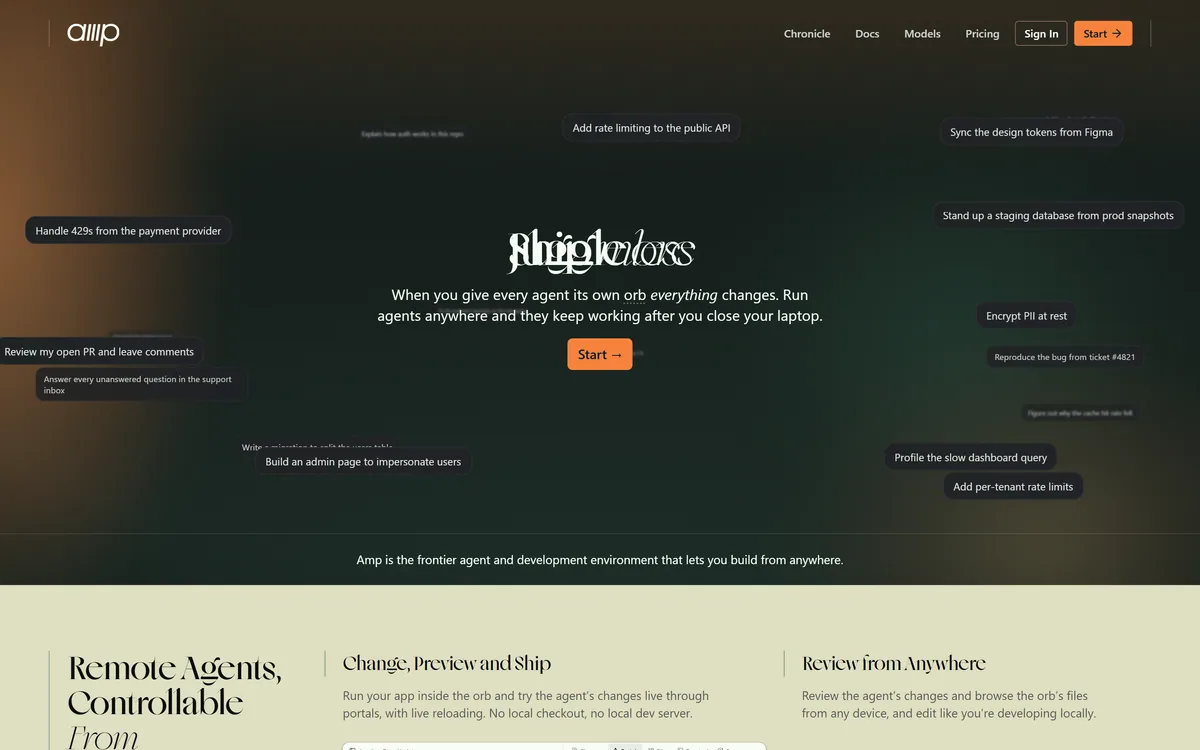
Amp's homepage, captured 9 September 2026. The presentation is deliberately spare and developer-facing, with no enterprise marketing layer.
Why Code Intelligence Beats A Bigger Context Window
The industry's default answer — including in Cursor — has been to make context windows larger and paste in more files. Amp's approach is different, and better suited to how code actually works.
Code is a graph, not a document. What matters about a function is not the text near it but what calls it, what it calls, what types flow through it and what tests cover it — and those live in files scattered across the tree. Pasting in adjacent text gives a model proximity rather than relevance.
Sourcegraph's code intelligence resolves those relationships properly, which means the model can be given the specific definitions and call sites that bear on a change rather than a large sample of nearby code and a hope.
The practical consequence shows up on exactly the tasks that matter most and demo least well: multi-file refactors, changing a shared interface, renaming something used in forty places. Those are the changes engineers avoid because they are tedious and risky, and they are where an agent with real reference data earns its cost.
The complementary limitation is worth stating. Code intelligence is strongest where a language has good static analysis. Dynamically typed code with heavy runtime magic resolves less cleanly, for the same reasons your IDE struggles with it — the references genuinely are harder to determine.
A model given the file next door has proximity. A model given every actual caller has relevance. Only the second one can refactor safely.
Threads Make An Agent Run Reviewable
Amp's Threads feature saves and shares interactions, and this is more consequential than a convenience feature.
The problem it addresses is that agentic sessions are currently invisible work. A colleague sees the resulting pull request but not the eleven steps, the two wrong turns and the reasoning that produced it. When something is subtly wrong, nobody can reconstruct how it happened.
A shareable thread turns that into a reviewable artefact. Another engineer can read the sequence, see where the agent misunderstood the requirement, and correct the prompt rather than the code.
It also has an underrated teaching use. The fastest way for a team to get good at agentic coding is to read sessions that worked, and threads make that shareable rather than each person rediscovering the technique privately.
What Does No Markup Actually Mean?
Amp charges pay-as-you-go credits with zero markup on provider API pricing for individuals, alongside a free tier that requires no card.
This is a materially different posture from the seat subscriptions that dominate the category, and it is worth understanding what it implies about incentives.
A seat subscription is a bet by the vendor that you will use less than you pay for. That creates a quiet incentive to make heavy usage inconvenient, and it means light users subsidise heavy ones. Charging provider cost inverts it: the vendor makes nothing on your token consumption, so there is no reason to ration it, and no reason to route you to a cheaper model than the task deserves.
For a user the consequences are concrete. A month you barely code costs almost nothing. A month spent on a large migration costs what that migration's model usage actually cost, which may be more than a subscription would have — and you can see exactly why.
The trade is budgeting. Finance departments prefer a predictable line item, and a variable one is harder to approve even when it is cheaper on average. If your organisation needs a fixed number, this model will be an argument rather than a feature.
Light or uneven usage is cheaper here than under any per-seat plan.
A heavy migration month may cost more than a subscription, and you will see precisely why.
No incentive exists to route you to a weaker model, since the vendor takes no margin on tokens.
Variable spend is harder to get approved than a flat fee, whatever the average works out to.
Watch the first two weeks of real usage before assuming which model suits you.
The Free Tier Is Ad-Supported, And That Matters
Amp's free tier includes its Tab autocomplete, access to the core agent with no hard token caps, and thread sharing — and it is ad-supported.
Take the generosity seriously first: a free tier with no hard token cap on the core agent is unusual, and it means the tool can be evaluated properly rather than through a crippled trial.
The ad-supported model deserves plain treatment though, because it is uncommon in developer tooling and people have reasonable questions about it. The relevant question is not whether ads are annoying; it is what they imply about data.
The paid tier is described as offering zero data sharing, with code, prompts and agent threads not used to train models. Read the inverse carefully: if that is the differentiator, then the free tier does not carry the same guarantee.
For personal projects and open-source work that may be entirely acceptable. For employer code it usually is not, and the decision should be made deliberately rather than by defaulting to the free tier because it was there. If your code is proprietary, the paid tier is the only sensible starting point, and the pricing model makes that a small step rather than a big one.
Trying Amp On Work You Have Already Done
The free tier makes evaluation easy, but evaluate it on the task type that distinguishes it rather than on the one that is easiest to test.
The bar is step three. Single-file edits tell you nothing about Amp specifically, because every agent in the category handles those.
Decide the tier question before you start: personal or open-source code can go on the free tier, employer code should not.
Pick a refactor you have already completed — a renamed interface, a changed function signature, something touching many files.
Ask Amp to do it and check whether it found every call site. This is the code intelligence test and the whole reason to choose this tool.
Read the thread rather than only the diff. The steps show you where it understood the task and where it guessed.
Share that thread with a colleague and see whether they can follow it, since reviewability is a genuine differentiator here.
Check your credit consumption for the session and extrapolate to a realistic month, because pay-as-you-go is invisible until you look.
Where Amp Sits Against Its Siblings
Amp competes in a crowded category, and the honest summary is that the differences are narrowing on code generation and widening on everything around it.
Against an editor-first tool, Amp gives up ambient context — it does not know what you have selected or which test just failed — and gains repository-scale reference data plus the ability to run in a terminal, in CI or over SSH.
Against an open-source terminal agent such as Aider, it gives up model flexibility and full local operation, and gains Sourcegraph's code intelligence, which is a genuinely hard thing to replicate.
Against an enterprise orchestration platform such as Zencoder, it gives up compliance certifications, on-premise deployment and administrative controls, and gains simplicity and a pricing model that does not require a procurement process.
The buyer this suits best is a developer or a small team working in a large or complex codebase, who wants an agent with real reference data and does not need a compliance conversation to adopt one.
Amp: The Stated Specification
Product type
Agentic coding tool
Built by
Sourcegraph
Runs in
Terminal, plus editor extensions including VS Code and compatible forks
Context method
Sourcegraph code intelligence over your repository
Agent behaviour
Multi-step planning, multi-file editing, running tests, interpreting output and iterating
Models
Claude, GPT-4o, Gemini and other frontier models, user-selectable
Collaboration
Threads — saved and shareable agent sessions
Free tier
Tab autocomplete, core agent with no hard token caps, thread sharing; ad-supported, no card required
Paid tier
Smart Mode, with zero data sharing — code, prompts and threads not used to train models
Pricing model
Pay-as-you-go credits at provider cost, stated as zero markup for individuals
Which Developers Amp Suits
Well matched when
You work in a large or complex codebase where knowing every caller is the hard part of a change.
Your usage is uneven, and paying provider cost beats a seat you sometimes do not use.
You want agent sessions your colleagues can read and learn from rather than opaque pull requests.
You want to run an agent in a terminal, in CI or over SSH rather than only inside an editor.
You would rather choose the model per task than accept whichever one a vendor bundled.
A poor match when
Your finance process needs a fixed monthly figure, which pay-as-you-go cannot give you.
Your code is proprietary and you intended to use the free tier, which is ad-supported and does not carry the paid tier's data guarantee.
You need compliance certifications or on-premise deployment, which this does not advertise.
Your codebase is small, where repository-scale code intelligence solves a problem you do not have.
You need the agent to see your selection and failing tests, which is an editor-first strength.
Key features of Amp
Sourcegraph code intelligence giving frontier models repository-wide reference data
Multi-step task planning before implementation
Multi-file editing across an entire codebase
Runs tests, reads the output and iterates without being prompted each time
Threads for saving and sharing complete agent sessions
User-selectable frontier models including Claude, GPT-4o and Gemini
Runs in the terminal and in VS Code and compatible editor forks
Tab autocomplete included even on the free tier
Pros & cons
Pros
6
Sourcegraph's code intelligence is genuinely hard to replicate and shows on multi-file refactors
Charging provider cost with no markup removes any incentive to ration your usage or downgrade your model
A free tier with no hard token cap allows real evaluation rather than a crippled trial
Threads make agent sessions reviewable and teachable, which most tools leave invisible
Runs in a terminal, so it works in CI and over SSH as well as beside your editor
Model choice stays with you rather than being bundled by the vendor
Cons
6
Pay-as-you-go spend is unpredictable and harder to get approved than a flat subscription
The free tier is ad-supported and does not carry the paid tier's zero-data-sharing guarantee
No compliance certifications or on-premise deployment are advertised
Code intelligence works best where static analysis does, so dynamically typed code resolves less cleanly
No ambient editor context — it does not see your selection or your failing test
Our automated fetch of the site failed, so several details rest on third-party coverage rather than the vendor's own pages
Best For
Developers working in large or complex codebases
Multi-file refactors where finding every call site is the hard part
Teams that want agent sessions colleagues can read and learn from
Uneven usage patterns that suit paying per token rather than per seat
Anyone who wants to run an agent in CI or over SSH as well as locally
Amp Compared With The Other Agents
These tools differ most on where their context comes from and how they charge. Both questions matter more than raw code quality, which has largely converged.
Tool
Context source
Model choice
Billing
Amp
Sourcegraph code intelligence across the repository
Frontier models, user-selectable
Pay-as-you-go at provider cost; free tier is ad-supported
Compare on context source and billing model — code generation quality has largely converged, and those two have not.
Aider — the open-source terminal comparison, with full model freedom and local operation
Cursor — editor-first, with ambient context Amp does not have
Zencoder — the enterprise option, with certifications and on-premise deployment
GitHub Copilot — the incumbent, on a predictable per-seat subscription
OpenCode — another open-source terminal agent worth comparing on context handling
Sourcing This Amp Review
Last checked . The site returned a header error to our automated fetch, so product facts here come from the captured screenshot above and from published third-party coverage rather than from a full page read.
Amp confirmed as an agentic coding tool built by Sourcegraph, running in the terminal and in editor extensions including VS Code and compatible forks
Code intelligence from Sourcegraph described as providing deep codebase context to frontier models for multi-file refactors, feature work and bug fixes
Agent behaviour described as multi-step planning, editing across the codebase, running tests, interpreting output and iterating
Threads confirmed as a feature for saving and sharing agent interactions
Model support described as covering Claude, GPT-4o, Gemini and other frontier models with user-selectable switching
Pricing described as pay-as-you-go credits with zero markup on provider API pricing for individuals
Free tier described as including Tab autocomplete, core agent access with no hard token caps and thread sharing, requiring no credit card, and being ad-supported
Smart Mode described as the paid tier, offering zero data sharing with code, prompts and agent threads not used to train models
What we could not confirm: our automated fetch of ampcode.com failed with a header parsing error, so we could not read the site's own footer, privacy policy or terms, and the details above rest on the captured screenshot plus third-party coverage rather than on the vendor's full pages. No compliance certifications, data residency terms or enterprise deployment options were established. Pricing specifics and the exact scope of the free tier's data handling should be confirmed directly with the vendor before putting proprietary code through it.
Editor's Verdict
4.3/5
Amp scores well for two reasons that are unusual together. Sourcegraph has spent a decade building code intelligence over large repositories, and pointing that at a frontier model gives the agent context most rivals approximate — which is why it holds up on multi-file refactors rather than single-file edits. And charging provider cost with no markup is a genuinely different commercial posture from a seat subscription: you pay for what the model actually did. It loses ground because pay-as-you-go makes budgeting harder than a flat fee, because the free tier is ad-supported which some teams will not accept, and because the privacy difference between tiers is a real decision rather than a detail. AInexfinder Editor Score: 4.3/5.
Amp pricing
AInexfinder does not list plan prices or billing details. For current pricing, plans, and trials, visit the official Amp website.
Vendor pricing, credits, and billing policies change over time. Always confirm on the official site before you buy.
Frequently asked questions
What is Amp?
Amp is an agentic coding tool built by Sourcegraph. It runs in the terminal and in editor extensions, uses Sourcegraph's code intelligence to give frontier models deep repository context, and handles multi-step work — planning a change, editing across files, running tests, reading the output and iterating.
What makes Amp different from other coding agents?
Sourcegraph's code intelligence. Most agents approximate codebase context by pasting in nearby files, which gives a model proximity rather than relevance. Sourcegraph resolves actual references — every caller, every definition — which is why Amp holds up on the multi-file refactors that are hardest and least well demonstrated elsewhere.
Is Amp free?
There is a free tier requiring no credit card, including Tab autocomplete, core agent access with no hard token caps and thread sharing — and it is ad-supported. Paid usage is pay-as-you-go credits at provider cost, stated as zero markup for individuals, which is a different posture from the per-seat subscriptions common in this category.
What does zero markup on provider pricing mean?
It means Amp charges what the model provider charges, taking no margin on your token consumption. The practical effect is that there is no incentive for the vendor to ration your usage or route you to a cheaper model than the task needs. The trade is that spend varies month to month, which finance departments find harder to approve than a flat fee.
Is my code private on Amp's free tier?
The paid Smart Mode tier is described as offering zero data sharing, with code, prompts and agent threads not used to train models. Read the inverse carefully: if that is what distinguishes the paid tier, the free ad-supported tier does not carry the same guarantee. For proprietary employer code, start on the paid tier rather than defaulting to free.
Which AI models does Amp use?
Claude, GPT-4o, Gemini and other frontier models, with user-selectable switching. Because billing is at provider cost, choosing a more capable model for a hard task costs you what that model costs rather than being restricted by a plan tier — which is the main practical benefit of the pricing structure.
What are Amp Threads?
Saved, shareable records of an agent session. They matter because agentic work is otherwise invisible: a colleague sees the resulting pull request but not the eleven steps and two wrong turns behind it. A shared thread lets someone review the reasoning, correct the prompt rather than the code, and learn the technique.
How does Amp compare with Aider?
Both are terminal-first agents. Aider is open source, works with any model including local ones, and builds its own repository map. Amp brings Sourcegraph's code intelligence, which resolves references more thoroughly, but ties you to its platform and its model selection. If code cannot leave your machine, Aider; if reference accuracy in a large repo matters most, Amp.
Can Amp handle large codebases?
That is the specific case it was built for. Sourcegraph's entire history is code search and cross-repository references over very large codebases, and Amp points that capability at an agent. Expect it to be strongest where static analysis is strongest, and weaker on dynamically typed code with heavy runtime behaviour, for the same reasons your IDE is.
Is Amp suitable for enterprise use?
We could not establish that. Our automated fetch of the site failed, and no compliance certifications, data residency terms or on-premise deployment options were confirmed. If you need those, either verify them directly with Sourcegraph or look at a platform that advertises them — Zencoder, for instance, publishes SOC 2 Type II, ISO 27001 and on-premise deployment.
Daniel reviews AI tools the slow way — by actually using them on real projects. His reviews cover what works, what breaks, and who each tool is genuinely a good fit for.
Daniel and the AInexfinder editorial team research Amp using public product information, listing evidence, and (when available) hands-on checks. Scores reflect listing completeness and transparency — not paid placement.
Listings may include affiliate or sponsored placements, which are labeled when present. Editorial scores and cons are not sold. See our affiliate disclosure and review methodology.
GitHub Copilot is an AI coding assistant that spans completion, chat, agent mode, automated code review, and a cloud agent that opens pull requests, working across VS Code, Visual Studio, JetBrains, Xcode, Neovim, Eclipse, the CLI, and github.com.
Replit AI turns a written description into a working application — the Agent writes the code, and Replit supplies the database, authentication, hosting, and monitoring, so a prototype goes live without a local setup or a deployment pipeline.
Tabnine is an enterprise AI coding assistant offering context-aware code completion, chat and agents with private deployment and a codebase-wide context engine. In July 2026 it was acquired by Tricentis, and tabnine.com now routes to the Tricentis agentic quality engineering platform.
Zencoder is an AI orchestration platform for engineering work: agents plan with one model, build with another and review with a third, across multi-repo indexing and full dependency mapping, inside VS Code and JetBrains. It adds scheduled automation and a work layer spanning Jira, Slack and Notion.
Cline is an open-source AI coding agent that works in your editor as a VS Code extension, in the terminal as a CLI, as a desktop app and through an SDK, using any model including open-weight ones, with a plan-and-act workflow where you approve its actions.
Pieces runs in the background on your computer forming a searchable memory of your work, capturing what you see and what you copy by default and what you hear only if you opt in. It builds a chronological timeline across Gmail, Outlook, browsers and Slack, and generates standups, briefs and recaps from real context.